Don't worry, on Windows you can also get stuck with the decision whether to install an app or games from the website, from the Microsoft Store, from other software stores like Steam, or even from the command line using tools like Chocolatey... 
Or ninja which applies on GnuLinux, as well.
But LeaUK has a point that the format is usually the same on Windows with dominant .exe format.
You can install Appimages, as well as install from the command line. Few Windows OS users install from the command line or compile from the command line, however.
1 Like
 You forget I'm 'old skool' none of that modern MS App store or Steam here
1 Like
Cheers, Synaptic installed. I've been using 'apt list --installed'
So to remove Brave (as an example) I would simply search for the package name and choose the green highlighted line as this will remove the whole Brave and dependencies (those not in use)?
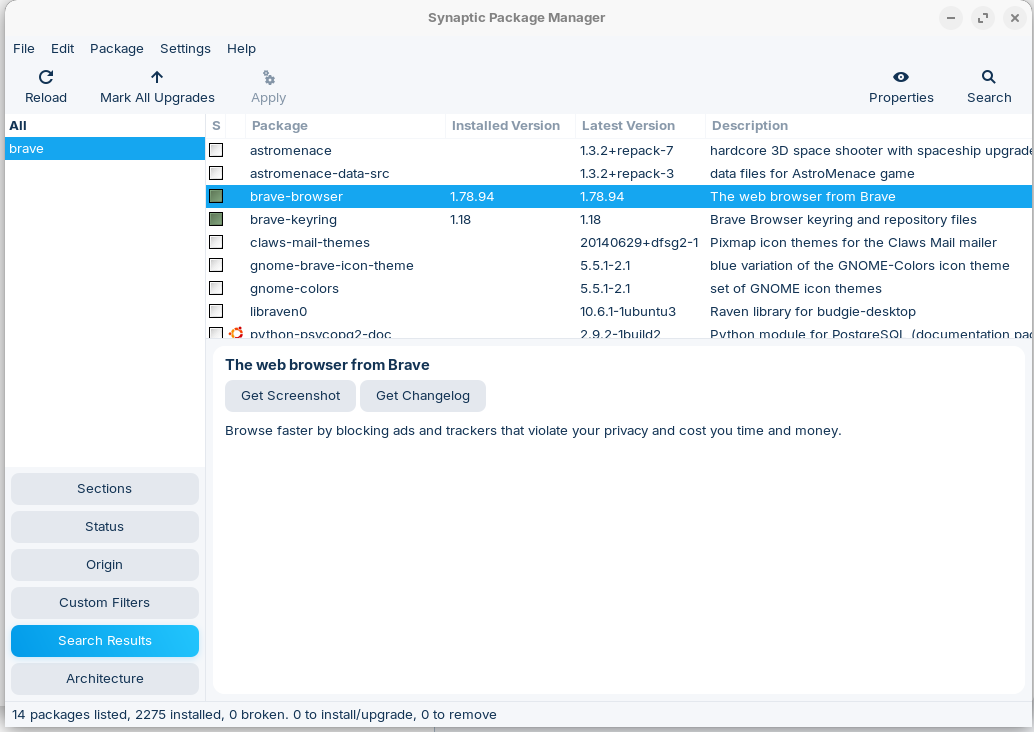
Yes, and also brave keyring. First you mark them, reserve them for install/remove and when you are ready with all programs that you want to remove or install, then klick on apply. At detail you can see the depended packages/libraries which are also installed or removed, but you are asked before. The green ones are the installed packages.
1 Like
Only to remember: This will uninstall the Brave Browser but not removing the Brave Repo with it.
This topic was automatically closed 90 days after the last reply. New replies are no longer allowed.