Hi. I'm very new to Linux and Zorin so bare with me please.
Whenever I boot up my system I get like 2 minutes of a black screen with a dash in it then flashes 2 errors about the boot files not being found for like a second before logging into the os.
The files/folders are actually there on "computer/boot/efi/EFI/" so they do in fact exist.
So I don't know what it's happening,
I've tried doing a clean install 2 time already.
General information:
I've only got Zorin os installed, Windows is no longer in my system.
I've setup my installation media through Rufus. (BalenaEtcher didnt wanna work)
I've booted zorin installation media (USB) from bios. [I've read that installing from EFI instead of bios helped but idk what is that]
I've installed zorin selecting the "modern Nvidia drivers" option. (570-Metapack is the one installed from default for my 1050ti)
Related Specs:
Mobo: Intel DH61CR (has UEFI, doesn't support secure boot).
As I found out this seems to appear on older machines that support uefi but not secure boot. It should disappear with this commands, but please wait until a moderator confirms this solution, I am not sure.
and then reboot. Please replace /dev/sda with your drive with Zorin. This could also be /dev/sdb or /dev/sdc if you have more than one drive or /dev/nvme0n1 if you use a nvme
Nah I'm just messing with you trying to lighten the mood for what is coming.
So, good news: I no longer get the boot and EFI not found errors.
Edit: thank you If it weren't for you I wouldn't found that I had to select the entire ssd
I'm sorry about that. I advised you to wait until someone more experienced could say something about it. It's better to be careful with grub commands. Unfortunately, I can't help you right now.
I don't want to write something wrong.
Were you able to use your operating system normally earlier and the error message only appeared when booting?
How is it now? Does Zorin start normally after this errors and can you log in? Probably not..
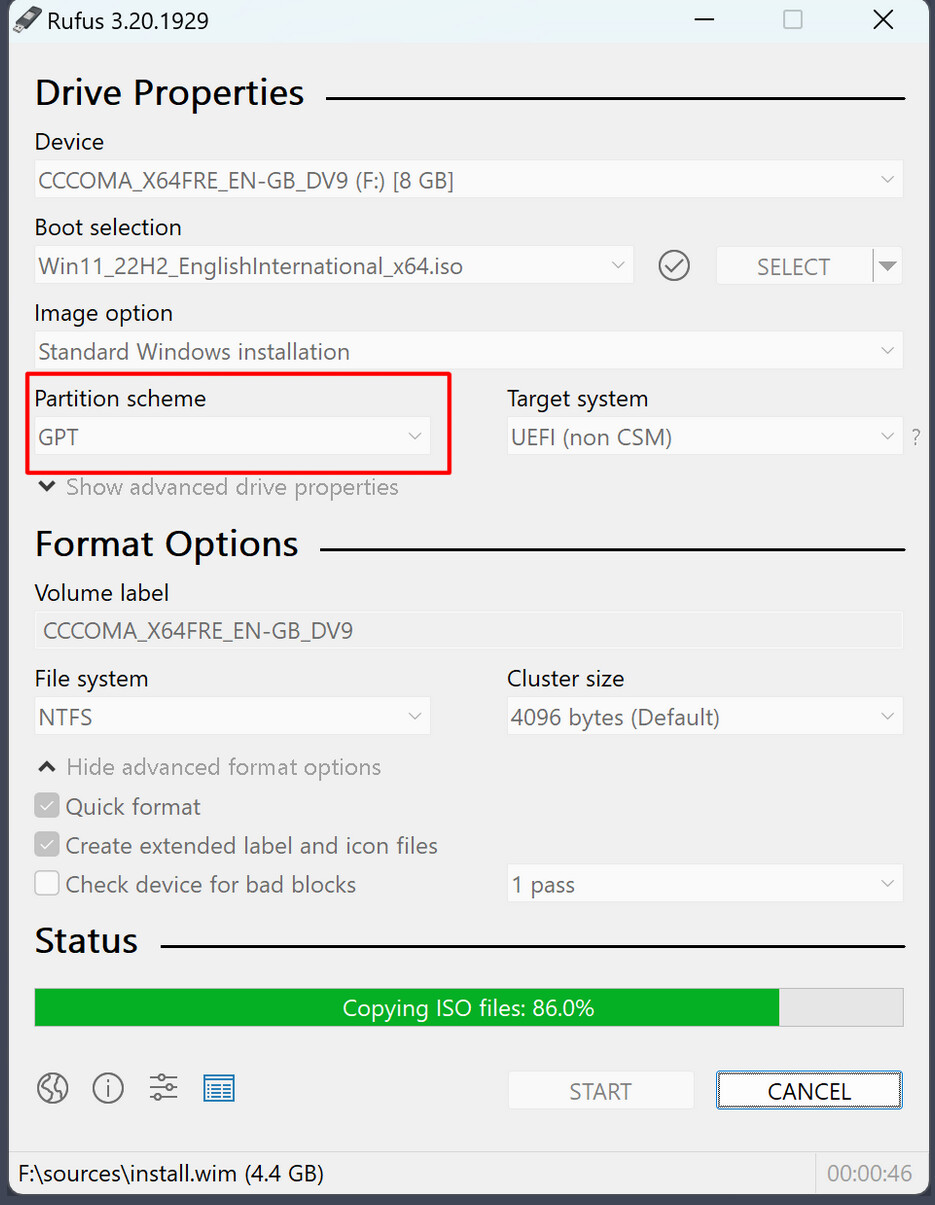
When you create the Zorin bootstick with rufus, it is important to set the partition scheme to GPT if your BIOS is set to UEFI, and to MBR if your BIOS is set to legacy.
Based on Your initial Comment, I would ask a couple of Questions:
Is Fast Boot in BIOS disabled?
Is Your BIOS in UEFI or Legacy Mode (You should find that somewhere in the BIOS)? You wrote that it ''has UEFI'', but does that mean that it runs in UEFI?
You used Rufus which is a good Tool. What Partition Sheme Option did You have chosen? For UEFI BIOS GPT would be good, for Legacy BIOS MBR. You can set it up here:
Keyboard function at that screen is managed by the BIOS, not by Zorin OS.
The Zorin OS Kernel has not yet loaded at that point. Were it the Zorin OS kernel, the keyboard would work until reaching the GDM Login screen, then stop working.
As it is not a destructive command, there is no "undo" command for it. Instead, if you need a different manner of install, you would just run that command, instead.
If you installed to the wrong drive; to undo it you would just remove the grub files (However you want to... using the GUI file manager or the terminal...)
Do you know why this happened? I found this solution in many threads and I didn't expect the system to fail as a result. I'm really blaming myself right now.
=== START OF READ SMART DATA SECTION ===
SMART Self-test log structure revision number 1
Num Test_Description Status Remaining LifeTime(hours) LBA_of_first_error
1 Extended offline Completed without error 00% 16217 -
2 Short offline Completed without error 00% 16217 -
3 Extended offline Completed without error 00% 16217 -
4 Short offline Completed without error 00% 16217 -
$ sudo smartctl -H /dev/sda
smartctl 7.2 2020-12-30 r5155 [x86_64-linux-6.8.0-64-generic] (local build)
Copyright (C) 2002-20, Bruce Allen, Christian Franke, www.smartmontools.org
=== START OF READ SMART DATA SECTION ===
SMART overall-health self-assessment test result: PASSED
But if you meant that Zorin as is, then yes.
I didn't add of modify anything
Update:
Managed to get in the bios by taking out the CMOS battery.
Fast boot - general optimization was enabled (now disabled)
UEFI Boot - enabled
USB boot - disabled (I think that's only needed if OS is installed directly into the USB stick)
Boot USB first - disabled
Formated the USB and flashed it once again (this time BalenaEtcher worked)
Hopefully this fixes it,
Will post results soon
Ps. Thanks to the both of you for offering your help, stay tuned
UPDATE:
Back to the first set of error.
Could this be GRUB's fault, could I uninstall it/disable it? Either way there is just Zorin os installed, no dual boot whatsoever