First:
Go in the Extension Manager to the ''Installed Tab''. There scroll down and look for ''Zorin Menu'' and turn off the Toggle:

Then:
Here You have 2 Option I would think. You can activate Favorites what adds the Apps what you would have for Example added in the Taskbar or in the Dock in the App Grid.
But You want add manual Apps. For this, I would suggest to take the Option ''Pinned Apps''. With that, You can in the ArcMenu Settings add Entries for that.
To activate Favorites, open the ArcMenu Settings an then:
1:
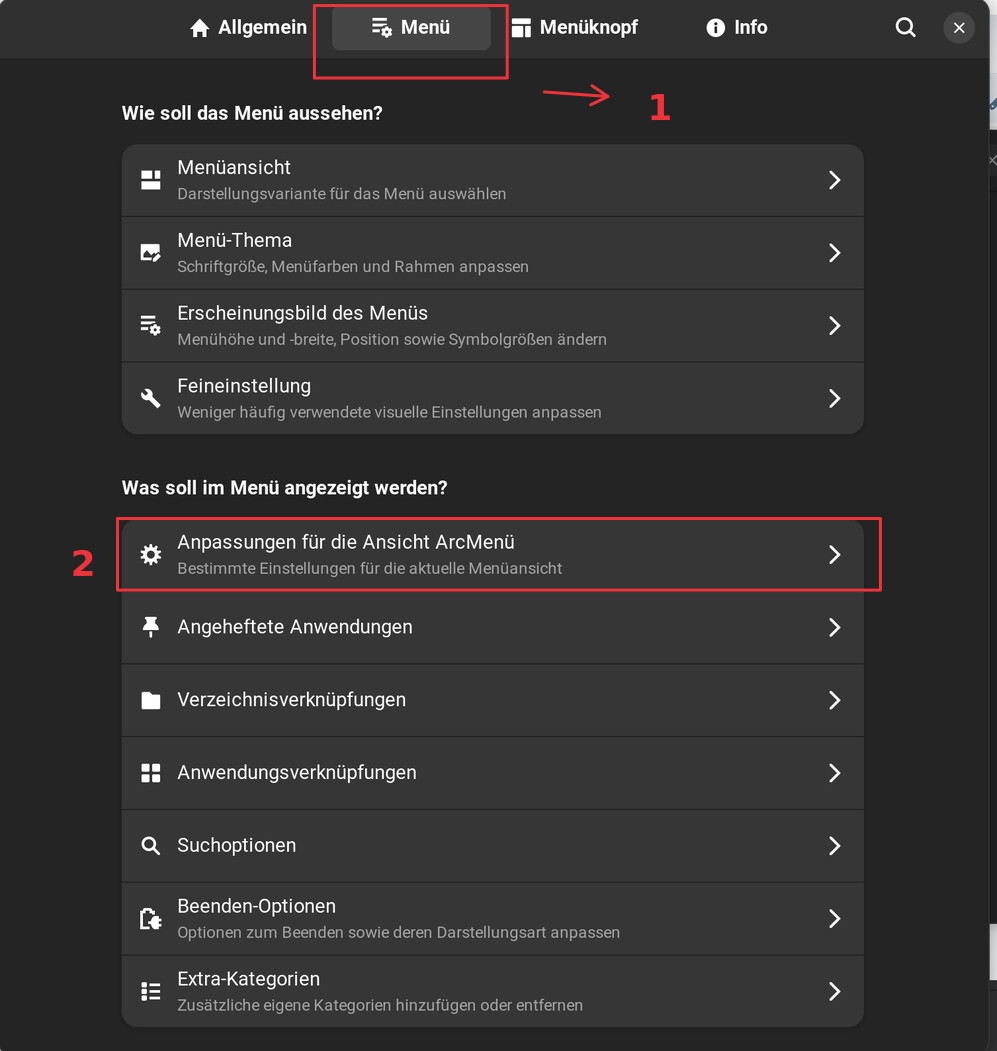
2:
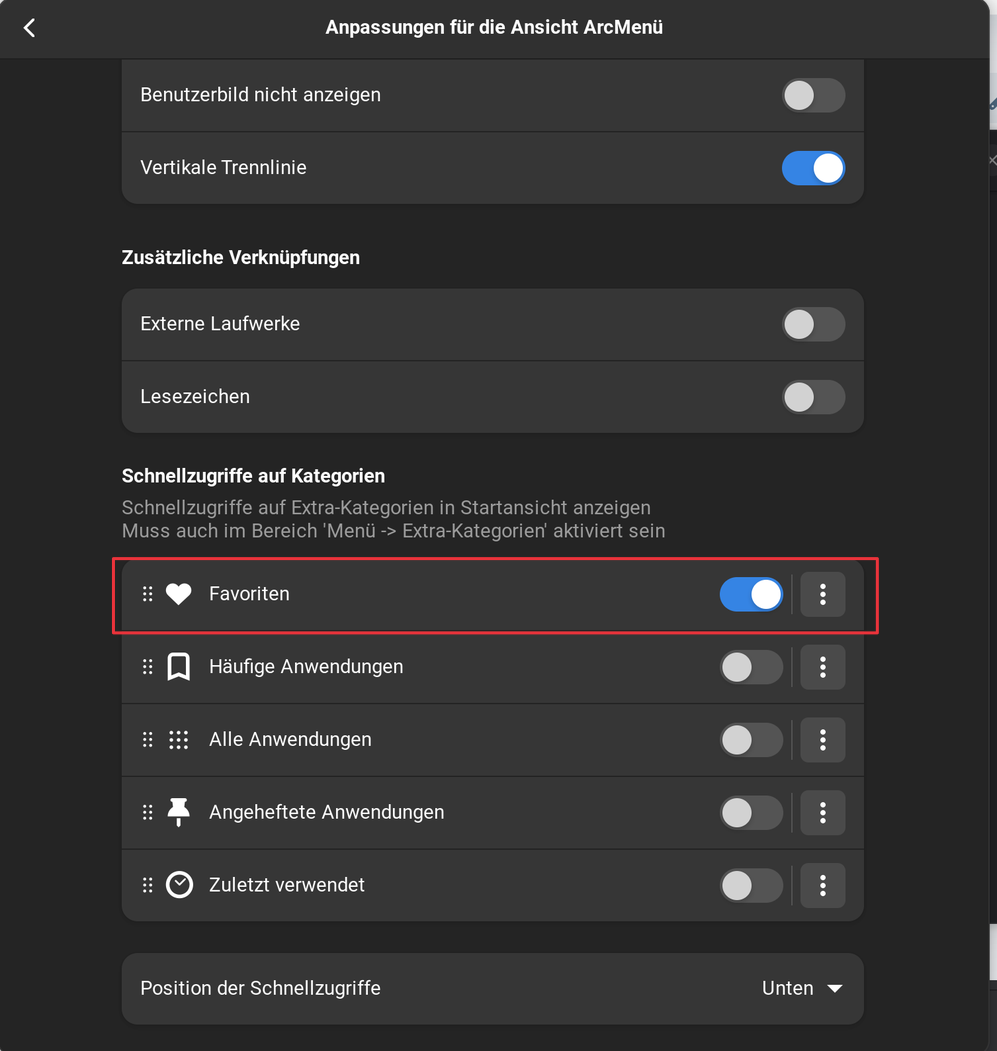
3:

4:

Then You get the ''Favorites'' Menu entry filled with Favorites:


But when You want fill it by Yourself, I would suggest to use the Pinned Apps Option:
1:
2:

3:
4:
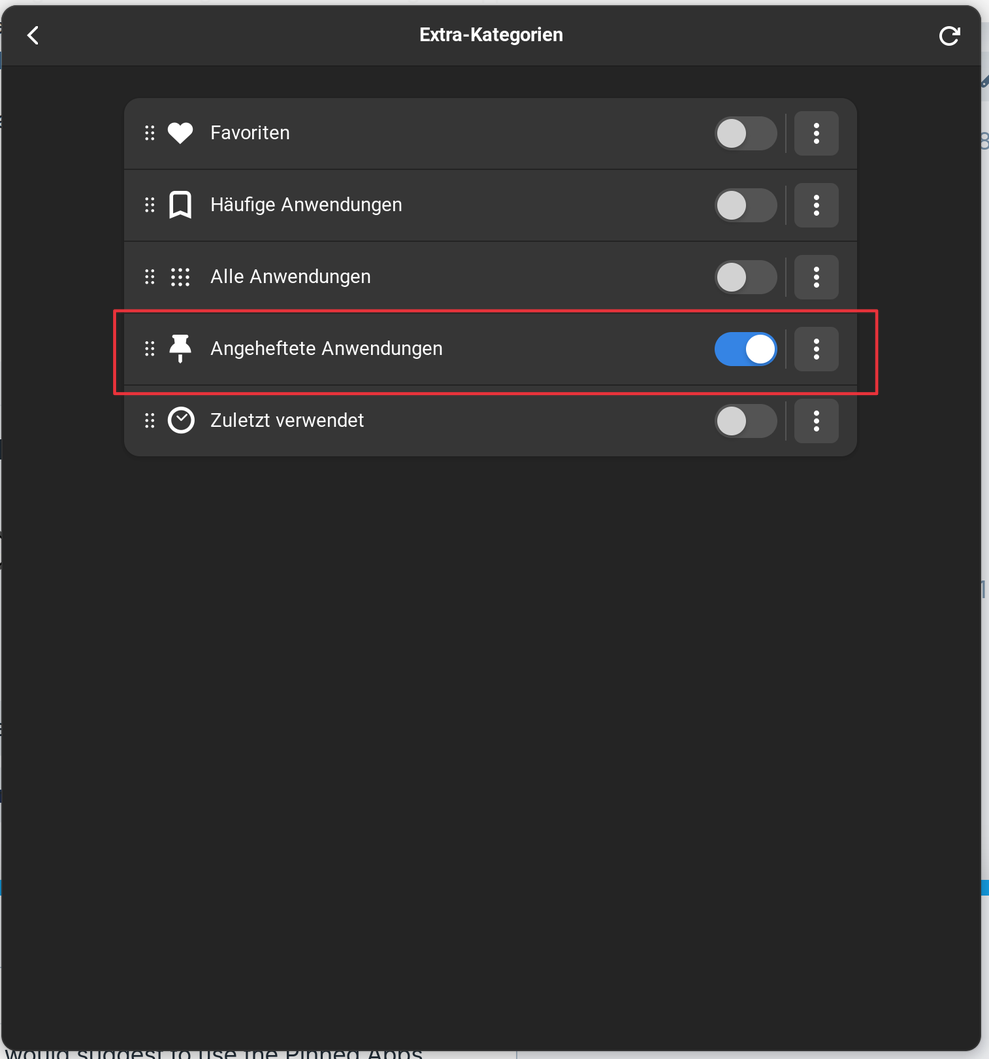
5:

6:

And here You can manually add Programs and sort the Order.