Hm, perhaps that gnome-extension can help, but I don't remember if you can change the font with it. I'll test it later.
Edit:
In the extension settings of open bar at tab "Bar foreground" you can set the font type and font size for the topbar. I set the font to Inter Regular 10 - that is the default font in Zorin.
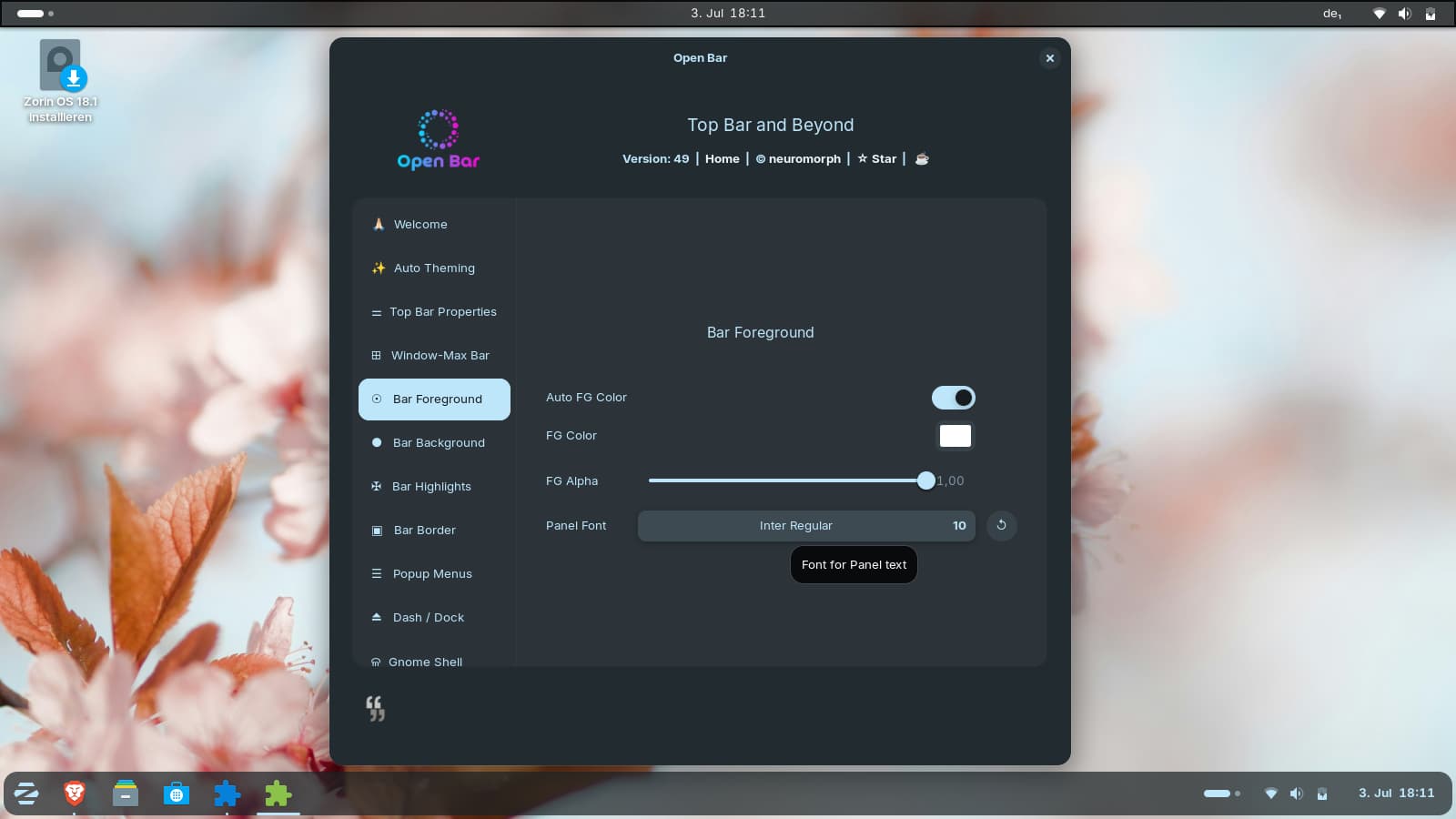
Unfortunately, the open bar extension messes up a lot of things in the topbar when you enable it, and the top bar looks completely different as a result. However, you can then customize it however you like.
I also tested the guide from that old thread, but when you change the stage in Zorin 18 e.g. to 8pt, many fonts are effected e.g. Zorin menu, authentication prompts, logout, ...and not just the topbar...Setting it to 10pt made no difference in my eyes compared to the default version.