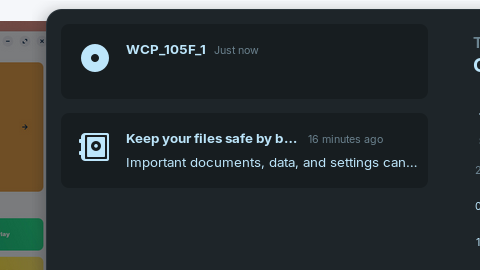
I keep get notifications "suggesting" I do this or add that. I find these forking infuriating. FFS I may as well switch back to windows!!!!!
How do I stop them?
I keep get notifications "suggesting" I do this or add that. I find these forking infuriating. FFS I may as well switch back to windows!!!!!
How do I stop them?
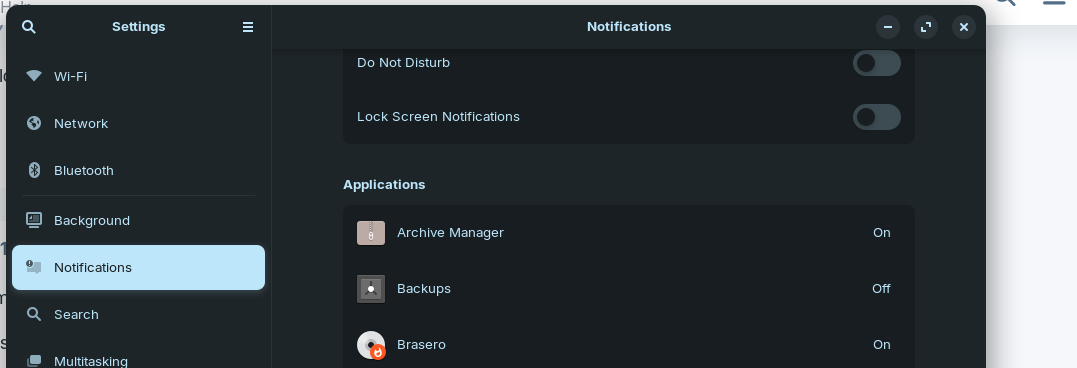
In Settings → Notifications you can control which programs can send notifications. You can fine tune this a little by preventing popups but still show some things in the lock screen, etc.
That would be "Backups". It's really persistent...
How do I stop it from nagging me?
EDIT: Dumb Question, first I should look where you said to. /facepalm
I looked where you said and turned off notifications for "Backups" hopefully that will do the trick.
6 posts were split to a new topic: Gnome opens Windows by default minimized
Going back to @Tracy.11011012 original post, I remember trying 'Deja Dup' in the early days and was not impressed and usually one of the first things I remove. It is better to use, once you have installed all the apps you are going to use, to backup with Rescuezilla the whole system to an external hard drive.
Then backup /home manually at a frequency that suits your needs, and if you need reminding, put a schedule in Calendar to remind you, or use a 'to do' app.
Also take system snapshots without /home with Timeshift. I usually drop the default 5 snapshots a day to 3. Why Zorin never ships with Timeshift I will never know.
So, if a newer kernel causes problems you can easily get back to an earlier version using Timeshift and then follow @Aravisian 's guide on how to prevent installing newer kernels.
This topic was automatically closed 90 days after the last reply. New replies are no longer allowed.