OK, if disabling hardware accelerated decoding did not fix the issue, you might be having an issue with file caching.
Please go back to the Input-Codec tab, where you disabled the hardware decoding. Now, at the bottom left of the window, your going to see a Show Settings, and a simple bubble, and an all bubble. Click on the 'ALL' bubble.
From the list on the left, click on Input / Codec. Then on the right side, scroll till you find 'File Caching (ms)'
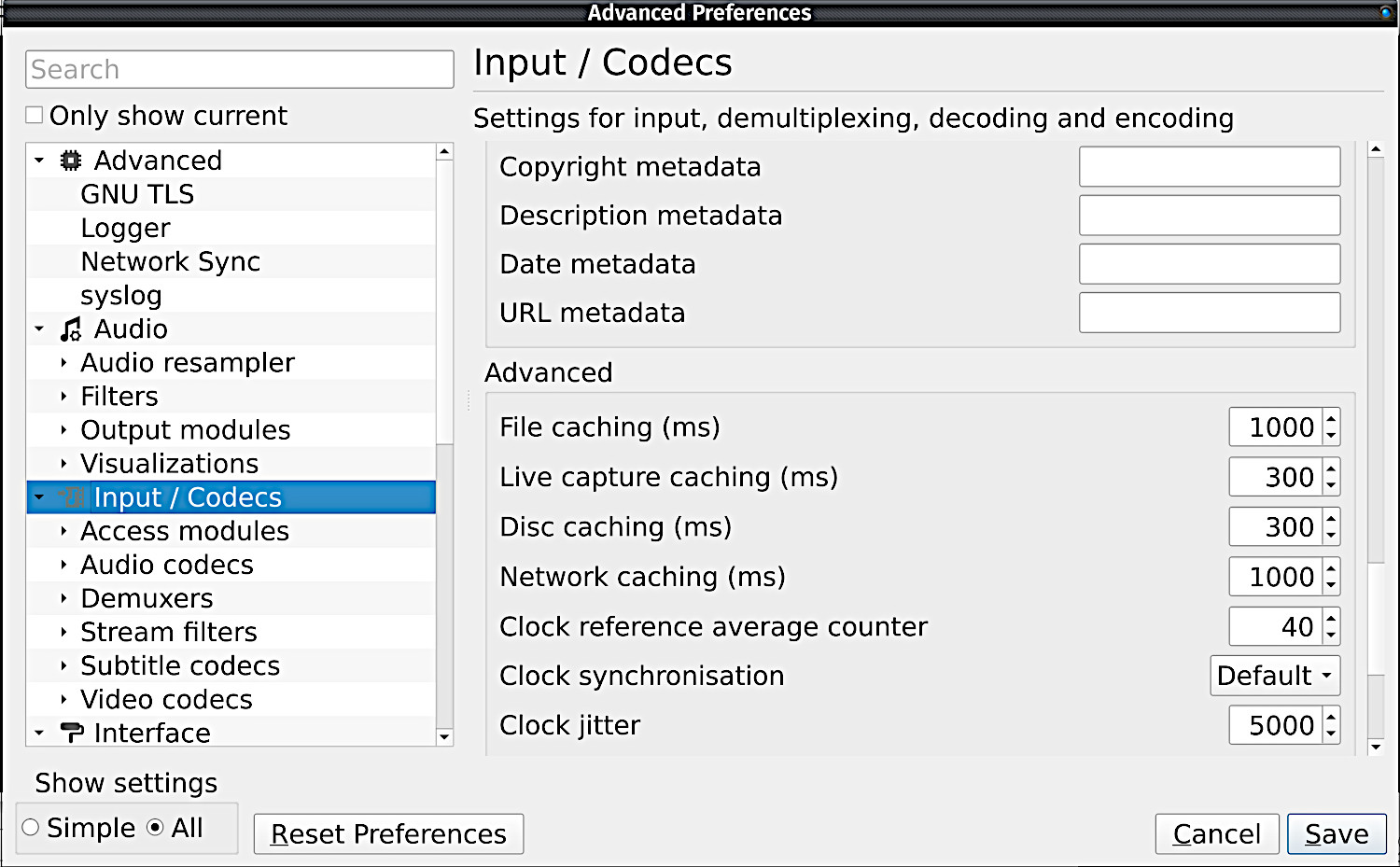
As you can see on mine, it appears to be set at a very high value of 1000. If yours is set to this as well, that is far too high for a lower performance computer!
Please set yours to a value of no greater then 300, then 'SAVE' See if that fixes it. I am really trying to help you solve this, but I do feel I am at my limits of knowledge here with this.