My system tray is very messy I want to make it more compact, I remember in KDE it's so easy to configure. Can I configure gnome's system tray?
It is possible to add/remove applets, change placement of the applets and taskbar... right click the Taskbar and choose configure. Place the Taskbar in edit mode to change the applets and placements.
Alacarte will allow you to customize the app menu. It's located in the administration or system categories.
1 Like
I right click on my task bar and I don't have configure option when I right click on my taskbar. I don't know how to place the taskbar in edit mode. I also don't have Alacarte on my laptop.
Which layout are you using?
Are you in Wayland?
Im using default layout, im using Xorg.
Zorin OS 16 or 15.3?
Zorin Os 16 Core with ZorinBlue-Dark with default layout.
When you right click the taskbar, a menu should popover. What happens when you right click it?
popup: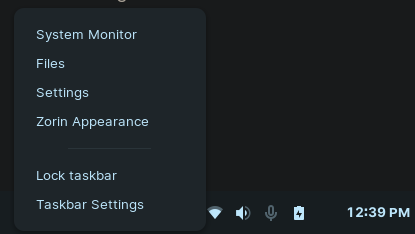
When you click Taskbar Settings, that should open a Pop Up window.
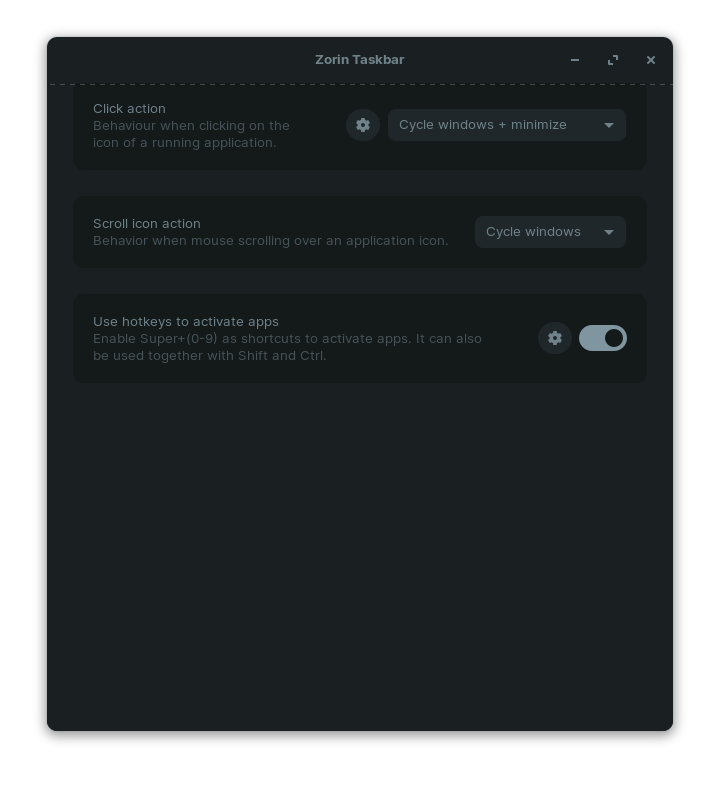
At this point, I can help you no further, lol.
But there are several tabs and a large number of options there to explore.
I uhh... I tried to... I made a mess of it. Currently, the gnome taskbar on my system has icons all over the place. I don't know how to put them back...
Ok, the settings are still far behind KDE's settings have so many settings. I can change the to not show or show in KDE but in Gnome I can't find anything that works.
The settings you are seeing on Zorin 16 are unusual. They are an addition (gnome-extension) that Zorin included, not normally found on a Gnome Desktop.
Gnome D.E. has no right click taskbar settings at all...
I know Zorin Team added that, but maybe they can make even more customizable.
Kedric why are you not using XFCE?
I personally don't like XFCE I think it's not as premium feeling as Gnome
You clearly want customization that Gnome lacks and XFCE has.
How is it that XFCE does not "feel premium" given that fact?
Hmm does XFCE have animations?
Imagine Zorin OS KDE edition