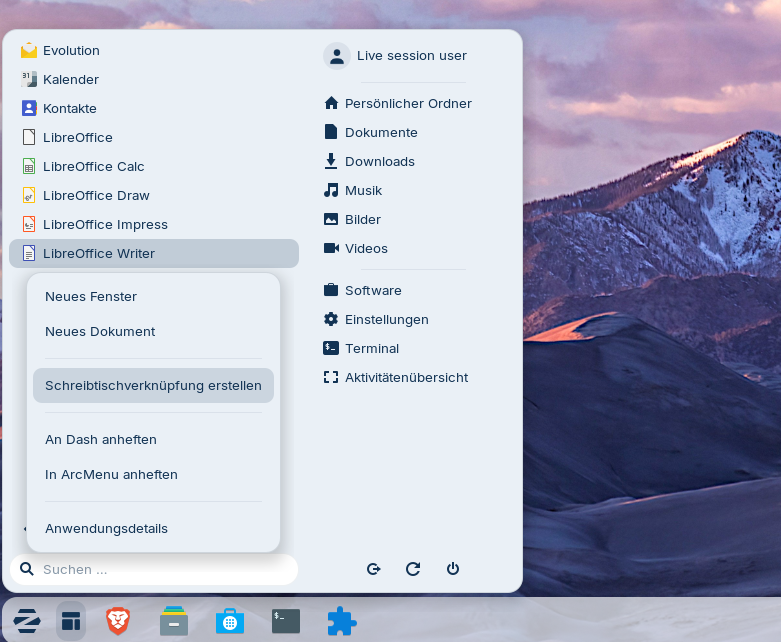
It also works with r2 .iso.
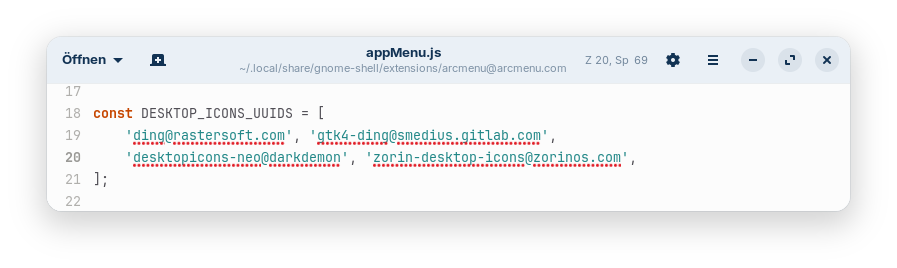
I particularly like the fact that you can add apps with the Mint layout to the desktop. When using the Arc menu in Zorin, you first have to replace the gnome extension '"Zorin Desktop Icons" with another gnome extension for desktop icons, e.g. "Desktop Icons NG (DING) or "Gtk4 Desktop Icons NG (DING), to be able to add apps to the desktop from start menu, or adapt the extension code of Arc menu.
@Ponce-De-Leon
I tested the arc menu gnome extension in Zorin 18 core live session, and I don´t have the option to add apps to the desktop as shown in your screenshot here:
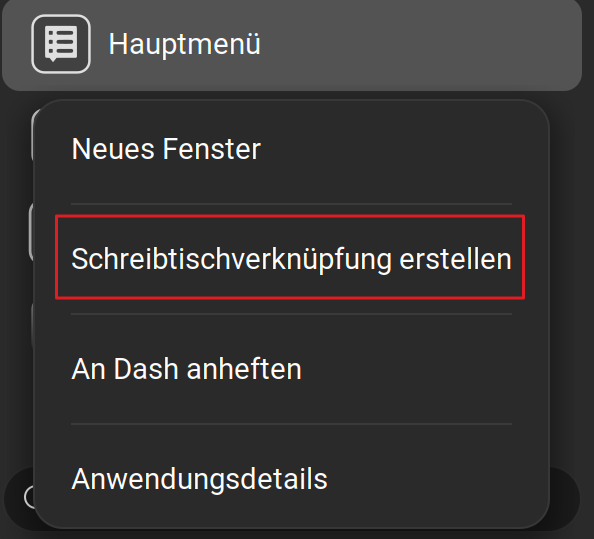
I use the latest 68.0 version of arc menu for gnome 46, but don´t have the option:
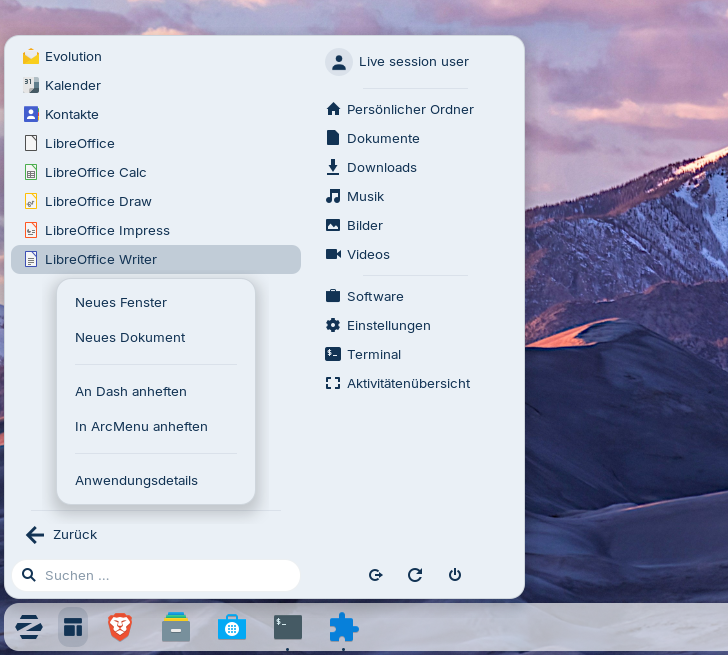
As you use Zorin 18 Pro, was Arc menu preinstalled there and maybe the developers have changed the code of the extension? Or do you use Desktop Icons NG (DING) or GTK4 Desktop Icons NG (DING) instead of the Zorin Desktop Icons? I'm wondering, why you have the option.
It works in Zorin 18 for me, when I replace the gnome extension for desktop icons or add
'zorin-desktop-icons@zorinos.com',
to line 20 of the file
~/.local/share/gnome-shell/extensions/arcmenu@arcmenu.com/appMenu.js