I've been running Zorin 18.1 Pro for 3 weeks now, with great results. However, I've run into a problem for which I can't find the answer, and that problem revealed another. First, I'm trying to find out how to use search terms in Files. As in, find files with "tax" and "business" in the filename. Or files with "tax" but not "2025," etc. I saw a reference on one page to "Advanced Search Options" but nothing on how to access them. I realize I may need to add a separate utility for this, that's fine. I saw a couple of possibilities but they didn't seem to do exactly what I'm looking for. Secondly, checking for solutions to this problem, I tried the built-in Help app, but when I bring it up a window opens but it's blank. I figured I could reinstall it, but I haven't found a way to do that. I saw in one page that you can't delete it, but that's immaterial as I want to fix it. Hope someone can help, thanks in advance!
Hi, I would advise you take a look at @Nourpon 's excellent replacement File Manager, Odysseus. If it doesn't have that facility he can pretty quickly change parameters with updates to his application:
See my video on installing the .deb package. You need the Noble one.
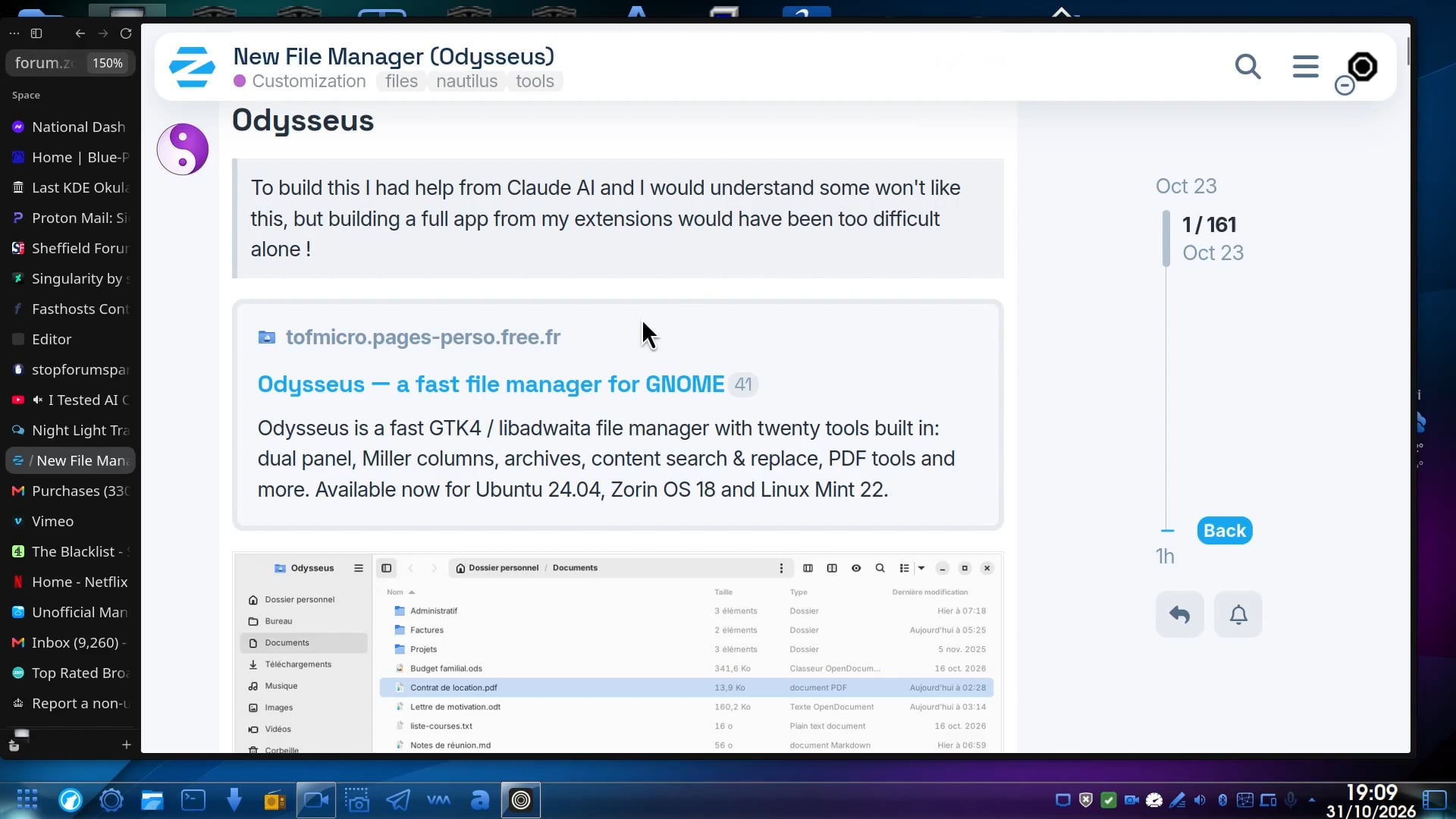
Thanks! I will check that out, definitely looks interesting.
I often had problems with the content search of the default file manager Nautilus. Nemo, an alternative file manager, which you can install with
sudo apt install nemo
, is better in this regard.
Thank you! That makes it easy to give it a try. EDIT: And I just realized the "full text" content search is indeed not working correctly in the default Files app, so this is doubly welcome! Thanks again.
Do you still need help, or is the file content search working now?
If you'd like, we could show you how to rename "Files" to "Nemo," for example, so it's easier to distinguish from the default file manager, Nautilus, which is also named "Files".
I could definitely use some assistance. I was able to install Nemo successfully via the Terminal, but nothing has changed. I would indeed like to rename it so I can switch to it, and also need to know how to do that switch. Thanks! EDIT: Ah! I see there are now 2 Files apps, one is the Nemo window. I would like to do the renaming still.
You could open the main menu configurator with a right click on the Zorin button. There choose menu edit and get this:
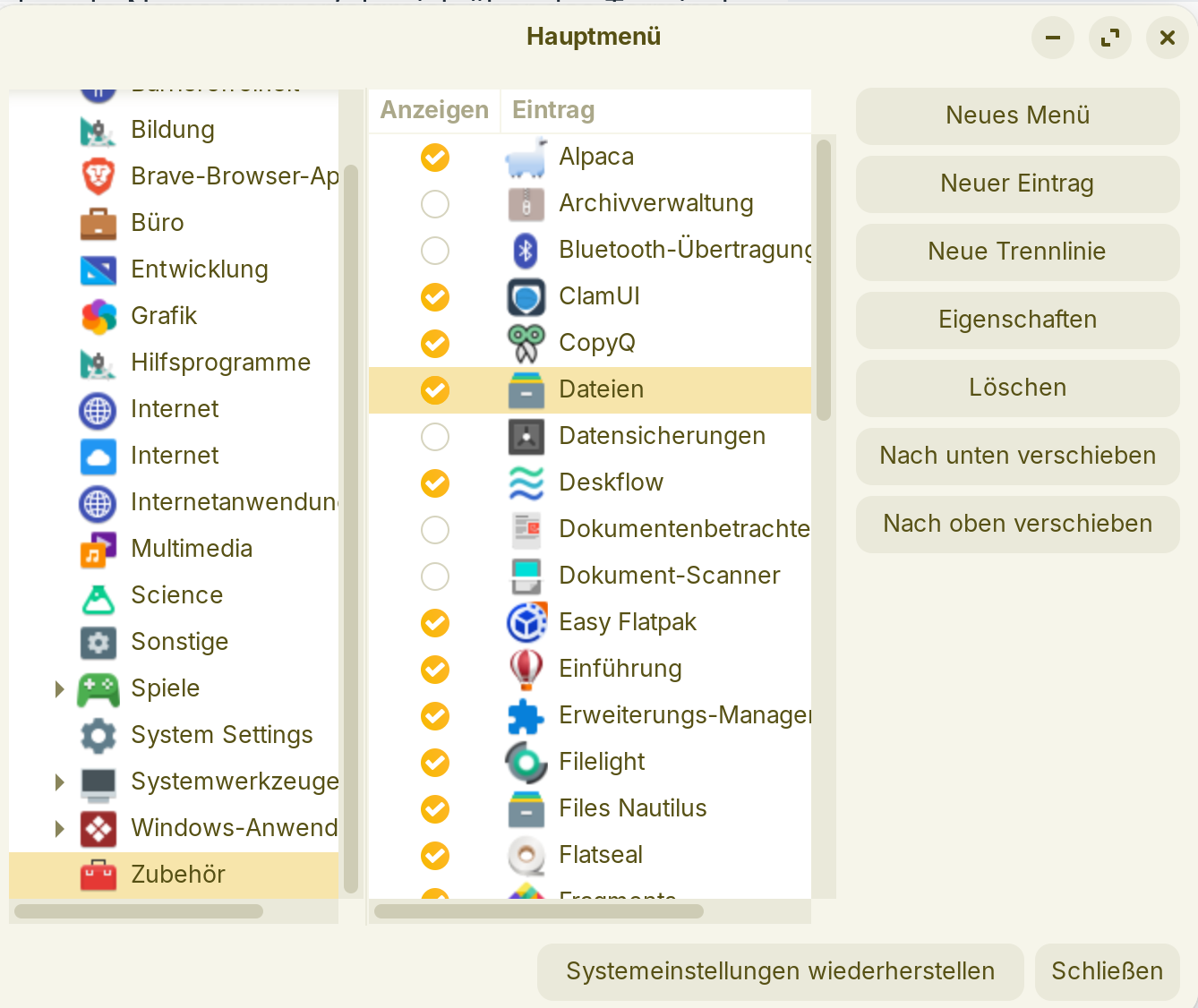
Here you can change the name of any app as you prefere with a double click on the app. Nemo you find under Accesories:
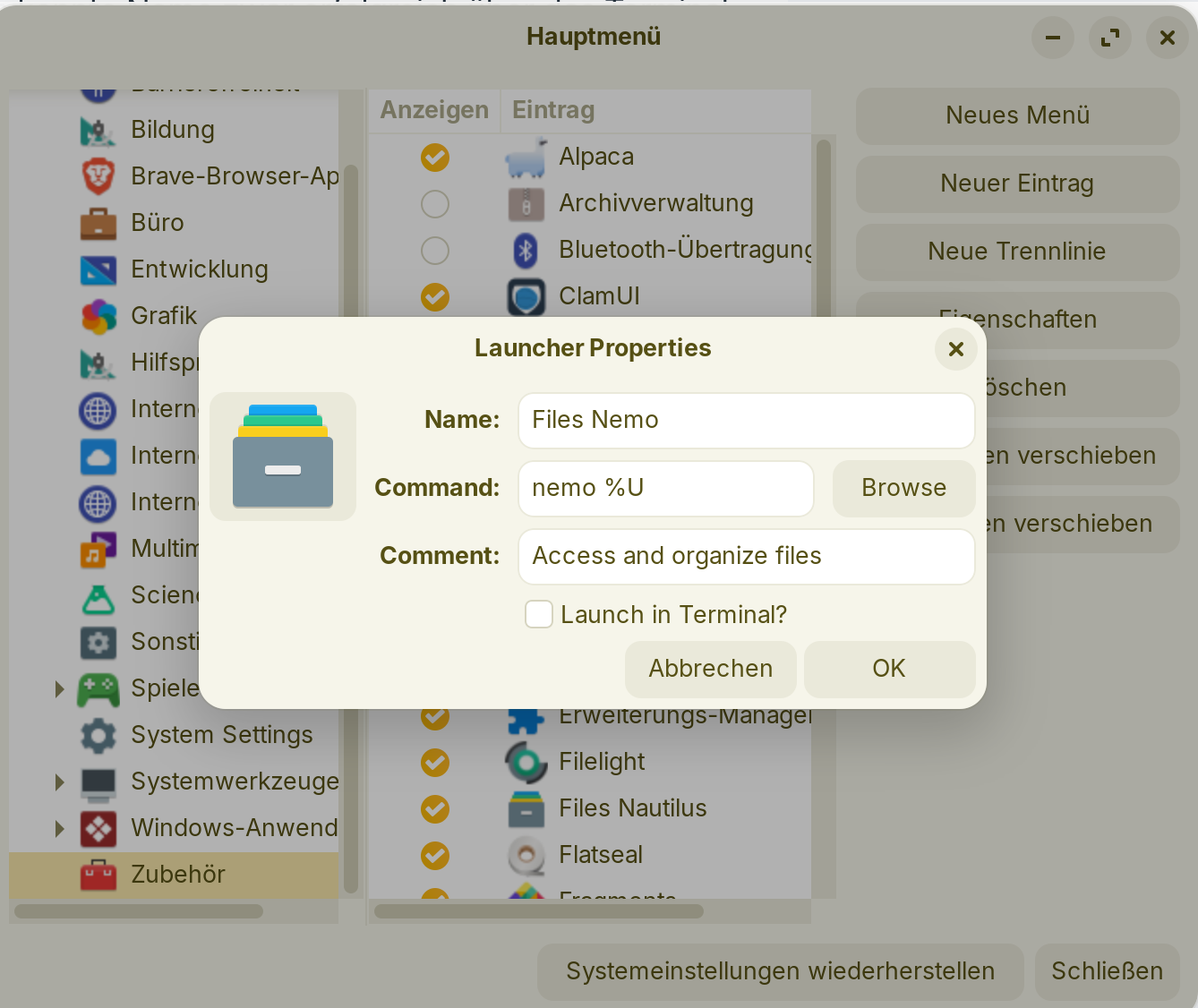
You can enter as name e.g. Nemo there.
And when Nemo is opened click on the magnifying glass and in the second search line enter the words you want to search for.
because you didn't try my search and replace content lol
Yes, I admit, I hadn't tried that feature in Odysseus yet, so I recommended something that I knew worked and was available in the standard repositories.
Forpli: I was able to change the name, and the content search works, thanks! Nourpon: Odysseus sounds interesting and I will check it out, but it sounds like overkill for what I need right now and Nemo was quick and easy to try.
It was just a joke 
You have found a solution for You but only bring up something for the Search with Nautilus. You have there 2 Options:
Search in the current Folder. For that, You click on the Icon right beneath the Path Bar:

When You want search overall, You click on the Icon on the fare left Side. For more Options in both Cases, click on the Settings Icon:
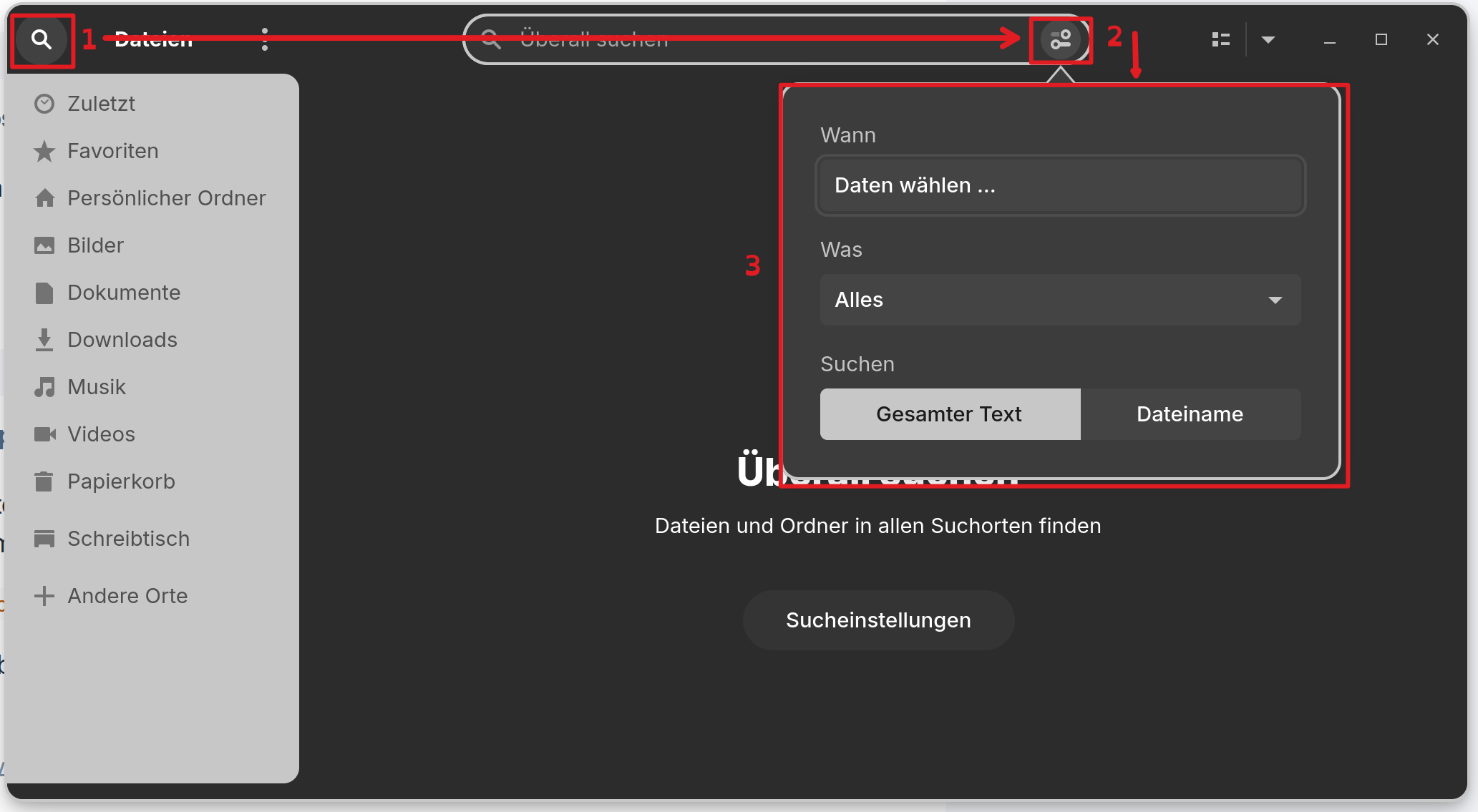
In more current Versions of Nautilus, this is made a bit more ... detailed. When You like the Look of Nautilus but want have more Options - not only for Search - @Nourpon's new Odysseus File Manager would be a good Replacement.
But when You happy now with Nemo, it is of Course totally fine to use that.
Forpli, glad the rename and content search are working. On the Nautilus point, the two search icons you describe—one for the current folder, one for a broader search—match what I've seen discussed for recent versions, though the settings panel does seem to shift between releases. Trying Nemo as a quick check makes sense if that's all you need; Odysseus would only be worth the switch if you want deeper options beyond search. If Help stays broken, it may be worth checking whether the documentation package is actually installed.