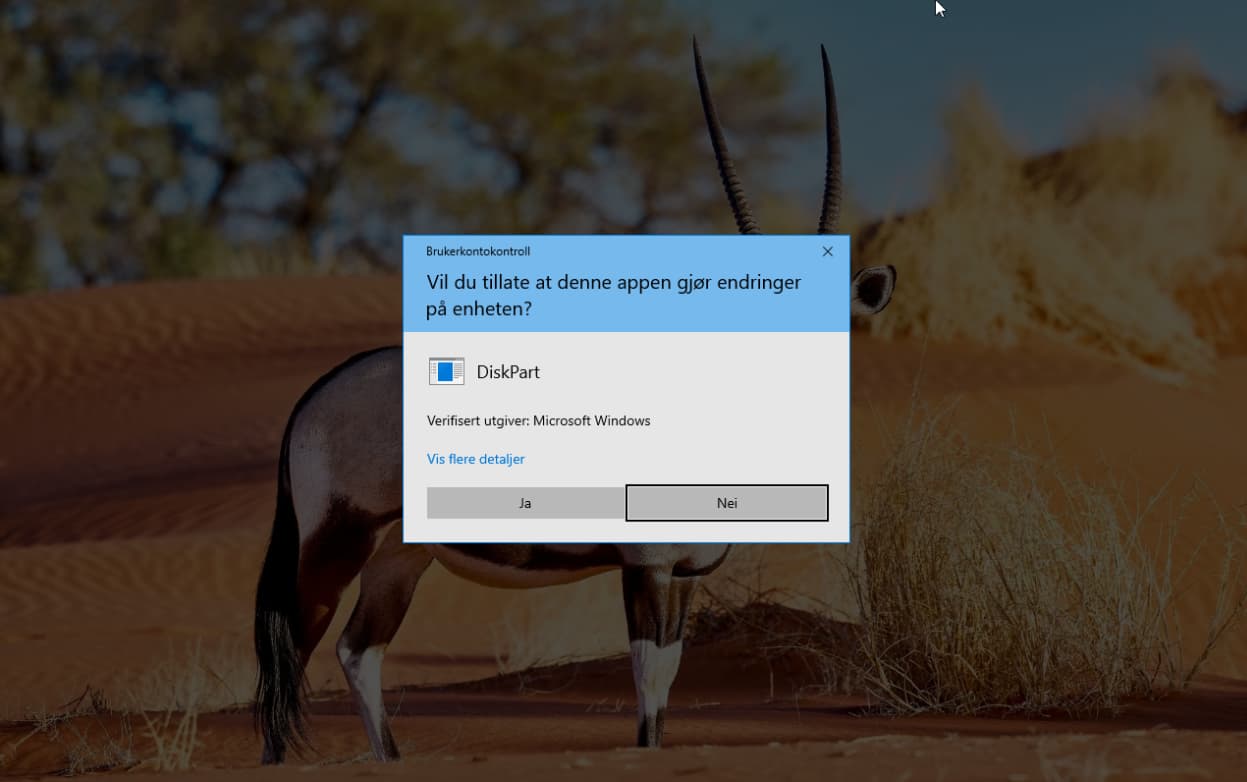
Good point. I've just tested this and there is no need to do so as windows will give you a popup asking do you allow this app to make changes on this device?
EDIT: Better safe than sorry!
Good point. I've just tested this and there is no need to do so as windows will give you a popup asking do you allow this app to make changes on this device?
EDIT: Better safe than sorry!
Well they where, i did try everything (from diskpart to even gparted in linux) but the partition could not even be found. It was back in 2021 and i trashed those.
In cases of BalenaEtcher bricking a USB stick; they most often can be salvaged but simply reformatting them does not always work.
As @anon96359095 points out, many users cannot even locate the partition.
BalenaEtcher writes byte-by-byte. Using this method often results in overwriting or corrupting partition tables and file system structures.
It is less advanced at recognizing (and not overwriting) an unfamiliar filesystem or a fragmented one.
A lot of the time, a simple format will work. But due to BalenaEtchers method of writing, if partition tables were overwritten, then a simple formatting will not work.
You must use your dd commands to first Zero out the entire stick, wiping the partition tables. Use sudo wipefs and once that is complete, then you should be able to freshly format the disk, creating new tables.
Yeah well said, i believe thats why the clean with diskpart is so important. I am still of the belief that the usb drives can be repaired with the correct tools.
I remember the first time i experienced this with Etcher, i think it took me a good week to "repair" it. With that said, it has been a few years since this happened to me, for all i know - their software might even be completely destroying usb drives. I really hope that last bit is not the case here.
I used Rufus on Windows and Impression on Linux, are they safe or safer to use compared to Balena? I want to avoid corrupting my USBs and then having to fix them..
If you're using Rufus, then i don't think you have anything to worry about. I can't say for Impression though as i haven't used it myself.
Windows -> Rufus/Ventoy
Linux -> Popsicle/Ventoy
Yes, for many reasons.
Impression does not have history of bricking USB sticks.
It does not have hidden telemetry and analytics like Balena (Balena-cli and Balena-Daemon).
Thank you. I used Impression only once to switch one of my devices from Windows to Zorin, and didn't use that USB since, so hopefully it's alright.
Thank you, that's great to know!
I really love the default tool installed with Mint - I think it's called Mintstick? Simple and easy to use for a rookie like me... Anyone else used it? Don't tell me it's on the 'no fly' list too!!
Nothing wrong with that, this from Brave A.I.:
MintStick Based On
MintStick is based on the dd utility and originated from OpenSUSE. It is an improved version of USB-ImageWriter and can work with any distribution image.
balena Etcher simply does not work, for me: fails to write with error Error: (0, h.requestMetadata) is not a function
that error has been reported multiple times, the devs don't do anything
USBImager is simple / simplistic but works; Rufus (Windows) is more advanced, probably better.
Adding one more thanks to @freshjeff for the diskpart instructions. I'm helping my best friend with their first Linux install and Etcher screwed them over too, such that neither Windows Explorer nor Rufus could find the USB and it wouldn't boot. (They wanted to follow the instructions Mint gave; I'd have pushed them away from Etcher.)
I don't know if anyone knows differently, would love to know, but as I understand it, Balena is the only USB burner that is compatible with Macs. So perhaps the advice should be:
Windows Users: Rufus/Ventoy
GNU/Linux users: Ventoy
Mac Users: Balena
It would be particularly nice if Zorin followed people such as Mint, Voyager that comes with USB creation - Voyager even has a Ventoy with Persistence tool!
I did not use it but you will briefly see it in the grid menu of my video of Voyager 24.04 Virtual Machine here:
I've just done fresh installs of Zorin_OS using: Universal USB Installer – Best Bootable USB Software (UUI)
For the first time I had issues with Rufus (yeah, still use my tamed WX for some things until next month) and Ventoy, so I searched for a Linux FOS alternative. It's so easy to use! I don't know how this translates to Mac / Apple, but I'd never, ever try BE again after learning about how it works and what they secretly do. Avoid at all costs!
Hmm, I flashed Zorin 17.2 onto this laptop I am using at this very moment with Balena Etcher on my dual boot desktop with Zorin 17.2/Win 10 using Win 10. I also upgrade the dual boot desktop from Zorin Pro 15, overwrote it with Zorin Core 17.2 without ANY problems. At the time I also flashed 2 other Sandisk USB FD's with copies of Mint and Pop OS. I installed them separately on this very laptop to decide what I preferred with the main criteria being getting dual monitors working out of the box which Zorin achieved but neither Mint or Pop could ALL done with Balena Etcher and ALL worked.
Just saying ... 
Statistical probabilities do not mean that "It worked for me" therefor "no problem here, nothing to see, move along folks."
maybe you should of also added "just saying"
There is no need to. My point is scientific.
I am glad you experienced no problems - this means that you fall in the majority of users who did not.
BalenaEtcher operates by a byte-by-byte write process and this, statistically, can cause USB stick issues, though they are outnumbered by the successes.
So, yes, many people will not have any trouble; this does not negate the situations of others that do in any way and means there is no need to "just say" some vague implication.