I noticed, that I cannot tile the xfce4-settings app on my MX Linux 25.3 XFCE (version XFCE 4.2) system when moving the window with the mouse to the screen edges or pressing the keyboard shortcuts.
Can I change that so that it is possible to tile the xfce4-settings window because it is a really frequent used app? The xfce4-settings-manager is version 4.20.1.
In Zorin 18.1 Lite which uses the same xfce4 settings manager version, I can tile the settings app window, because of this I'm wondering if I can adapt the behavior of the app (the other apps which I have tested worked as they should).
Perhaps the Zorin developers have changed something? I tested Xubuntu 24.04, 26.04 and Debian 13 XFCE in distrosea, and in all the settings app didn't tile.
If Zorin has specified a different window type for the app, could I change that in MX Linux without recompiling?
I checked it with the command xwininfo -wm:
In Zorin 18.1 Lite, the window type of the settings app is "normal", in MX Linux it is "dialog".
When you install xfce4 desktop on Zorin 18 Core, the window type is "dialog", too.
Is it possible to change the window type to "normal"?
I found a very old thread about that topic in internet, but the command mentioned there still worked as non-permanent fix:
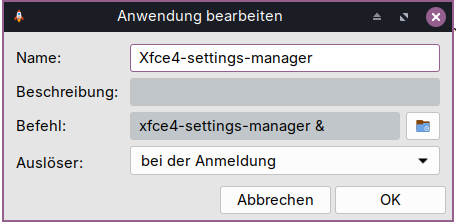
@littlekun Do you have an idea how I can make this? Is it possible, for example, to create an autostart entry that, as soon as the Xfce4 Settings Manager is launched, orders xdotool to select the window and then instructs xprop to change the window type?
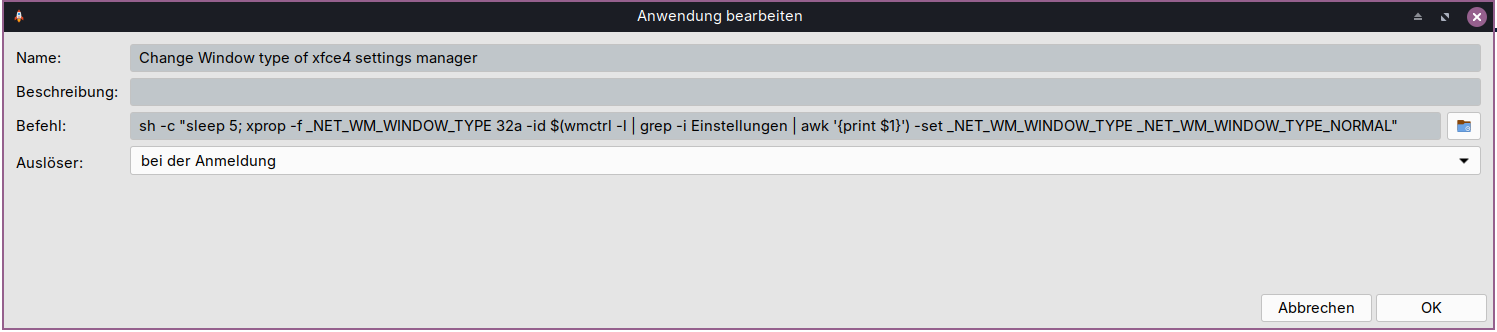
I played a bit with various commands. This one worked when the settings app is already opened to select it automatically and to change its window type:
I tried it yesterday with A.I. help and devilspie2, but the file didn´t work.
With these commands in autostart, it works, but then the settings app is always opened at startup. And when you close the settings app, the window type is changed back to dialog and the tiling no longer works.
No, you don't; this is a lua.
Maybe it needs to be more robust about getting the window... Try:
local class = get_window_class()
local app   = get_application_name()

if class == "Xfce4-settings-manager"
   or class == "xfce4-settings-manager"
   or app == "Settings"
   or app == "xfce4-settings-manager" then

    if get_window_type() == "WINDOW_TYPE_DIALOG" then
        set_window_type("WINDOW_TYPE_NORMAL")
        debug_print("xfce4-settings-manager: changed type to NORMAL")
    end
end
I added devilspie2 to autostart, now it is working fine. Thank you very much, Aravisian!
Among the settings accessible through the xfce4 settings manager, many are dialog windows, while some are normal windows. However, this is the same in Zorin. But the xfce4 settings manager is the main app and it is fine that it has a normal window now.
I´d like to know why it is a normal window in Zorin. I took a look at the file here:
xfce4-settings_4.20.1.orig.tar.bz2
and there is the window set (as in all other distributions I checked recently) as a dialog window.
So, where does the normal window come from?
Is it the original source file and the Zorin developers have edited it later before compiling?
Or is there another method to change the window type implemented?
Neither devilspie2 nor xdotool nor wmctrl are preinstalled on Zorin Lite.