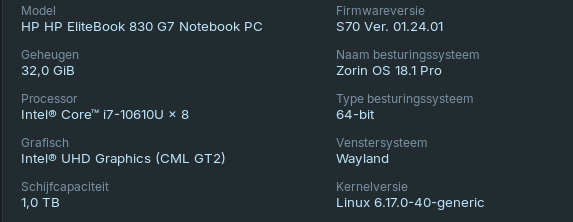
i have a HP Elitebook 15" G9 prod id 6F1ZOEA#uug
intel core i7-1255u
and a nother HP Probook 450 G10 prod id AL0A7AT#uug , this one is a brand new one , been in my storage for over a year )
intel core i5-1334u
i was thinking of switching to one of those 2 , would probably be a tiny upgrade ?
Which one would be best ?
Usage : daily stuff , browser web , mails , manage home lab , autodarts , and some VMWare for tests.
Was going to put my current ssd (1TB) with zorin on it and my 2 x 16GB DDR4 in that laptop and boot it up.
or is it best to start over with new install ?
Honestly the two CPUs are very close. The i7-1255U and the i5-1334U both have 2 performance cores and 8 efficiency cores, and in most benchmarks they land within a few percent of each other, so for browsing, mail, a home lab dashboard and the odd VMware test you won't feel a real difference between them, and only a small one compared to your current ProBook.
What I would weigh instead:
The EliteBook G9 usually has the nicer keyboard, screen options and build, plus vPro if you ever care about remote management.
The ProBook 450 G10 has never been used, so its battery has had no charge cycles yet. After a year in storage, charge it fully before you judge it.
Check whether either one has soldered RAM. Some 450 G10 configurations have 8 GB onboard plus one slot, which would stop you from simply dropping in your 2 x 16 GB kit. Your DDR4 should work in either, but look at the spec sheet for your exact product ID.
About moving the SSD: it usually just works between Intel laptops of the same era, because Zorin carries the drivers for both. Make sure the new machine boots in UEFI mode, and if it doesn't find the drive right away, go into the BIOS boot menu and add the boot entry pointing at shimx64.efi or grubx64.efi on the EFI partition. Take a backup first, of course. If it boots and Wi-Fi, sound and suspend all behave, I wouldn't bother with a fresh install.
both have 2 slots and only 1 in use with 16gb ddr4.
looks like the only difference is the processor.
if i look at this webpage the i5 would be the best ?
You could theoretically put the SSD in it, yes. But ... if this works well then ... it can but don't have to. I would recommend a new Install.
But before - like @swarfendor437 already wrote - run Zorin from the USB Stick in Live Mode to check how the Devices behave. The Performance from the USB Stick might not be the best but for checking if everything works it is okay.