Can someone please explain why X11 doesn't play nice with my RX 6600 XT on Zorin 17 and 18 beta? Linux Mint is in X11, and works perfectly with my RX 6600 XT. Same for my RX 6600 card. No flickering animations whatsoever. Why does this happen in GNOME (and Zorin) and not Linux Mint? Thank you very much.
Any chance that you could try another distribution with Gnome, to confirm if it's the desktop environment itself that is the source of the issue?
You can change this from within the Templates folder. You'll notice that the files that are already there match exactly those options:
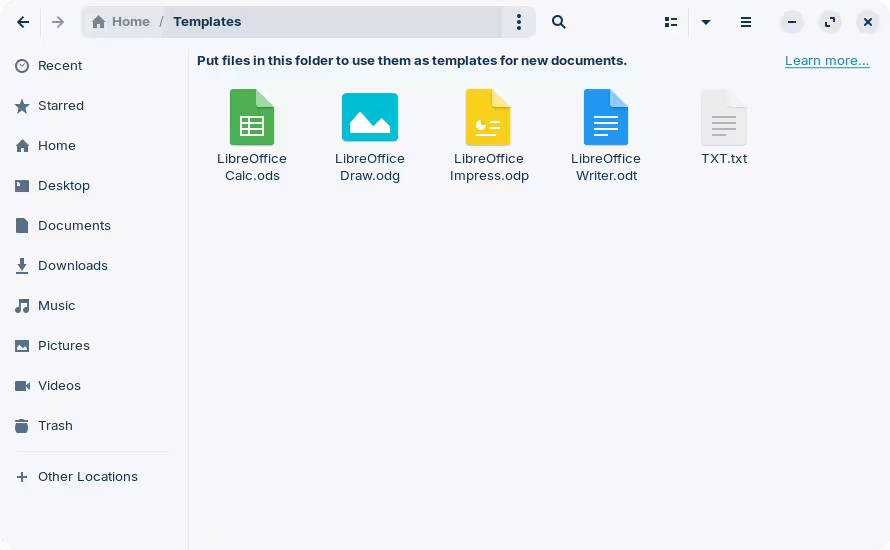
If you change the names of those files or create new ones, they'll appear as options in the context menu. Note that you can treat them as actual templates by writing some data in them.
You can revert back to the defaults by selecting any theme from Zorin Appearance → Theme, or by using the "Reset to defaults" underneath those options.
A better way to see this is by installing Gnome Tweaks from the Software store, which has these options displayed as they are, and can be changed individually.
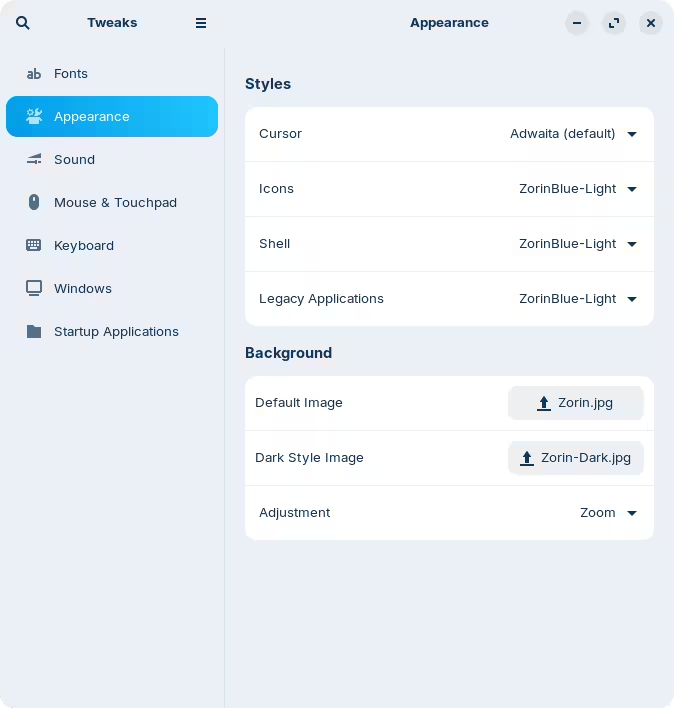
I would also like to see this addressed so that all settings (related to themes, cursors, icon and appearance in general) are unified under Zorin Appearance.
Most likely kernel difference, as they use different kernels. I think Zorin OS 17.3 uses 6.8, and OS 18 BETA, uses 6.15 correct? That difference, is the most likely cause you are expeirencing.

But he is reporting problems with both Z17 and Z18beta. So with both of those kernels.
If OK on Mint, then maybe a different driver used on Mint than on both Z17 and Z18 beta?
As the problem with RX 660 XT applies to both Z17 and Z18, I think @Omnimaxus should open as new separate thread to invite specific detailed conversation, rather than in Z18 beta feedback.
the Reason why there nothing stands is, that this is the ''Other'' Tab. this is for othere Themes and Icons. The Zorin Design Stuff is on the ''Zorin'' Tab. There You have the Light/Dark Mode for Zorin and the Colors.
The ''Other'' Tab is specified only for Third-Party.
True but the Pro release offers a MacOS Theme, which unlike Windows layouts tends to be constant.
1 week of running Zorin 18 Beta as daily drive: private and professional every day use. It seems to be quick, efficient, stable, more dynamic in comparison with version 17, but same well-polished consistent look.
Recurring problem nearly every day, despite overall great stability : File manager freezes at some random moments, can't detect systematic reason. After forcing it to stop, and starting again, it runs well.
I think what he really wants is for Zorin OS to just say "Text Document" by default without user intervention. That's what I would like, as well. Just saying. Thanks.
In the past, I have tried Ubuntu in X11 mode. Still the same result. Weird.
You have a point. It's a fair one. Thank you. But when I saw this problem persist in the Zorin 18 beta, I was like, "aw, come on." So if it's a problem in the beta and feedback is fair game at this point (given that's what beta versions are for), now and here in this thread seems like an opportune time to say something for the developers to be aware of, and possibly comment on it. (I hope they do!) Help us understand better. Ya know? That's how I see it. In any case, I'm not gonna comment any further regarding this (at least in this thread). I'll wait for the full version of Zorin OS 18 and start a separate thread if need be. Thanks again.
I tried in Zorin 17.3 Pro, and, despite that all options are "Blank", when I choose any of them, I can't turn back to "Blank" again. So it's better to set these values explicitly to: Applications: "Zorin", Icons: "Zorin"
and Shell... it is locked and if I choose something different I doubt that I can even return it to the default state.
As of button "Reset to defaults" - avarage user expects that values will be set to something there, not just set to blanks, that cannot be selected manually.
No, You can't make them blank again. To make them blank again, go to the ''Zorin'' Tab and click there on a Color to choose one of the Zorin Designs. And then on the ''Other'' Tab the Options are blank again.
Started having an issue a couple days ago where unlocking my computer would cause it to crash back to the login screen.
I'm running on an AMD 395 MAX with three monitors attached. One is an ultra-wide 5120x1440 monitor connected via DP, two 16" screens (one HDMI and the other usb4 connected).
All new updates installed. I am also running on the latest kernel via Mainline. I'll revert back to an older kernel to see if that helps. I also run a couple other gnome plugins; Quake terminal and Save my Windows.
Just wanted to post in case this is a known issue and not one with the changes I made.
Thanks
Same here on my Dell XPS laptop. ZFS with encryption installation crash.
@zenzen Hey friend, I need a tip... I'm testing the Z18 Beta on my old PC with an old Nvidia GPU. It's running on a mechanical HDD and Noveau on Wayland. If I take this HDD and plug it into my main Intel machine and change the boot order, will this installation work? It will be easier to test.
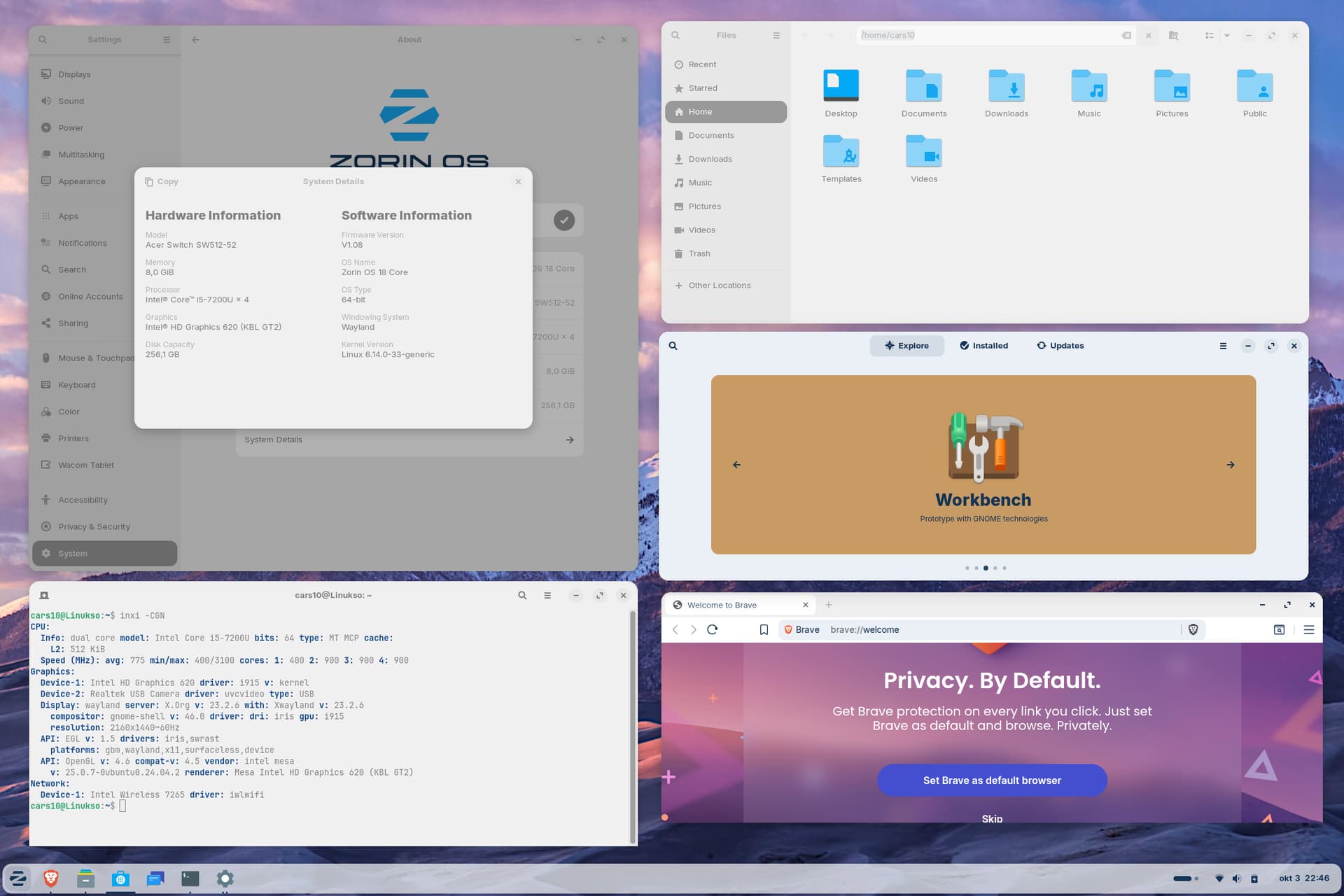
I wasn't too happy with the new floating taskbar but then figured out you can turn it off by setting padding and radius to zero.
At least people can now have a floating taskbar without turning on auto-hide.
I don't know if you already know it, but maybe you could also incorporate it into Zorin OS, which it will be downloaded, so to speak. Everything possible should work with this.
Wrong, becouse you dont need to pay for uppgrade. And Linux Mint its complet free. So if you have pay for win10 and you can upgrade to win11, you dont need to pay for that. But Zorin have bug to. Mint i haven`t find someone bug, becouse Mint use Chinnamon and the Zorin use Gnome i think.