If I'm only connected to WiFi on my laptop, Zorin will freeze. Mostly when using Software Updater but, can happen randomly (sometimes on login, sometimes after 1 hour or so) if I don't check for updates.
I link your terminal output for network:
Thanks. I'm attaching a screen capture of the updated command as I've updated to Zorin 18 Beta. Same issues
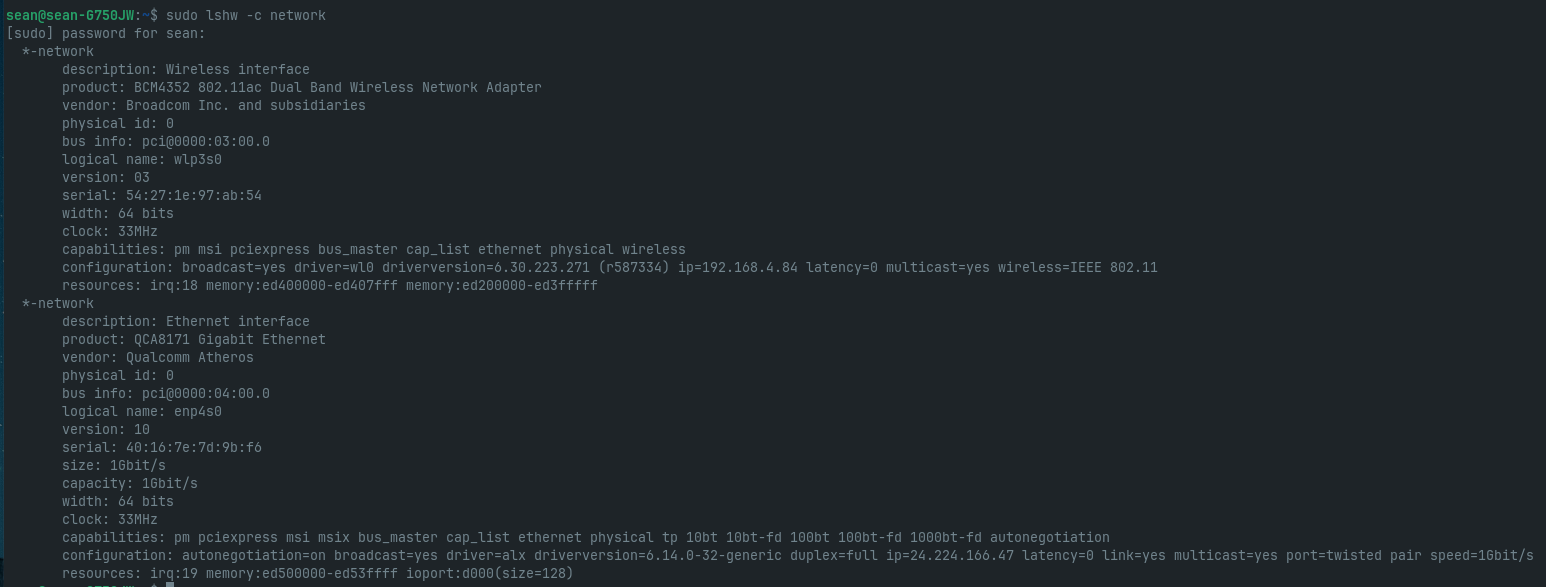
persist though.
Did You take a Look in the ''Additional Drivers'' tab in Software & Updates if there is a Driver for Your Wifi offered?
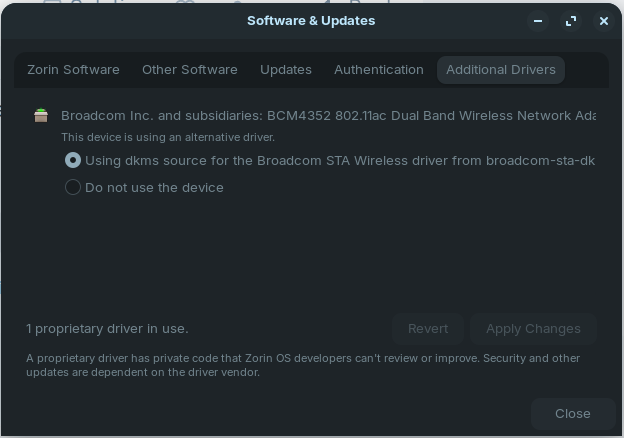
Okay, the Driver is in Use ... Does Your System run in Wayland or X11? You can check that in Settings>About. When it runs in Wayland, I would suggst to try it with switching to X11/Xorg.
To do that go to the Login Screen, not the Lock Screen. Simply reboot for that. On the Login Screen, click on Your Profile so that the Password Field appears. When it is appeared, You should see in the bottom right Corner a Gear Icon. Click on it and choose the Option ''Zorin Desktop on Xorg'' and then log in.
I am currently on X11.
Hmm ... can You use a Cable connection or do You only have Wifi? If a Cable Conncetion is available: Does this happen there, too?
I have a cable connection, which I'm currently using, and have no troubles with internet. It only happens when on WiFi.
Okay, let's try it with a Reinstall of the Driver. Type in the Terminal:
sudo apt reinstall broadcom-sta-dkms and then reboot.
Tried this and attached the screen capture of the executed command. As you can see, it's already the newest version. Nothing upgraded, newly installed, or removed.
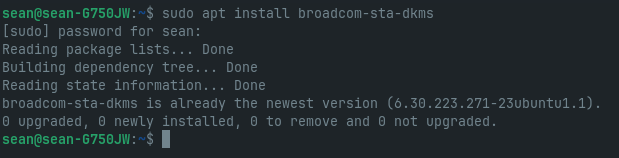
Just saw that the command had reinstall. Doing it now. Sorry.
1 Like
Done and rebooted. Running on Wifi to see if/when Zorin freezes.
1 Like
Got a little over an hour when the WiFi icon had a question mark in it. Lost connection while working in Evolution and Zorin froze again.
I'm wondering if your WIFI adapter is dying. Usually when you get exclamation marks or question marks, it either means your having a driver related problem, or you are having hardware failure problem.
I find it really odd, that you got your WIFI adapter to work for awhile, then from no fault on your own, it suddenly stops working while in use. In my experience drivers don't fail in mid-use, but hardware certainly can.
Another thing you can try, is to buy a USB WIFI adapter, and see if that works for you. They tend to be inexpensive these, wouldn't hurt to try.
Mini size adapter:
Full Size high speed adapter:

1 Like
Thanks for your input. I will try this.
Only thing is, though, I never had any troubles with it in Windows 10. I only switched a couple days ago.
May just be a coincidence.
1 Like
You could try it with uninstall the Driver and reinstall it. If You want try this first type:
sudo apt purge broadcom-sta-dkms
Then reboot and type:
sudo apt install broadcom-sta-dkms
Reboot again and then try it.
Okay. Headed to the cabin for the weekend. Will try this when I get back and let you know.
Thanks for all your help so far!
1 Like
I don't want to jinx myself but after purging and then installing the Broadcom drivers, I've been running on WiFi for 2 hours now and still going! I'm hopeful this has been the fix I needed. Will update you if anything changes.
Thank you for all your help.
Seems I spoke too soon. Zorin froze again.
I'm starting to think @StarTreker may be right that my wireless card is dying. I don't know what else it could be at this point. I'm at a loss!!
1 Like