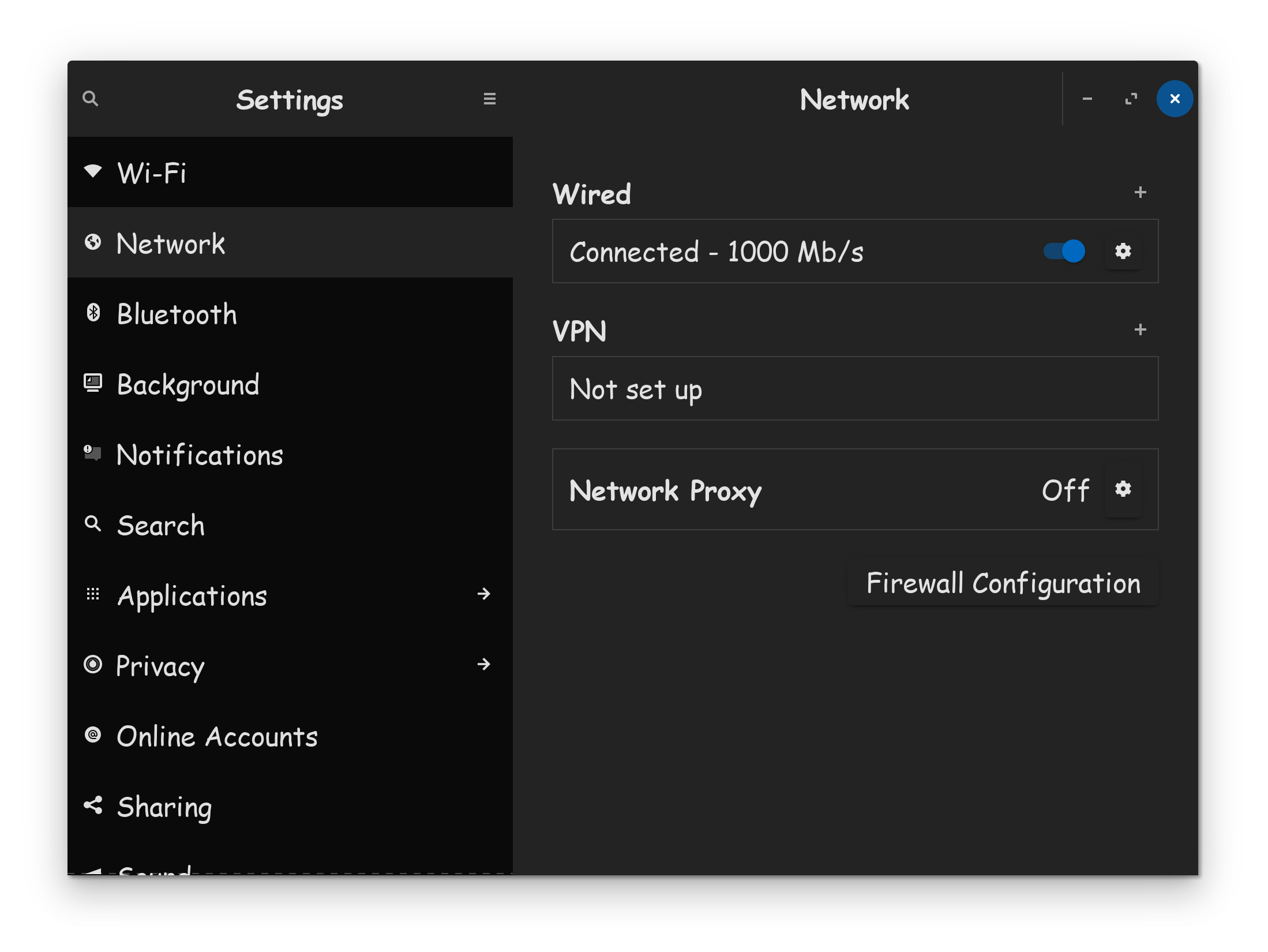
I have 2.5 gb internet service. My PC has a 2.5 gb built in Ethernet card connected directly to the router with a brand new Cat 8 cable. Under Windows I was getting 2gb speeds. Now I'm stuck at 1 gb.
I've tried the following:
restarted router
used ISP's phone app to test the speed of the connection between the ISP and the router (it's way over 2000 gb)
tested the speed on my PC with fast.net (less than 1000 gb)
installed a second gigabit 2.5 gb card in my PC which is supposed to be compatible with Linux, and installed its driver.
However, their driver is ancient and all it did when I installed it is disable both Ethernet cards and delete the graphical Ethernet settings interface from the taskbar. I had to restart the PC to regain functionality.
I'm guessing this slow speed must be caused by a setting in the operating system that's only accessible in the command line, and I'm not familiar with. I tried ifconfig but couldn't figure out which command to enter, or if it's the right app to use. In ifconfig the MTU and txqueuelen setting is at 1000 for both Ethernet cards.
I know this is going to sound funny, but it worked for me, when 1-day, my 1GB/ps network connection, was shown as 100MB/ps in Network connections. Unplug the ethernet cable from computer, wait a few seconds, then plug it back in.
Did You take a Look in the ''Additional Drivers'' Tab in Sodtware & Updates if there might be a Driver offered for Your Ethernet Card? Could You post the Oupt put of sudo lshw -C network please? And does Your System run in Wayland or X11?
System runs in Wayland.
Additional drivers contains no network card drivers.
I downloaded a driver from the manufacturer's website but can't get it to install properly. When it installs, it wipes out the graphical network card settings and disables both Ethernet cards. I had to reboot to restore everything. I have the readme file for the driver. I probably screwed up trying to follow the instructions, since I'm new to Linux and didn't understand things like "proper kernel settings" which weren't defined.
I have two Ethernet cards, the second one (enp3s0) is the active one. I installed it after I couldn't get fast enough speeds from the first one that came with the computer.
I assume you got your driver from this download page here? Realtek PCIe FE / GbE / 2.5GbE / 5G / 10G Family Controller Software
If I'm looking at the right driver, it states that it only works UP TO version 6.12 of the linux kernel. You're running 6.14 by the looks of it, which may be causing the installation to fail as you've stated. You could try installing an older kernel and seeing if that were the case, or even booting up Zorin 17 which would be running 6.8 and see if that would run there properly.
You could try it with switching to Xorg and see if it helps. To do that, go t the Login Screen. Click on Your Profile so that the Passoword Field appears. When it is appeared, You should see in the bottom right Corner a Gear Icon. Click on it and choose the Option ''Zorin Desktop on Xorg'' and then log in.
I got the first driver from the TP-link website, because the card was sold under that brand name. The driver was for an earlier version of the kernel, I think 2.4-2.6.
I downloaded the newer driver from your link. The readme that came with it was identical to the one for the previous driver, right down to the old kernel versions.
Now both of my Ethernet cards are totally pooched, the graphical settings for them are gone, and ifconfig -a doesn't show them either. I have rebooted twice, no change. In other words, Ethernet is not detected at all by the operating system. I'm now coming to you at a blistering 150 mbps speed from my antiquated wireless card.
Here's what came up when I tried to install the newer driver:
Check old driver and unload it.
rmmod r8169
Build the module and install
warning: the compiler differs from the one used to build the kernel
The kernel was built by: x86_64-linux-gnu-gcc-13 (Ubuntu 13.3.0-6ubuntu2~24.04) 13.3.0
You are using: gcc-13 (Ubuntu 13.3.0-6ubuntu2~24.04) 13.3.0
Skipping BTF generation for r8125.ko due to unavailability of vmlinux
Warning: modules_install: missing 'System.map' file. Skipping depmod.
Backup r8169.ko.zst
rename r8169.ko.zst to r8169.zst.bak
DEPMOD 6.14.0-35-generic
load module r8125
modprobe: ERROR: could not insert 'r8125': Key was rejected by service
Updating initramfs. Please wait.
update-initramfs: Generating /boot/initrd.img-6.14.0-35-generic
dracut-install: Failed to find module 'r8169' /lib/modules/6.14.0-35-generic/kernel/drivers/net/ethernet/realtek/r8169.zst.bak
Completed.
I've tried logging off and back on, and restarting the computer several times. I also went into the system settings to configure the login screen.
There's no gear icon, no option to boot into any other mode than what I'm on now.
The first Ethernet card is not 2.5, which is why I bought and installed the second card, which (supposedly) is.
Neither of my Ethernet cards are being detected even after several reboots. I have no access to them, either under a graphic interface or command line (ifconfig).
I can try booting into a different mode or maybe Zorin 17, but I'd need to know which keys to press during startup to get to some sort of boot menu.
This whole thread is just so amazing to me! In my far out rural area my only choice is Starlink which maxes out at about 400Mb down and only about 20Mb up. However, once it gets over about 100 I honestly can’t tell the difference. Now we have people buying a new card because 1Gb was too slow! Anyone remember 14.4kbps dial up?
I'm sorry you disapprove of the fact that I have access to, and pay for, higher internet speeds in the city, and that I'm trying to get the full speed and functionality from my Ethernet card.
Clearly you're not here to provide any useful suggestions to help me with my problem, so I suggest you find another thread to hijack.
I don't disapprove at all. I love that you can get such wonderful access. Just voicing amazement that you have such a wonderful service available, though not sure how I could ever use it if it became available to me. Hope you get your issue resolved soon.
I've spent hours doing more research on this issue, on my phone because the wireless on this PC crapped out and it took a while to get it working again.
I did a hardware probe which generated a list of all of the devices on my PC and their status including links to drivers. I found that both Ethernet cards are detected but not working because of driver configuration issues, and there were links to the same drivers I have already tried to install. I tried installing drivers for both cards and got the same result.
I don't believe this is a hardware issue, it seems to be a kernel compiler conflict, which I haven't the first clue how to fix. Here's the output I got when I tried to install the latest driver for the integrated network card.
Check old driver and unload it.
Build the module and install
warning: the compiler differs from the one used to build the kernel
The kernel was built by: x86_64-linux-gnu-gcc-13 (Ubuntu 13.3.0-6ubuntu2~24.04) 13.3.0
You are using: gcc-13 (Ubuntu 13.3.0-6ubuntu2~24.04) 13.3.0
Skipping BTF generation for r8168.ko due to unavailability of vmlinux
cp: cannot create regular file '/lib/modules/6.14.0-35-generic/kernel/drivers/net/ethernet/realtek/r8168.ko': Permission denied
make[5]: *** [/usr/src/linux-headers-6.14.0-35-generic/scripts/Makefile.modinst:126: /lib/modules/6.14.0-35-generic/kernel/drivers/net/ethernet/realtek/r8168.ko] Error 1
make[4]: *** [/usr/src/linux-headers-6.14.0-35-generic/Makefile:1903: modules_install] Error 2
make[3]: *** [/usr/src/linux-headers-6.14.0-35-generic/Makefile:251: __sub-make] Error 2
make[2]: *** [Makefile:251: __sub-make] Error 2
make[1]: *** [Makefile:194: install] Error 2
make: *** [Makefile:55: install] Error 2
I'm sorry if I was rude yesterday. I was pretty irritated and frustrated, as I'm having other issues since I installed Zorin, like the fact that it's treating my main data hard drive as a write protected external drive and not letting me download files to it. I had spent most of the day researching possible fixes for both my ethernet driver issue and the hard drive issue.
Re "the old days" and slow internet speeds, I've had computers since before they came equipped with modems or Ethernet cards, and you had to buy a separate modem which cost several hundred dollars. It connected to your phone line by placing the phone receiver on a cradle on the modem. I can't remember what the speed was, but "slower than molasses in January" describes it. It usually took several attempts just to get it to connect. My first computer was an Apple IIe.