Hi,
First, thank you to everyone involved in developing Zorin OS. It’s an incredibly complex project, and I really appreciate the work that goes into it. Thanks as well to the forum users who help others—it’s an amazing community.
I recently decided to switch from Windows 11 to Zorin OS, and within the first 10 minutes, I’m already running into a frustrating issue: I can’t configure my display setup the way I need it. It feels like this might not even be possible through the UI, and my attempts with the command line haven’t helped.
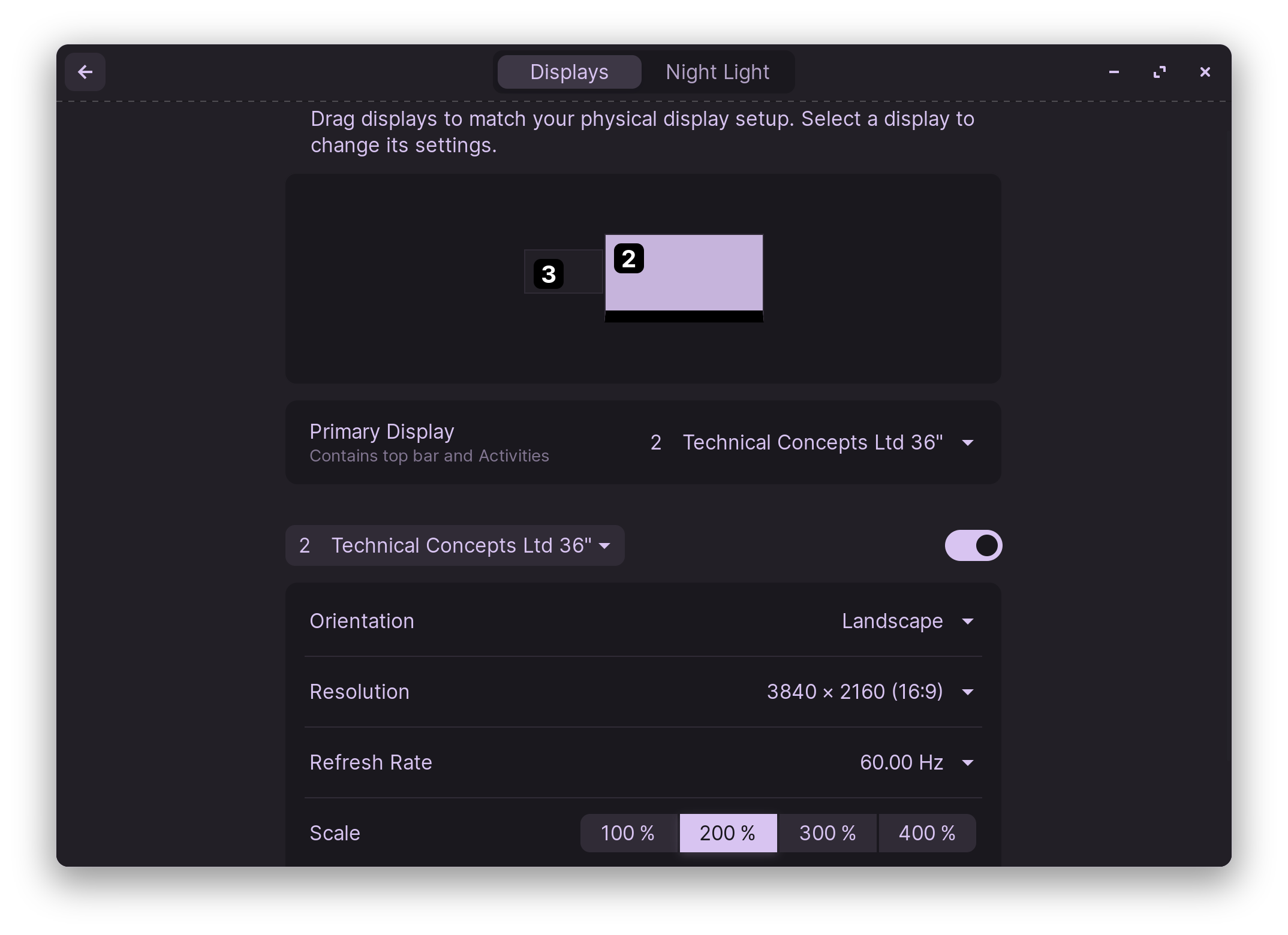
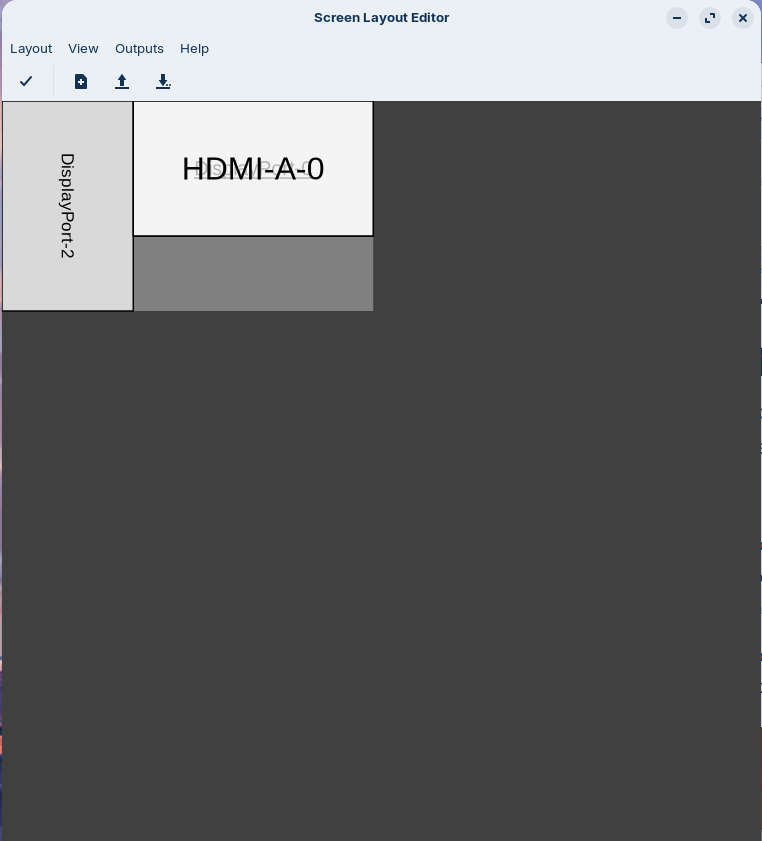
Here’s my setup: I have a main screen with a vertical second monitor to the left, extending the desktop. That part works fine. Additionally, I have a TV in another room that I want to mirror my main screen so I can use my PC fully with a second mouse and keyboard. On Windows, this was trivial. I honestly can’t imagine that a three-display setup like this is unusual in 2025.
I did manage to get it working on Linux Mint at one point, but ran into another issue with accessing BitLocker-encrypted drives which is not possible without the command line. It’s the kind of thing that a typical Windows user wouldn’t expect to struggle with. These issues highlight the fragmented and sometimes frustrating nature of Linux, which, unfortunately, still feels reminiscent of years past.
I would greatly appreciate guidance on getting my display setup to work as described: mirroring my main screen to the TV while keeping the vertical monitor as an extended desktop. Thank you!
Desired Setup
Mirror DP-1 (my main display) and HDMI-1 (the TV in the other room):
Both screens should show the same content, including the bottom menu, so I can use the PC from either screen. If the TV were only an extension of the main display, it would be very hard to use in the other room.
Keep DP-3 as a vertical extended screen (extended desktop):
This screen is rotated 90 degrees right in order to sit vertically and is positioned to the left of the main screen (DP-1). It should function as an extended desktop, meaning no bottom menu is shown on it.
System Information
user@pc-main:~$ xrandr
Screen 0: minimum 16 x 16, current 4890 x 1680, maximum 32767 x 32767
DP-1 connected primary 1920x1080+1050+0 (normal left inverted right x axis y axis) 600mm x 340mm
1920x1080 59.96*+
1440x1080 59.99
1400x1050 59.98
1280x1024 59.89
1280x960 59.94
1152x864 59.96
1024x768 59.92
800x600 59.86
640x480 59.38
320x240 59.52
1680x1050 59.95
1440x900 59.89
1280x800 59.81
1152x720 59.97
960x600 59.63
928x580 59.88
800x500 59.50
768x480 59.90
720x480 59.71
640x400 59.95
320x200 58.96
1600x900 59.95
1368x768 59.88
1280x720 59.86
1024x576 59.90
864x486 59.92
720x400 59.55
640x350 59.77
DP-3 connected 1050x1680+0+0 left (normal left inverted right x axis y axis) 470mm x 300mm
1680x1050 59.85*+
1400x1050 59.86
1280x1024 59.81
1280x960 59.79
1152x864 59.78
1024x768 59.68
800x600 59.47
640x480 59.38
320x240 59.52
1440x900 59.75
1280x800 59.81
1152x720 59.75
960x600 59.63
928x580 59.53
800x500 59.50
768x480 59.38
720x480 59.71
640x400 59.20
320x200 58.96
1600x900 59.82
1368x768 59.71
1280x720 59.65
1024x576 59.58
864x486 59.45
720x400 59.55
640x350 58.91
HDMI-1 connected 1920x1080+2970+0 (normal left inverted right x axis y axis) 930mm x 520mm
1920x1080 59.96*+
1440x1080 59.99
1400x1050 59.98
1280x1024 59.89
1280x960 59.94
1152x864 59.96
1024x768 59.92
800x600 59.86
640x480 59.38
320x240 59.52
1680x1050 59.95
1440x900 59.89
1280x800 59.81
1152x720 59.97
960x600 59.63
928x580 59.88
800x500 59.50
768x480 59.90
720x480 59.71
640x400 59.95
320x200 58.96
1600x900 59.95
1368x768 59.88
1280x720 59.86
1024x576 59.90
864x486 59.92
720x400 59.55
640x350 59.77
user@pc-main:~$ lsb_release -a
No LSB modules are available.
Distributor ID: Zorin
Description: Zorin OS 18
Release: 18
Codename: noble
user@pc-main:~$ uname -r
6.14.0-36-generic
user@pc-main:~$ echo $XDG_CURRENT_DESKTOP
zorin:GNOME
user@pc-main:~$ lspci | grep -i vga
03:00.0 VGA compatible controller: Advanced Micro Devices, Inc. [AMD/ATI] Navi 31 [Radeon RX 7900 XT/7900 XTX/7900M] (rev cc)
user@pc-main:~$ sudo lshw -c video
[sudo] password for user:
*-display
description: VGA compatible controller
product: Navi 31 [Radeon RX 7900 XT/7900 XTX/7900M]
vendor: Advanced Micro Devices, Inc. [AMD/ATI]
physical id: 0
bus info: pci@0000:03:00.0
logical name: /dev/fb0
version: cc
width: 64 bits
clock: 33MHz
capabilities: pm pciexpress msi vga_controller bus_master cap_list rom fb
configuration: depth=32 driver=amdgpu latency=0 resolution=1920,1080
resources: irq:184 memory:40000000-4fffffff memory:50000000-501fffff ioport:4000(size=256) memory:50700000-507fffff memory:50800000-5081ffff
user@pc-main:~$ glxinfo | grep "OpenGL renderer"
OpenGL renderer string: AMD Radeon RX 7900 XT (radeonsi, navi31, LLVM 20.1.2, DRM 3.61, 6.14.0-36-generic)