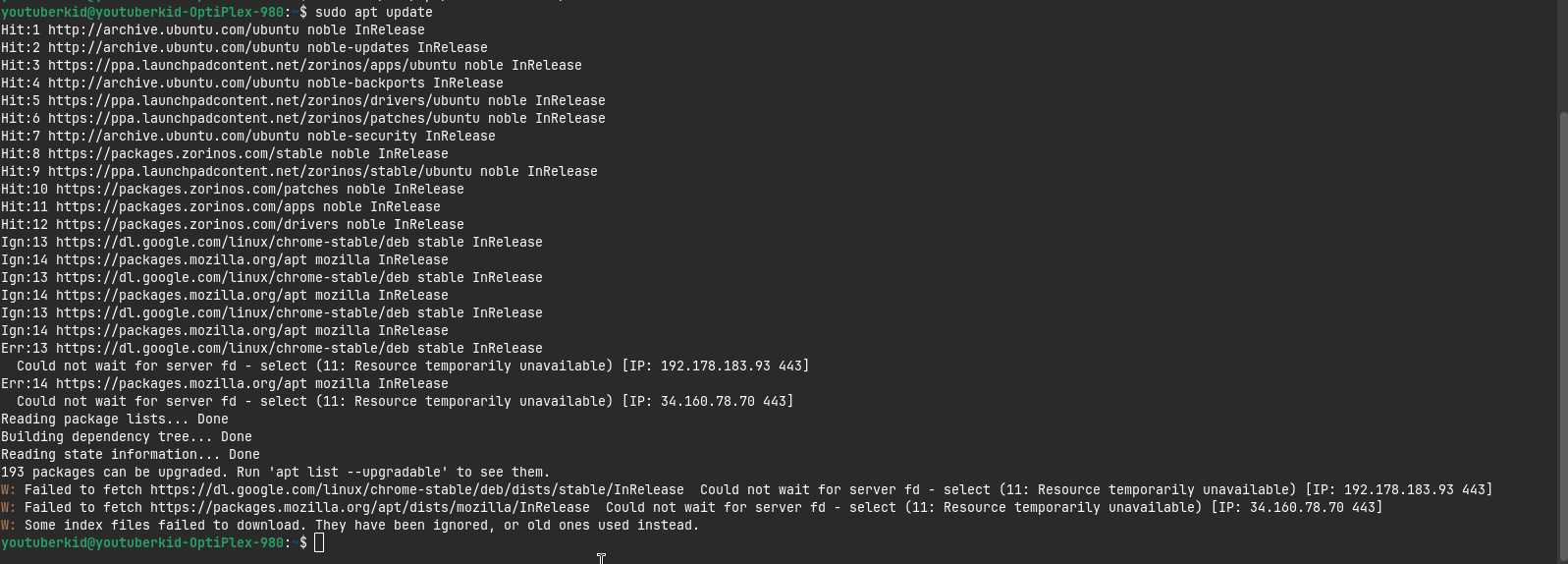
403 error on Browser Repository

I Tryed Update my computer. But i getting this error:
Hit:1 Index of /ubuntu/ noble InRelease
Hit:2 Index of /ubuntu/ noble-updates InRelease
Hit:3 Index of /ubuntu/ noble-backports InRelease
Hit:4 Index of /ubuntu noble-security InRelease
Err:5 https://brave-browser-apt-release.s3.brave.com stable InRelease
403 Forbidden [IP: 18.66.102.30 443]
Hit:6 Index of /zorinos/apps/ubuntu noble InRelease
Hit:7 Index of /zorinos/drivers/ubuntu noble InRelease
Hit:8 Index of /zorinos/patches/ubuntu noble InRelease
Hit:9 Index of /zorinos/stable/ubuntu noble InRelease
Hit:10 Index of /stable/ noble InRelease
Hit:11 Index of /patches/ noble InRelease
Hit:12 Index of /apps/ noble InRelease
Hit:13 Index of /drivers/ noble InRelease
Ign:14 https://dl.google.com/linux/chrome-stable/deb stable InRelease
Ign:15 https://packages.mozilla.org/apt mozilla InRelease
Ign:14 https://dl.google.com/linux/chrome-stable/deb stable InRelease
Ign:15 https://packages.mozilla.org/apt mozilla InRelease
Ign:14 https://dl.google.com/linux/chrome-stable/deb stable InRelease
Ign:15 https://packages.mozilla.org/apt mozilla InRelease
Err:14 https://dl.google.com/linux/chrome-stable/deb stable InRelease
Could not wait for server fd - select (11: Resource temporarily unavailable) [IP: 142.251.20.136 443]
Err:15 https://packages.mozilla.org/apt mozilla InRelease
Could not wait for server fd - select (11: Resource temporarily unavailable) [IP: 34.160.78.70 443]
Reading package lists... Done
E: Failed to fetch https://brave-browser-apt-release.s3.brave.com/dists/stable/InRelease 403 Forbidden [IP: 18.66.102.30 443]
E: The repository 'https://brave-browser-apt-release.s3.brave.com stable InRelease' is no longer signed.
N: Updating from such a repository can't be done securely, and is therefore disabled by default.
N: See apt-secure(8) manpage for repository creation and user configuration details.

Why is this happend? Did zorin os is banned in iran??
I Know brave is banned in iran. I Want to know there's a way can fix this?

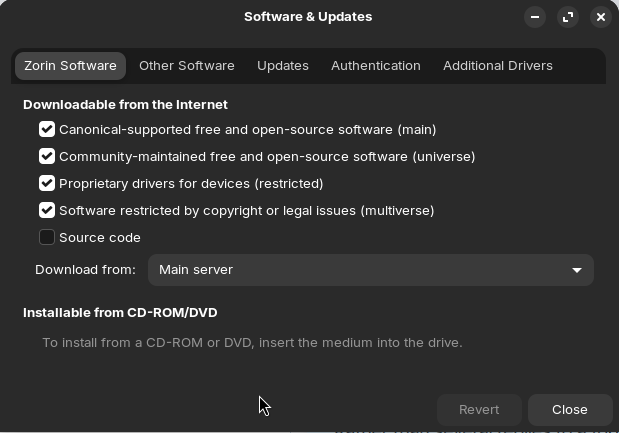
Also, I Set it to Main server in software & updates but this happens:
E: Could not get lock /var/lib/apt/lists/lock. It is held by process 12878 (apt)
N: Be aware that removing the lock file is not a solution and may break your system.
E: Unable to lock directory /var/lib/apt/lists/
In sudo apt upgrade -y:

E: Failed to fetch https://brave-browser-apt-release.s3.brave.com/pool/main/b/brave-keyring/brave-keyring_1.20-1.deb 403 Forbidden [IP: 18.66.102.5 443]
E: Unable to fetch some archives, maybe run apt-get update or try with --fix-missing?

I Dont want brave due to banned in iran. what should i do?

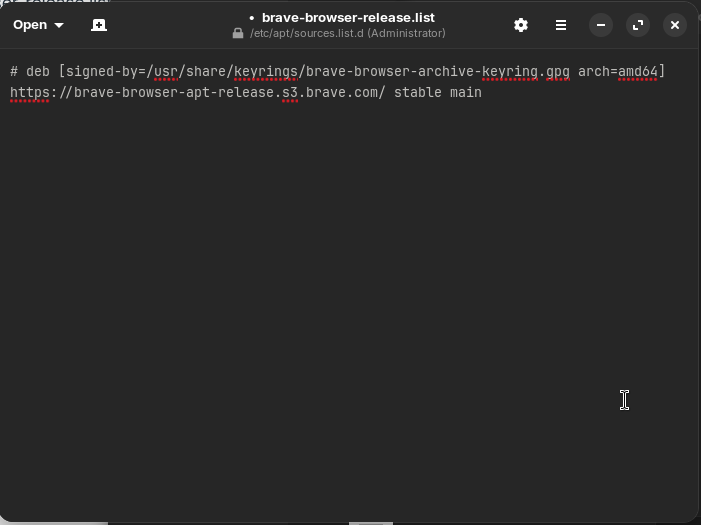
Disable the brave-repository by renaming the file "brave-browser-release.list" to "brave-browser-release.list.bak" at /etc/apt/sources.list.d or by adding a # at the beginning of that textfile so that it begins with #deb [signed-by...

You need root rights to do this, so open your filemanager, press ctrl+L and then remove everything in the path field at the top and enter

admin://

there. Then go to etc > apt> souces.list.d

and edit the file brave-browser-release.list or rename it.

Afterwards run

sudo apt update

When you have opened multiple programs which use the package manager, then you get that error "could not get lock" -message. So please close the update-manager, gnome software center or software & updates before you open another app.

Like This?

E: Could not get lock /var/lib/apt/lists/lock. It is held by process 12878 (apt)
N: Be aware that removing the lock file is not a solution and may break your system.
E: Unable to lock directory /var/lib/apt/lists/

How about this?

Yes, that is right.
Are all other apps closed when you run the sudo apt update command in terminal? If it still shows the message and you have closed the other apps, then there may be updates in the background. Then wait 5 minutes and try it again.

Yes
But this happen's:
E: Could not get lock /var/lib/apt/lists/lock. It is held by process 1126 (packagekitd)
N: Be aware that removing the lock file is not a solution and may break your system.
E: Unable to lock directory /var/lib/apt/lists/

Wait a bit. Maybe there are updates running in the background.

Okay. i will wait to see fixed or not.


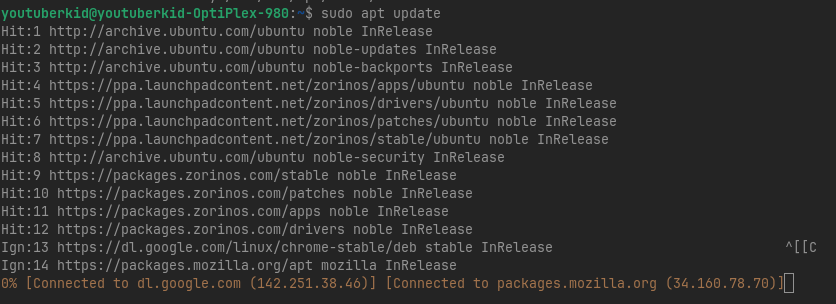
It Stucked here. -_-

And it happend again.

Perhaps mozilla and google chrome are also restricted in your country?

If you want to remove brave browser and the repository completely, you can uninstall it with

sudo apt remove brave-browser brave-keyring 
sudo rm /etc/apt/sources.list.d/brave-browser-*.list
sudo apt update

Nope. it's not

I Hope it work's.

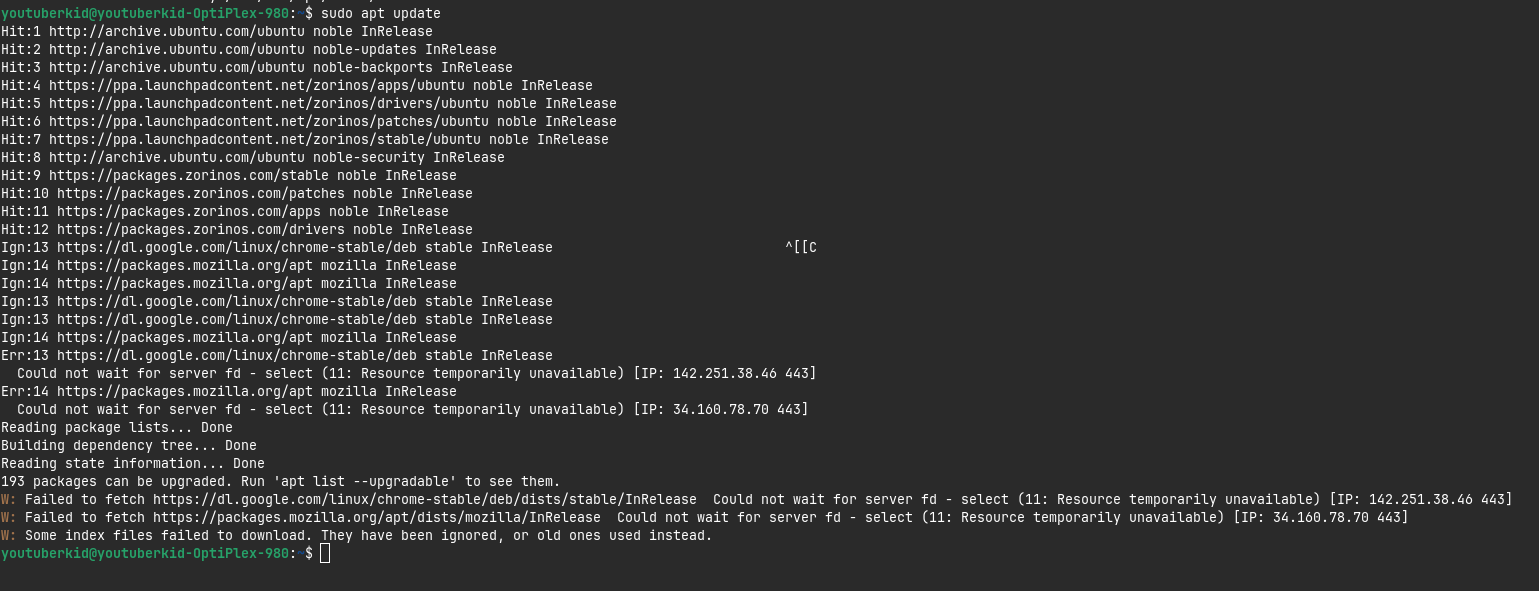
Did you think problem is this?


Again.

Sorry, I don't know why this errors are shown. Maybe a server overload?

I changed the title to something more accurate, though less sensational.
The error notes it is a Temporary Unavailability of the server- so it may be that the server itself has an outage.

1 Like

I also found this thread:

1 Like

That is fine.

It seems to have Issues with the Repos for Firefox and Google Chrome.

If I remember right Google Chrome adds the Repo when You install the Browser with the .deb File. For this, I would suggest to uninstall Google Chrome and then install it with the .deb File again. Download the .deb File before uninstall.

For Firefox, there are Instructions to add the Repo manually. I would suggest to go through this Procedure:

Another Option would be that because of the current ... Situation between Iran and the USA one or both Countries block Access.