I want to do the same steps shown on the website, but when I import the file, it doesn’t work or appear in the panel profile. I think the problem is with the file itself, because it’s just a compressed file, and when I extract it, there’s only a config.txt file inside.
“The link”
https://www.reddit.com/r/xfce/comments/wc77ve/a_custom_windows_11_xfce4panel_theme_with_dark/
XFCE is independently configurable.
What the linked guide is doing is giving you all the relevant information you need to configure the desktop to what you want it to look like.
Let's experiment.
Right click the Panel, then from the Right Arrow, select Panel Preferences.
On the first tab, you set the width and height of the panel. You can choose if it is horizontal or vertical.
You can lock it, so that it cannot be moved around. OR set it to autohide.
Click the middle tab - Appearance
Here, you can give it a background - choose to follow system theme, or set to an image you want.
Opacity...
After viewing all these options - let's say that in our experiment, you make a variety of decisions and selections.
Once you have done this; all those selections are saved as a Configuration file in your ~/.config/xfce4/panel/ directory or ~/.config/xfce4/xfconf/xfce-perchannel-xml file.
What that link is providing is just That Config File- already setup to mirror Windows 11 Taskbar.
You can choose the Light or Dark variant
And the Whiskermenu icon, you can save whereever you want. Maybe in ~/Pictures. Then right click Whiskermenu > Properties > Appearance and under Panel Button, click the Icon. Choose other location or Image Files - then navigate to where you saved teh WhiskerMenu Icon and click ont it and select it.
1 Like
I’ve created a professional Windows 11-style xfce4-panel layout.
To install it, first make sure you have the xfce4-panel-profiles tool installed.
Then, copy the file to this directory:
~/.local/share/xfce4-panel-profiles
After that, follow all the instructions mentioned above.
Here is the download link for the file.
"The resulting design with the Windows 11 style."
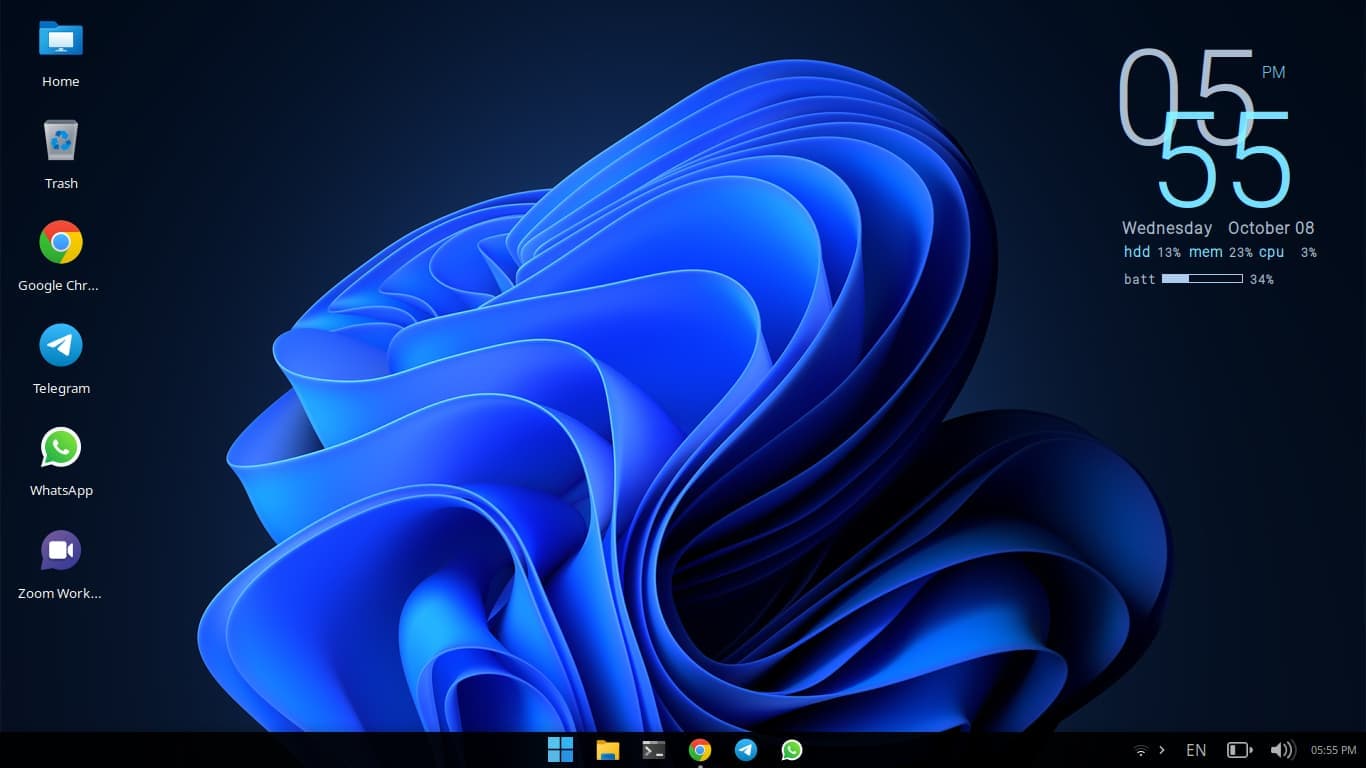
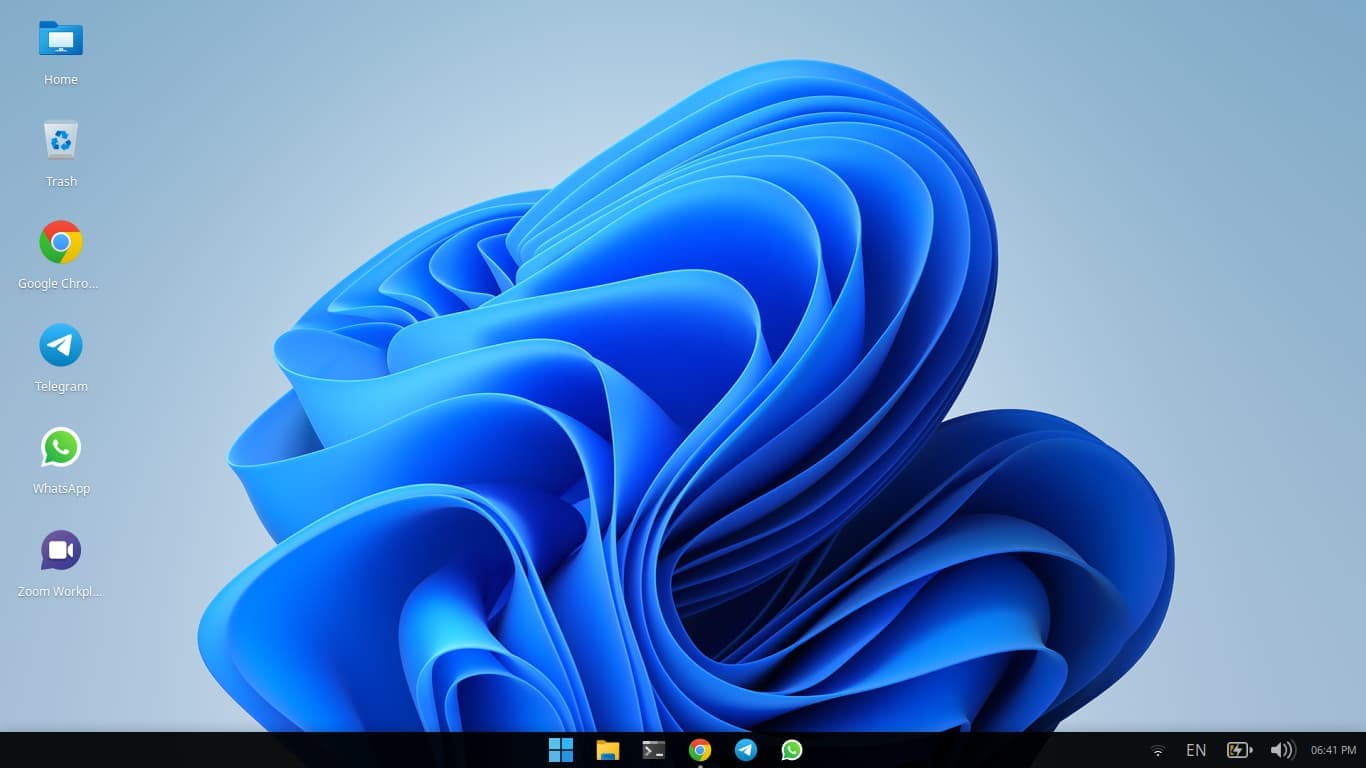
All the instructions
https://www.reddit.com/r/xfce/comments/wc77ve/a_custom_windows_11_xfce4panel_theme_with_dark/
1 Like
This is the download link for the file, but it’s for large screen sizes.
Tested on MX Linux with 1920x1080 display
1 Like
This topic was automatically closed 90 days after the last reply. New replies are no longer allowed.