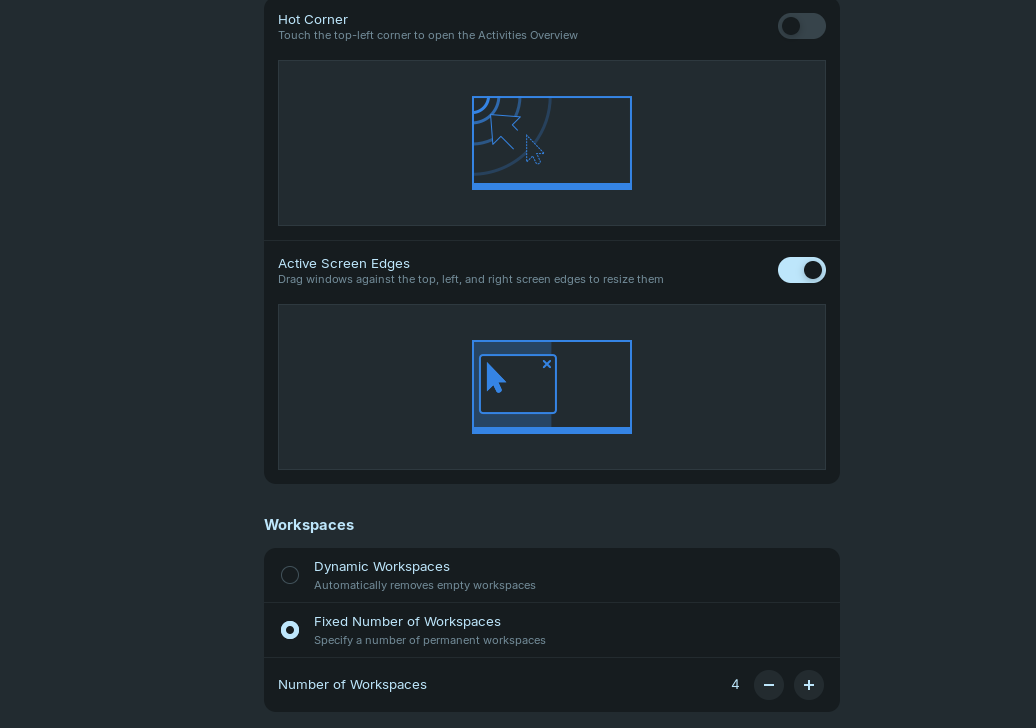
Hm, you could try to disable the Zorin tiling shell to see if it helps, but I'm not sure, I can't test it with the Zorin 18 live stick.
Go to Zorin Appearance > Interface > Advanced Window Tiling
and turn it off for testing.
But perhaps you like this function and want to keep it on.
Edit: I tested it and "Active screen edges" are not reset after logout or reboot when the Zorin tiling shell is disabled.
1 Like
Having the same issue, if your goal is the same as mine, which is to maximize the window after dragging it to the top. You can change it by going to Zorin appearance -> Windows -> Advanced Window Tiling -> turn on the "Drag against top edge to maximize window"
My goal is the opposite, namely to NOT maximize the window when it's dragged to the top. Disabling Advanced Window Tiling should be the fix but nope, windows continue to be maximized. It's annoying.
Did you try to disable the active screen edges?