Hm, it is so much. I can't post that.
Yes, I can download the original from the source.
And if you are certain of all the changes you have made and that is small, you can post that - or if it is long, you can use a third party means to send the file.
I made only a few changes. That's my .css file (the upper part which isn´t shown only contains configurations for the whiskermenu button):
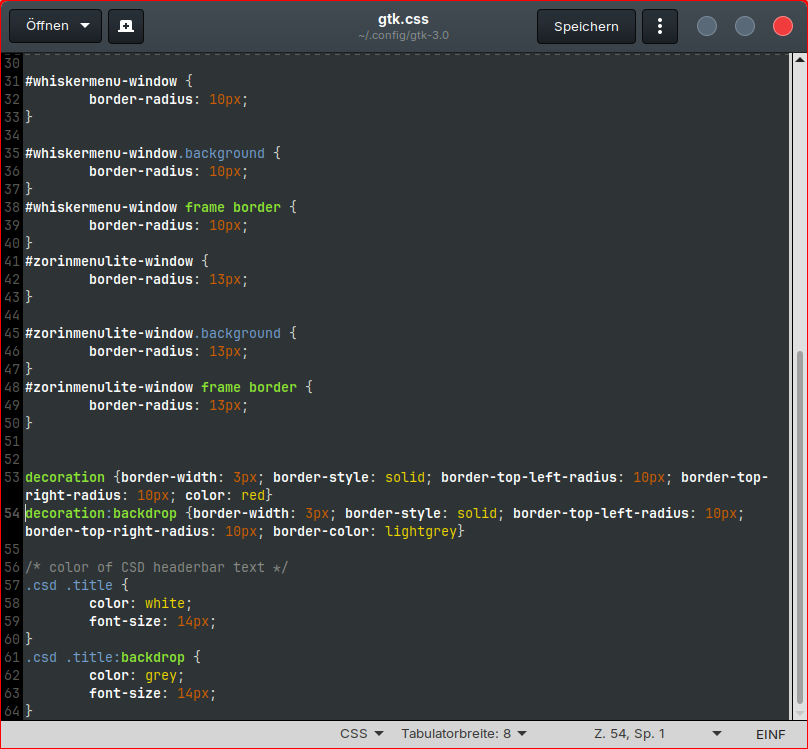
In the Jade-1 red theme I only removed the inactive maximize, hide and close buttons at folder assets in gtk 3.0 and replaced them with the active ones.
Decoration is very broad.
Try Windowed apps:
window.csd, window, window.ssd, dialog, messagedialog
Inactive windowed:
window.csd:backdrop, window:backdrop, window.ssd:backdrop, dialog:backdrop, messagedialog:backdrop
If you do not want tootips and notifications bordered the same way:
window.background:not(.popup):not(.tooltip):not(.menu),
window.csd:not(.popup):not(.tooltip):not(.menu)
window.background:not(.popup):not(.tooltip):not(.menu):backdrop,
window.csd:not(.popup):not(.tooltip):not(.menu):backdrop
I don't know what to do now. Shall I enter these lines somewhere?
I replaced "decoration" with your words but not better then. Made red text in some windows, no frames around apps and the icons in the taskbar have red frames now. I think I have misunderstood something.
Shall I type 'decoration window.csd'?
You must use existing style classes.
Are you placing those In the Theme gtk.css or in ~/.config/gtk-3.0/gtk.css / ~/.config/gtk-4.0/gtk.css?
Again, they are cascading, so while repeating a class is best avoided - You Must Place lines in Order. If you have a duplicate class and they have differing property values, the first read will take priority. If you place a new line with a class at the bottom and add a value, but do not altar the value on that same property and class above, it will be ignored.
Thank you for helping me. Still I don't know what to do and don't understand what you write. I'm not familar with .css.
What do I need to type, and where?
I found this thread:
Can I use something from there?
Yes, I looked that over and the answer given there is fine - except LibAdwaita is not so easily overridden...
I recommend:
This way, they have the highest priority, are isolated from the theme and are easy to adjust or change.
Start with:
window.csd, window, window.ssd, dialog, messagedialog
{
}
With your properties and classes inside the brackets.
The properties would be things like border: and the value an RGBA, Hex or Standard Color (Example, Red):
rgba(255, 0, 0, 1.0);
Or
#FF0000;
Or
red;
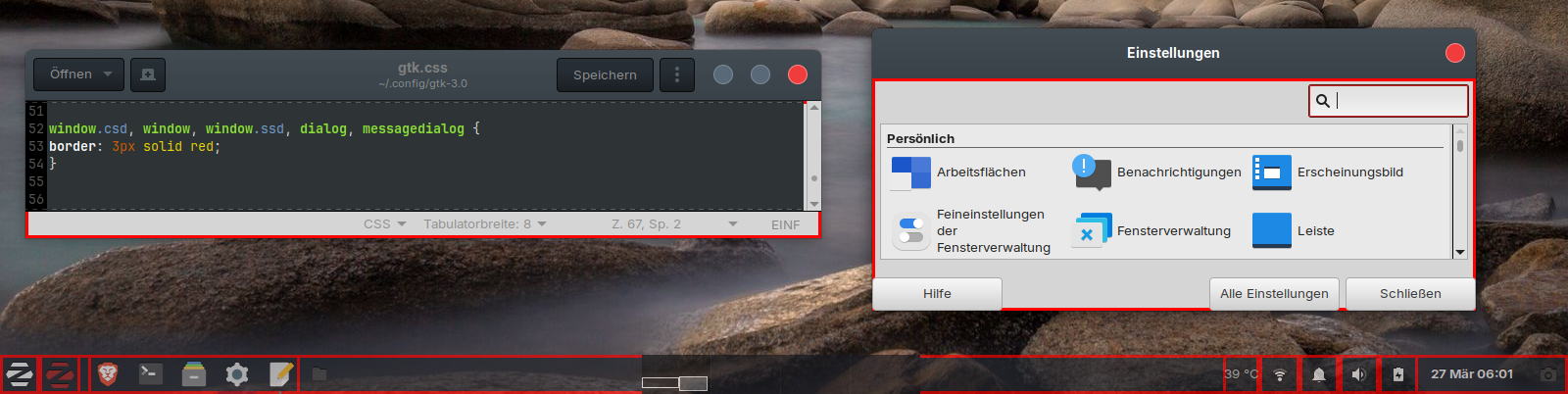
Ah.. Gnome...
Ok, wipe that...
When you use just decoration, it also is partial?
When I have used decoration before, all windows looked as they should. The frame was around the windows.
I tried with
window.csd:not(.popup)>decoration{
  border: 3px solid red;
}
, and that looks promising. Only settings app has no border, but Thunar, Zorin Appearance, Terminal, Gedit...have a red border now. All other things when hovering with the mouse, not (as wanted). So, I'm on the right way with this.
Do you know how I can add backdrop there for inactive windows?
window.csd:not(.popup) > decoration:backdrop {
  border: 3px solid gray;
}
1 Like
That worked! It looks good now, I also added a radius for the top corners.
Does settings app need gtk 4.0 to follow? I haven't changed that yet. Yesterday I only changed the gtk 3.0 css and there it worked with the frame.
Some sub-dialogs of the settings app have red/grey frames, but not the main window.
I think there are not that many GTK4 only apps on Zorin OS, yet (Default installed).
But I would put that same gtk.css into the ~/.config/gtk-4.0 folder, to be sure.
I copied the .css file to gtk 4.0, but didn't help to get a colored frame for settings.
Do you have an idea what I can try?
For the frames around tiled windows it helped to increase the margins of the workspaces (I set the margins to 4px, at the bottom to 44px). But maximized windows still have no frame although the setting at window manager tweaks is set correctly to show a frame.
I also played with true/false for DialogsUseHeader, but didn't help.
I think the Maximized missing the border should only show on those apps that are Gnome or CSD utilizing apps.
Can you test that?
Gnome and CSD both remove window borders on Maximized windows automatically.
Is that the default Zorin Settings app?
Or the XFCE Settings app?
I didn´t found an app which shows a frame when maximized. I think all apps use CSD because I set it as environment variable at ~/.profile.
I mean this app - it is in the Zorin startmenu below Software. Don´t be surprised - it is a bit chaotic because of the four desktops I have installed on my VM.
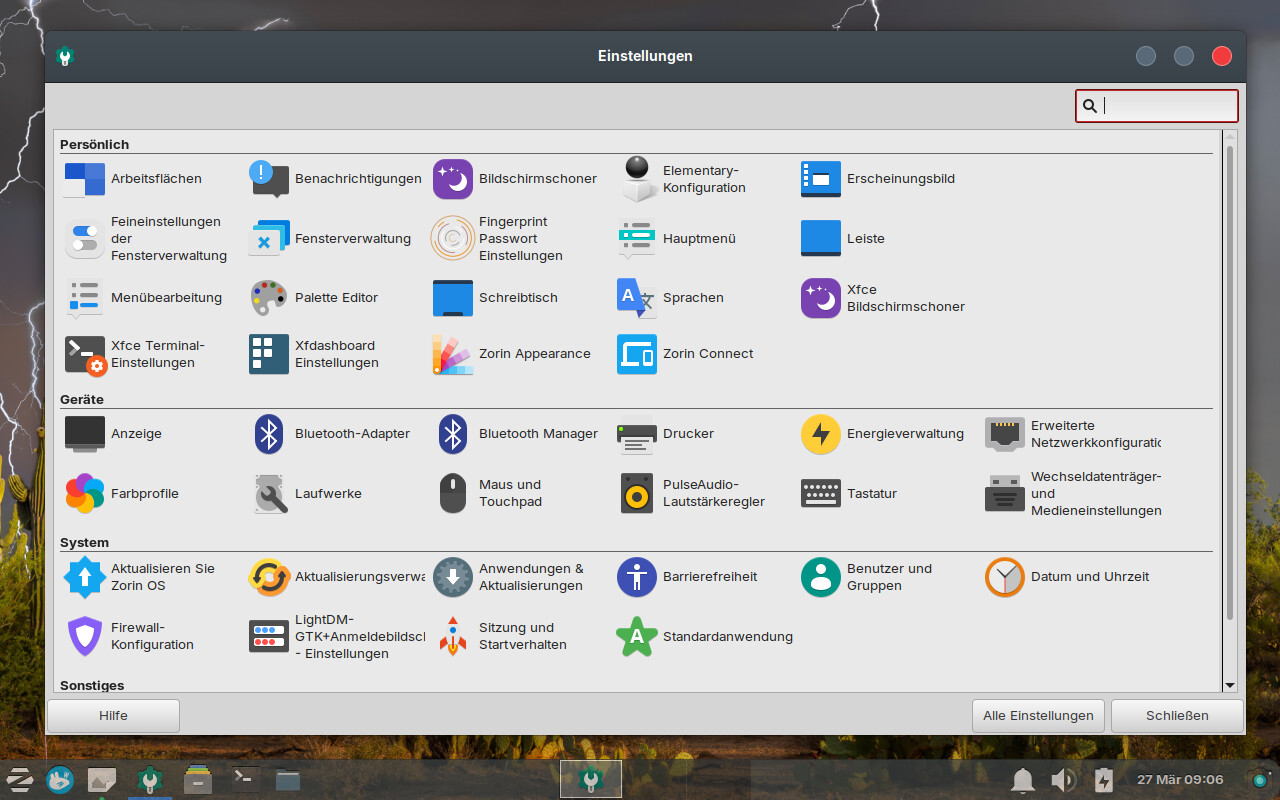
Agreed- the CSD set is why. It won't be using XFWM4
Does this help you to get an idea:
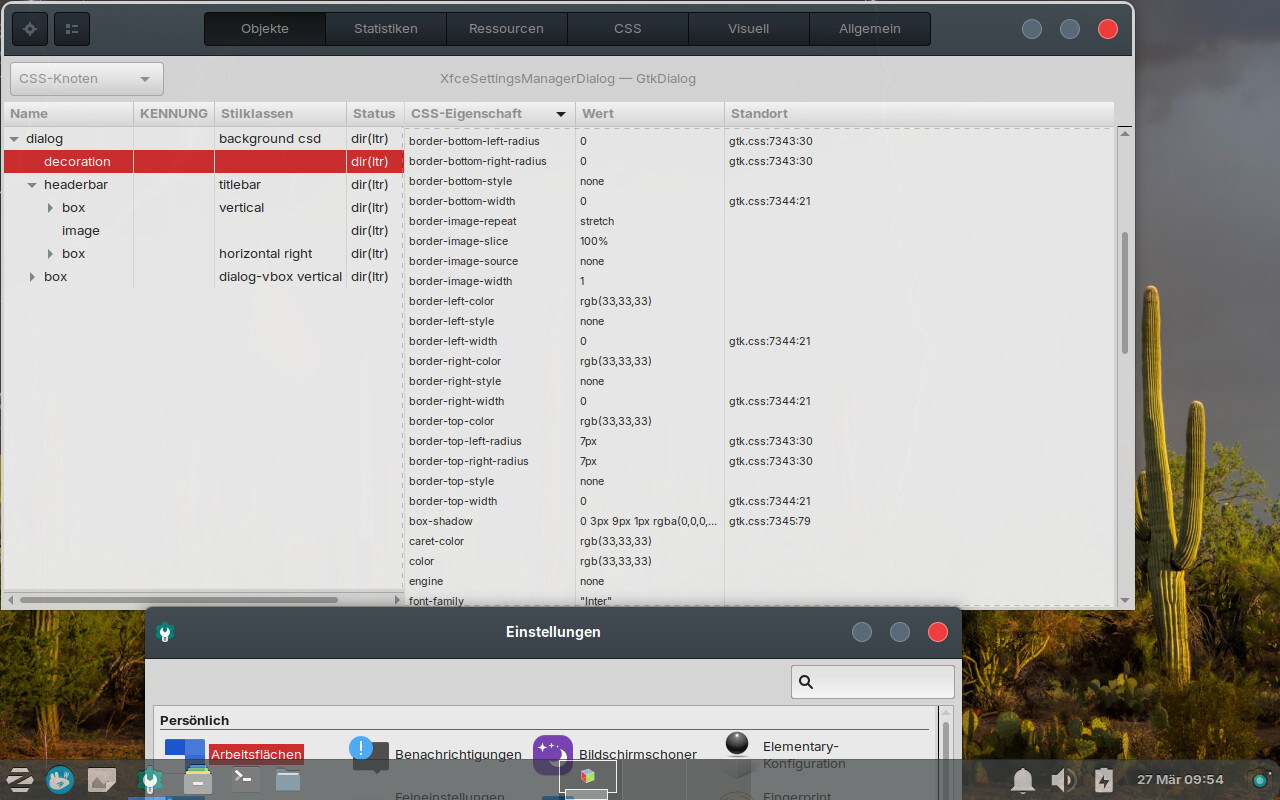
Edit: Until now, I found no good solution and switched back to the decoration I had first set up 'decoration {...}'. That's the lesser of two evils because more apps as brave browser and settings have a colored frame then.
Is it possible to exclude the popups from the decoration?
But the look is not consistent. Many apps as gnome disks, software, nautilus or mtpaint don't have frames. Also not the programs that are opened with root rights as synaptic or gparted. I'm not sure if I need to adapt something for the root user.
I don't know, why some of the app have the wide invisible grip area and others don't have. Brave browser has a red frame but no wide grip area, and on the other hand nautilus has no frame but a wide grip area. I had hoped to solve that problem with enabling csd, but that doesn't help for all. Still some apps go their own way. It should give a solution because in gnome it is possible to get a good look with the gnome extension rounded corners and to change the colors of the frame easily, and in gnome it is usually more difficult to make changes.
CSD will offer the invisible grip area.
But not all apps support CSD.
Many Gnome Apps are built as just a stack or window, with no frame at all; so using CSD means that XFWM4 will not place a frame and the App does not use a frame.
These inconsistencies that you are now witnessing is exactly why I have been saying for years that Gnome is very unpolished and very inconsistent. Most users do not notice until they try to do something productive and get halted by how Gnome is built.
And the next iteration of GTK Gnome plans to introduce seeks to severely limit the .css access to Gnome yet again; meaning all of this is soon fruitless, anyway.
It is a losing battle. They successfully implemented LibAdwaita and now have apps that call on it as a dependency, even though it only exists To Control YOU.
Next step is to exert much more control, now that they have established a firm foundation that cannot be easily removed.
The path to success for you is to move away from CSD and back to XFWM4.