Does anyone if you can add a sound here to use for the default alert tone?
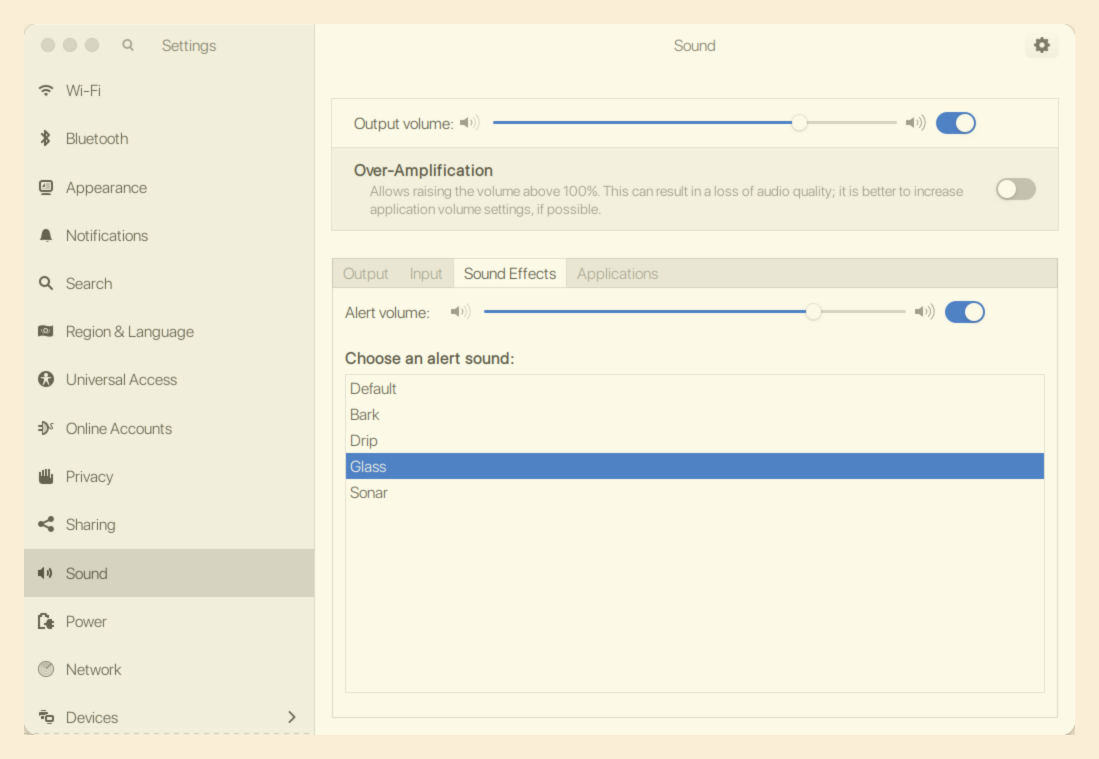
This folder seems to have the default sounds in it.
/usr/share/sounds/gnome/default/alerts
There's a file called.
/usr/share/gnome-control-center/sounds/gnome-sounds-default.xml
Add a new sound section to this file and change the filename and name items to your new file.
<sound ...>
...
<name xml:lang="en_GB">Sonar-jg</name>
<filename>/usr/share/sounds/gnome/default/alerts/sonar-jg.ogg</filename>
No need to restart, just reopen the settings app and your new sound will be listed.
1 Like
No longer true in v18? The sounds folder is the same but that XML file seems not to exist.
I didn't found a solution yet for notifications, only this guide for customized login and logout sounds:
Maybe it needs to be adapted for Zorin because Zorin doesn't use yaru but Zorin theme by default. I haven't tried it yet.
Edit:
In Zorin is a folder
/usr/share/sounds/zorin/stereo
there are all system sounds.
I tried to replace the original sound with a own downloaded .ogg sound which I named as the Zorin one in those folders (in Zorin 18 live session) but it didn't work. I think it should work (but can be overwritten by updates), but maybe it is a problem of the live session.
1 Like
I find the topic very interesting, but I can only find very little information on how to install your own sound themes on the current Zorin/Ubuntu versions or how to replace some of the existing sounds with other sounds.
Since I only tried everything with the Zorin 18 live stick, I'm not sure if that's why it didn't work (because maybe a restart would be necessary).
I downloaded a complete sound theme, unzipped it, and saved it to ~/.local/share/sounds. It also contained an index.theme file. Then I entered the name of the theme in dconf-editor.
But something must have been wrong, because after that gnome-tweaks would no longer launch due to a faulty sound theme.
I don't know how to set these sounds to play, e.g., when minimizing/maximizing windows, activating a slider in the settings... There are special sounds for all these actions that I can also call up with
/usr/bin/canberra-gtk-play --id="desktop-login" --description="GNOME Login"
but they don't play by default and there is no setting to turn on system sounds.
When I tried to play the sound of a downloaded file it always said file not found or corrupt, although the sound worked when I clicked on the file, e.g.
/usr/bin/canberra-gtk-play --file="/home/USERNAME/Downloads/trash-empty.ogg"
Replacing the original files at /usr/share/sounds/gnome/default/alerts
and
/usr/share/sounds/zorin/stereo
didn't work when I tried it. I thought I could replace an alert sound file with another sound when I name it as the original one, but it didn't play the sound. I'll try it with my virtual machine.
@Aravisian Would it help to use these commands you wrote in this thread? I tried
sudo apt-get install gnome-session-canberra sox
but was not sure what to do then and it is a really old post
I read that you should create a file called sounds.list, which defines which sound files should be played for certain actions. I couldn't find such a file, and I don't know how to create it or how to create symlinks to the sounds.
There are also so many sounds at /usr/share/sounds/freedesktop/stereo,but I found no way to enable them. At gnome-tweaks you can only set default, custom or zorin, but I don't notice any difference even when I put the freedesktop sound theme to ~/.local/share/sounds/__custom.
1 Like
I don't think all those sound effects are implemented. I used to customize the alarm sound by linking it to my own sound, but that linking doesn't work anymore. One less thing we get to configure ourselves.
You can enable Zorin's login sound from "startup applications". It's not checked by default.
That said, I add my own startup sound to the "startup applications" by using the "add" button and adding a name and path to a file to play it. That file is not the audio file, but a text file with a small bash script to play it.
Example:
#!/bin/bash
aplay ~/.local/bin/DOORBELL.WAV
The script file goes in ~/.local/bin
It has to have executable permission set.
The .wav file is placed in the same directory.
aplay plays wav files. there are hundreds of free .wav file sound effects on the web. If your sound file is ogg, you have to use ogg123 instead of aplay.
1 Like
Thank you very much for sharing your experiences. It sounds as it is not possible in a simple way to play custum sounds at special actions.
I looked into sound themes. They get installed to:
/usr/share/sounds
I installed the Yaru Sound Theme (yaru-theme-sound) from the Ubuntu repository. Now there are two themes there:
dmn@Tyana-vm:~$ ls -1 /usr/share/sounds
alsa
freedesktop
gnome
sf2
sf3
sound-icons
speech-dispatcher
Yaru
zorin
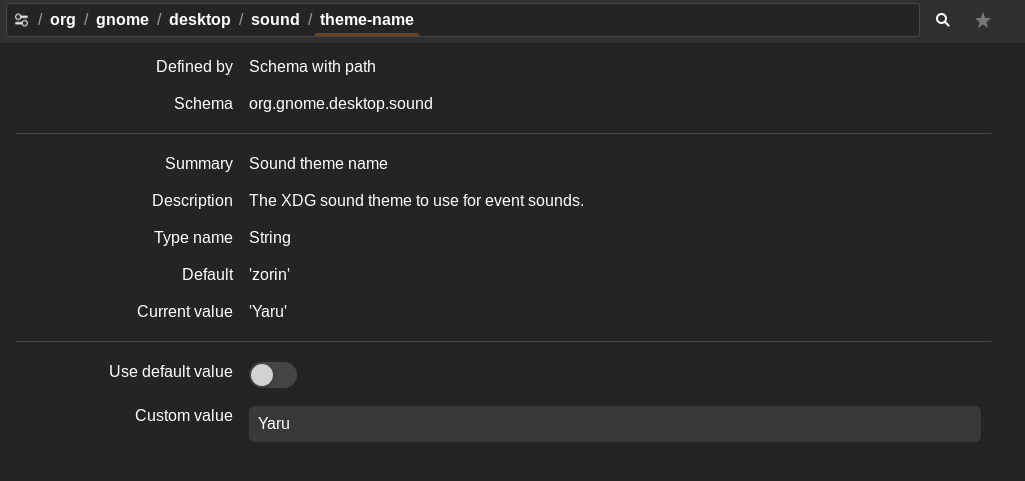
To select which to use, I used dconf-editor, navigate to
org/gnome/desktop/sound/theme-name
default is zorin.
to switch to Yaru, switch off "Use default value", and type Yaru in the text box. Click the apply button in lower right. I tested the login sound, and it did change to Ubuntus. That said, many of those sounds are not implemented by any action.
And "Startup Sound" should be checked in "Startup Applications" dialog.
@Topaz Do you know how to enable them all at once without a script? In a screenshot of kde plasma at /usr/share/sounds I saw that all sound actions had symlink arrows. In Zorin this is not the case. I think because of this many of the sounds don't work. Can you know if it is possible to create a link to a specific file so that they work?
I haven't used KDE Plasma. Why don't you try it and see?
As I said in the earlier post, in Gnome, a symbolic link from sound X to custom sound Y did not work - it still played sound X. So at least in Gnome, sound X (and the entire sound theme) probably has another copy elsewhere in the file system where it cannot be edited by users.