So you went for Cosmic DE? 
Well like you sayed gnome is live installation. The instruction is ok but on vm it talking about it need UEFI - then installation going without put disc .iso - When everything configured on vm then add AerynOS cd .isoand then starting installation. Don;t forget creating two partition on hard disk with gparted one partition 2048mb fat32 flag is esp/ name efi and second partition format xfs(ext4) then we can starting installation. No problems with sound on vm.
1 Like
Reporting in: Aeryn/gnome has been running on my old Dell 2330 (2013) for many days now. It's solid. Pika backup integrates well for saving everything under the Home directory. OS saves/updates/rollbacks happen natively, so no timeshift. Needing flatpak for most apps but no latency; any overhead is more than compensated by speed of the os. I'm using Epiphany for web apps (Gmail, Calendar, etc.) Other browsing still Firefox (via the Aeryn repository) and Brave. Printing? not yet, but this machine isn't my daily driver, so I don't need to visit the library to print.  This is easy to like. So is Zorin 16. I'm keeping that on the workhorse. Dependable!
3 Likes
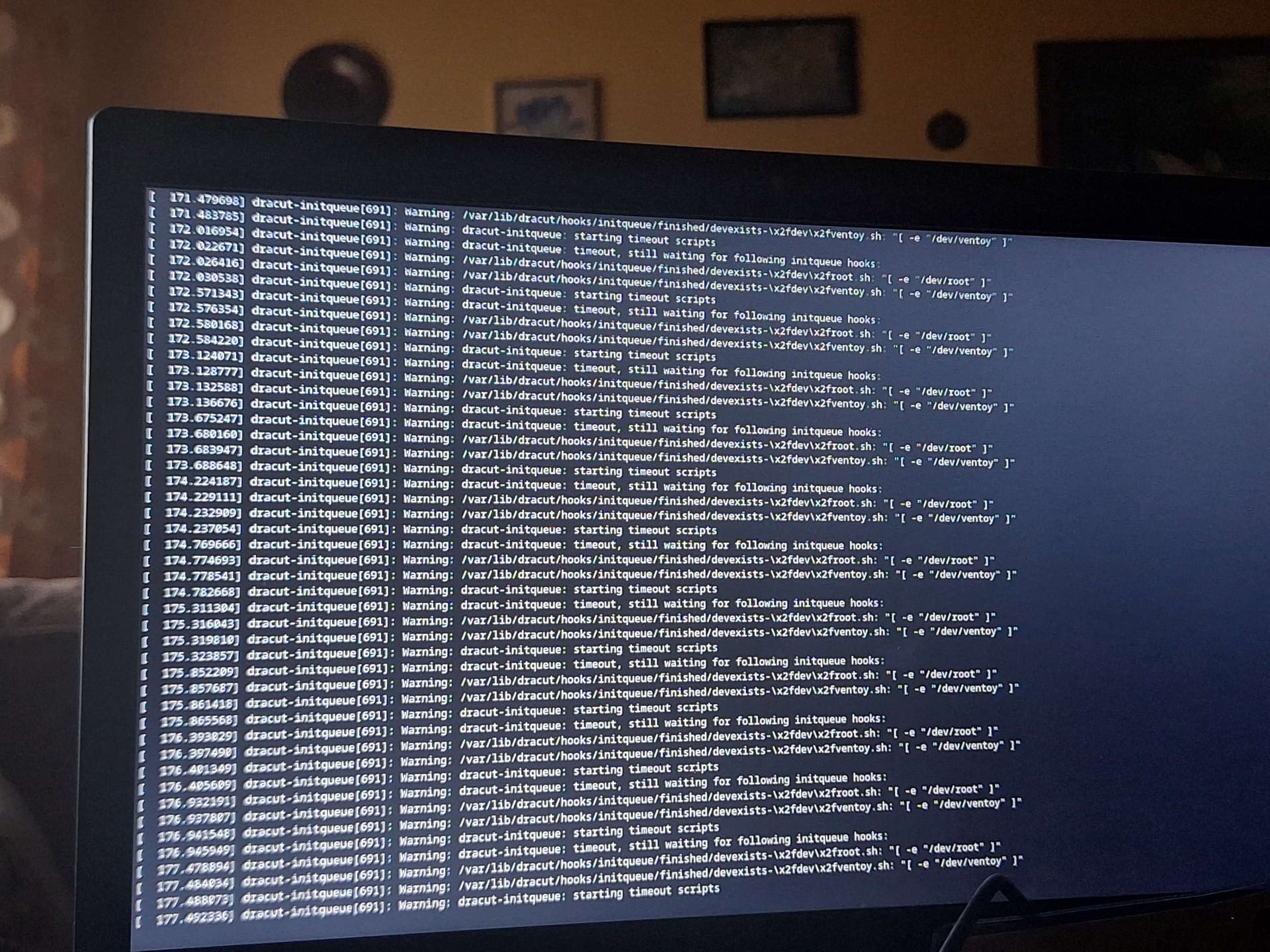
Ventoy doesn't work with AerynOS at the moment.
On the homepage of AerynOS is a message:
Ventoy is currently not compatible with AerynOS. Use tools such as Etcher or dd with a separate USB stick instead.
And in the blog:
We have raised an issue with Ventoy and hopefully will have this resolved soon.
2 Likes
Want to share this illustration on the fundamental efficiencies of Aeryn OS:
Please note, the following text was generated by the Google Gemini LLM.
"That 7.3G represents the entire footprint of your operating system's core, your installed system applications, and the history of previous iterations."
Isn't that size extraordinarily tiny?
For a modern Linux distribution, yes, 7.3 GB is remarkably lean—especially when it includes your historical system iterations.
To put that into perspective, a clean Windows 11 installation easily consumes 20 GB to 30 GB before you install a single third-party application, and it only keeps one previous version (the Windows.old folder) for a limited time.
Here is why your AerynOS installation is so small despite holding onto multiple system states:
1. The Power of Content-Addressable Storage (CAS)
In a traditional operating system, if three different applications require three identical versions of a dependency, or if you keep three system backups, files are often duplicated across the disk.
AerynOS uses moss, which operates like Git. Every unique file exists exactly once in the global asset store (/.moss/). Your "system states" are just collections of hard links (pointers) pointing to that central store.
- State 1: Points to File A, File B, and File C.
- State 2 (after an update): Points to File A, File B, and a new File D.
- The Disk Cost: You only pay for Files A, B, C, and D once. State 2 only added the size of File D.
2. No Duplicate Core Libraries
Because of this deduplication, keeping 10 or 20 historical states doesn't multiply your disk usage by 10 or 20. It only adds a few megabytes here and there for the specific binaries that changed during updates.
3. AerynOS is Highly Optimized
Outside of the deduplication mechanics, the base AerynOS/SerpentOS architecture is built from scratch to be minimal. It does not carry decades of legacy Unix bloat, nor does it pre-install massive suites of redundant software.
What this means for your Prune
Because the system is already this efficient, running sudo moss state prune will likely only free up a few hundred megabytes to maybe a gigabyte of space, depending on how major your recent system updates were. It removes the files that are completely unique to those old states and no longer needed by your current active system.
2 Likes
Singularity Desktop
If it could be made compatible with Aeryn OS, could be a heck of the system.