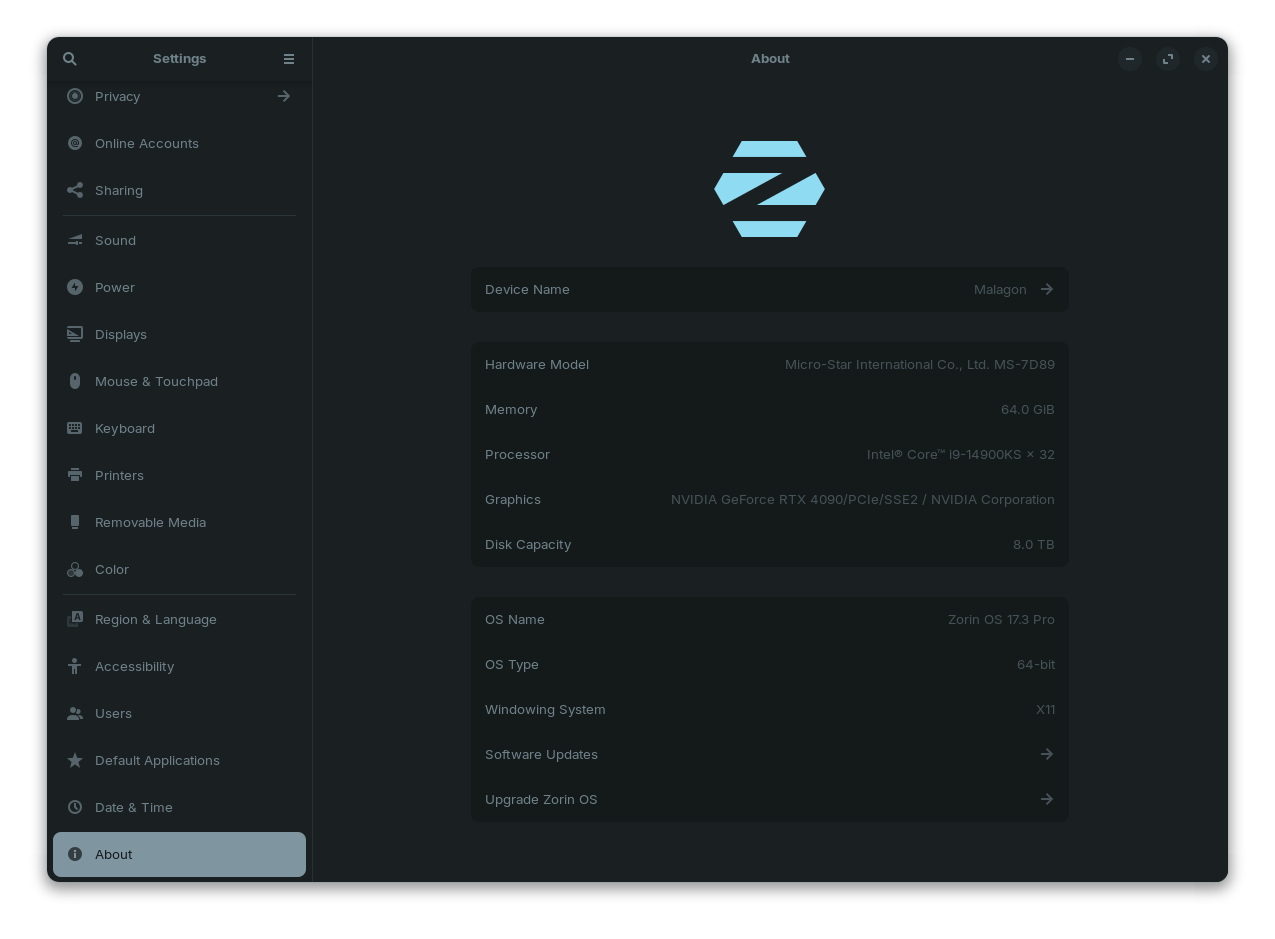
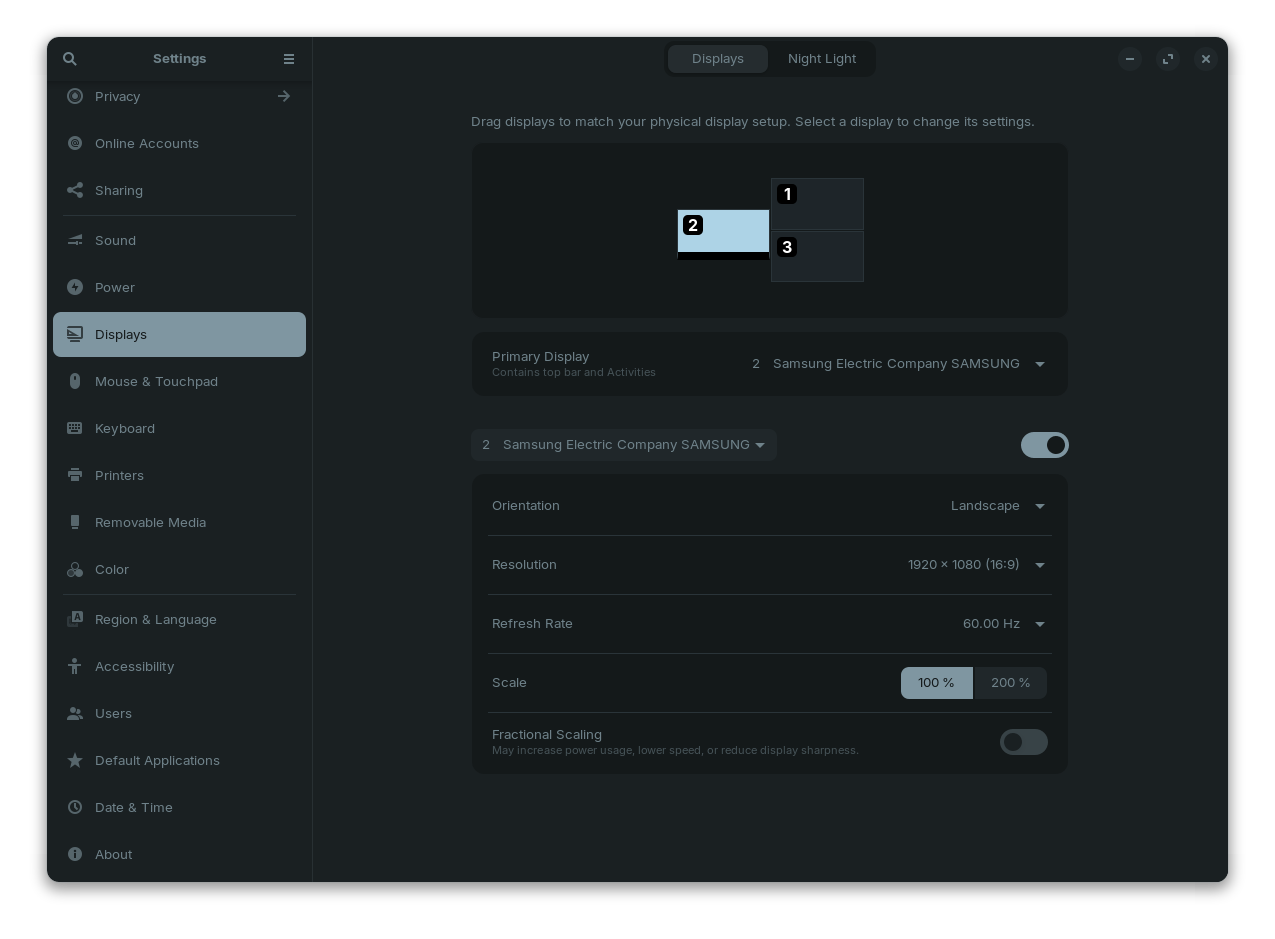
So this is a bit of a weird one. I have been using Zorin 17 Pro for a year now with 3 monitors. Haven't had any issues beyond the initial setup. After this latest update now the system boots normally, but when I start applications dealing with video (Steam, Android Studio, Kodi, Browser) all three displays reset and only two come back.
Going into settings, the system still sees all three monitors but my main monitor is disabled. I can re-enable it, but I have also had the settings app starting cause the issue.
Should also mention that prior to the update I was running the Nvidia 560 proprietary driver. I have also tried switching to the 565 and 570 with no effect and have switched back to the 560 until I can sort this out.
It is a PC. I have not tried booting into an earlier kernel, as when I reviewed the updates it didn't seem to include any kernel updates. Also anytime I have tried to boot from an earlier kernel it has seemed to cause more issues than it solved, though I haven't tried it since I initially got the three monitors to work.
uname -r provides:
6.8.0-52-generic
nvidia-smi provides:
Fri Mar 21 13:55:07 2025
+-----------------------------------------------------------------------------------------+
| NVIDIA-SMI 560.35.03 Driver Version: 560.35.03 CUDA Version: 12.6 |
|-----------------------------------------+------------------------+----------------------+
| GPU Name Persistence-M | Bus-Id Disp.A | Volatile Uncorr. ECC |
| Fan Temp Perf Pwr:Usage/Cap | Memory-Usage | GPU-Util Compute M. |
| | | MIG M. |
|=========================================+========================+======================|
| 0 NVIDIA GeForce RTX 4090 Off | 00000000:01:00.0 On | Off |
| 0% 57C P8 27W / 450W | 809MiB / 24564MiB | 0% Default |
| | | N/A |
+-----------------------------------------+------------------------+----------------------+
+-----------------------------------------------------------------------------------------+
| Processes: |
| GPU GI CI PID Type Process name GPU Memory |
| ID ID Usage |
|=========================================================================================|
| 0 N/A N/A 2886 G /usr/lib/xorg/Xorg 432MiB |
| 0 N/A N/A 3077 G /usr/bin/gnome-shell 46MiB |
| 0 N/A N/A 3904 G ...erProcess --variations-seed-version 73MiB |
| 0 N/A N/A 10401 G ...local/share/Steam/ubuntu12_32/steam 40MiB |
| 0 N/A N/A 10834 G ./steamwebhelper 20MiB |
| 0 N/A N/A 10884 G ....local/share/Steam/logs/cef_log.txt 20MiB |
| 0 N/A N/A 22641 G ...f2dd75e8be37bc43f03ace8b2228d90641e 124MiB |
+-----------------------------------------------------------------------------------------+
I have followed the steps provided. I'm about to reboot but before I start each of the steps above had the following at the end of the process:
W: GPG error: https://dl.yarnpkg.com/debian stable InRelease: The following signatures couldn't be verified because the public key is not available: NO_PUBKEY 23E7166788B63E1E
E: The repository 'https://dl.yarnpkg.com/debian stable InRelease' is not signed.
N: Updating from such a repository can't be done securely, and is therefore disabled by default.
N: See apt-secure(8) manpage for repository creation and user configuration details.
After reboot, monitors identifiers reset so had to reorganize. I have run through all of the applications that caused the issue with it not reoccurring. I haven't been able to start the Android emulator I was working on but if that wouldn't be part of this topic. Looks like I'm back up. Thanks for the quick support!
As an update, was noticing some stuttering with the GUI and upon investigation noticed that the system is now using the Mesa intel graphics vice the nvidia 570 driver.
Issue returns if I attempt to use the nvidia driver, but is fine if using intel.
So, back to square one, then.
The Nvidia card is doing the same, whether on 560 driver or 570.
Are you using Display Port connections or HDMI?
If Display Port (DP), the 4090 is known to be... picky... about which DP cable is used.
Trying a different (cough... expensive) cable or Just trying a different Cable Port sometimes resolves its rejection of the cable or monitor.
I find the idea of the cables being the issue problematic, since you say it worked before a system update... But it is possible.
Other physical causes: The monitor has EDID caches, that needed to be cleared. This is done by unplugging the affected monitors for at least ten minutes.
We can check for PCIe errors:
dmesg | grep -i nvidia
On to software:
You can check if a user configuration is causing monitor issues. If you can launch a session as another user to test the situation...
Or
Backup your user configurations (This will reset all your configurations to default):
mv ~/.config ~/.config-bak
Then restart the session and test. (You can partially restore the backup by entering ~/.config-bak and selecting the safe files you want to keep and moving them to ~/.config or fully restore it with
I did similar (Working with what I had) and ended up just Buying The Right Cables for each monitor and that solved pretty much every issue. That was.... well... Over two years ago, now.
This looks bad, but can be ignored. It is just because the Nvidia driver is Proprietary.
But this:
A DP Cable issue - or using HDMI through a converter, can inhibit the EDID being sent to the computer.
Honestly, this is the first thing I would focus on...
If the converter is a passive adapter, it might not support the full resolution/refresh rate the monitor expects. It may not be supplying enough power.
Or it may be that the signal from HDMI is being garbled or lost converting to the DP output.
I shut down and swapped the monitor in question to the other HDMI port. Once booted verified that the Nvidia 570 driver was loaded. That cleared the EDID errors, and that seems to have solved it. There was some GUI stuttering when the system was still loading, but it's gone away now.Will just need to invest in a DP cable for the other converter.