Hello everyone, can someone explain what this was??!
In what sense was the update provided by Zorin not from Zorin?!
ZorinOS18 Core..
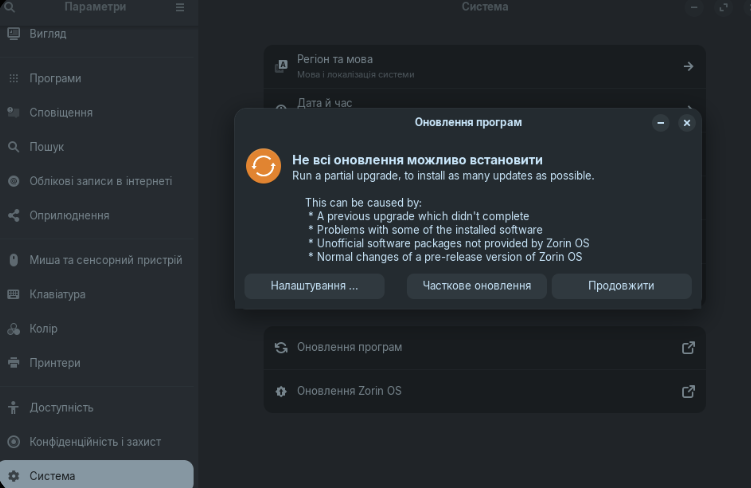
during the update, a red icon popped up and there was also this text update the system and...
it didn't want to do it through the terminal.
what could have gone wrong with the first updates and how dangerous is it??
my data is safe or not - it said that the update was not provided by Zorin.
Linux is supposedly a secure system but something like this is scary!!
How can something like this happen with Linux?
specifically, I need all the information from the developers what happened?!
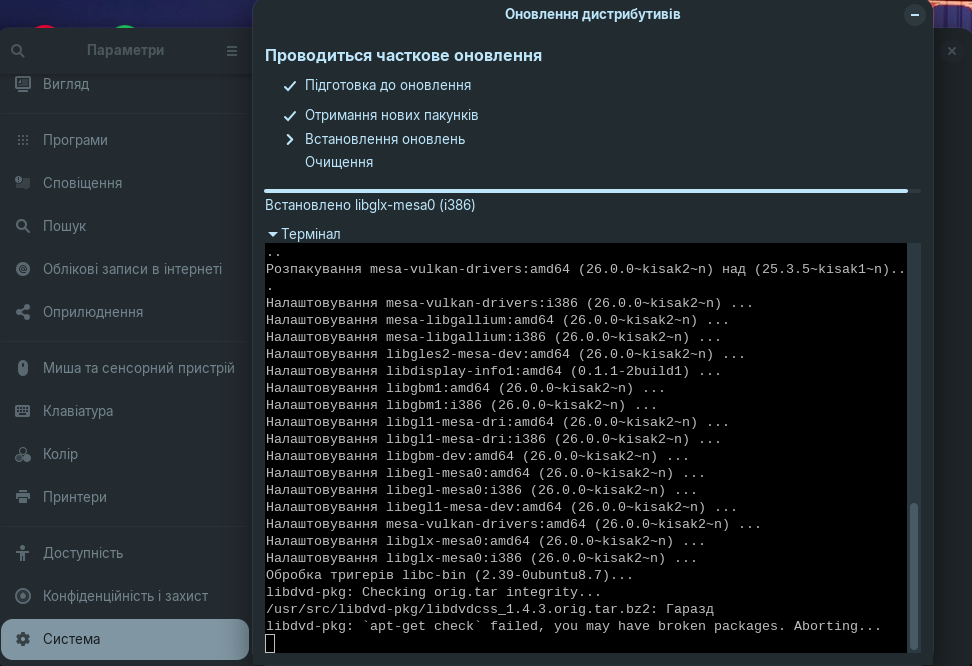
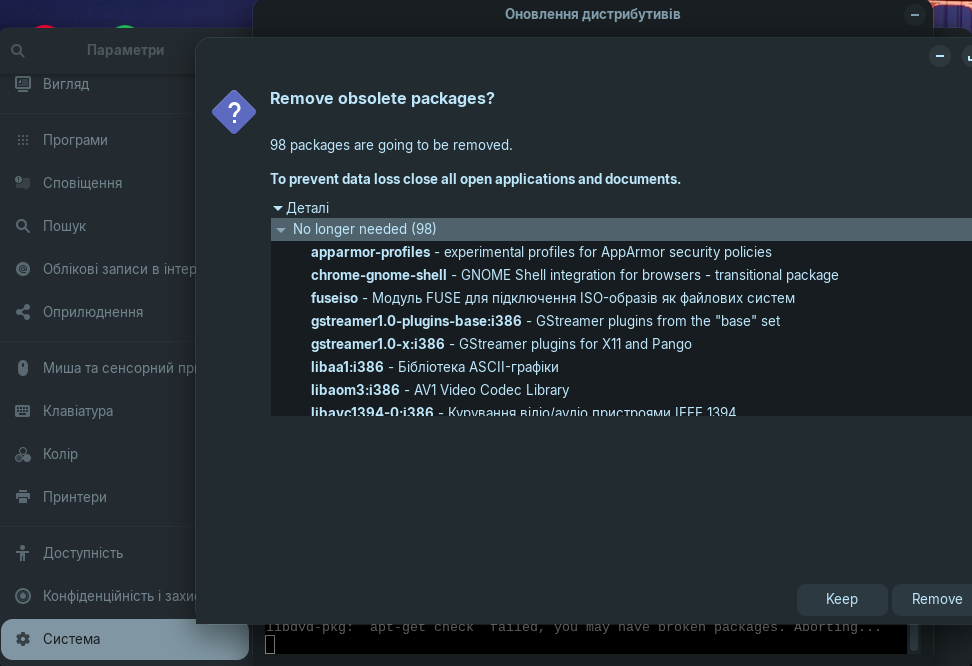
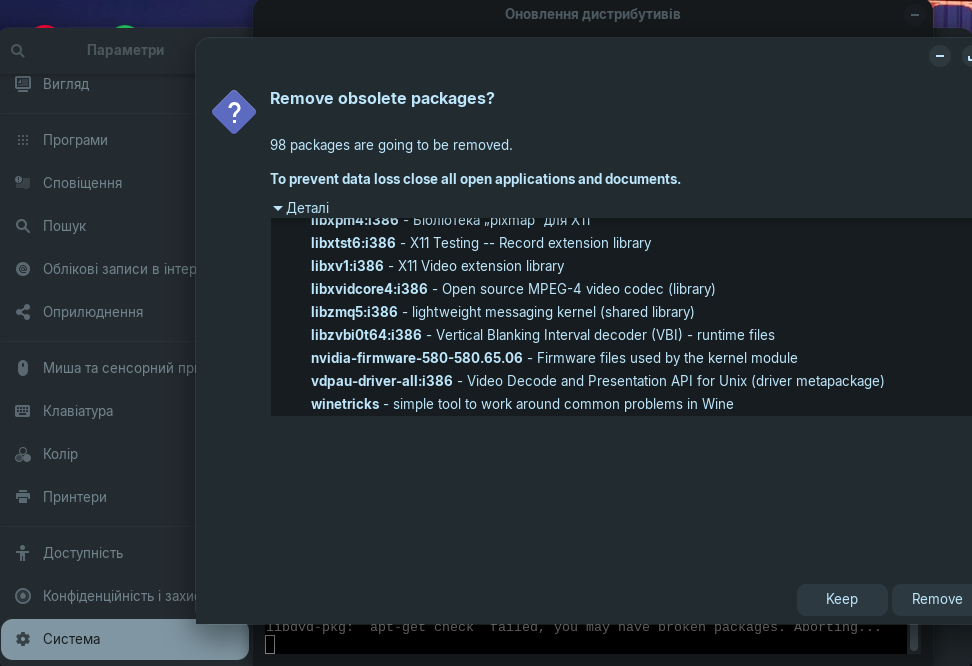
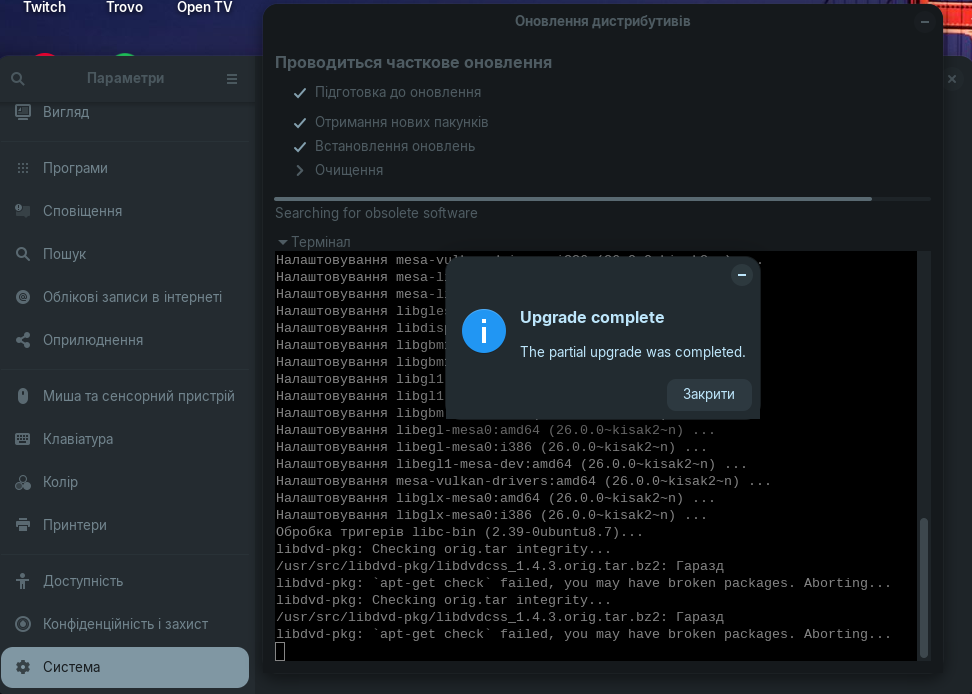
we part ways
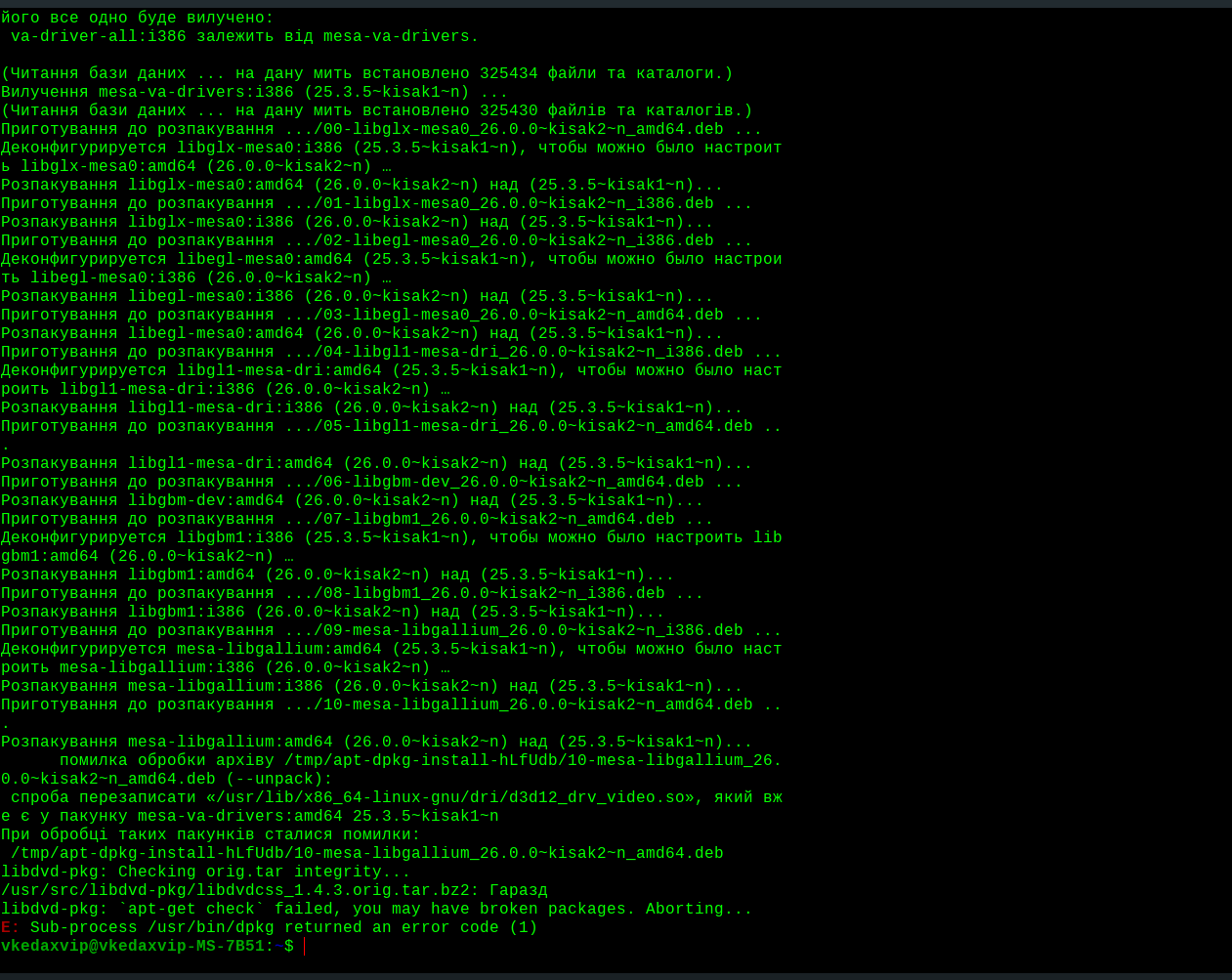
looked specifically at the logs
kisak-mesa update to the new version - 64-bit support
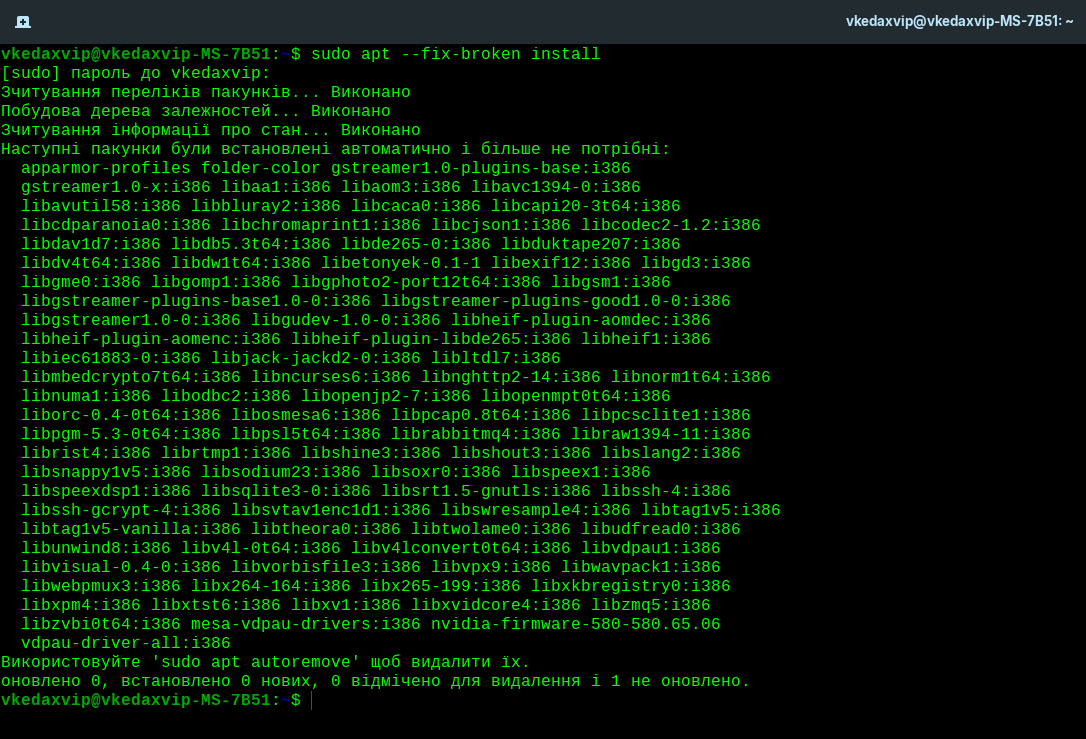
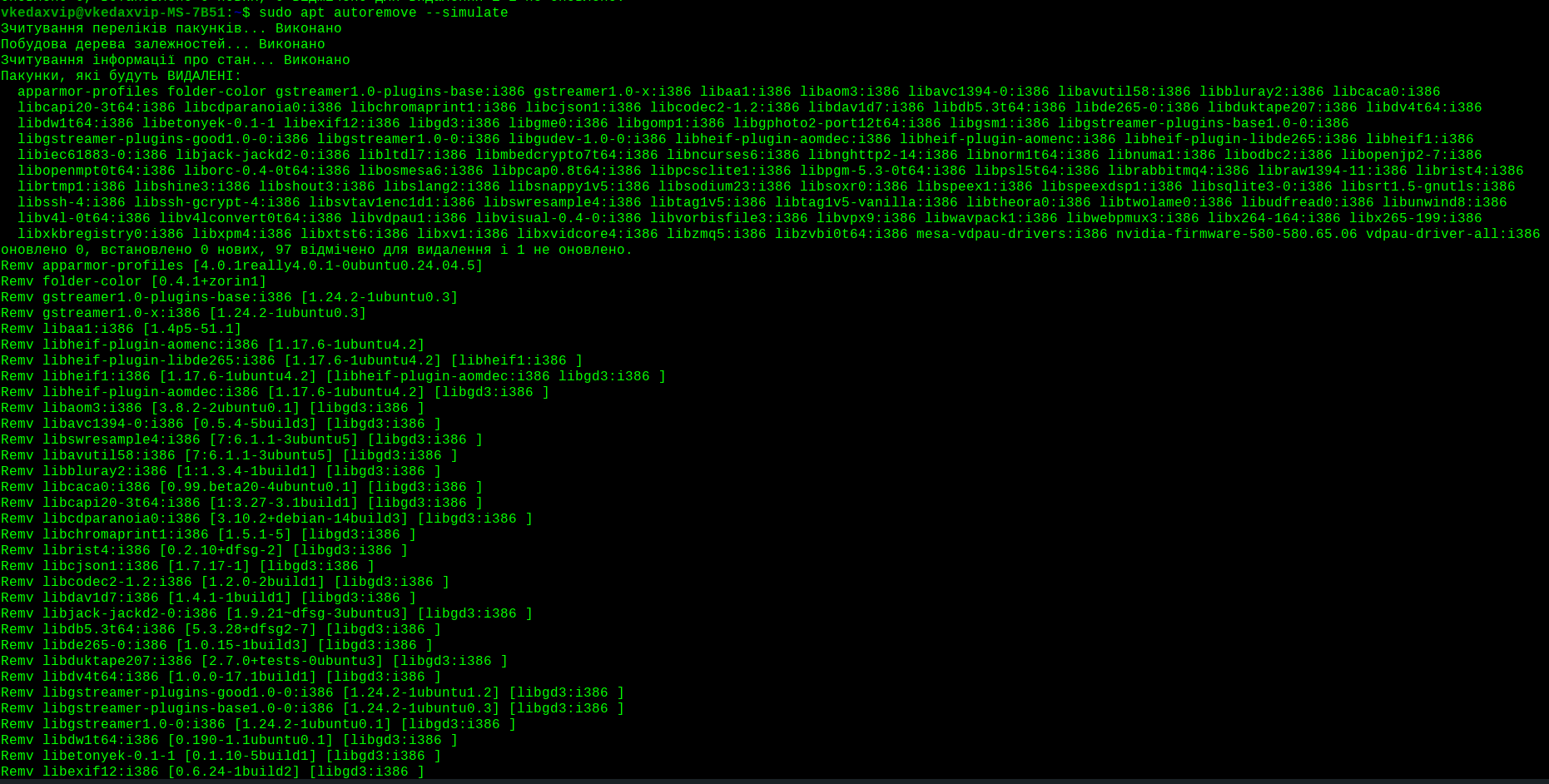
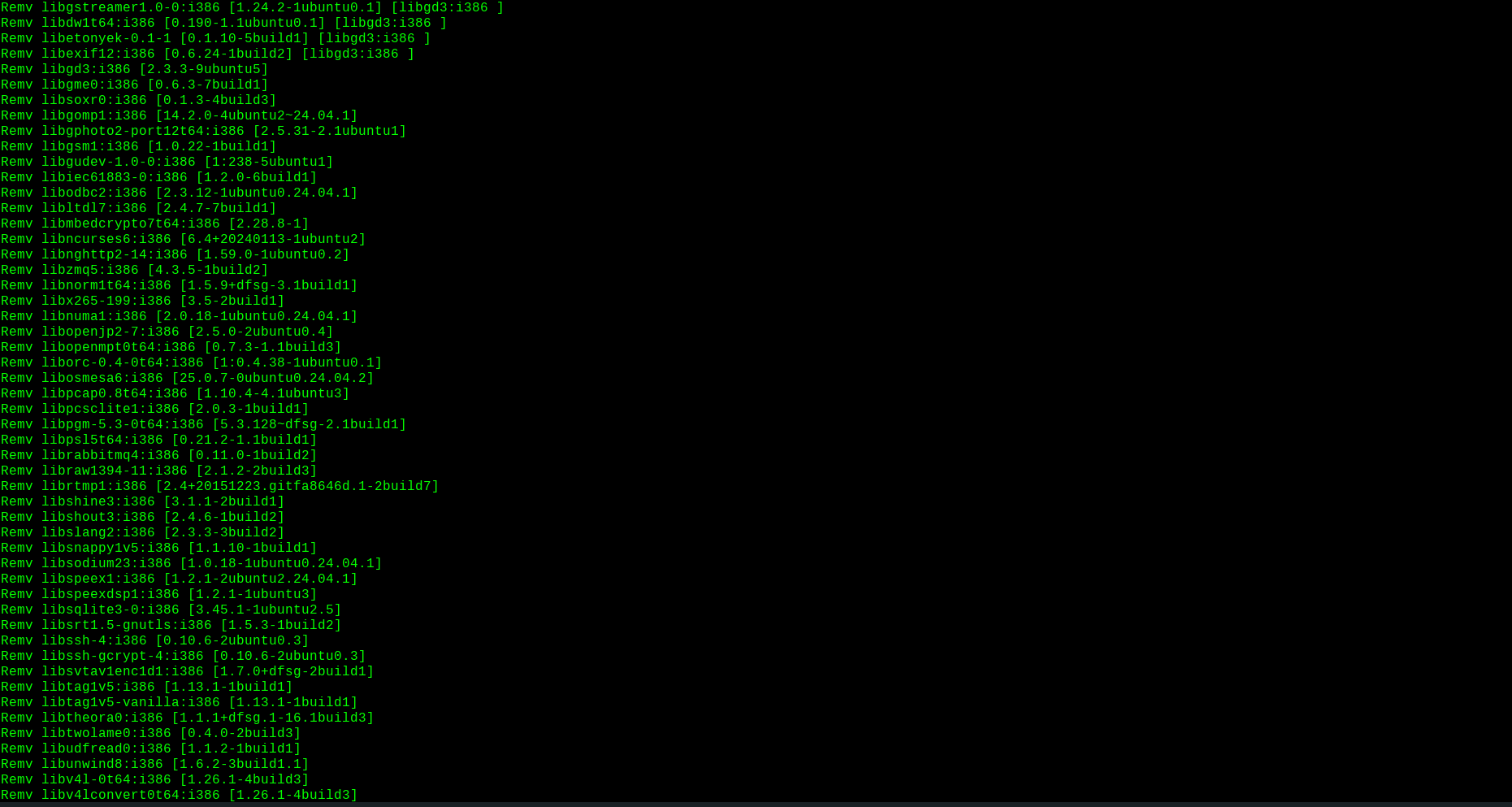
Old 32-bit versions of drivers from the previous version (Ubuntu/Zorin) have become "orphans". The system sees that they no longer have a connection with the main drivers, and considers them garbage.
so it was more likely to cry for third-party updates!
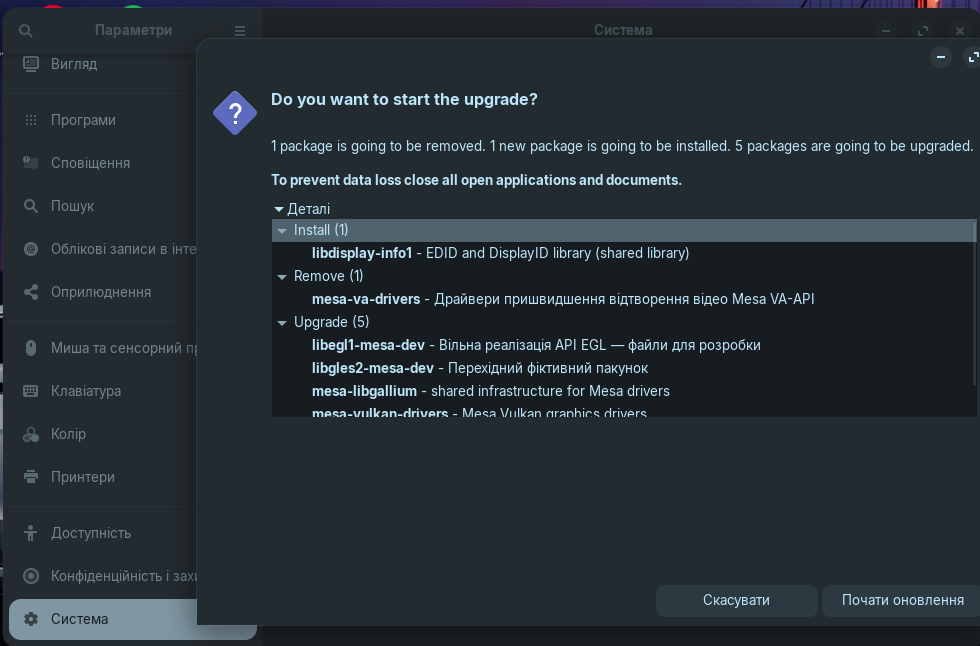
If I remove all these :i386 packages, Steam or old games that still require 32-bit libraries to work (even if the system itself is 64-bit) may stop running for me.
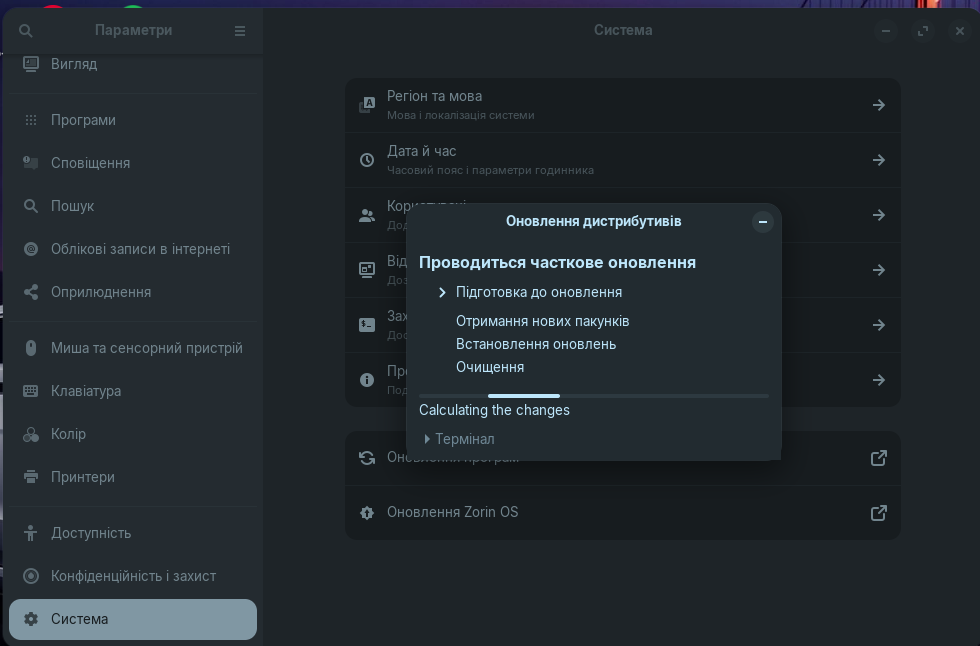
That's why the update manager wrote "Partial update". It could not automatically update 64-bit and 32-bit drivers at the same time due to a conflict in the Kisak PPA.

A system (any system) is only as secure as the person controlling what is happening at the keyboard (= P.I.C.N.I.C. - Problem In Chair, Not In Computer).
kisak is clearly a 3rd party PPA, not an official repository from either Ubuntu or Zorin:
" Kisak PPA refers to two Ubuntu Personal Package Archives (PPAs) maintained by Kisak, a developer at Valve, that provide updated versions of the Mesa graphics library for Linux systems.
- kisak/kisak-mesa (Fresh PPA) : Offers the latest point releases of Mesa shortly after upstream releases. Best for users who want the newest features and bug fixes. Recommended for Linux Mint 22 (based on Ubuntu 24.04/noble) and users prioritizing cutting-edge performance over stability.
- kisak/turtle (Stable PPA) : Provides slower-moving, stability-focused Mesa updates with more time for regressions to be identified and fixed. Supports Linux Mint 21 (jammy) and Linux Mint 22 (noble) , making it the only option for Mint 21 users. Ideal for users who prioritize system stability.
Both PPAs deliver updated open-source graphics drivers for Intel, AMD, and NVIDIA GPUs. The Fresh PPA is updated more frequently, while the Stable PPA is designed to minimize compatibility issues. The PPA maintainer does not actively support bug reports, so users are advised to use ppa-purge to revert if problems arise.
AI-generated answer. Please verify critical facts."
1 Like
Hey, @VkedaxVIP, I hope you saying "We part ways." doesn't mean you are leaving Zorin. I got so frustrated so many times with Linux that I went back to (shudder) Windows. But the problems were my fault - always - because I didn't respect the command line. Dealing with the command line is exhilarating right up until you die. It is so quick, and powerful, and (unfortunately?) so EASY to try things. I can hear myself "Hmmm... I can't get the item/feature/program that I want from the Zorin repository (safest), or the Ubuntu repository (next safest), but I searched and there IS a way to get it! All I need to do is run these commands [ @trusteverything*%!!? / ..the square root of...)99%6$@(6(() += what could possible go wrong?/ ] in order to download from another distribution's repository site, (or maybe compile it myself?) add a recommended extension or two, and it will work!"
Which it might, for a short while, until it freezes, or crashes the system with an "Oh no! Something has gone wrong and it probably your fault!"
(sigh).
And of course, I did all this without backing up, or at least taking a snapshot of my existing setup. Only after irrevocably borking my system THREE TIMES did I set up Timeshift.
Over time I also resolved to NOT experiment with my workhorse machine. I also came to appreciate the delight of a fast, dependable, tightly integrated operating system - one which I was fairly confident wouldn't break when it updated. Keeping things as "stock" as possible unless there is a good reason to customize... going with a distribution that wasn't constantly on the bleeding edge.... valuing the careful choices made by the devs, designed to optimize speed, reliability, consistency.... this was the way.
For messing around and having a blast experimenting with different things, with no limits on the possibilities. For that I have another machine. And even then I back it up beforehand - because who wants to keep rebuilding from scratch?
All this to say: don't give up. Most of what we know we've learned the hard way. That's true of all of us (except Aravisian.... 
4 Likes
Very true of Aravisian. @swarfendor437 was a direct witness to my multiple reinstalls of Zorin OS after I burned it to the ground over and over again.
It took a while to find my footing, but finally reached the Island of Stability where I knew enough to tinker without being destructive.
3 Likes
no no everything is fine I started to worry that there could be a data leak or something like that!
especially for what was written during the update, because the screen clearly says previous updates not provided by Zorin!
in a sense I understand that everyone is switching to 64-bit systems but 32-bit support is also needed - for 32-bit games.
I have a very large library on Steam and I enjoy playing something like that, there are many cool games that won't start without 32-bit support.
I wrote - we are parting ways, because nothing terrible happened!
for some reason during the update there was still the option to leave or demolish half of the system as in the screens, I left even if these packages are not used by Zorin they are needed for Steam!
For some reason, it was suggested to remove 32-bit libraries and with them the applications that use or support them - somehow it's stupid, I left them, even if they are not used, they will be needed and take up almost no space.
thanks for the detailed explanation but I don't understand how updating or supporting steam packages affects the system?!
yes I have the .apt steam version it seems more stable than .flatpaks
I just installed and use the system, so I'm friends with the terminal and I like it)
I always make copies of the system, if something goes wrong I just restore the image and everything so as not to reinstall the system every time.
1 Like
so as not to change the system every time you can use - Timeshift.
1 Like