I'm using Zorin Core latest version. Have been using it for months and everyting has been working great - untill now.
I have installed Arduino 2.3.10 using AppImage.
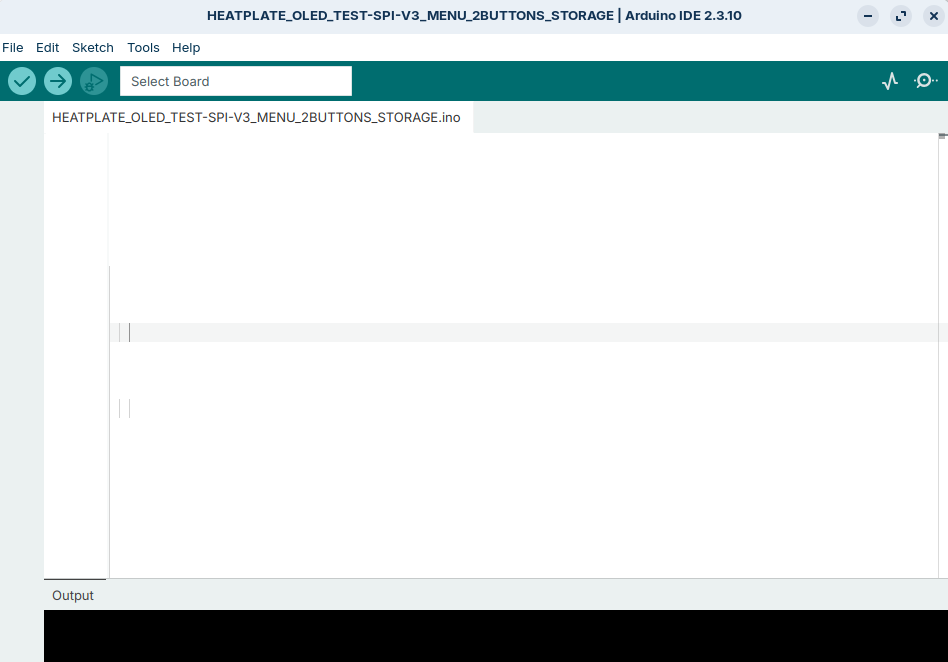
When I start arduino now, I do not see the sketch text only some weird vertical lines to the left in the editor. See attached image on how the sketch is "displayed" now in arduino IDE.
I can use CTRL+A and CTRL+C to copy the text, and then paste it into e.g. gnome text editor. So the text is there, but just not visible.
I was originally using the app image for 2.3.8 version, but yesterday I installed the app image for version 2.3.10, but with same result.
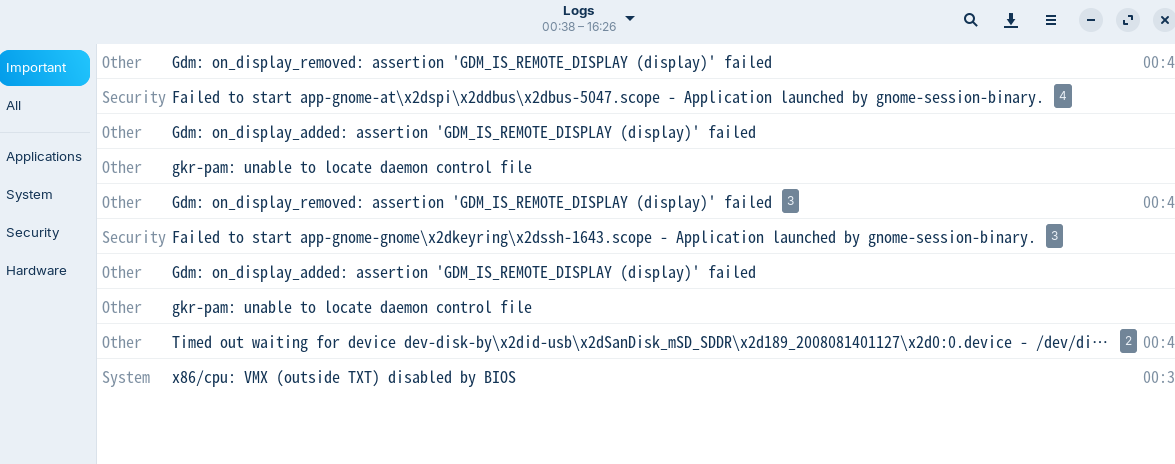
Other thing I have noticed that might be related, is that this show up in Logs -> Important:
Another weird error that has started lately, that might be related, is that when I try to start FreeCad, the splash screen show, but when main application window opens up - it just starts to draw main app window and then crash. Have used that for months without any issues at all earlier.
About a week ago I installed Discord. After that install I could not start Google Chrome anymore. Had to delete it and reinstall it - to make it work. Have no idea why, but it might be that the installation of Discord messed up with some other things to. I have tried to remove Discord, and then try to start Arduino IDE - but same problem. Now I have Discord installed again.
And here is what I have tried to do to make the text visible:
I was on Xorg and switched to Wayland. No change.
Then switched back to Xorg.
Reinstalled Monospaced System Fonts:
sudo apt update
sudo apt install --reinstall fonts-dejavu-core fonts-liberation
No change
Cleared the arduino IDE configuration cache:
rm -rf ~/.arduino15/
no change
Wiped the Chromium/GPU cache
rm -rf ~/.config/arduino-ide/GPUCache/
no change
Wiped the entire front-end config directory:
rm -rf ~/.config/arduino-ide/
no change
Then I tried starting Arduino IDE with disabled hardware accelleration
no change
I have seen other with Zorin has mentioned this type of error in an Arduino forum, but did not look like they manage to fix it: