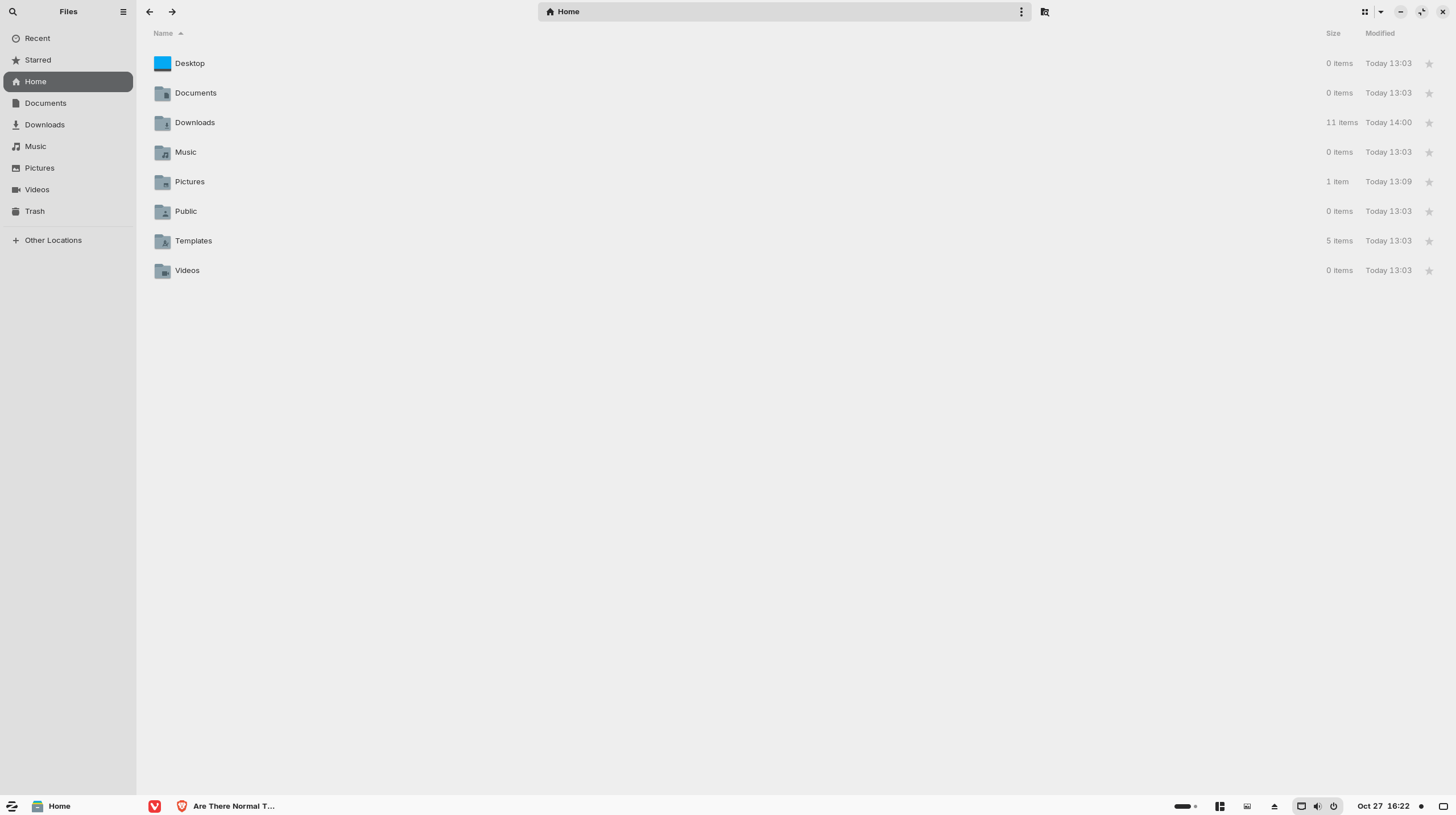
Does anyone know where I can find and install a normal looking theme for Zorin?
I like the icons for all of the software programs, but I'm looking for a theme that will give me a basic grey taskbar and windows, as well as a basic yellowish beige folder that used to come standard. I really don't like using colorful folder icons for my desktop, but can't figure out a way to change it to a normal theme.
The problem is that they are all ugly (imo). All I want is a standard greyish color window with a manilla style folder. I don't want blue or red or any other color but the standard manilla color that usually comes standard with most operating systems. I don't get why this isn't an option. I also don't get why choosing a folder color also changes the window color. These should be separate choices. The standard software icons are fine, I just don't like any of the accent colors.
It sounds like using the Zorin-Grey theme and changing the icon set to a basic icon set might be all you need.
No need to use the accent colors at all.
I used to have a good color scheme with Zorin 17, but for some reason I can't seem to replicate it. Whatever they changed broke the appearance settings for me.
I haven't been able to change the icon theme at all because of the lousy instructions that Zorin gives on their themes page.
But even if I did, changing the icon theme also changes the software icons, which I don't want to do. I really don't get why Zorin makes this so complicated. Why aren't the theme options all separate from each other. If I change one thing it changes something that I don't want to change. It's incredibly frustrating!
Icons are all part of one Icon theme, so yes, if you change the icon theme, all are effected.
So, it sounds like you want something unique and custom to your tastes.
What you can do is change just the folder icons in the places directory of your Zorin Icon theme to match what you want - and use no accent color.
This would mean changing the icon image files; there is no setting for this.
As a community leader, are you able to pass this suggestion along to the developers? It honestly baffles me as to why this option doesn't come standard. The devs actually added a new (hideous) brown color to the theme options, but still don't offer a standard folder and window setting ... wtf?! I don't get it.
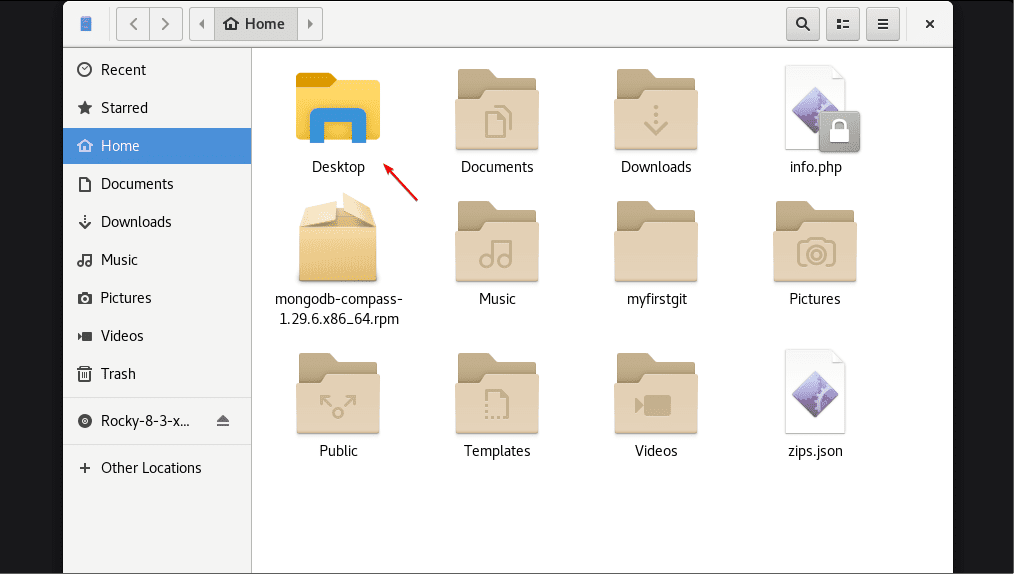
Thank you very much! Sorry for the repetition, but I'll include a screenshot below. I used to have this as my standard theme, but I no longer have this option.
This folder color is what I would consider standard, as well as the color of the window. The blue accent (on the home tab) is typically blue or grey, but I don't care much about that. Any of those two colors would work.