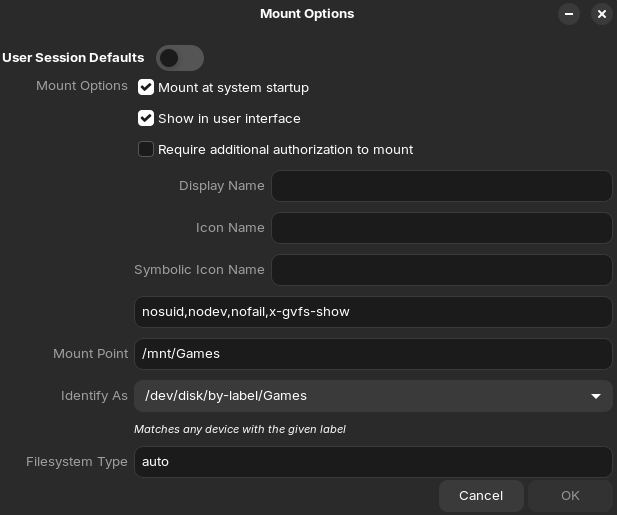
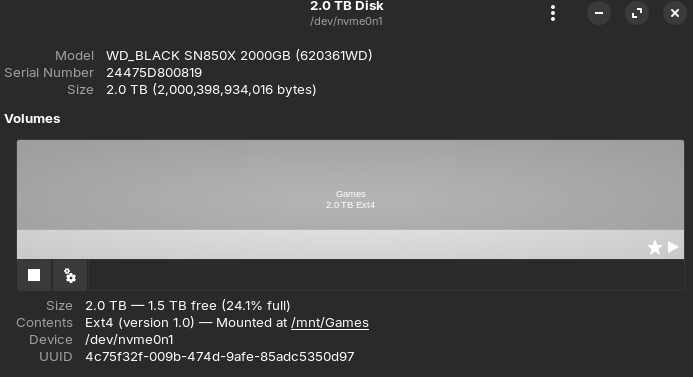
I've been trying to set up Steam and some other programs to not have to manually mount a drive before they can see the contents. I found THIS post where StarTreker gives an answer. This did end up working for me, however I have some additional questions and concerns.
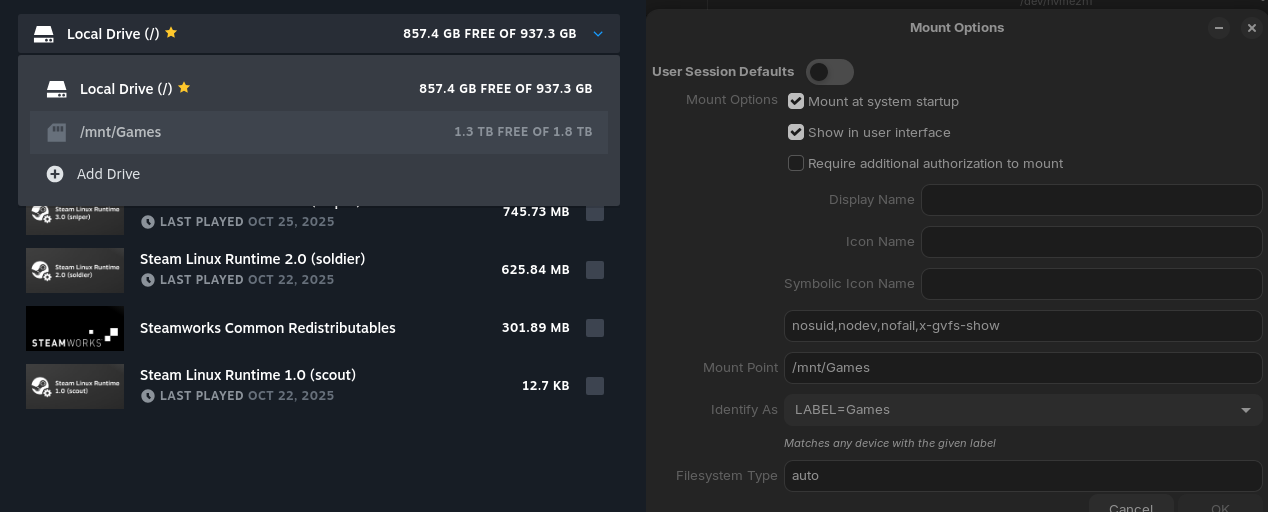
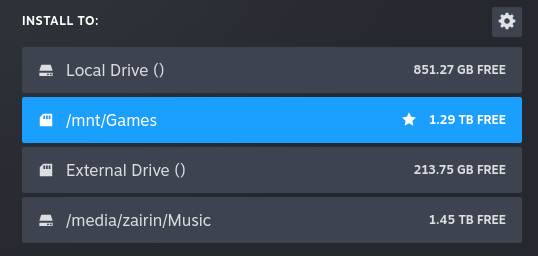
This is how things look after having it set to automount. For some reason it seems to be identifying as an external drive in Steam.
I'm not sure if its just a limitation of Steam with how mounting at system startup works, and I'm not sure how it is going to affect things (if at all).
I tried adding some other drives to make test, and this is what I found.
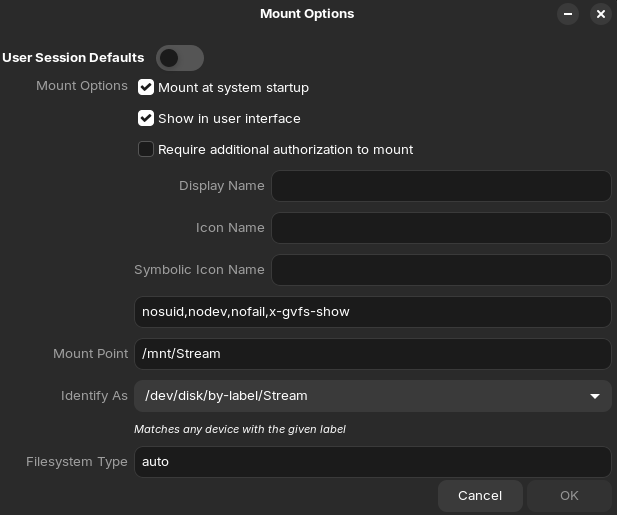
External Drive () is an internal m.2 NVMe drive, mounted with the following options. Also using the same identification, but not showing up as /mnt/Stream in steam like my Games drive does.
/media/zairin/Music is a 2.5" Sata SSD I went into the Disks program to manually mount. This one uses User Session Defaults, and shows as an internal drive.
Anyone have any insight on this or know how I can automount my Games drive while also having it show as an internal drive on Steam?
I'm not sure if this is your issue or not, but make sure your drives are formatted to GPT EXT4. Linux is notorious for not handling Windows NTFS partitions very well. I'm not exactly sure why Linux is viewing an internal drive as external, I'm not really certain if that fact even matters, when it comes to usability, as long as the drives auto mount for you.
I'm grateful my tutorial helped to get you going however.
I've also discovered a couple more drive related issues. I'm thinking they somehow may be related.
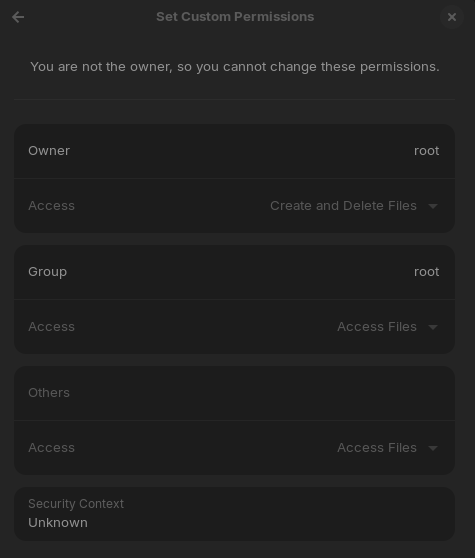
I have a larger drive that has backups of older files, and some other stuff as it's a larger bulk drive. I also set up OBS to have a replay buffer that saves to this drive. I got about 4 clips saved before it seemingly stopped working. I'll post the important parts of those logs below, but I think it may be a permissions thing. This drive is exFAT, with GUID Partition Table. The option to 'Take Ownership' is greyed out, and the permissions indicate that I am not the owner so I cannot change permissions, with everything greyed out.
This poses an issue, as I'm trying to move some of the files off the drive to free up space, but the move and cut options are greyed out due to potentially missing permissions. I do have the PC I created the drive on, so I can boot into Windows 10 to change permissions. The weird part is just a few days ago I had no issues moving stuff, but now it no longer works. Unless I somehow took ownership of the drive on a previous install attempt of Zorin. It is also set to mount at system startup, which may also be causing the issue?
Now as far as the OBS issues, here's the related log.
19:35:09.172: ==== Replay Buffer Start ===========================================
19:35:09.825: [ffmpeg muxer: 'Replay Buffer'] os_process_pipe_write for info structure failed
19:35:09.825: [ffmpeg muxer: 'Replay Buffer'] ffmpeg-mux: Couldn't open '/mnt/Storage New/OBS Recordings/Raw Clip 2025-10-26 19-35-09.mkv', Permission denied
19:35:09.825:
19:35:09.825: [ffmpeg muxer: 'Replay Buffer'] Output of file '/mnt/Storage New/OBS Recordings/Raw Clip 2025-10-26 19-35-09.mkv' stopped
19:35:09.825: Output 'Replay Buffer': stopping
19:35:09.825: Output 'Replay Buffer': Total frames output: 26
19:35:09.825: Output 'Replay Buffer': Total drawn frames: 36 (39 attempted)
19:35:09.825: Output 'Replay Buffer': Number of lagged frames due to rendering lag/stalls: 3 (7.7%)
19:35:09.825: [ffmpeg muxer: 'Replay Buffer'] Could not write packet for file '/mnt/Storage New/OBS Recordings/Raw Clip 2025-10-26 19-35-09.mkv'
19:35:09.825: Video stopped, number of skipped frames due to encoding lag: 3/37 (8.1%)
19:35:09.825: ==== Replay Buffer Stop ============================================
Hmm, I'm not sure this solves the issue I'm having because it is recognised and working, it just seems to be a permissions issue. It was initially working, but seems to have permissions applied randomly at some point.
Weird. I think it seems to be due to it auto mounting. I disabled the ability for it to auto mount from options, and the option for 'move to' and 'cut' returned for me. As well as clips saving via OBS. So it seems to be an issue with exFAT and auto mount causing it to not be able to write to the drive. I have other drives which are ext4 that are set to auto mount that allow moving/cutting of files.