So when I was on windows I had an ahk code that would make wasd act like the arrow keys when capslock was on. Is there any way to download ahk or any alternitives?
Btw I have tried ahk_x11 and the code didn't work for whatever reason.
So when I was on windows I had an ahk code that would make wasd act like the arrow keys when capslock was on. Is there any way to download ahk or any alternitives?
Btw I have tried ahk_x11 and the code didn't work for whatever reason.
Have you switched to XOrg? This program (ahk_x11) doesn't work with Wayland. Logout and at login click on your username then a cog wheal appears at the bottom right corner. There select Zorin Desktop on Xorg.
Would that remove any of my data I have on my laptop now or would it carry over?
Switching to XOrg would not delete your datas.
AutoKey
there's another that I really liked. Can't rem the name at the moment but i'll search for it. it's like a made-up name, like "Shorten" << not made-up enough/ not that because that's a real word of course. i want to say it starts with an E
the o/p is asking for an alternative to AutoHotKey
I recommend AutoKey (as a Linux alternative to AHK)
O/P. in linux forums, it is essential to be as clear as possible.
indicating ahk to Linux users is probably counterproductive. I believe @Forpli assumed you meant AutoKey, hence the explanation that the Wayland doesn't play well with AutoKey. forgive me if i misunderstood.
it sounds like your trying to map keys to diff functions. might be able to do it with just "Shortcuts", like you would assign e.g. [SUPER] + [arrows] to tile the windows or whatever.
My answer referred to the program AHK_X11 mentioned by Krno:
I've done this very thing myself, using my new Keychron keyboard. I wanted to set a key, when pressed, would restart Gnome Shell. This is how I did it!
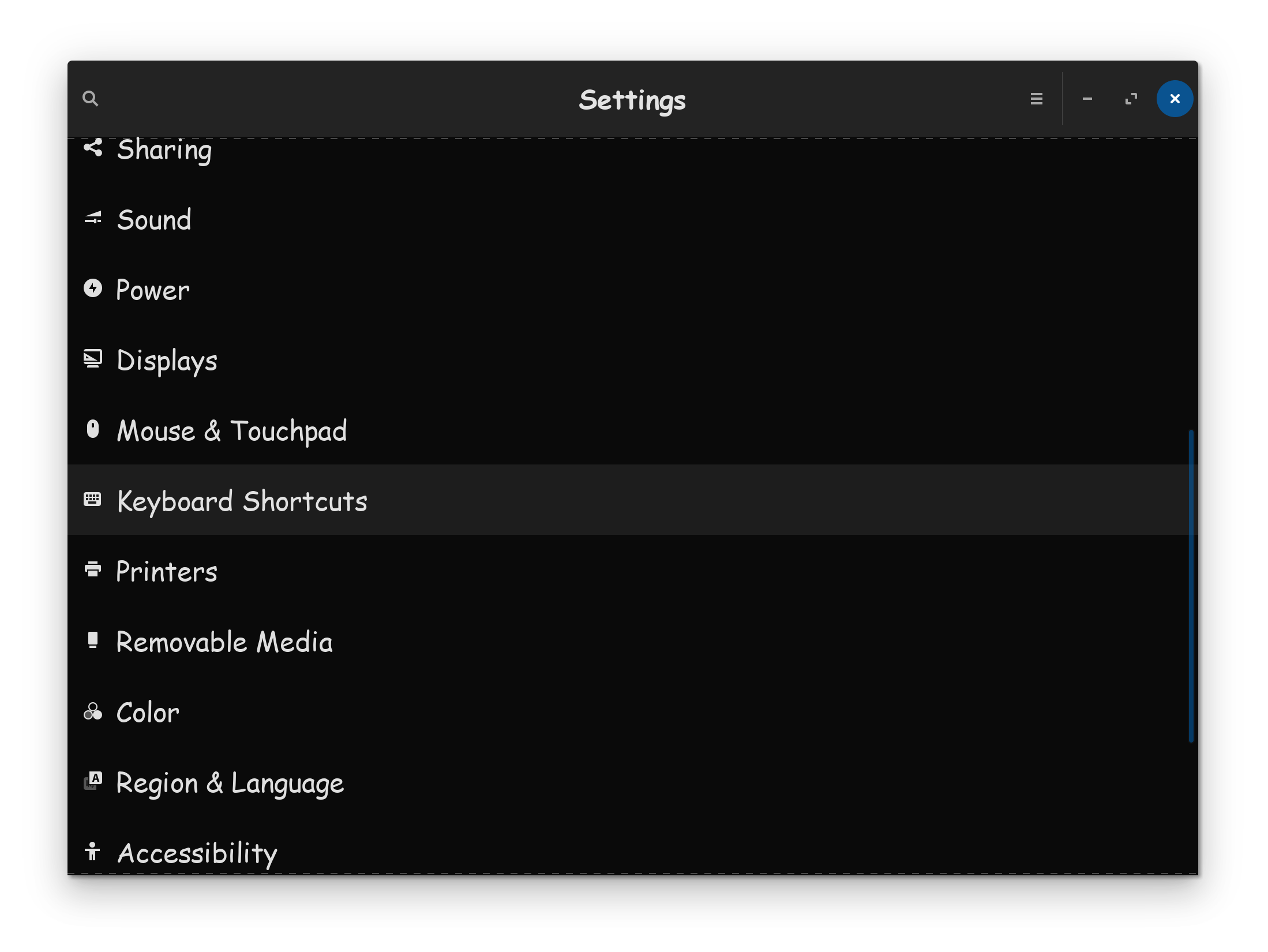
(1) Click on Zorin menu icon  then click on settings.
(2) Go to keyboard shortcuts.
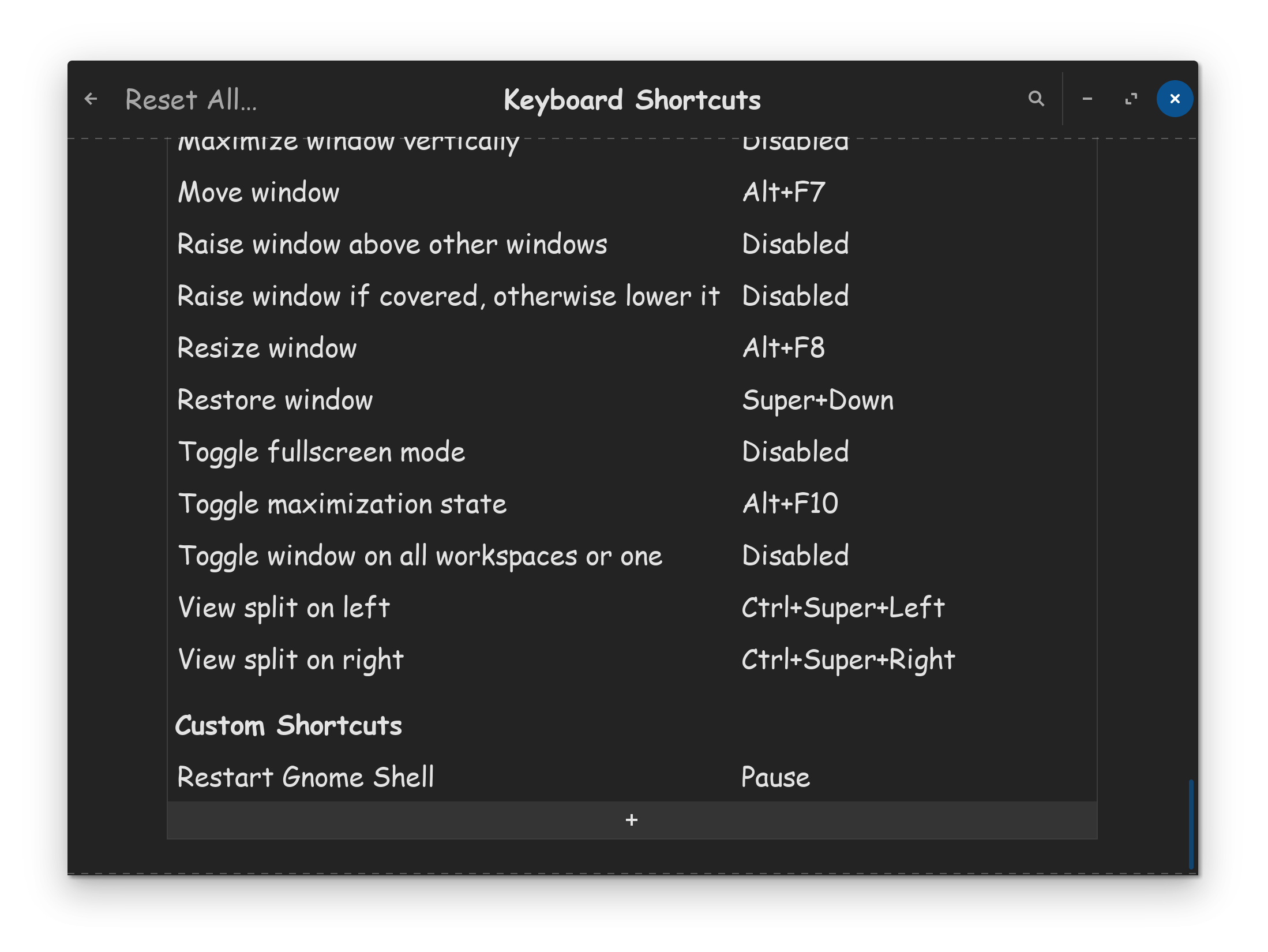
(3) Go to the bottom and click on the 
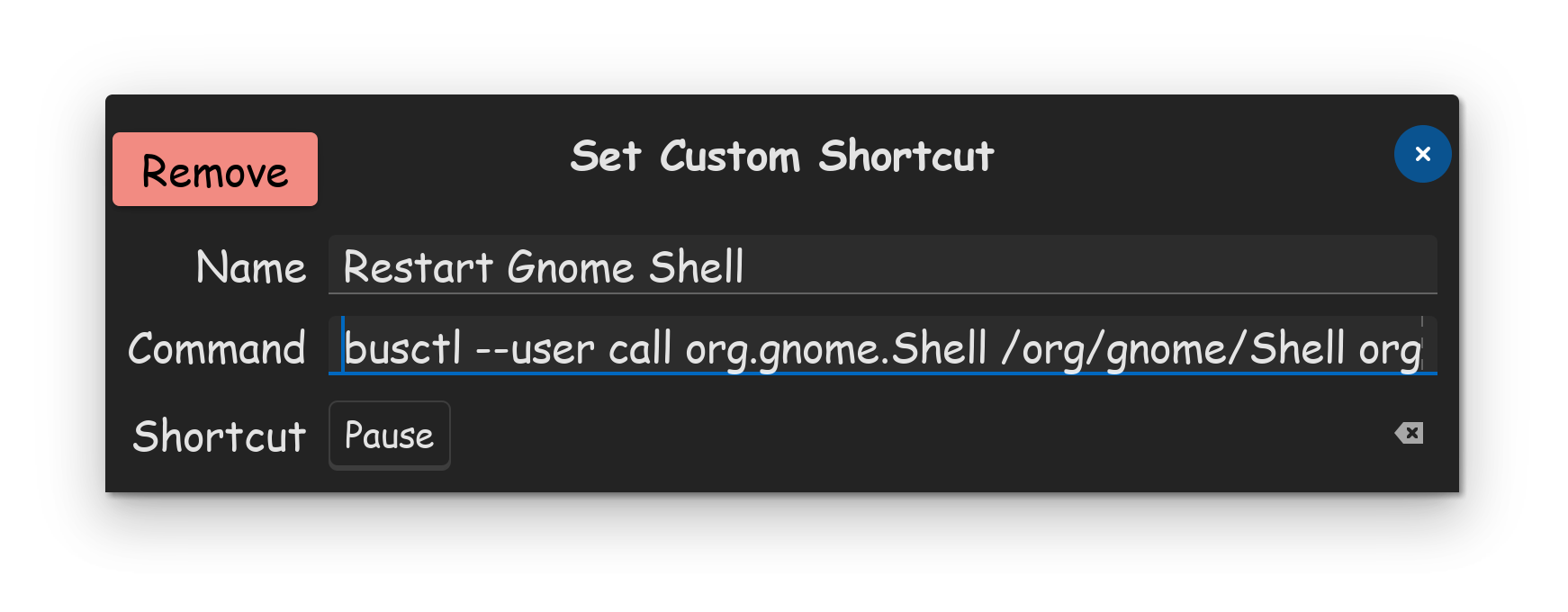
(4) In my particular case for what I was wanting to achieve, I named it Restart Gnome Shell. I then Inputed this command...
busctl --user call org.gnome.Shell /org/gnome/Shell org.gnome.Shell Eval s 'Meta.restart("Restarting…")'
I then set the Shortcut to the Pause key, since its the most useless key that only some keyboards come with, thus would not conflict with other key functions. That was the perfect solution for my old keyboard, which had a pause key.
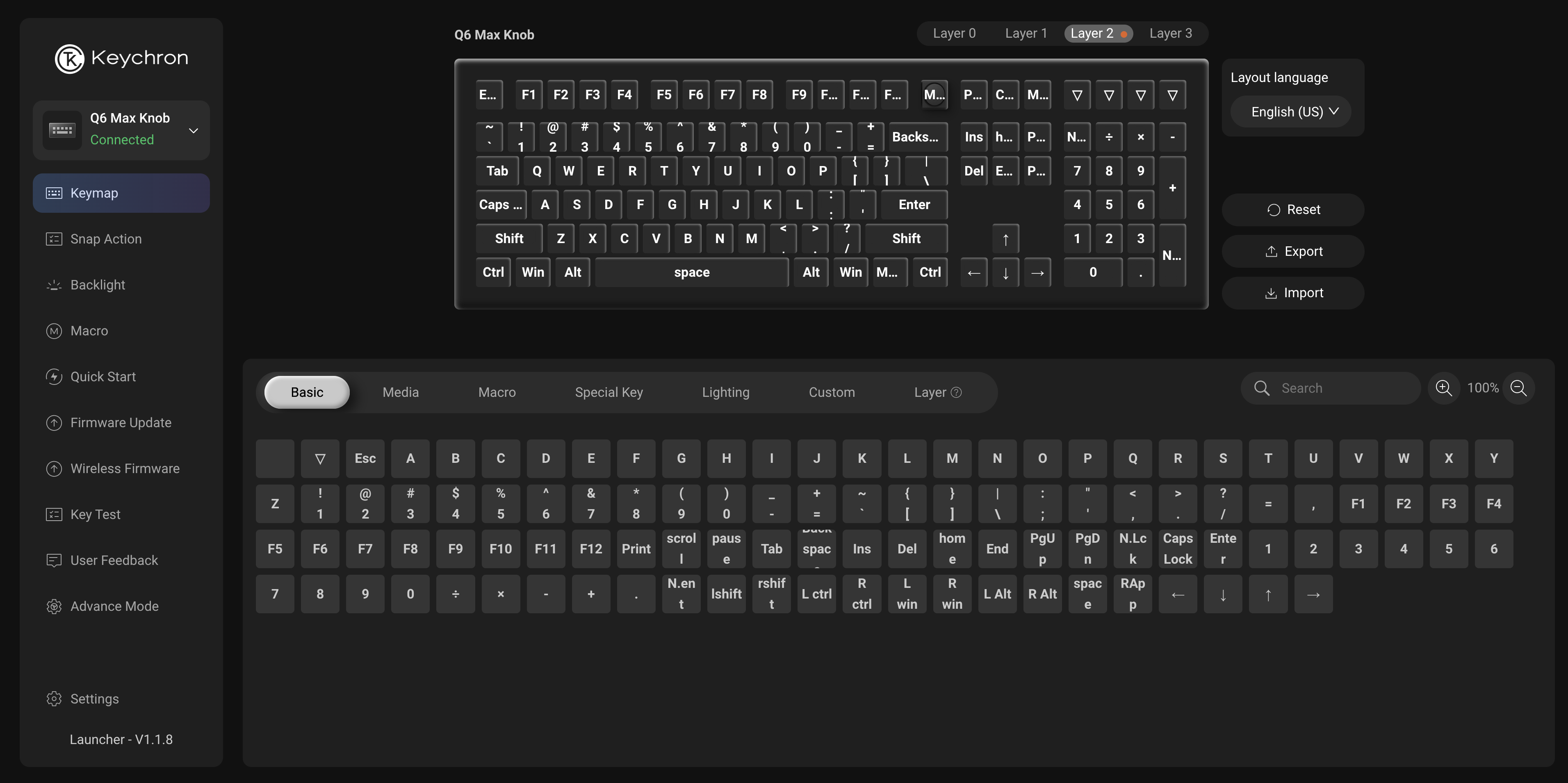
Unfortunately, my new Keychron Q6 keyboard, didn't come with a Pause key, but it did come with 4 MACRO specific keys. My Keychron keyboard uses a web app to config it.
(5) For Keychron keyboards, you see that very top right key, with a downfiring arrow, just above the period Numpad key? I used the web app, to bind that key to the Pause key, that was all the modification I needed to do.
I now can restart the Gnome shell, by a simple press of that key, to return performance back to me, when Gnome starts lagging.
I realize your looking to do something different in your re-mapping. Having said that, I have given you an excellent general idea, on how to go about it. If you don't know a command, we can try to help you. And sometimes, the command can be discovered from a Google search as well.
Well done! Impressive!
 << note the exploding head
bha-ha-ha... oops. i thought you were the O/P.
i'd have PM'd that, but i dunno anything since PHPbb2. what was that perl / cgi one everyone used to use? 
I'm pleased to report that I remembered the name of the "Text Expander" software. This is random because is saw a word that reminded me of it. You know, stream of consciousness rabbit holes. No time to stay, because i can't be late.
But here you go. I forget why I liked it, but i rem thinking "oh! okay, this is cool..."
once i got the idea..
Cheers. I'm going to install it myself if i remember to do so. So Thank you for the memory.

#ESPANSO
viable tags:
Espanso keyboard hotkey text expander autohotkey autokey
Ch-ch-ch-changes. ~ Bowie
lol
Today, I learned...
AutoHotKey is no longer limited to Windows users, as a Win32 app.