I hope I'm not stepping on any toes, I am still fairly new here. Given the problems with the font cache/Flatpak we just went through, I'm wondering if maybe the Zorin team should hold major Ubuntu updates and do a check before they go out to a user base as a whole? From what I'm seeing on line, Ubuntu is going to be increasing their output of kernals starting in October. That strikes me personally as both good and bad; quicker software updates, but also more chances for bugs to cause problems. Again, this is just an idea I'm putting out for discussion here.
1 Like
Well Zorin is based on Ubuntu 24.04 so most of the updates comes from them and some come from zorin. The amount of updates that come really is upto Ubuntu unfortunitly this isnt really upto Zorin its mainly ubuntu and some stuff isnt perfect hence why we have this forum to help when things...like the windows updates at times goes wrong. Its not a perfect system yet.. but it is getting better then it was a year ago....trust me....lol
2 Likes
Well if you don't use Flatpak, the bubblewrap issue would not (should not) have been an issue. Flatpak is yet another piece of Software that whilst not created by them, they have long been trying to force it as the default method over APT, in the Linux kernel ecosystem among other things.
Having looked into the WebKit issue more deeply it was a security issue, now that HTTP has moved on from version 1.1 to 2, which is what has led to the many browser issues reported. The earlier WebKit 4.0 relied on a library named libsoup2, HTTP2 cannot work with that so WebKit 4.1 needs libsoup3 to work. That said it should not have been left to individuals to resolve the issue outside of Canonical or any other distribution for that matter. On the flipside, GNU/Linux is about Community, so thank goodness it didn't come from Microslop KB updates!
2 Likes
Thank you both. Swafendor, I have indeed learned to give Flatpak a wide birth going forward. I had been told that was a better choice than Snap, which I gather has its own issues. I am going to try using Terminal and Software Updater now.
Weslov, the fourm here has been a real life saver, especially in this instance. Within a couple of days a fix was up and I made sure to print it out for future reference.
I understand Zorin is based on Ubuntu, and there is only so much they can do. I was just thinking if someone could run any major updates as a check, and then either ok it or hold back until any bugs are sorted out it might save extra work and certainly frayed nerves for the user base.
2 Likes
One way you could do this yourself is to install virt-manager, then create a virtual drive of Zorin 18.1 Core, hold any major updates on the host, then install the updates on the VM, reboot and see if there are any issues. 
2 Likes
Thanks, I have not run a virtual machine before, but would love to learn the process. I'm very much a Windows refugee. When the MS updates bricked up my audio, I moved to Zorin and wiped Windows. Until this recent problem, I hadn't had any problems with Zorin at all.
OK. Firstly a few pointers. Usually, the BIOS on computers does not have CPU Virtualization on by default as it sees it as a potential security threat (indeed, a few years ago, even VMs within VMs were subjected to malware attacks, but these have been mitigated with updates to VM software).
In the early days I would have used Virtual Box, which is all that Zorin proffers in Software, and its USB 3.0 support never worked. You also had to install a 'guest additions' package.
Enter virt-machine manager! I discovered this during lockdown working from home, and had migrated from FerenOS to Devuan.
So what is special about virt-manager?
You can redirect USB host devices on-the-fly, VMs have a far better graphical appearance than ones on VirtualBox, with a screen res that makes them appear to be a bare metal install, and if you have two monitors, moving the mouse from the host OS screen to the VM screen is flawless, no need for the host to grab back control.
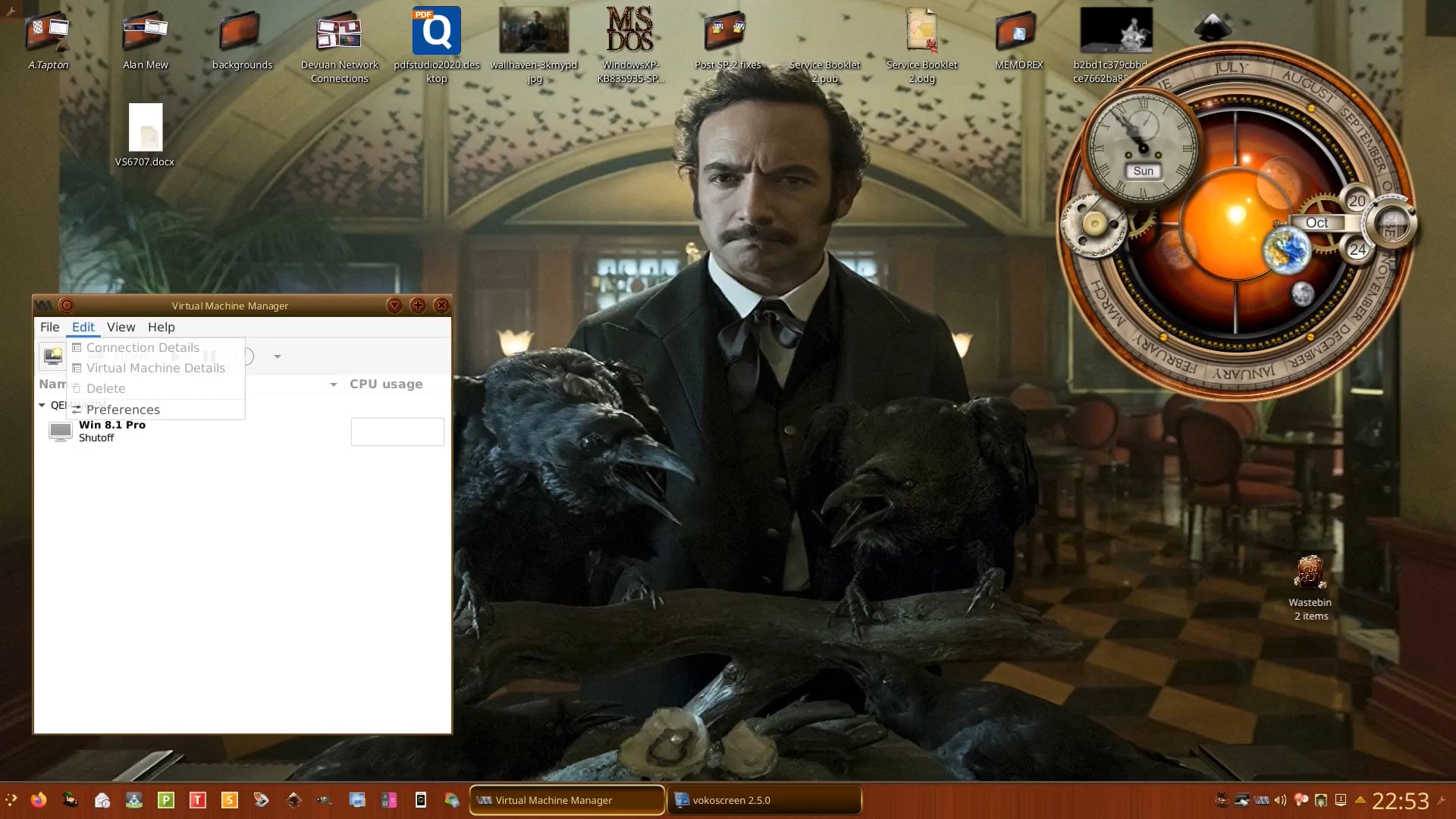
Oh and something I forgot to mention.
You will notice in the video that the VM is named Windows 7. That is because I created a .vhd in VirtualBox and was able to import it into virt-manager on Devuan. Then whilst still working from home Windows 7 reaxhed end-of-life and could not access works private web connection to get to the server to save files. So updated the VM with an educational licence through work a few years earlier. I was surprised that the update worked!
So once you have checked/enabled CPU virtualisation in the BIOS you can install virt-manager either via the terminal or via Synaptic Package Manager if you prefer a GUI method of installation (I cover Synaptic Package Manager in the Unofficial Manuals I have written for Zorin:
If using the Terminal (just enter the word Terminal in the menu search bar and press Enter key) and enter:
sudo apt update
(You will be asked for your login password to elevate you to 'root' (administrator) in order to update the system - always do this before installing new applications).
Then:
sudo apt install virt-manager
Then reboot the machine.
Launch virt-manager after rebooting your machine.
Now you may find when you wish to add/create a new VM it tells you it cannot connect to the server - you have to choose local guest setting (I will need to check this and report back - methinks a Tutorial Video is on its way! ).
Additionally I create a folder in /home to store the VMs and make this the default 'pool' location (virt-manager tends to create the default location of /var/lib/virt-manager which can soon fill up and prevent you from booting the OS if creating multiple VMs.
1 Like
This is terrific!! Thank you. I now have a project for this weekend when I have some time. Would love to see a tutorial video.
OK, currently rendering the video, it is a very long one as I decided to film the install of Zorin 18.1 Core as a VM inside my PCLOS Debian. I then go on to create two VM's inside of the VM of Zorin 18.1 Core - one Windows 7 that I downloaded form interntet Archive and an older release of Q4OS - I had issues with the latter, I think because it was using shared memory of the VM of Zorin which in turn was using a allocated memory from the Physical Memory present in my machine.
If you do want to try using any software to create a Virtual Machine, you must have a minimum of 8 Gb as you can only allocate 50% maximum of your physical memory to the VM otherwise your host machine will crash. I also recommend you don't go above half the number of CPU Cores that your CPU has.
So for the VM of Zorin I allocated 50% of my available RAM (16 Gb) and allocated 4 CPU's (=quad core), and then used 4 Gb RAM for the VMs inside of Zorin VM with 2 CPU's (=dual-core).
I started it yesterday, m'lady was on a training day so finished before normal work-time which led me to pause the video whilst Q4OS got to 77% install time - hence the break in the sequence - I had to finish recording after a long walk to an Inn for an evening meal out. I am currently rendering the file in KDEnlive and if it does not finish before we go out for the afternoon I will have to upload it to Vimeo this evening.
It is now uploaded and optimising for max res of 1080 - go to this Tutorials & Guides link: