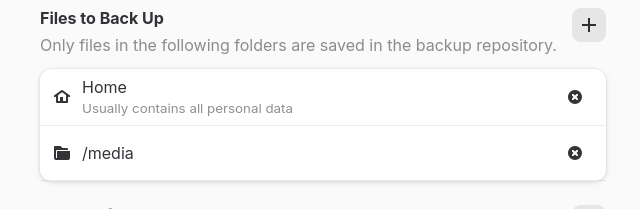
Hi there, I found advice from Mr. Google on the above, which seems to contradict what I am finding regards backing up the /media/ directory.
I have all (14) of my mounted Nas and windows shares setup as mount points in /media/, and I want to backup the directories inside to avoid recreating them, NOT the data they contain.
Some advice says:
" * /media/: contains mount information, not the data itself.
A backup of /media/ would be a backup of the directory structure showing where things are mounted, not the contents of those mounted devices."
But when I include that directory in the Pika backup it seems to be backing up the actual contents of the shares. I say this because the 'total backup size' showing in Pika when running just keeps increasing without stopping. (I aborted it at 47Gb)
I am not following you here... Are you saying you do not have the media entries in your fstab file?
How are they mounting when Pika tried to back up all of their contents?
The 14 shares are listed in 'fstab' example:
"//OEM1\Plex\040Photos /media/Plex-Photos cifs credentials=/home/.smbcreds,file_mode=0777,dir_mode=0777 0 0"
and the 14 directories are created in the /media directory example:
"/media/Plex-Photos/"
So I was just trying to backup the directories/structure inside the /media directory that's all.
Having looked at a page that explains pika it is a full backup tool, after which it only needs to create incremental backups. This is possibly what you are looking for:
"The rsync command-line tool is the most preferred backup tool in Linux systems for making incremental backups, including the entire directory tree, both locally and on a remote server.
It is particularly effective for backing up directory trees while preserving file permissions, ownership, and links.
The tool supports updating the entire directory tree and file system, making it ideal for this purpose.
Its functionality can be extended with a graphical user interface called Grsync, though automation is typically achieved through shell scripts and cron jobs for command-line use.
Other tools like Back In Time, Time Vault, and LuckyBackup also support creating incremental backups of directory trees, with Time Vault being described as the Linux equivalent of Apple's Time Machine.
Additionally, tools such as Duplicity and Duplicati use incremental backup methods, with Duplicity relying on librsync for efficient incremental archiving.
I did check out Grsync, and it has the same results. Meaning that the contents of the mounted shares are copied as well as the sub-directories in the /media/ folder.
It's going to be easier to take a screenshot of the sub-directories names and mkdir for each, if/when I reinstall or whatever.