Questions
When 550 transitioned last year, I didn't know it would even happen, and was very unpleasantly surprised because 580 was a hot mess on my laptops' GPUs.
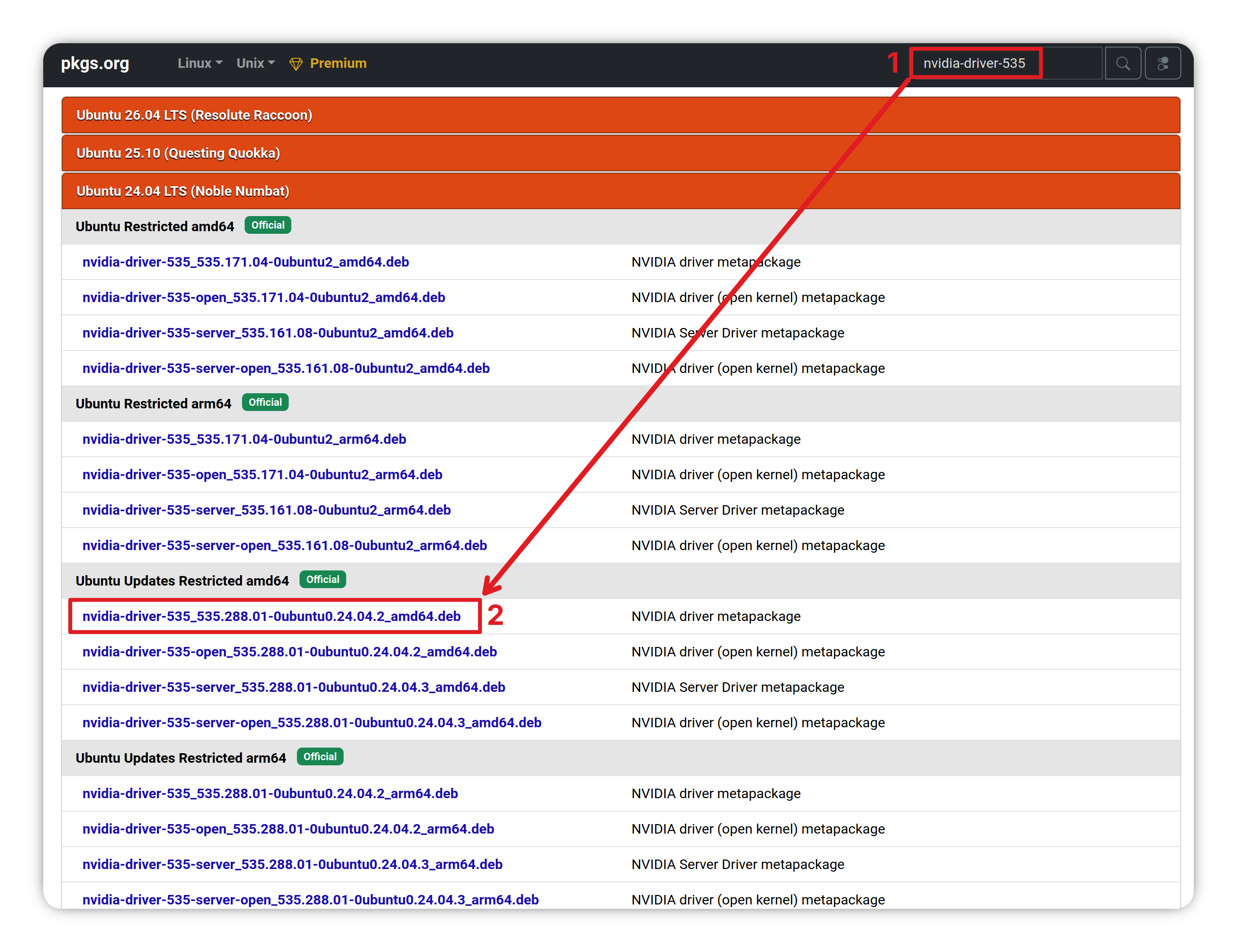
I'm trying to make a guide to backup enough deb files (while they are still available) for 535 to work while still being able to check the quality of new driver versions and revert if they don't work.
However, I certainly don't claim to know everything, so I want to make sure nothing less obvious is missing this go around while everything is still available.
Primary question
Dependencies
dkms libnvidia-cfg1-535 libnvidia-common-535 libnvidia-compute-535 libnvidia-compute-535:i386 libnvidia-decode-535 libnvidia-decode-535:i386 libnvidia-egl-wayland1 libnvidia-egl-wayland1:i386 libnvidia-encode-535 libnvidia-encode-535:i386 libnvidia-extra-535 libnvidia-fbc1-535 libnvidia-fbc1-535:i386 libnvidia-gl-535 libnvidia-gl-535:i386 nvidia-compute-utils-535 nvidia-dkms-535 nvidia-driver-535 nvidia-firmware-535-535.288.01 nvidia-kernel-common-535 nvidia-kernel-source-535 nvidia-prime nvidia-settings nvidia-utils-535 xserver-xorg-video-nvidia-535
- Am I missing any important dependencies for installing 535 to 64 bit systems (with 32 bit game support)?
Secondary questions
- Would the 22.04 debs actually work on Ubuntu 24?
- If not, is there a more direct way to get the deb files than making a virtual machine with zorin 18?
- Does Zorin 18 have a new enough gcc to install nvidia's *.run files to just install 535 (or even 550) that way?
- Do Nvidia's *.run files have a way of signing the drivers for Secureboot?
- Why does wayland have/need an installed 32 bit version and not xorg?
- Will marking/holding just the one nvidia-driver-535 package prevent all of them from updating?
- Does Flatpak also remove drivers like Ubuntu?
Would-be Guide
Why backup 535?
In the near future, just like with 550, Ubuntu will make 535 into a transition package for something newer that may not work (probably 580) because security updates for nvidia-driver-535 will no longer be offered after June 1st, 2026.
If you need 535 for your system to function, and you keep in mind the future security problems therein, you can backup these files to use yourself.
What's the Date?
If you're here post June 1st, 2026 (though it could be up until the next disclosed nvidia security problem, so a month or two), there's no guarantee that you can still backup something other than the transition packages, but if you're here early, proceed.
Make a place to store the deb files and navigate into it.
mkdir ~/Downloads/nvidia-535-backup
cd ~/Downloads/nvidia-535-backup
You can download deb files with apt-get download PACKAGE_NAME
List all of the packages you'll need to have deb backups of
apt list --installed | grep nvidia
You may also need the 32 bit ones for old games, I think. I'm of the mind of: if it's installed (and related to nvidia), get it.
apt list --installed | grep nvidia | grep i386
For your convenience, here's how I downloaded the current 64-bit system packages with the 32 bit supplements as of May 18th, 2026:
apt-get download dkms libnvidia-cfg1-535 libnvidia-common-535 libnvidia-compute-535 libnvidia-compute-535:i386 libnvidia-decode-535 libnvidia-decode-535:i386 libnvidia-egl-wayland1 libnvidia-egl-wayland1:i386 libnvidia-encode-535 libnvidia-encode-535:i386 libnvidia-extra-535 libnvidia-fbc1-535 libnvidia-fbc1-535:i386 libnvidia-gl-535 libnvidia-gl-535:i386 nvidia-compute-utils-535 nvidia-dkms-535 nvidia-driver-535 nvidia-firmware-535-535.288.01 nvidia-kernel-common-535 nvidia-kernel-source-535 nvidia-prime nvidia-settings nvidia-utils-535 xserver-xorg-video-nvidia-535
If you are using a 32 bit system, you may need to have :i386 on all of them (I'm not sure).
I don't think "dkms" will be transitioned out like 535, but just in case (for clarity, nvidia-dkms-535 definitely will be transitioned, "dkms" probably won't be).
The nvidia-prime and nvidia-settings packages may also not be necessary.
Check the firmware version though
One package to keep an eye on is: nvidia-firmware-535-535.288.01
If there's another update in the next few days, you'll need to update the text to reflect the new version.
Careful if on Zorin 17.3
I don't think this will protect you from the "doomsday" that is the end of Zorin 17.3 (Ubuntu 22.04 LTS) support.
Going to Zorin 18 (Ubuntu 24) will probably make these deb files not work, because they are specifically versioned for Ubuntu 22.04.
If you have a virtual machine through Gnome Boxes, you could put it to Zorin 18 and then get 535 deb files backed-up on that.
Keeping transition packages from replacing 535
You can mark the nvidia-driver-535 package so updates will not touch it (or, I hope, its dependencies).
apt-mark hold nvidia-driver-535
That won't stop the 580 updates from appearing in the Software updater, but it will uncheck them (at least it did for the short time I used 550 after it went out).
Installing from debs
If 580 slips on, or you wanted to test a new version to see if it would work with your system and need to use the debs, you can reset back to 535 with the deb files.
After you do the usual nvidia purge of "apt installed" packages:
sudo apt purge nvidia* libnvidia*
sudo apt autoremove
You can install the deb files with dpkg (you can exclude things like dkms if you want):
cd ~/Downloads/nvidia-535-backup
dpkg -i dkms_2.8.7-2ubuntu2.2_all.deb libnvidia-cfg1-535_535.288.01-0ubuntu0.22.04.1_amd64.deb libnvidia-common-535_535.288.01-0ubuntu0.22.04.1_all.deb libnvidia-compute-535_535.288.01-0ubuntu0.22.04.1_amd64.deb libnvidia-compute-535_535.288.01-0ubuntu0.22.04.1_i386.deb libnvidia-decode-535_535.288.01-0ubuntu0.22.04.1_amd64.deb libnvidia-decode-535_535.288.01-0ubuntu0.22.04.1_i386.deb libnvidia-egl-wayland1_1%3a1.1.17-0ubuntu0~gpu22.04.1_amd64.deb libnvidia-egl-wayland1_1%3a1.1.17-0ubuntu0~gpu22.04.1_i386.deb libnvidia-encode-535_535.288.01-0ubuntu0.22.04.1_amd64.deb libnvidia-encode-535_535.288.01-0ubuntu0.22.04.1_i386.deb libnvidia-extra-535_535.288.01-0ubuntu0.22.04.1_amd64.deb libnvidia-fbc1-535_535.288.01-0ubuntu0.22.04.1_amd64.deb libnvidia-fbc1-535_535.288.01-0ubuntu0.22.04.1_i386.deb libnvidia-gl-535_535.288.01-0ubuntu0.22.04.1_amd64.deb libnvidia-gl-535_535.288.01-0ubuntu0.22.04.1_i386.deb nvidia-compute-utils-535_535.288.01-0ubuntu0.22.04.1_amd64.deb nvidia-dkms-535_535.288.01-0ubuntu0.22.04.1_amd64.deb nvidia-driver-535_535.288.01-0ubuntu0.22.04.1_amd64.deb nvidia-firmware-535-535.288.01_535.288.01-0ubuntu0.22.04.1_amd64.deb nvidia-kernel-common-535_535.288.01-0ubuntu0.22.04.1_amd64.deb nvidia-kernel-source-535_535.288.01-0ubuntu0.22.04.1_amd64.deb nvidia-prime_0.8.17.1_all.deb nvidia-settings_510.47.03-0ubuntu1.22.04.1_amd64.deb nvidia-utils-535_535.288.01-0ubuntu0.22.04.1_amd64.deb xserver-xorg-video-nvidia-535_535.288.01-0ubuntu0.22.04.1_amd64.deb
Uninstalling the packages installed with debs
You'll just need to exclude the same things you did when you installed them (dkms, nvidia-settings, etc):
sudo dpkg --purge dkms libnvidia-cfg1-535 libnvidia-common-535 libnvidia-compute-535 libnvidia-compute-535:i386 libnvidia-decode-535 libnvidia-decode-535:i386 libnvidia-egl-wayland1 libnvidia-egl-wayland1:i386 libnvidia-encode-535 libnvidia-encode-535:i386 libnvidia-extra-535 libnvidia-fbc1-535 libnvidia-fbc1-535:i386 libnvidia-gl-535 libnvidia-gl-535:i386 nvidia-compute-utils-535 nvidia-dkms-535 nvidia-driver-535 nvidia-firmware-535-535.288.01 nvidia-kernel-common-535 nvidia-kernel-source-535 nvidia-prime nvidia-settings nvidia-utils-535 xserver-xorg-video-nvidia-535
Flatpaks (like Heroic)
I don't know how this interacts with flatpak, which seems to have its own drivers separate from the normal ones. I don't know if flatpaks will have transition versions like Ubuntu or whether they'll drop support for 535, but I'm basically hoping not.