Hi
I normal install Bazaar
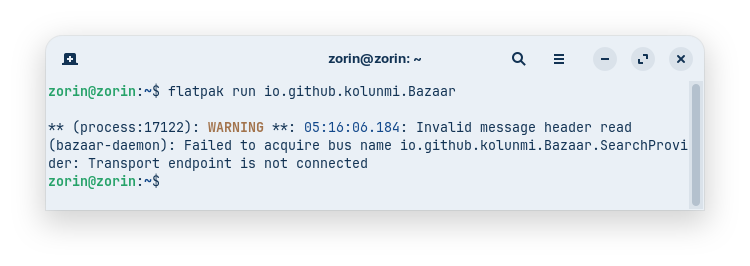
Cannot run, click on icon and nothing....
zorin 18.1 , fresh installation
fujutsu e743 8gb ram
please help
Hi
I normal install Bazaar
Cannot run, click on icon and nothing....
zorin 18.1 , fresh installation
fujutsu e743 8gb ram
please help
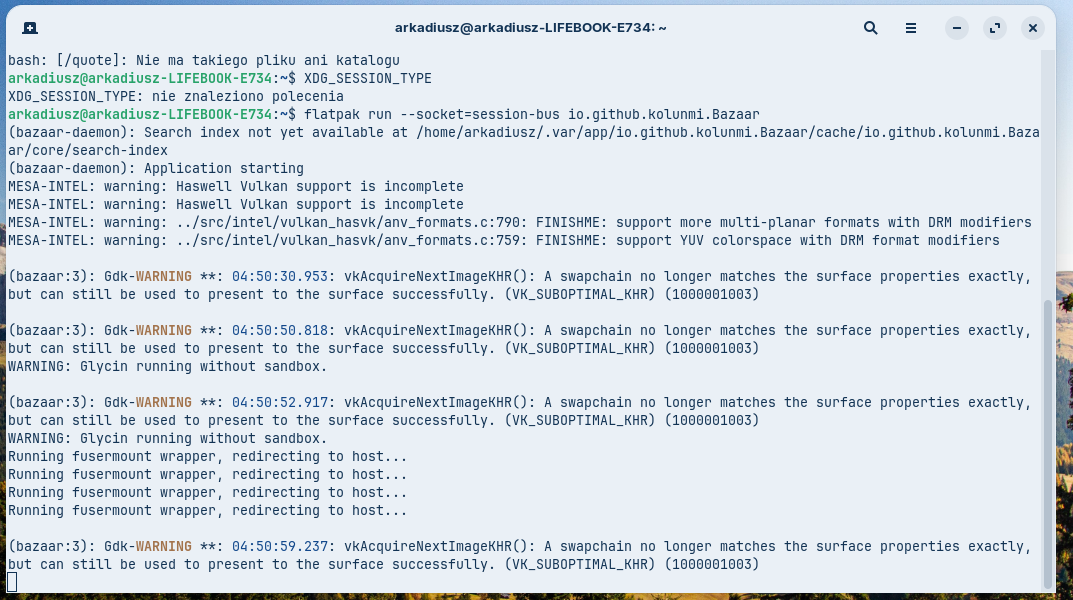
I read it can help to give bazaar access to D-Bus session with the app flatseal, but it is not a good permanent solution. Best would be a fix in an update of Bazaar. I tested it with enabled D-Bus session, and it worked. But it shows that glycin ins running without sandbox then.
I didn't found a way to set another command in the .desktop file. The solutions of the link didn't work for me, but I look for a solution.
With flatpak run --socket=session-bus io.github.kolunmi.Bazaar it worked, but I think that is the same as giving access to D-Bus session in flatseal.
If you want to edit the command in the Exec-line of the .desktop You can do this by launching rhe app "alacarte", then search for bazaar and go to properties, then change the command there as shown in the link.
If it doesn't help, remove the file ....Bazaar.desktop from ~/.local/share/applications to reset the command to the original one or to test other commands.
So, it is installed, yes? Or does even the Installation not work? Does Your System run in Wayland or X11? You can check that with the Command echo $XDG_SESSION_TYPE via Terminal.
The problem is not related to X11 and Wayland. I tested both. The app is installed, but doesn't launch without giving access to D-Bus session. It appears to be a current bug affecting many distributions that do not use the latest versions of GNOME.
But, if I understand correctly what I read, granting an app full access to DBus session is risky, and this bypasses the sandboxing. Personally, I probably wouldn't use the app Bazaar until an update fixes the problem.
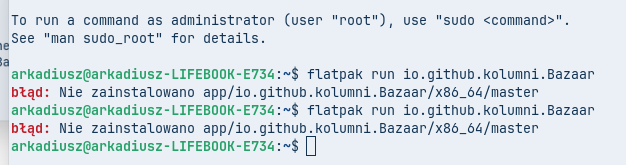
There is a typo (I also wrote it wrong in my post), it is kolunmi, not kolumni.
As it is a security risk, it isn't a good solution.
"
D-Bus access
D-Bus access is filtered by default. The default policy for the session bus only allows the application to own its own namespace named by $FLATPAK_ID, subnames of it and org.mpris.MediaPlayer2.$FLATPAK_ID for MPRIS. Furthermore, it is only allowed to talk to names matching those patterns, the bus itself org.freedesktop.DBus and portal APIs of the form org.freedesktop.portal.*.
Access to the entire bus with --socket=system-bus or --socket=session-bus stops the filtering and using them is a security risk. So they must be avoided, unless the application is a development tool.
flatpak run --log-session-bus $FLATPAK_ID can be used to find the specific D-Bus permissions needed. See Audit session or system bus traffic for more information.
"
Perhaps we could check with the last command there which permissions we need for D-Bus.
Edit: That doesn't help. The terminal shows the same error message "Failed to acquire bus name io.github.kolunmi.Bazaar.SearchProvider: Transport endpoint is not connected".
I'm concerned about you using the app with these changes, since no expert has weighed in on them yet and I don't know enough about D-Bus.
That's why I'd rather warn you to hold off and wait for an update to the flatpak.