Are Secure Boot and Fast Boot in BIOSE disabled?
What Tool did You use to create the bootable USB Stick with Zorin on it?
Is Your BIOS in UEFI or Legacy Mode?
Thank you for you timely responses,
I recall, during installation, Setting a password (aka "keyring"??)...
and selecting "login automatically";
However, somewhere during the process,
I do vaguely recall seeing a popup regarding "secure boot"
AFAIK, I simply re-entered the same password.
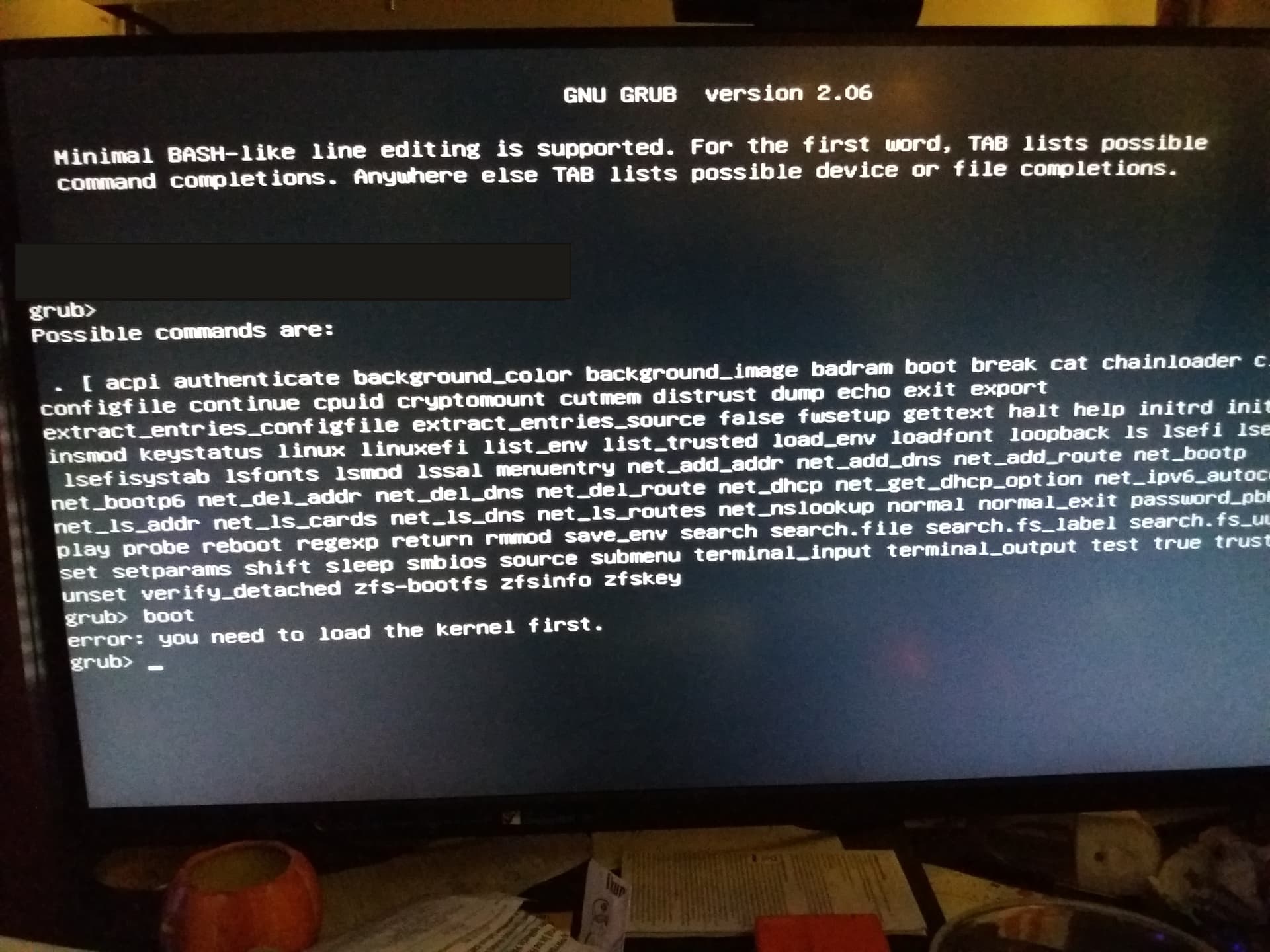
what should I enter at Grub prompt?
Can I turn "secure boot" within Zorin environment?
Or, I can obliterate the zorin install, re-install and pay better attention.
This sounds like MOK (Machine OWner Key) enrollment. This sets up so Secure Boot can be enabled, and sign off on GnuLinux packages so that they can initialize at boot.
Secure Boot operates for Microsoft.
Microsoft signs off on packages as "safe to boot" and Secure Boot relies on that signage.
If unsigned... no init.
While, yes, this can block unwanted packages initializing at boot, it can also block wanted ones like Graphics drivers.
If you are not using Windows OS, and only Zorin,,,, Yes, you can disable Secure Boot in your BIOS settings, reinstall Zorin and eliminate that issue that way.
Thank you (finally back in my office),
Is there a command/string I can enter at the GRUB prompt to boot Zorin 18?
My intent is two-fold:
First, via F12, boot to Zorin 18 (i.e. M.2 NVMe Slot 2)
Then, (within Zorin?) clone Win11 Install (M.2 NVMe Slot1) to another drive ("E:")
(any recommendations on how to clone"C:" to "E:"?... sorry for the windows terminology )
again,
thank you for your time,
john
p.s. still use windows: after nearly 50 of microsoft (GWBASIC > Win11) conditioning, still resorting to what is most convenient/quickest to use; hoping to adapt this 68y.o. brain to Linux)
The Grub screen you see is not a Command Prompt screen. You can type
exit
at the prompt and relay what message it prints.
But your system in not in a bootable state. It looks like Grub.cfg is not found.
So this could be that it was installed to the wrong EFI partition.
This is a fresh install... So instead of trying to untangle it, I would recommend starting over from scratch.
If you can boot the LiveUSB and then show how you are setting your partitions in the Installer, we can go step by step to ensure the install is done fully.
Regards your 68 yo brain comment. Mine turns 74 later this week and when I made a similar comment as I transitioned to Zorin, @Aravisian introduced me to @Frog who said he wishes he was as young as me. Age shouldn't deter you from learning new stuff.
Just for fun (off topic), still have a shoebox full of Win/Workgroups floppies...
and Black Sabbath 8-track cartridge
john
p.s. "learning new stuff": one presumes sufficient functioning brain cells.
 )
)