You can link to an upload site like imgur if that is easier.
Or use your phone camera to snap the picture, then crop it before sending it over here.
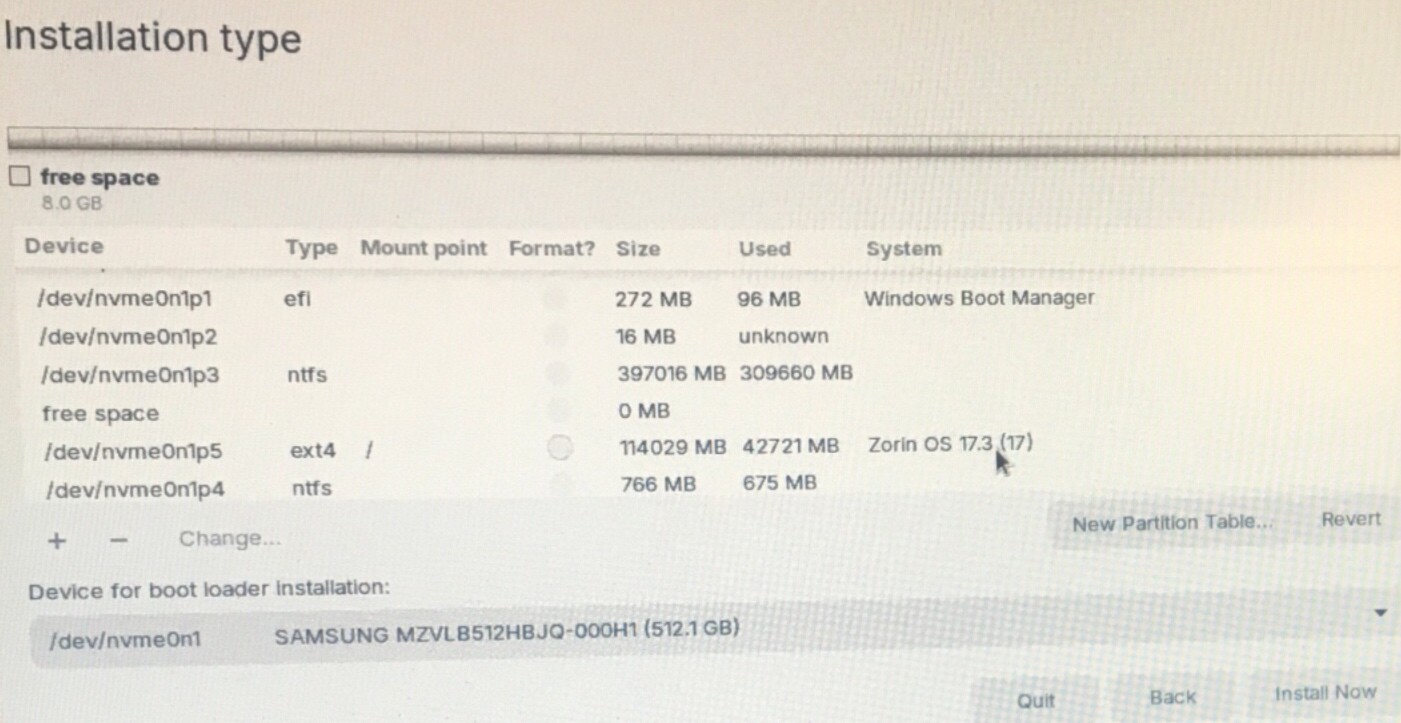
Not sure why the Zorin files come back when I format the partition but if I click to install there perhaps the new files will overwrite the old.
Perhaps if I - it then quit and restart the process?
You can restart if you have not clicked apply, yes.
If you select nvme partition 5, then click (-), the entire thing should show as free space. Then click (+), in the popover window, set to beginning, primary, etx4, and mountpoint is /
Then click Format, it should show the entire partition as formatted, without Zorin OS using up space...
Every time I minus it it goes to 114 G of free space but when I plus it again the 43 G of Zorin reappears. That’s why I was thinking minus then quit then start over might be different.
No, if you quit partway through, all changes are lost.
Have you clicked apply, yet? Once you click apply, it will format it - and it should no longer show Zorin OS sitting there eating doughnuts and waving at you from the space it is occupying.
Pre-format - that is there to remind you that space is Currently Occupied - so if you click apply that will be wiped. Just in case you forgot Zorin OS was installed there or something. It helps protect against an "oops wipe".
Tried again. It said it would delete existing files so that was good. However I got the same fatal error as before:
Unable to install Grub in dev/nvme0n1p5
Executing grub-install/dev/nvme0n1p5 failed
This is a fatal error
Quitting for tonight. I’ve mentioned the fatal error to Zorin support and I feel we’ve made lots of progress but frustrating that it still won’t work.
1 Like
I notice your EFI partition is only a little over 250 megs... (Photo)
I usually stick to 512 megs. Could that EFI partition be filled up?
Possibly. I never looked. Could I change that in try something else screen? Never looked at how to do that.
Did you select
/dev/nvme0n1p1
for bootloader installation?
No I selected p5 same as the Zorin install. Was that wrong?
Yes, for Dualboot with Windows on the same drive choose the EFI partition as place for the bootloader.
I’ll try that tomorrow. I wasn’t sure exactly what the selection meant.
1 Like
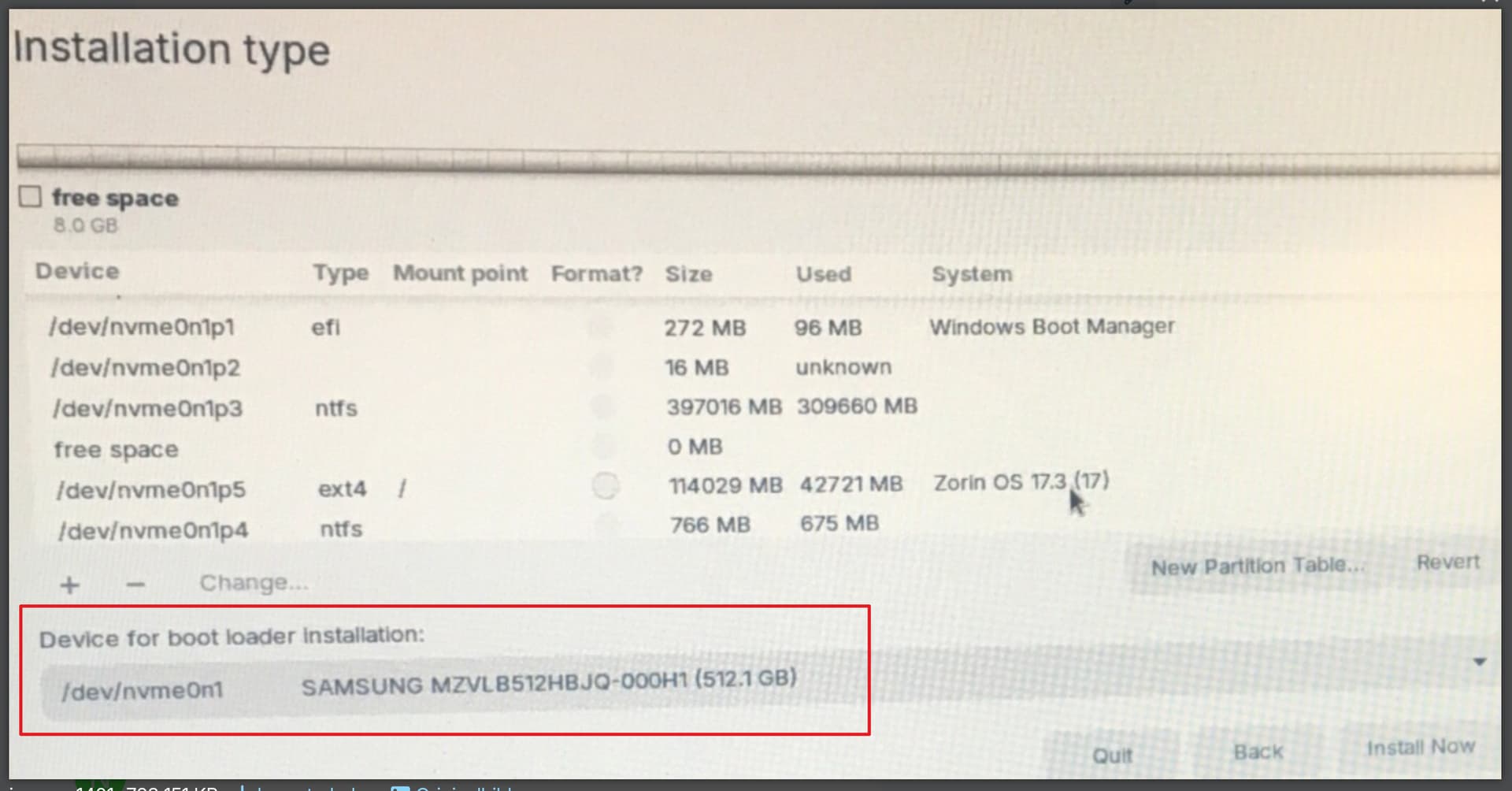
I tried again and think I did everything right. Listing the windows boot manager as the partition for boot loader installation, making it bigger to 512. But I still got the same fatal error about grub install failing.
i think i'll leave it for now. i have a zorin ionstallation but no way to access it. maybe a question to ask the zorin support/
This topic was automatically closed 90 days after the last reply. New replies are no longer allowed.