Hello all, is there someone who has experience in RUNNING Zorin from a 2013 MacMini 2.3 GHz i7 - Quad Core?
(on my MacBook Pro from 2014, it was a breeze, so the USB stick is correct)
I get a black screen somewhere half way the installation. I tried different things in GRUB, like: nomodeset
acpi=off
noapic
i915.modeset=0
nomodeset i915.modeset=0
NVRAM and SMC reset
Nothing seems to bring the install forward.
Thanks a lot!
maybe you would find some tricks here
Welcome to the Forum!
Only to be precise here: Does this happen during the Installation Process? And if yes: Is it one one specific Point? Or doesn't the Bootstick even start?
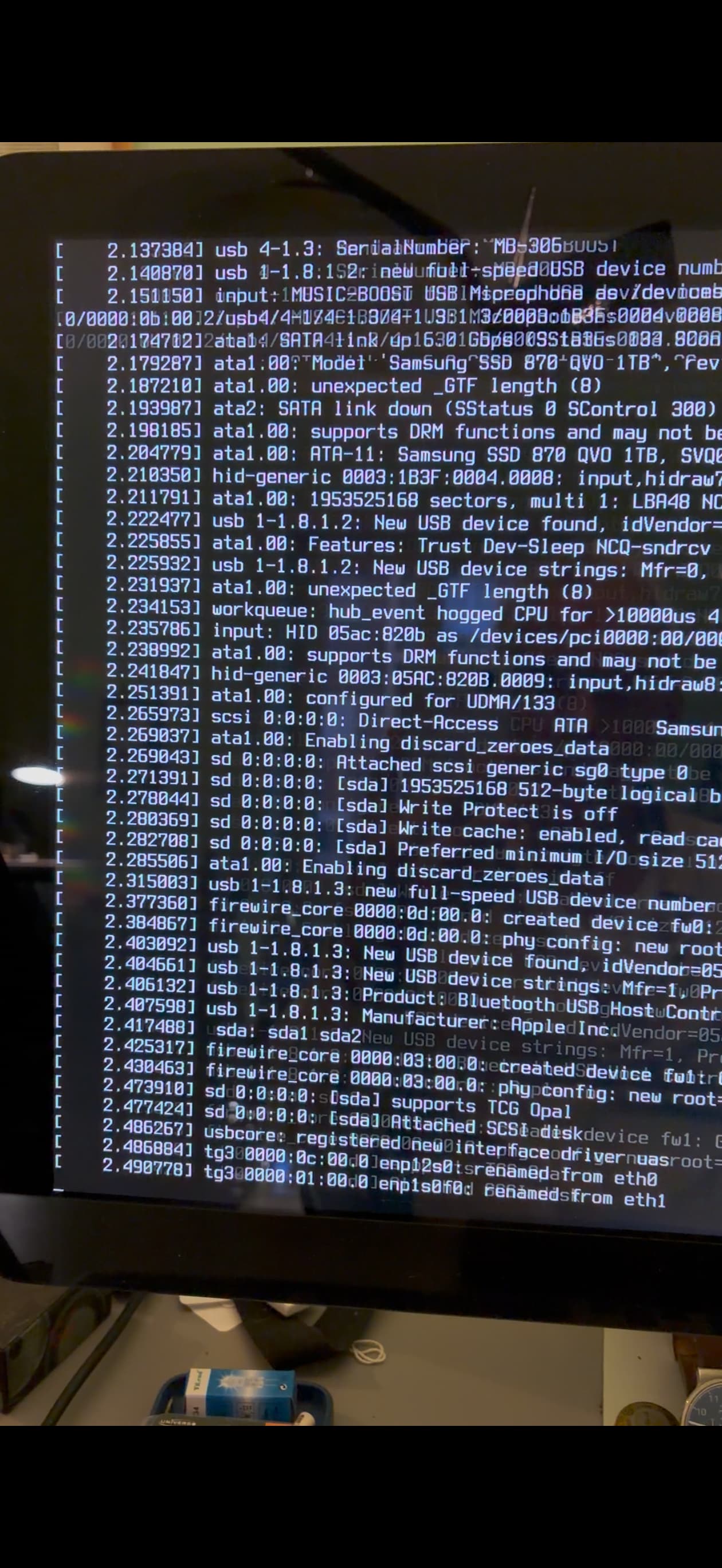
Yes, the bootstick starts, it starts the installation and it stops at line 490778. I run it with "quiet splash" taken out and (so that I could see where it stops) and made a video and just posted the picture of where it stops and goes black.
The black screen most probable has to do with the graphics card of the MacMini, hence my question:
Is there someone who has experience in running (and later installing) Zorin on a 2013 MacMini
You have the "Late 2012" Quad-Core i7 (MacMini 6,2). (Even though you bought it in 2013, this is the "Server-grade" model and it is the most powerful Mac Mini Apple made before they started soldering components)
The "renamed from eth0" hang you are seeing at the last line of text, on a Quad-Core i7 is almost always a power-state/CPU-sync hang. Because you have 8 logical cores (4 physical + Hyper-threading), the Linux kernel may be trying to initialize the GPU while simultaneously fighting with Apple’s specific power management (SMC).
nomodeset alone didn't work, most likely because there was a conflict with your i7's specific power management. Try this version:
- Turn the Mac Mini off.
- Plug in your Zorin USB and turn it on.
- When the Zorin menu appears, use the arrow keys to highlight "Try or Install Zorin OS".
- Press
eon your keyboard.
- Where you deleted
quiet splashbefore, type this :nomodeset intel_iommu=off - Press F10.
For 2012/2013 i7 Quad-Core models, the intel_iommu=off prevents the CPU from getting confused about where to send data to the GPU.
When you see the lines enp12s0 renamed from eth0, the system is doing a lot of background work. On older hardware:
- Give it 3 to 5 full minutes. Sometimes the screen stays stuck on that text while it's secretly loading the desktop in the background.
- Listen for a sound. If you hear a "drum" or a "chime" but the screen is still showing text, the installation is actually working! It just means the video signal is being sent to the wrong port (like the Thunderbolt port instead of the HDMI port).
1 Like
@wsmather Thanks a lot for your complete manual. Tomorrow morning I will give it a try!
Still nothing, but the last thing you wrote made the penny drop!
As I was using only the thunderbolt port... (with my old Thunderbolt Display)
Will get another monitor with HDMI port!
1 Like
Indeed the solution was the HDMI port. That one worked fine!
1 Like