I installed the new Zorin 18.1 Lite on a Celeron N3350 laptop with 4GB RAM
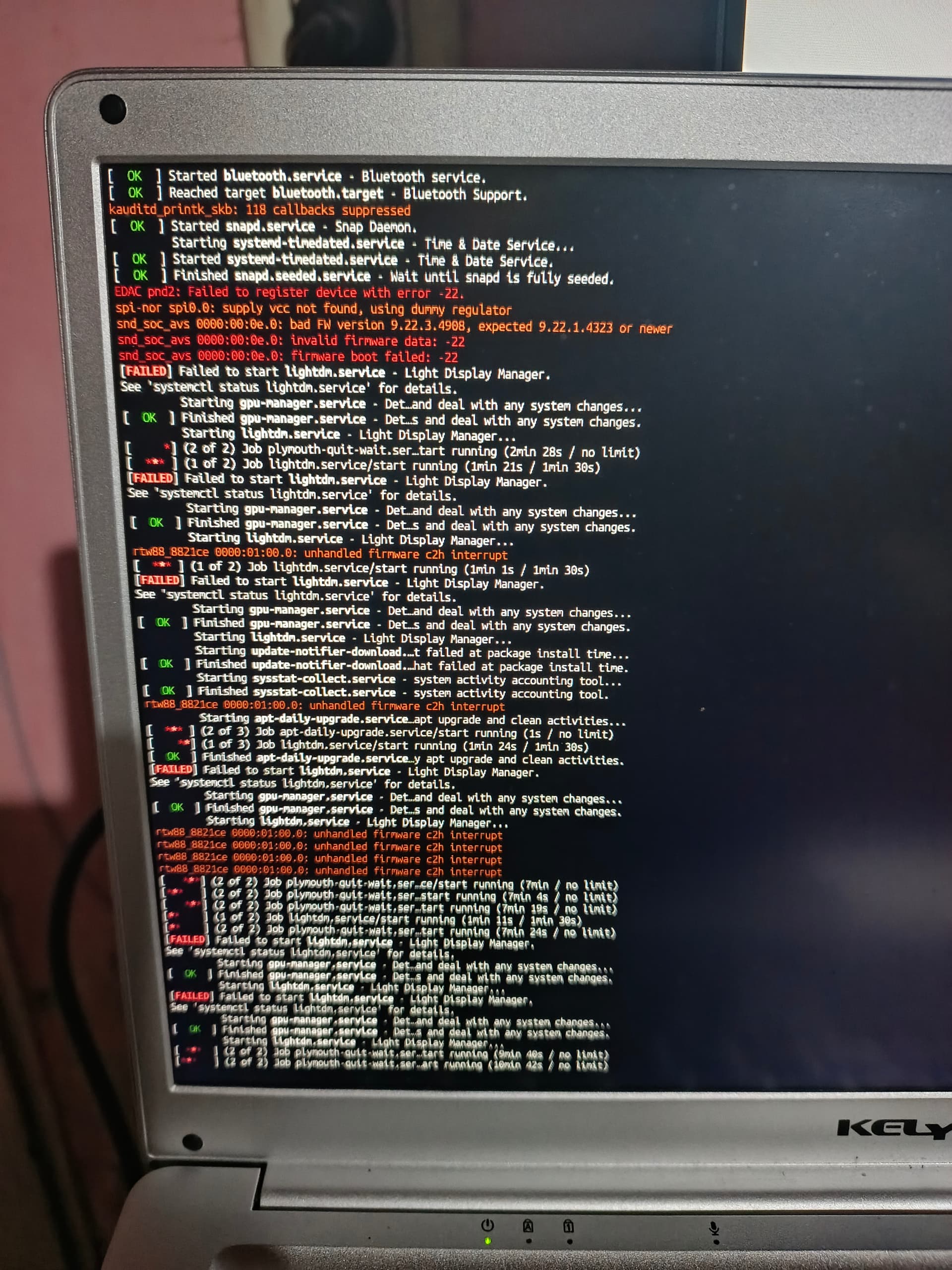
Now I'm stuck at the boot screen with messages of lightdm and plymouth
FAILED failed to start lightdm-service - Light Display Manager
Starting ligtdm.service
Job plymouth-quit-wait ser running (10 min / no limit)
Job lightdm service/start running (10 min no limit)
and this in loop
I'm no expert but think based on that screenshot it is a firmware update error. Install Synaptic Package Manager and search for fwupdate.
Mark it for removal and reboot and see what happens. I would recommend you use Timeshift first to take a snapshot in case making such changes fails to boot your machine entirely.
I’m having the same problem: when I restart or switch on my computer running Zorin OS 18.1 Lite, it won’t boot up.
I’ve followed the suggestions provided, but the problem persists.
Hello, I insrtalled it in My Main computer (desktop AMD Ryzen 5 2400ge, 32GB DDR4, RX 550 4GB, SSD 1TB. This happens too, only with the Lite version. So it's not a matter of RAM or processor.
Hello, how I can send a log or error report?
I managed to boot it only doing Alt + PrtSc + R E I S U B, if I boot it normally after shutdown it don't boot correctly, and stuck on the Plymouth and lightdm
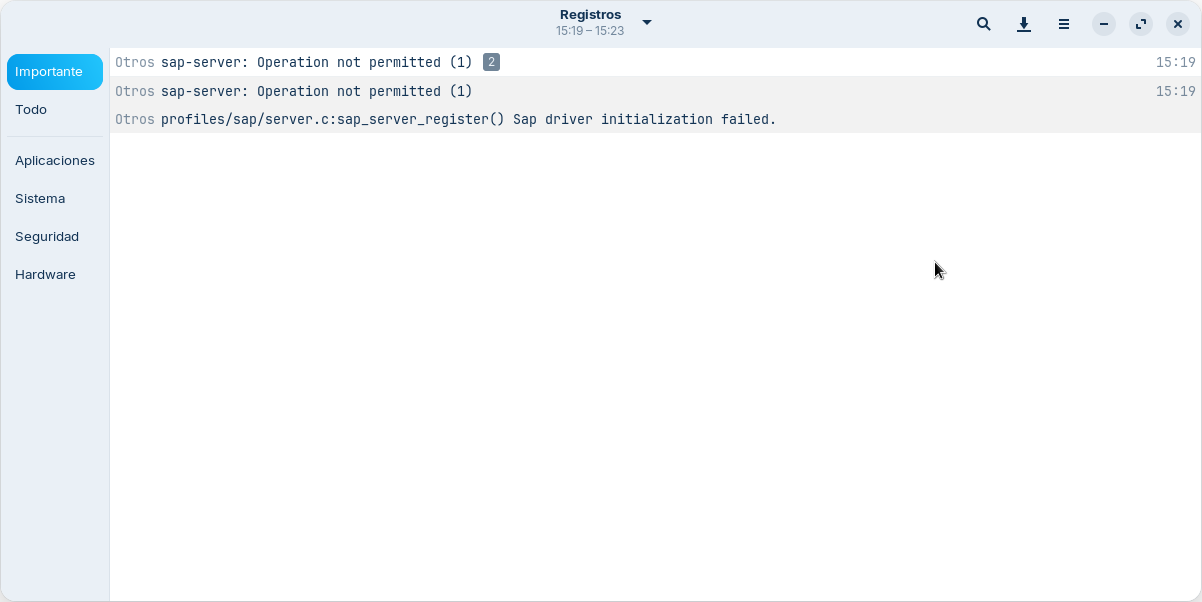
I rebooted and not booted correctly. I did alt+prtscr+REISUB and now booted. It seems that error is
"sap-server: Operation not permited (1)"
Seems related to Bluetooth, that log says bluetothd in the details
This PC has a TP Link UB500 USB adapter, and the Laptop has a Bluetooth adapter embedded.
I will try to remove the USB adapter and reboot to see what happens