I have just recently downloaded Zorin 18 core onto a laptop. No issues I recognised there. However, when I initiate Brave it displays ‘Authentication required.’ So I type in my password and press unlock and are then confronted by a page of checkerboard, and a message ‘Brave did not shutdown properly.’ I then find my mouse pointer is frozen. Bearing in mind I have not used Brave yet, the issue is confusing. I also would like to point out that during installation I did not indicate the use of a password for everyday use. I would be grateful for some assistance. Thanks.
Disable hardware acceleration in your browser settings to avoid freezes.
If you can't launch brave because of freezes start it from terminal first time
brave-browser --disable-gpu
Here you can find informations about the keyring:
The easiest and safest way is to use a login with password.
https://www.baeldung.com/linux/unlock-keyring-fix
To avoid freezes it can also help to switch to Xorg if you are on Wayland by default. But therefore you would also need a login with password or another user account with password login. Then you can easily switch between Wayland and Xorg at loginscreen (logout first) when you click on your username. Then a cog wheal appears at the bottom right corner there you can set the desired option.
1 Like
Welcome to the Forum!
Beneath @Forpli's Points: Does Your System run in Wayland or X11? You can check that with the Terminal Command echo $XDG_SESSION_TYPE
Hi, thank you both for your prompt replies. I realise I have a bit of a mountain to climb using Linux after 23 years on windows, and would like to try to understand the technical aspects of using the terminal. However, I truthfully did not expect to be faced with this as an initiation, just to get off the ground, without even becoming familiar with the OS. So please bear with me.
The terminal screen shows
peter@peter-Lenovo-Z50-75:~$
Do I type in- brave-browser –disable-gpu following the above or below?
Thank you again.
Hi dakar,
You don't need to type in (your post has an incorrect em-dash in front of 'disable'.
If you go to @Forpli 's post above move your mouse to where he posted that line and you will see some icons appear to the right - one is for copy to clipboard so you don't have to type anything.
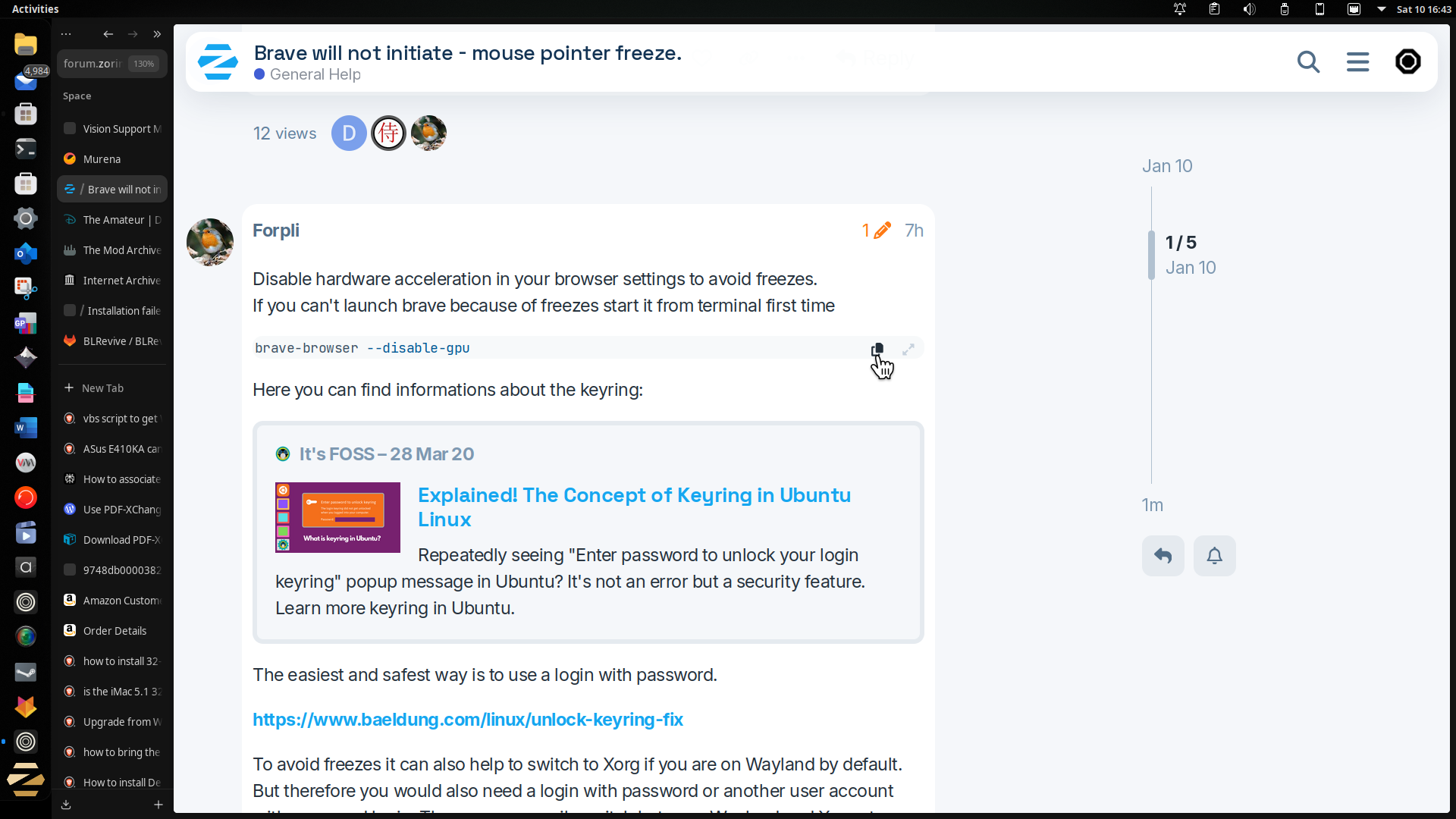
Once copied to clipboard, in the terminal, right-click at the prompt and select 'paste'. Next press enter key.
1 Like
You can try disable Hardware Acceleration without the Terminal, too. But that would require that You go in the Brave Settings and disable it there. If You can do that, you can make it that Way. But if Brave should be so unstable and it isn't possible then the Terminal Command would be good.
For the Terminal Command: Like @swarfendor437 already showed, you can use the Icon for copy/paste the Command. In the Terminal it is simply behind that Line:

(don't be irritated because my Beginning looks different; I have customized it)
In Your Case it should look like this:
peter@peter-Lenovo-Z50-75:~$ brave-browser --disable-gpu
and then press Enter and Brave should open.
1 Like
Hi, I must again thank you all for your assistance, it is encouraging to know that such thoughtful help is at hand. I have followed your advice and seemingly resolved the issues now. Plus, I also understand the Keyring concept and what Wayland and X11 mean.
It is my intention if all goes according to plan, to replace the OS on two further PCs, one being to resurrect a 15 year old Imac which has laid dormant for too long. So just maybe I may have to call on your assistance again, hopefully not to often. Thanks.
1 Like
It would be nice when You could mark the Post that solved Your Issue as Solution. that could help others.
1 Like
Can you mark the post that helped you, by clicking the  Solution button under the post. Thankyou.
1 Like