Hello,
sudo apt update && sudo apt install brave-browser
Hit:1 http://archive.ubuntu.com/ubuntu noble InRelease
Hit:2 http://archive.ubuntu.com/ubuntu noble-updates InRelease
Hit:3 https://ppa.launchpadcontent.net/zorinos/apps/ubuntu noble InRelease
Hit:4 http://archive.ubuntu.com/ubuntu noble-backports InRelease
Hit:5 https://ppa.launchpadcontent.net/zorinos/drivers/ubuntu noble InRelease
Hit:6 https://ppa.launchpadcontent.net/zorinos/patches/ubuntu noble InRelease
Hit:7 http://archive.ubuntu.com/ubuntu noble-security InRelease
Hit:8 https://ppa.launchpadcontent.net/zorinos/stable/ubuntu noble InRelease
Hit:9 https://packages.zorinos.com/stable noble InRelease
Hit:10 https://packages.zorinos.com/patches noble InRelease
Hit:11 https://packages.zorinos.com/apps noble InRelease
Hit:12 https://packages.zorinos.com/drivers noble InRelease
Reading package lists... Done
Building dependency tree... Done
Reading state information... Done
All packages are up-to-date.
Reading package lists... Done
Building dependency tree... Done
Reading state information... Done
E: Unable to locate package brave-browser
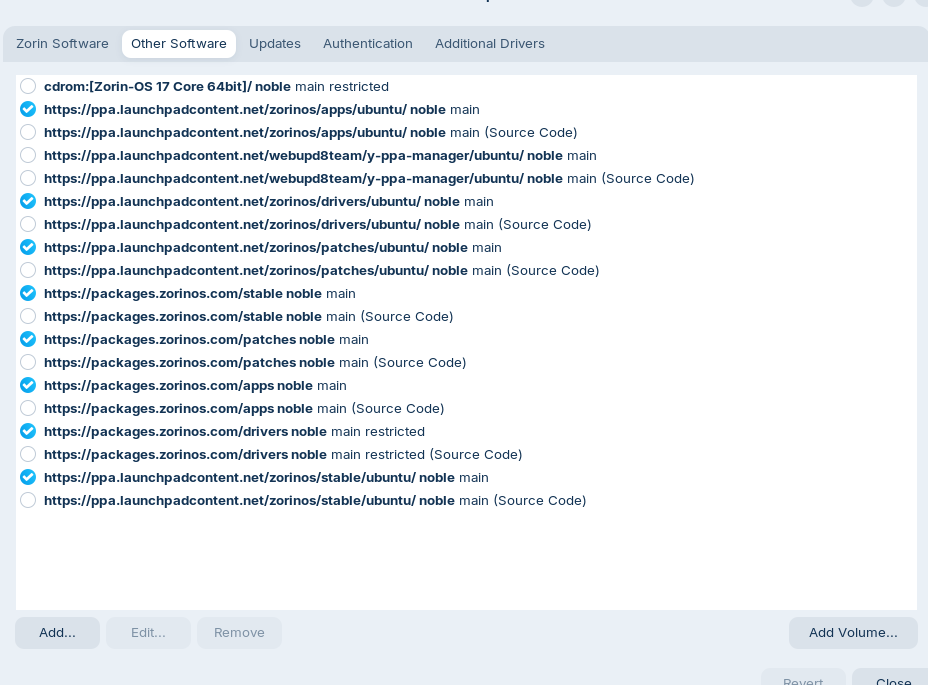
List of repos:
Any idea?
Forpli
February 27, 2026, 3:05pm
2
Follow the guide (release channel installation) for Debian, Ubuntu, Mint
The Brave browser is a fast, private and secure web browser for PC, Mac and mobile. Download now to enjoy a faster ad-free browsing experience that saves data and battery life by blocking tracking software.
2 Likes
Thanks Forpli.The Buzz around Mozilla's New Terms of Use - #123 by AZorin
Forpli
February 27, 2026, 3:33pm
4
Hm, maybe it is the package "zorin-os-www-browser" from their launchpad ppa (Zorin OS stable), but I'm not sure. Surely someone else can help you how to install the brave version of Zorin. The guide I linked you doesn't install the adapted Zorin brave browser.
I'm wondering why you don't have it. In Zorin 17.3 also brave browser was the default browser.
1 Like
Thanks Forpli. Oops I think the disussion is now moving away from the original question that is now resolved. @community-moderators , could someone please split this ticket from here Upgrade Core 17 to 18 error messages unsure what to do - #6 by BrewCoffeeAddict ?
An explanation of that could be that Brave only became the preferred browser in new installs since Z17.3. If you had Firefox via Z17.1 and Z17.2 then that remained default browser in Z17.3. That is the browser I have via that route anyway (and by choice).
2 Likes
Yes, I think that make sense since my install was from before Brave became the default.
1 Like
I guess my question was is there a way for older install to get the Zorin version of Brave? I used the Flatpak version in the past which worked fine for me but I saw that Brave don't recommend it here saying that it is not on a par with the deb version: Installing Brave on Linux | Brave
Forpli
February 27, 2026, 5:24pm
9
Zorin also adds a brave repository.
But in Zorin's version of brave browser some settings are disabled by default.
You can also disable them manually
How to display & enable optional features in the Brave Web Browser such as Brave News, Leo AI, Brave Rewards, and Brave Wallet.
1 Like
Thank you so much @Aravisian
1 Like
Funny. Removing Brave and all of its support files was the first thing I did after installing 18.
I think I found a way by looking at my other computer which have a fresh install of Zorin OS 18:
1 ) Get the Brave keyrings gpg files from the Brave website: Installing Brave on Linux | Brave
sudo curl -fsSLo /usr/share/keyrings/brave-browser-archive-keyring.gpg https://brave-browser-apt-release.s3.brave.com/brave-browser-archive-keyring.gpg
sudo curl -fsSLo /usr/share/keyrings/brave-browser-beta-archive-keyring.gpg https://brave-browser-apt-beta.s3.brave.com/brave-browser-beta-archive-keyring.gpg
sudo curl -fsSLo /usr/share/keyrings/brave-browser-nightly-archive-keyring.gpg https://brave-browser-apt-nightly.s3.brave.com/brave-browser-nightly-archive-keyring.gpg
2 ) Then create these two files in /etc/apt/sources.list.dbrave-browser-release.list
deb [signed-by=/usr/share/keyrings/brave-browser-archive-keyring.gpg arch=amd64] https://brave-browser-apt-release.s3.brave.com/ stable main
b )brave-browser-release.list.save
deb [signed-by=/usr/share/keyrings/brave-browser-archive-keyring.gpg arch=amd64] https://brave-browser-apt-release.s3.brave.com/ stable main
3 ) Then run
sudo apt update & sudo apt install brave-browser
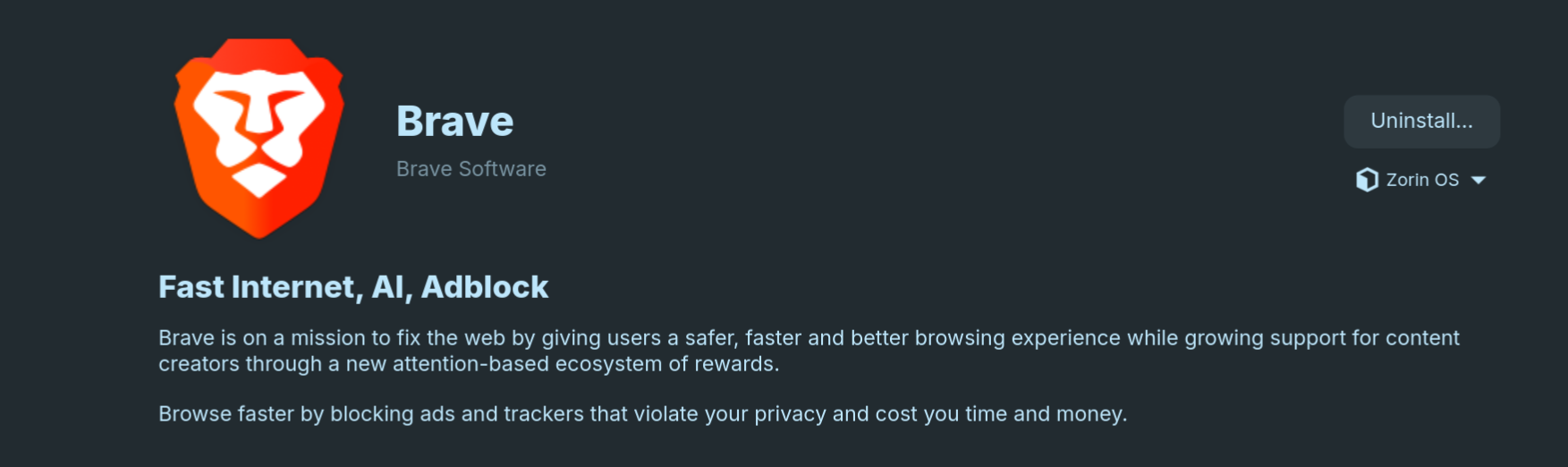
It won't show up as a third party package and from the store it will show as coming from Zorin OS apt:
4 ) To transfers Brave data from Flatpak to Deb:
cp -r ~/.var/app/com.brave.Browser/config/BraveSoftware/Brave-Browser ~/.config/BraveSoftware/
system
May 28, 2026, 8:05pm
14
This topic was automatically closed 90 days after the last reply. New replies are no longer allowed.