Yo guys, is it possible to change my Zorin 18 Core to the default Ubuntu theme? Since Zorin is Ubuntu-based, I want to change my Zorin's appearance to be close to or restore all of Ubuntu's design. Like the sidebar, top bar, design, cursor, etc. How would I do that? Is it possible?
You can move the Zorin taskbar to the left side, remove the floating function and set the radius to 0 and remove the padding (right-click on the panel and go to the settings). Also enable "keep original gnome topbar".
Disable the desktop icons at Zorin appearance.
Install the yaru theme:
Download from github
or use
sudo apt install yaru-theme-gtk yaru-theme-icon yaru-theme-gnome-shell yaru-theme-sound
To install the wallpapers of ubuntu 24.04:
sudo apt install ubuntu-wallpapers-noble
1 Like
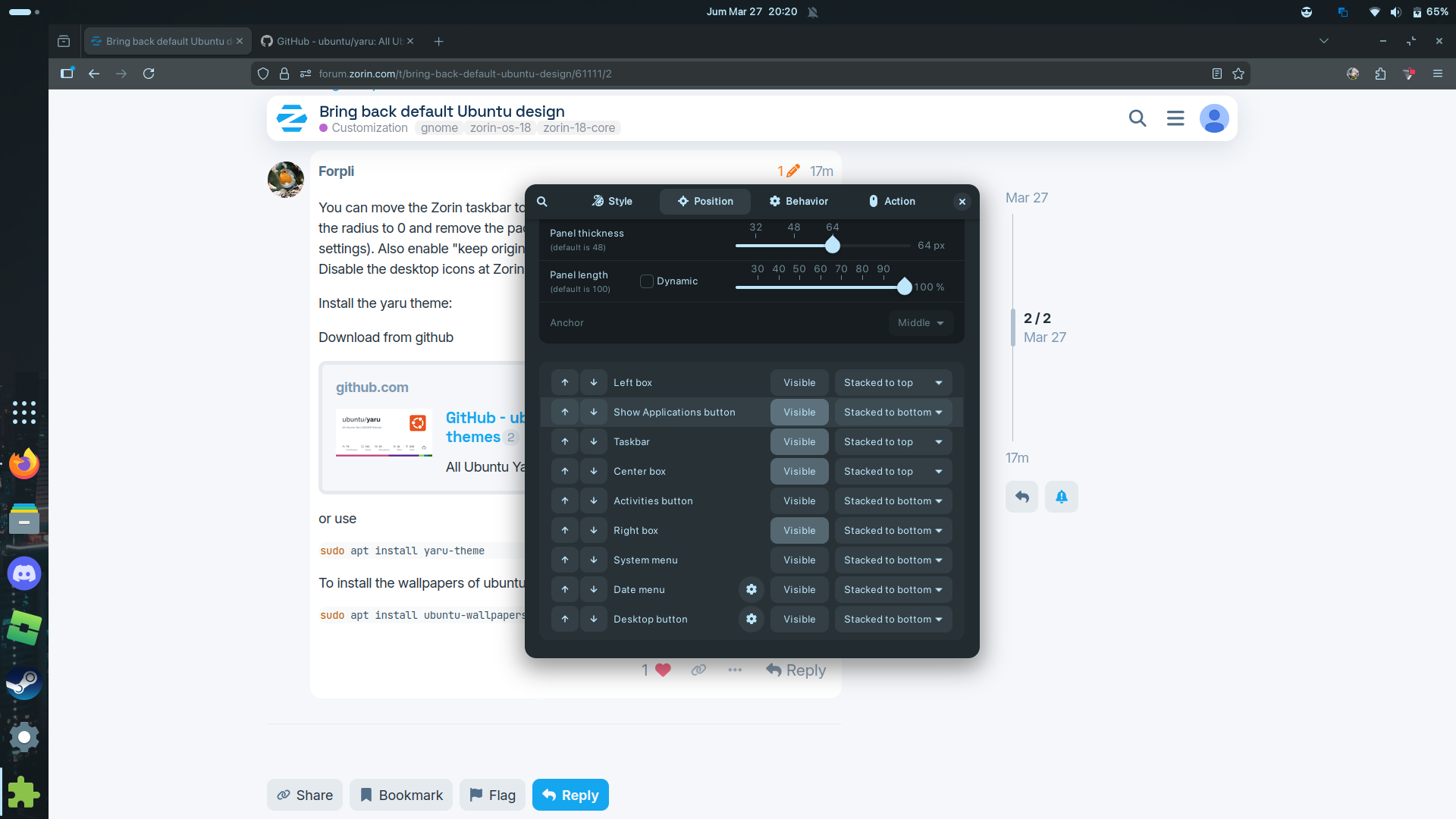
When I enabled the Application Button and then set the location "Stacked to bottom" my entire icon suddenly get to the bottom to, I can't really make the application menu to the bottom while keeping my icon on the top. Is it a bug or I need to do something?
Move the "show applications button" with the arrows on the left side down to the last position.
1 Like
Ohhh I see thank you, I didn't know that arrow actually have a function, also how do I remove this dock on overview and app drawer? I don't need it anymore actually cuz there's a sidebar
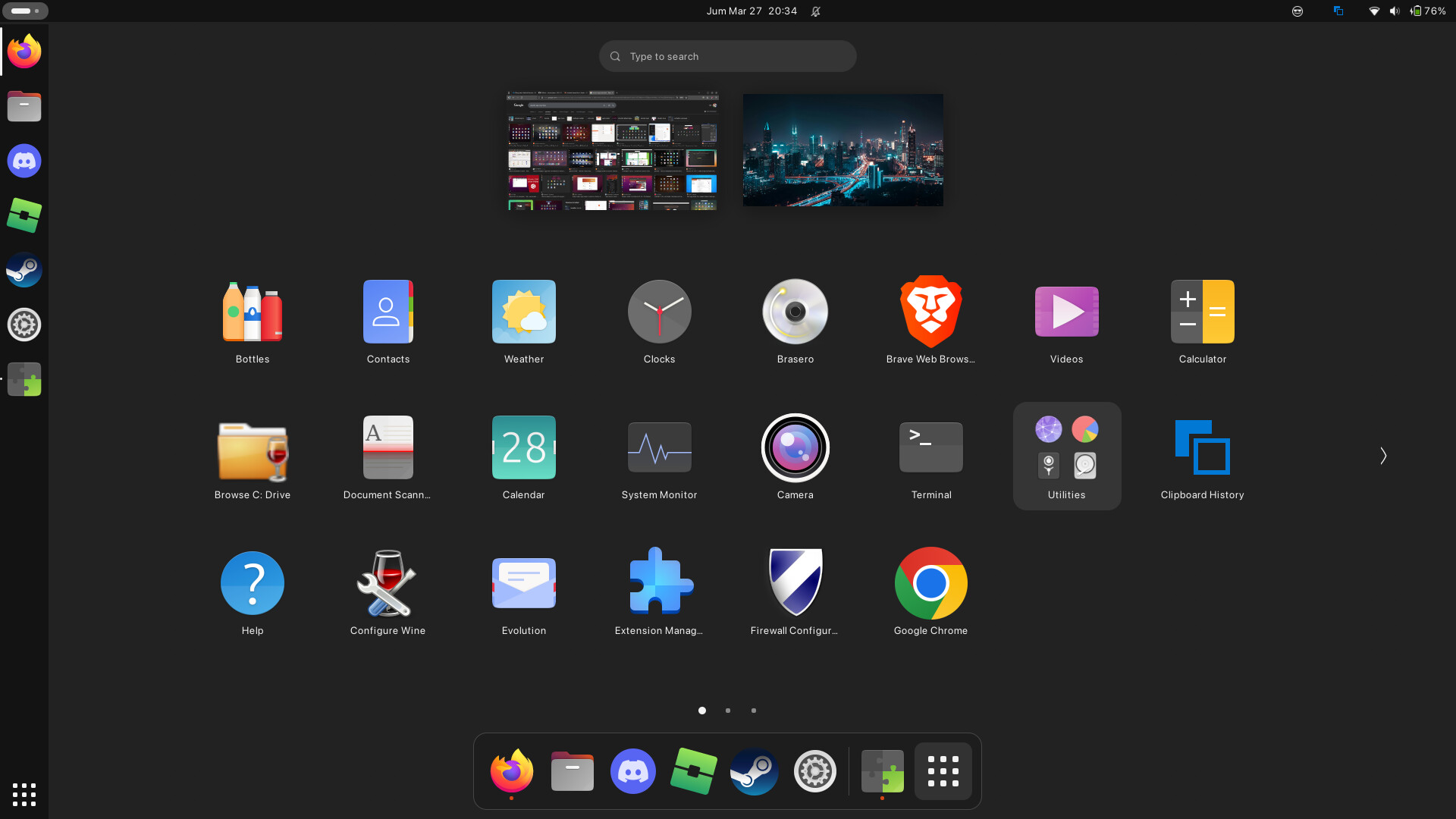
you need to install Extensions Manager via the terminal first:
sudo apt update && sudo apt install gnome-shell-extension-manager
After installing (or if it's already installed), go to the "Browse" tab in it and search for the "Just Perfection" extension and install it. Then go to the "Installed" tab and click on the settings (gear) icon beside the Just Perfection extension, then go to the "Visibility" tab, then scroll down till you see the "Dash" section and turn it off. Hope this helps!
1 Like
You could simply install the Ubuntu Desktop. You can install it with:
sudo apt install ubuntu-desktop
But when You want the Ubuntu Desktop, You could simply use Ubuntu directly instead of Zorin.
3 Likes
I won't recommend this, if all you want is the application theming to be like Zorin and the layout+icons to be like Ubuntu's, then the current path we were going is sufficient. But, if you want full on Ubuntu theme, wallpaper, window styles, all of those, then @Ponce-De-Leon's advice would be useful
1 Like
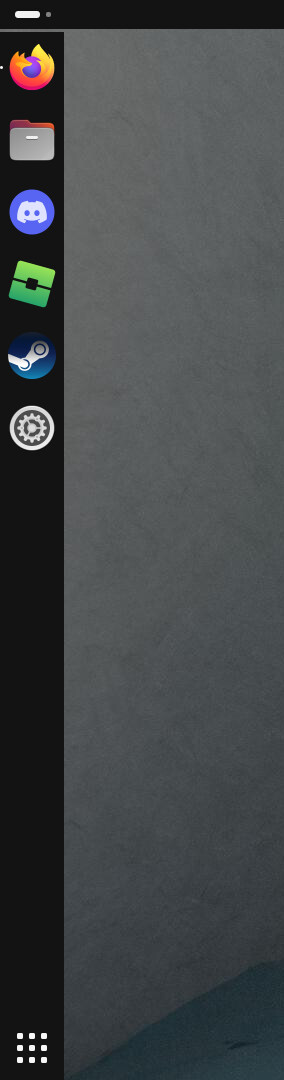
I just realized there's a gap between the sidebar and the topbar, It's just really annoying tho, also the taskbar setting cannot fix this gap
That's enough! I just need some Ubuntu vibes that actually stand out. 
1 Like
The taskbar length setting doesn't help too? then you can search through each and every menu and see if there's any extra settings buried within some menu, cuz i do remember many settings behind some menus that were relevant to another setting.
If that still doesn't work, you might need the Dash-to-Panel extension as far as I remember. To be honest, the Dash-to-panel extension would either convert that GNOME Dash to a panel or you'll have the option to keep the panel style and switch off the GNOME Dash. It's been 2-3 years since i've used Zorin/Ubuntu (and the dash-to-dock/panel extensions), I apologise if my response seems vague 
1 Like
Maybe now I just need to switch to pure Ubuntu as @Ponce-De-Leon said

1 Like
that works, but you should be prepared for any bugs it might bring with the installation. you won't stumble upon any, but you can, and the chances are higher than the OG zorin install.
also, it will download more apps other than what came with the zorin install, some might duplicate too. just a heads up, i ain't discouraging 
1 Like
there is also this maybe worth a try to get the ubuntu layout in zorin
1 Like
Ik, I just need to safely uninstall Zorin, so the Ubuntu installation will on the lower risk
I have the pro version of 18 and the ubuntu layout is included now the commands in the link should install those as well without having pro.. anything in pro can be installed in core its just pro has it there already.. dont mean you cant add that in.... 
1 Like
and also, i'm very sure you won't need to uninstall zorin. just getting ubuntu-desktop should be sufficient.
1 Like
i have more of a modified version of win 11 myself. you can make linux look like ya want there is no limit at all
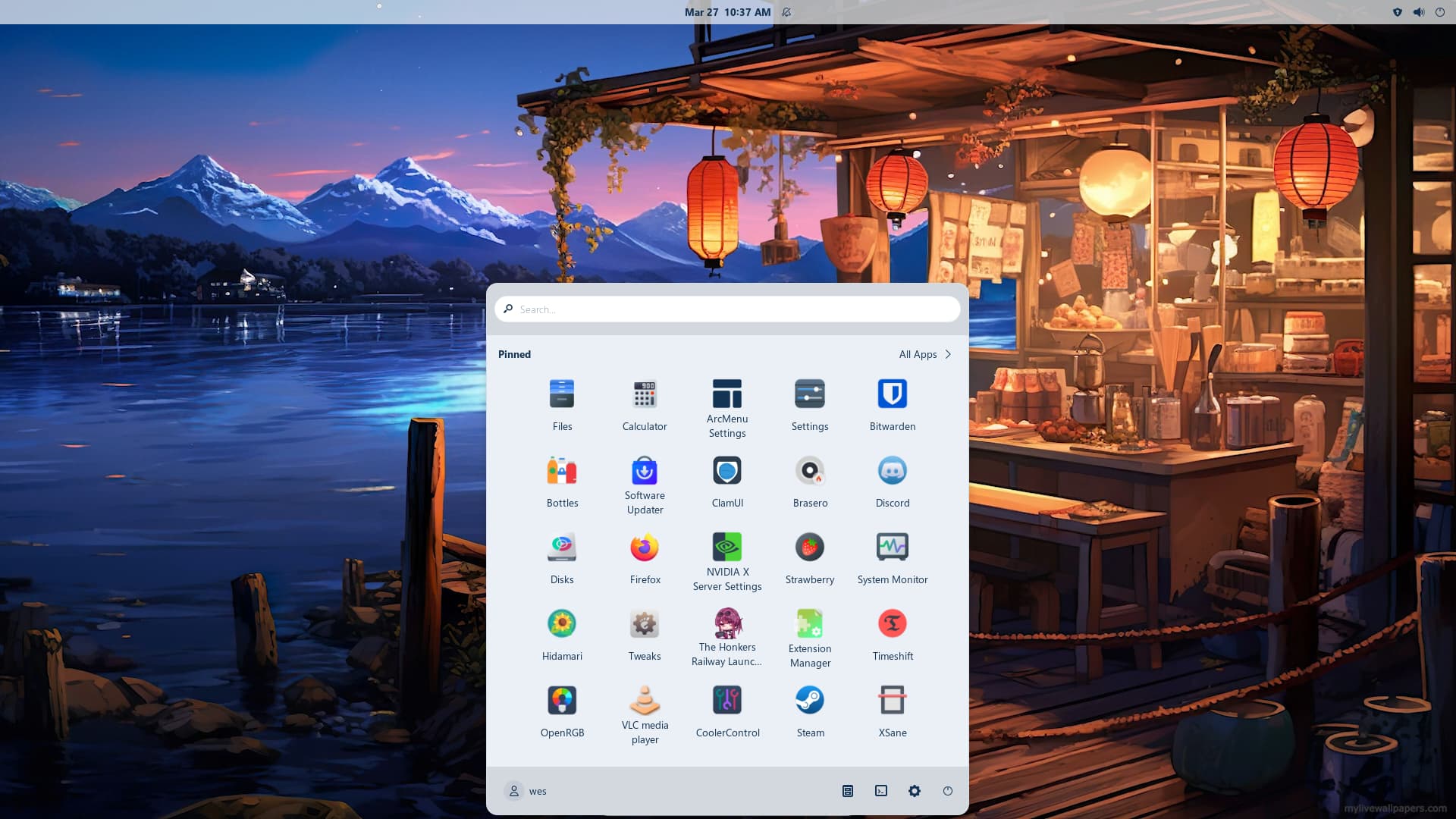
also you can look here to see if anything tickles your fancy
1 Like
i know, but I'm a little worried about some conflict error etc. I don't wanna that happens, so I just fully switch to Ubuntu

well you can install timeshift then create a new snapshot so if stuff goes wrong you just restore it back
1 Like