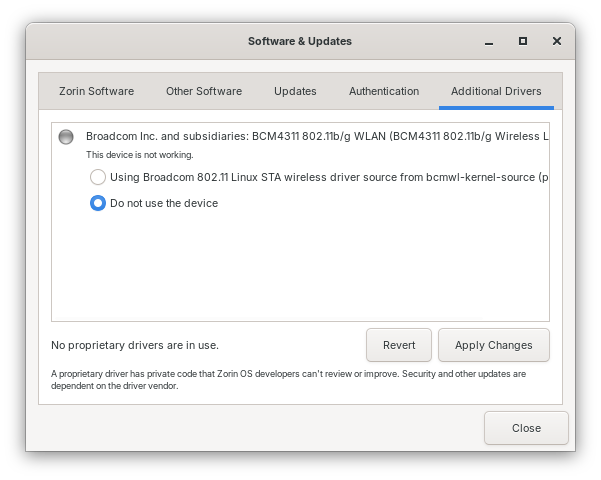
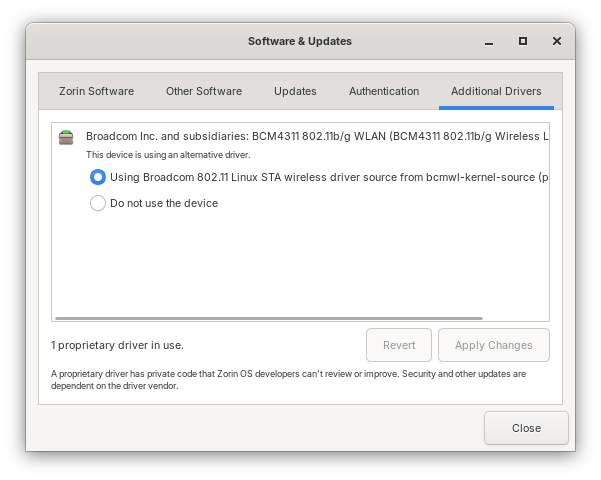
The STA driver is still not functioning after the restart. I also tried to install the b43-installer from the internet, but I encountered an error. I downloaded the factory driver in hopes of installing that, but I need installation instructions, and I haven't received a response from Broadcom.
HTTP request sent, awaiting response... 404 Not Found
2025-09-23 14:43:18 ERROR 404: Not Found.
/var/lib/dpkg/info/firmware-b43-installer.postinst: Some problem occurred during
the firmware download. Please check your internet connection.
dpkg: error processing package firmware-b43-installer (--configure):
installed firmware-b43-installer package post-installation script subprocess re
turned error exit status 1
Processing triggers for man-db (2.10.2-1) ...
Errors were encountered while processing:
firmware-b43-installer
E: Sub-process /usr/bin/dpkg returned an error code (1)
Hmm ... Okay, then let's try something different. Type in the Terminal sudo apt install bcmwl-kernel-source and after the Installation make a Reboot.
Then another Thing: does Your System run in Wayland or X11? You can check that in Settings>About. When it runs in Wayland, You could try it with switching to X11/Xorg.
To do that, go to the Login Screen, not the Lock Screen. Simply reboot for that. On the Login Screen click on Your Profile so that the Password Fiels appears. When it is appeared, You should see in the bottom right Corner a Gear Icon. Click on it and choose the Option ''Zorin Desktop on Xorg'' and then log in.
Thank you for everyone's help; I found a solution for my Broadcom 4311 (ver2) wireless card.
The sudo command (sudo apt install firmware-b43-installer) just won't install the driver over the internet called "broadcom-wl-5.100.138.tar.bz2"; an installation error keeps coming back. I suspect there may be damage to the driver file.
So I searched on the internet and found a solution to my problem. I went to install the b43-fwcutter tool for extracting firmware from Broadcom WLAN drivers.
sudo apt install b43-fwcutter
I then went to the website link (below) to download the Broadcom driver for my wireless card to install it manually with the code explained on that website.
Afterwards I rebooted my laptop with a working wireless card.