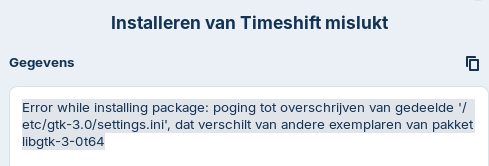
I'm using Zorin 18.1. When trying to install updates I get the message that an attempt to modify the shared '/etc/gtk-3.0/settings.ini' failed because it differs from other versions of the package libgtk-3-0t64. I the tries to install Timeshift but I get to same message. How can I resolve this?
Hello and welcome,
try this
sudo apt --fix-broken-install
and this if it doesn't change anything
sudo rm /etc/gtk-3.0/settings.ini
sudo apt update
sudo apt upgrade
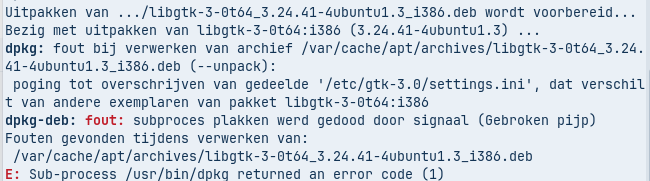
Clear the package cache and remove problematic files
sudo rm -rf /var/cache/apt/archives/*.deb
sudo apt clean
Force dpkg to reconfigure and fix broken installs:
sudo dpkg --configure -a
sudo apt --fix-broken-install
Remove any conflicting versions of the problematic package:
sudo apt remove --allow-remove-essential libgtk-3-0t64
Update the package list and reinstall:
sudo apt update
sudo apt install libgtk-3-0t64
Now try your full system update:
sudo apt upgrade
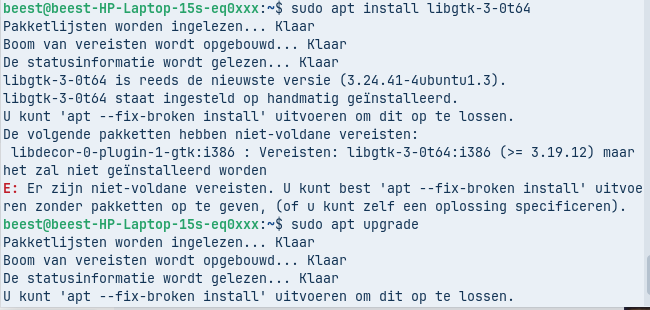
Still not working. I get the message that the requirement is libgtk-3-0t64:i386 (>= 3.19.12) but that it will not be installed.
apt --fix-broken install doesn't help either.
If you still get errors, try a more aggressive approach:
sudo apt install -f
This forces apt to fix broken dependencies and install missing packages.
You can take a look at this solution:
Thanks for the help. I tried every proposal, but nothing works. I'll reinstall tomorrow. I was planning to do this anyway.
2 Likes