System Information
- OS: Zorin OS 18.1
- Base: Ubuntu 24.04 LTS
- Desktop Environment: GNOME
- GNOME Shell: 46.0
- Mutter: 46.2
- Laptop: Toshiba Dynabook Satellite Pro C40-H
- Processor: Intel Core i5-1035G1
- RAM: 8 GB
- Session types tested: Wayland and X11
Summary
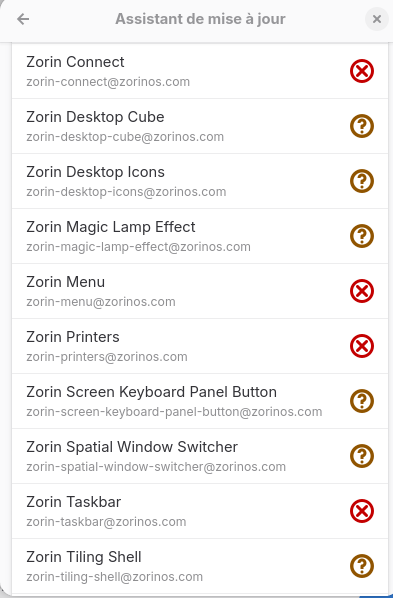
I have experienced repeated GNOME Shell crashes and login failures on Zorin OS 18.1 while using the desktop and its bundled GNOME extensions.
After troubleshooting, I identified two extensions that consistently trigger the same type of desktop failure during my testing:
- Zorin AppIndicators (
zorin-appindicator@zorinos.com) - Drive Menu (
drive-menu@gnome-shell-extensions.gcampax.github.com)
When these extensions are disabled, the desktop starts normally and remains stable.
Observed Behaviour
When enabling the problematic extensions, I experienced:
- GNOME Shell crashes.
- The desktop session terminates unexpectedly.
- I am returned to the GDM login screen.
- In some cases, logging into the desktop becomes impossible until the problematic extension is disabled.
The system logs previously showed GNOME Shell segmentation faults and Xwayland termination.
Troubleshooting and Reproduction
I performed the following tests:
Test 1 – Disable all extensions
- Disabled all GNOME extensions.
- Logged into the desktop successfully.
- Wayland session worked normally.
Test 2 – User Theme
- Enabled
user-theme. - Desktop remained stable.
- No crash observed.
Test 3 – Zorin AppIndicators
- Enabled
zorin-appindicator. - The same desktop crash occurred.
- The issue was also reproduced during X11 testing.
Test 4 – Drive Menu
- Enabled
drive-menu. - The same type of desktop failure occurred.
- Disabling it restored stability.
Test 5 – Zorin Taskbar
- Enabled the Zorin Taskbar layout through Zorin Appearance.
- Currently working without crashes.
Package Information
Zorin AppIndicators:
- Installed version: 65
- Available candidate version: 65
- Repository:
ppa:zorinos/stable
The installed extension package passed package verification, so there was no evidence of corrupted package files.
Current Workaround
I am currently keeping the following extensions disabled:
- Zorin AppIndicators
- Drive Menu
User Theme is working, and the Zorin Taskbar layout is currently working.
With the problematic extensions disabled, the desktop login process works normally.
Expected Behaviour
Bundled Zorin extensions should work reliably with the GNOME Shell version supplied by Zorin OS.
Enabling a desktop extension should not cause GNOME Shell to crash, terminate the graphical session, or prevent the user from logging in.
Actual Behaviour
Enabling certain bundled extensions causes GNOME Shell crashes and session termination, requiring users to disable those extensions to regain a stable desktop.
Suggestions for Investigation
I would appreciate it if the Zorin development team could:
- Investigate compatibility issues between the bundled extensions and GNOME Shell 46.
- Review the lifecycle and cleanup handling in Zorin AppIndicators and related extensions.
- Check whether Drive Menu has a compatibility issue with the current GNOME Shell version.
- Provide fixed extension packages or a way to roll back to known stable versions.
- Include regression testing of all default desktop layouts and bundled extensions before updates are released.
Additional Information
I am happy to provide journal logs, crash reports, package versions and additional reproduction steps if required.
I really like Zorin OS and its Windows-like desktop layouts. However, having to disable bundled extensions to maintain a stable desktop experience is disappointing.
I hope this issue can be investigated and fixed so that other users do not encounter the same problems.