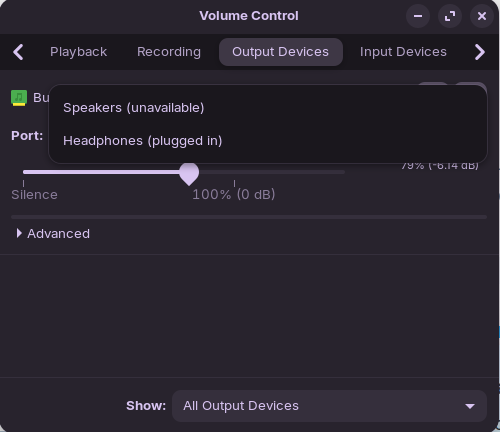
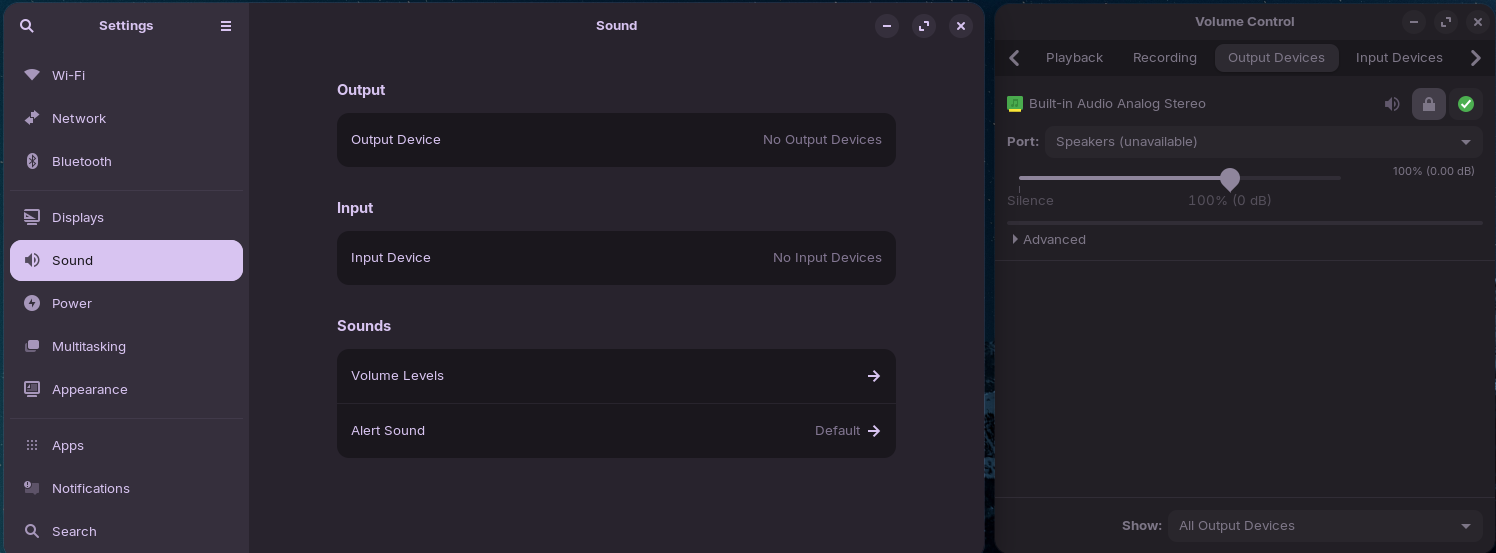
Hello friends! So I have a Lenovo Thinkpad E14 and I just installed ZorinOS on it (cuz I was sick of Windows' shenanigans). When I clicked the icons on the right side of the taskbar, I noticed that for some reason the icon of "sound slider" is that of Headphones instead of a Speaker icon. So I went to settings and it really is sourcing Headphones as Output Device (it's also the only option). I also tried going to YouTube to test it but to no surprise, it doesn't make a sound. Only when I plugged-in my headphones did it make a sound.
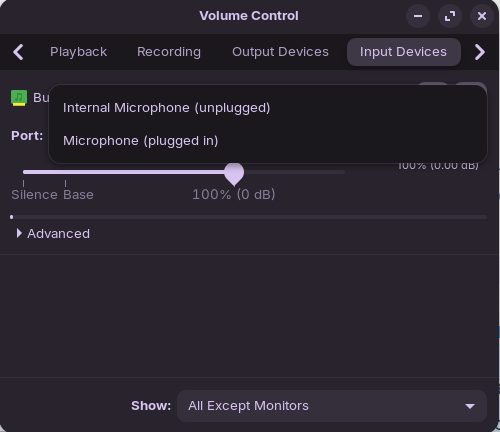
I tried searching for a solution here and other forums but unfortunately, the problem still persists. I installed PulseAudio (cuz I read it somewhere from a forum) and for some reason, the laptop's internal Speakers and Microphone are marked as unavailable.
Also, it defaults to saying "plugged in" even though I haven't plugged in anything.
tysmia for helping!!
edit: i also want to mention that prior to installing Zorin, the speaker and mic are working but the speaker doesn't produce a good sound (like a meme kind of overblown sound). the mic works just fine.
Can you tell us what soundcard/s that Lenovo Thinkpad E14 has?
Another tool you can launch in terminal that may help diagnose sound issues is alsamixer.
Start a terminal session by Ctrl+Alt+t
then type
alsamixer
Hit F6 to check sound card is listed.
Hit F5 to display All sound channels.
Check no channels are showing Muted [MM] or low volume.
Unmute by selecting the channel using cursor keys and Hit M to unmute. Use up arrow to increase volume.
Have a play with sound channels [Loopback Mode] and [Auto-Mute] settings. Select then toggle the options.
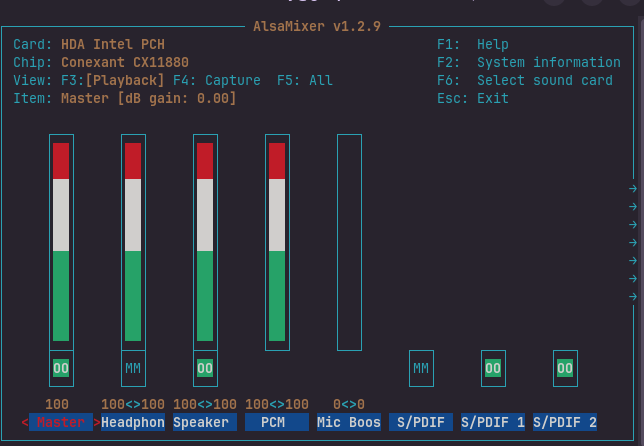
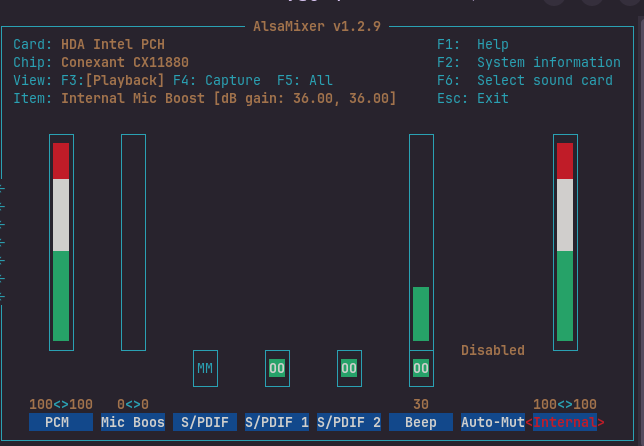
Maybe post a screenshot of your alsamixer here, so we can also have a look and see if anything obvious.
hello! i just finished updating the BIOS (it was a bit nerve-racking with all the warnings and shi ngl xD) but sadly, the problem still persists (Speakers and Internal Mic still marked as unavailable and unplugged respectively) T T. i also tried the other one but it also didn't work
UPDATE: I tried moving the slider below the "Port" in PulseAudio and it made beeping sounds! Though, I am not entirely sure if it was due to the fixes you guys suggested as I did not move the slider before applying said fixes. But hey, it is a step in the right direction! haha
edit: idk if this will help but I just noticed that if I select "Speakers (unavailable)" and "Internal Microphone (unplugged)" options, my sound settings says that there are no I/O Devices. I also want to mention that it does go beep (like the sound you hear when adjusting the volume but overblown cuz as I said in the original post, it had some problems) even when it says Speakers are unavailable.
From your alsamixer screenshots. Have you tried unmuting the 2 channels indicated as Muted "MM" ?
After you unmute the [Headphone] channel, try a pair of wired headphones, to see if any sound from them?
Tysm for the lead! I will look into it! As for the alsamixer, you mean the Headphones and S/PDIF channels right? For the Headphone channel, I didn't really toggle to unmute it but I did use the arrow up key to move it from 0 to 100. I've already tried and yeah, wired and wireless headphones works. As for the S/PDIF, I didn't bother configuring it cuz from what I searched online, I don't have something that uses it.
Since the speakers and microphone were working before installing Zorin, this sounds more like a driver or audio detection issue than a hardware problem. The fact that the system always thinks headphones are plugged in is a pretty strong clue.
I had a similar issue on a laptop where the audio jack detection wasn't working correctly, so the internal speakers stayed disabled all the time. It might be worth checking whether the correct audio device is being detected by the system and whether any muted channels are showing up in alsamixer.
Also, the distorted sound you mentioned under Windows makes me wonder if there could be a codec-related issue affecting both operating systems. Knowing the exact audio chipset in the ThinkPad might help narrow things down.
I don't have built in speakers. But I too had many sound problems. I did everything under the Sun. I was in alasmixer many times, even did a force reload that I found the code for. I had plug in speakers. I did some research and found the speakers were not supported for Linux. No one talks about the speakers being the issue.