Caffeine in Zorin Lite

I had all the time a problem with XFCE in Zorin Lite 17.3 and Linux Mint XFCE 22.1 when watching videos in the browser:
After a while (10–15 minutes), the Wi-Fi (and, as a result, the video) would stop and wouldn't come back on until after a long wait.
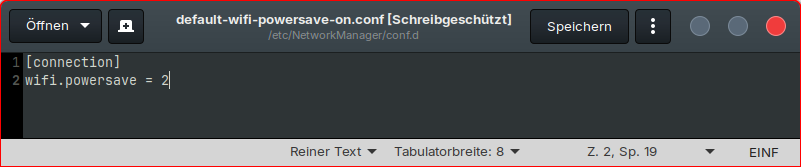
It was as if the network manager had gone to sleep, even though wifi powersaving in /etc/NetworkManager/conf.d/default-wifi-powersave-on.conf was set to 2 (disabled). I have an Intel Centrino wlan card running with iwlwifi drivers.

Today I installed the app caffeine on Zorin 17 Lite and activated it in the caffeine tray indicator, and wlan did not stop. :grinning_face:

sudo apt install caffeine

I didn't know that there's also an app you can use with Xfce. I had only knewn about the gnome extension caffeine.

I'll watch if my problem is solved now. All other things as turning on presentation mode didn't help.

3 Likes

Today I saw this project.
Maybe there will be a deb package for Ubuntu 22 or 24 later on?

But I'm really happy to have found the app caffeine.

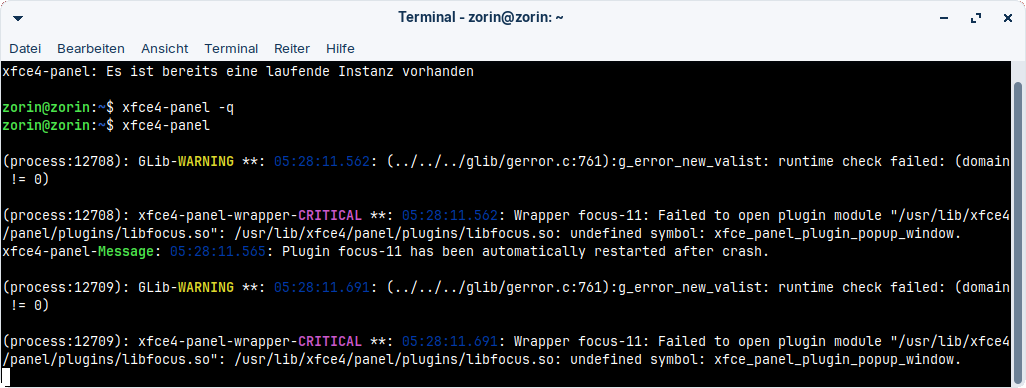
I tested the installation of xfce4-focus-plugin (built from source), the installation was succesfull and the focus plugin shown in the list of available plugins, but the plugin crashed and I was not able to add it to the panel.

Hi the only version I have been aware of in my early GNU/Linux days was Kaffeine - clue in the name, KDE app.

https://en.wikipedia.org/wiki/Kaffeine

Had you not yet tried

xset 0 0

Yeah, now I remember. I forgot that. I think turning off all the power-saving features helped back then, but I wanted the screensaver and suspend to kick in automatically during everyday use.

When I just tested it with xset s 0 0 (xset 0 0 gave an error), it helped.
Perhaps that would be another option for me running this command in the evening before turning on the video, because afterwards, I usually shut down the laptop so that the screensaver setting is reset and I wouldn't need to change the normal power saving options.

I'll test what is better and most comfortable.

Thanks for catching that...

1 Like

Unfortunately, Caffeine isn't entirely reliable either. Yesterday, while I was watching a video, my entire system suddenly went into suspend, even though Caffeine was enabled.

The wlan malfunctions were better with caffeine than with the xset command.

Can you grab the log and see if we can I.D. what process is causing the suspension?

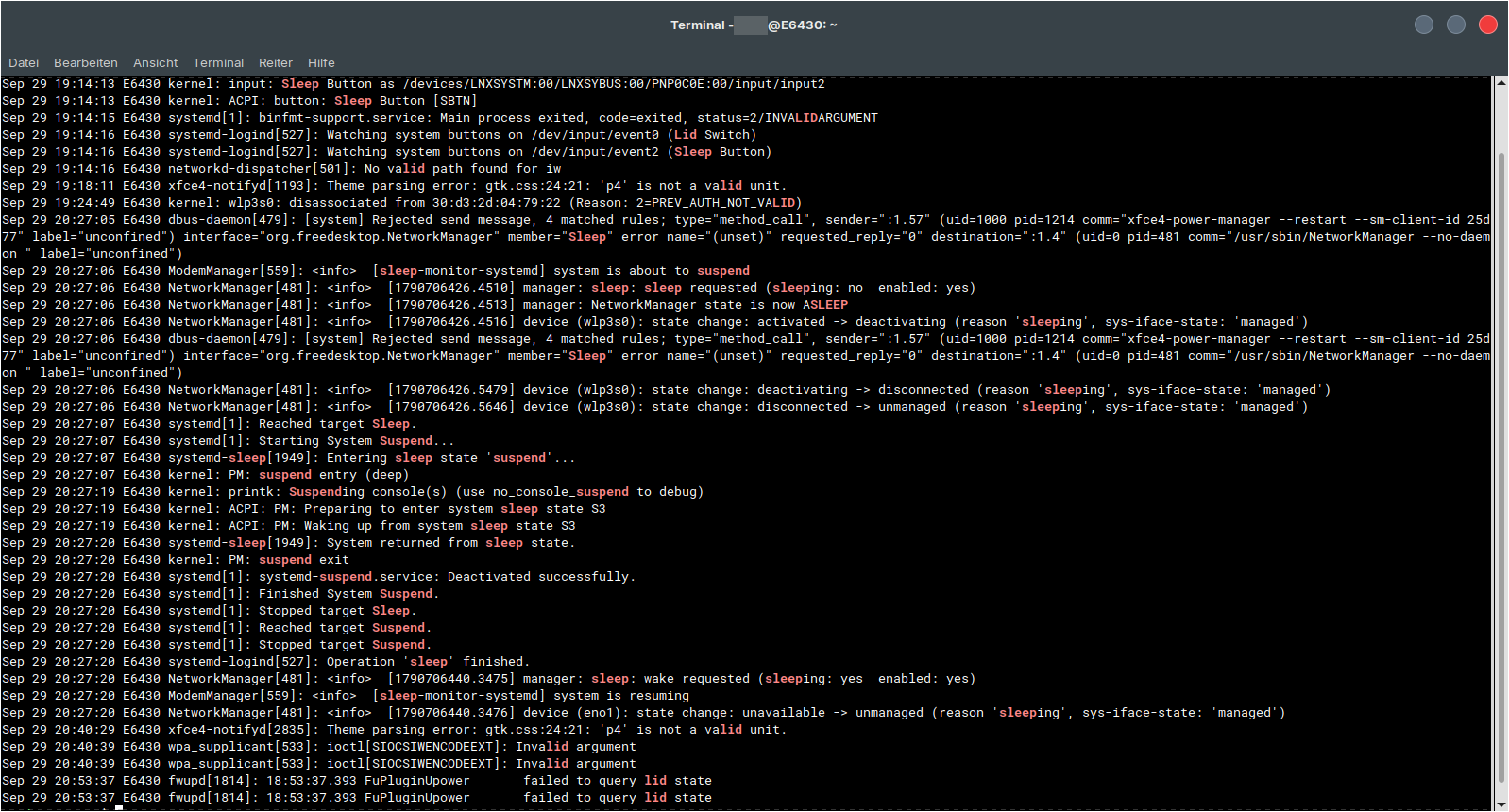
journalctl -b -1 | grep -Ei 'suspend|sleep|lid|inhibit'

It happened at time 20:27

Hm...NetworkManager seems to fall asleep although it should not.

That is definitely a suspend event.
And that explains why WiFi is going out.

Caffeine and the xset s 0 0 inhibit screenblanking from the screensaver. Not a Suspend call.

If you can reproduce it, you can try running this complicated puppy:
sudo dbus-monitor --system \ "type='method_call',destination='org.freedesktop.login1',interface='org.freedesktop.login1.Manager'" \ "type='method_call',destination='org.freedesktop.systemd1',interface='org.freedesktop.systemd1.Manager',member='StartUnit'"

Which seeks to determine what is method calling on Suspend... But, if you check your Power Settings and see if it is set to autosuspend on inactivity, that would be the prime suspect.

Yes, it is set to autosuspend. Caffeine should disable those settings (turn off autosuspend and screensaver) for the time caffeine is activated, or not?

I usually have no problems with screen blanking or suspending, only with wifi falling asleep while watching videos.

But (without caffeine) it always seems to me as if the system falls into a sort of half-sleep for a few minutes, until it wakes up on its own and everything continues as usual. The screen stays on the whole time.

Screensaver and an active Suspend are two separate things.

One is the ScreenLock, the other is Sleep.

I am not sure, but as I understood it, by default, Caffeine is setup to not inhibit suspend (sleep), only Screenlock.

Hm, I thought caffeine simulates inputs every minute or so so that the system doesn't consider the user as inactive. But perhaps this is only for Windows or Mac versions not for the Linux one.

Is caffeine-ng better than caffeine? In the description you can read
"Tray bar application able to temporarily inhibits the screensaver and sleep mode".

I'm wondering if this tool might help:

or a xdotool command which simulates key presses or mouse clicks every minute.

Is there a terminal command that does the same thing as setting "auto suspend" to "never" for the system in the Xfce4 Power Manager, but that is only temporary until you end the session or close the terminal?

Would something like that work:

systemd-inhibit --what=idle:sleep brave-browser

classic caffeine on xfce mostly only blocks the screensaver for me. systemd suspend still fires.

id try:
-Power Manager → System → Automatic suspend = Never while watching, flip it back after
-or caffeine-ng, that one can inhibit sleep too
-quick no-install test:
systemd-inhibit --what=idle:sleep --why=video --mode=block sleep 2h

if wifi still drops w/ suspend blocked, dig the iwlwifi powersave again.

1 Like

I noticed that a tool that makes an input or mouse movement every minute isn't really suitable for videos, because a bar appears at the bottom screen every minute in full-screen mode and then disappears again.

I haven't found out how to install caffeine-ng. python3-pulsectl is not found and when I install the other dependencies I get errors because of conflicts.

I prefer tools which don't need to be built and are available in repository.

I'll try the systemd-inhibit command later.

Have you ever considered using a mouse with a built in jiggler?

-or-

Another very interesting peripheral:

1 Like

I had never heard of such mouse jigglers. Sounds interesting, but probably you must search for ones which use a method which doesn't call the system tray in fullscreen mode. Usually I don't use a mouse on my laptops, only the trackpad.

I'm wondering if that command could help:

while true; do xdotool key F15; sleep 59; done

Hm...this command also shows the system bar every minute in fullscreen. Perhaps I could set it to 10 minutes instead.

And I'll test if a 1 pixel mouse move calls the browser player's system bar

while true; do xdotool mousemove_relative -- 1 0; xdotool mousemove_relative -- -1 0; sleep 60; 
done

Edit: The system bar appeared. I tested it with mousemove_relative -- 0 0, then the bar was not shown. But I'm not sure if it helps to keep the computer awake then or is not registered. I'll test it with a longer video later.

Last night, I was able to watch a video without interruptions :grinning_face: I tested these commands (just one at a time)

systemd-inhibit --what=idle:sleep --why=video --mode=block sleep 2h
while true; do xdotool mousemove_relative -- 0 0; sleep 60; 
done

The second one seems to need more ressources (fans were louder - or my laptop was hot because it was the second test. I could set a time which is a bit less than the 15 minutes of autosuspend).

In a shorter test of 20min the keep-alive tool has worked, too. But I prefer a solution without external third-party tools.

Personally, I'm not a big fan of fiddling with the slider in Xfce4 Power Manager each day (I don't like to have to hit the pixel for a special value as e.g. 15 with the touchpad), so the first command could be an option for me and I could keep the normal autosuspend settings for my daily work when not watching videos.

I'm not quite sure what caused my problem with the network manager falling asleep and which are the
corresponding terminal commands as setting "never" in xfce4 power manager.

Often is given the advice to set

xset s off -dpms

and I'm not sure if that command affects the same things as the systemd-inhibit command (or only the screensaver and display). I read, dbus can prevent sleep, too. So, I'm interested which commands are used in xfce4 power manager when you turn on/off stuff there or set times for system and display.

Is it true that the systemd-inhibit command remains active as long as the terminal is open and terminates when the terminal is closed?