So, I did a fresh install of 18 pro, and my camera won't work. Worked in 17 and still works in Windows 11. So, here's my question: Anyone notice they're camera suddenly not working on 18? And IF so, were you able to fix it? And IF you did, what did you do?
I tried another old Logitech camera as well and it doesn't work either.
I'm a little afraid to answer, as you don't want any guesswork. Unfortunately, I don't know how to solve the problem and which camera you have, so I can only suggest ideas that might help.
You could try to restart pipewire:
systemctl --user restart pipewire
or try to add your user to videogroup (replace "$USER" with your username, e.g. sudo usermod -aG video alfetta), then logout and login again
Actually I had similar issue in 18. I have a really old Logitech camera and found it works best in USB 2 port. I removed the new camera app that comes with 18 and went back to Cheese. No issues. (Most of the USB ports on my motherboard are USB 3 or 3.2)
I should also point out that I replaced most of the Gnome stuff by installing KDE Plasma, so in effect the Drive is a Frankenstein Kubuntu.
I think it's more that it's nice to get someone to at least qualify their answer as @forpli has: e.g., "That happened to me, and I did this", or "I'm not sure, but you might look into this". And I appreciate your suggestion to supply some log data. It's just that there is a common element in all of these forums whether they be about an OS, a car model, or life hacks, where you get a lot of or "Have you tried turning it off and turning it on again,"
I've learned the hard way that there are a lot of folks who either have a little knowledge, and it comes out on the forums in dangerous ways, or just people who have to have fifteen seconds of fame and end up giving bad advice that does anything between waste my time going down a rabbit hole to breaking something and costing me money and more time. I've been guilty of this as well, and I am a person who himself has learned to stop, take a deep breath, and only answer if I'm sure.
So perhaps in the future, I should just say that if you're guessing, let me know.
We can provide more tailored answers if you provide more information, e.g., whether it is a laptop with an integrated camera, and if so, what brand/model the computer is, or whether it is an external webcam, in which case the exact model would also be important.
We are not a computer store with specialists, but a community. We help here for free and in our free time. For more expert advice you are free to contact a computer specialist for your problem.
How do you do that? The Software application shows two versions of Camera, one flatpack and the other Zorin, and neither shows as installed. I can apt list, and there is an application that contains 'camera', but is this that Camera?
Like @Forpli already showed You, there is the Command for some restricted Codecs. As an Addition to that: When You install it, You get a Window wheere You have to agree to a Licences Agreement. this is because this Package is a Bundle and includes Codecs and Microsoft Fonts. And the Licence Agreement is for the Microsoft Fonts.
Then you can open Gnome Software, scroll down on the Star Page and there You see a Button called ''Codecs''. Click on it and You get a List with Codec Packages what You can install.
More Codecs, you can get when You install additional software like VLC Player and the ffmpeg Package with sudo apt install vlc ffmpeg
That shows all connected Devices. So, we can see if Your plugged in Camera is even right detected.
Unfortunately, You experience here the Way how Gnome handles the Naming of their Programs ... You can uninstall it with sudo apt purge gnome-snapshot
There is a Program preinstalled called ''Main Menu''. It is for set up the Startmenu. There I looked for the ''Camera'' Entry and clicked on Properties. This shows how the Entry is set up with what Start Command. And the Command is snapshot
But this alone isn't the Package Name; You can't find it. So, I did an apt list | grep snapshot and I got a List with Snapshot Entries. And there was the Package gnome-snapshot what is marked as installed. To make sure it is the right Package, I've made an apt show gnome-snapshot to get Details about the Package - which includes a Description, too. And so ... I got it.
I still can't make the camera work, and it occurred to me that I had also installed 18 on a million year old mini laptop that I keep around for experiments. And behold, its camera works just fine w/ 18 as well as audio and other peripherals, so I've come to the conclusion that it's just something about this external camera, and like so many things w/ Linux, I've spent more time than a new camera is worth. However, I did learn a lot in this thread, so thank you all for your input.
I had the same problem with Zorin Pro 18 and the camera on my 2017 13" MacBook Pro A1708. After many changes made with the help of chatgpt5.1, we managed to install the webcamoid application and it worked. I use Zoom and Teams for work, and thanks to webcamoid they worked well. It's true that I haven't been able to get it to work with the camera application that comes pre-installed on Zorin, nor with the Cheese app that I installed at chatgpt's suggestion for testing.
In case it helps, here's the GitHub link for webcamoid:
It shows up in the list yielded by lsusb as: ID 05a3:9331 ARC International Camera
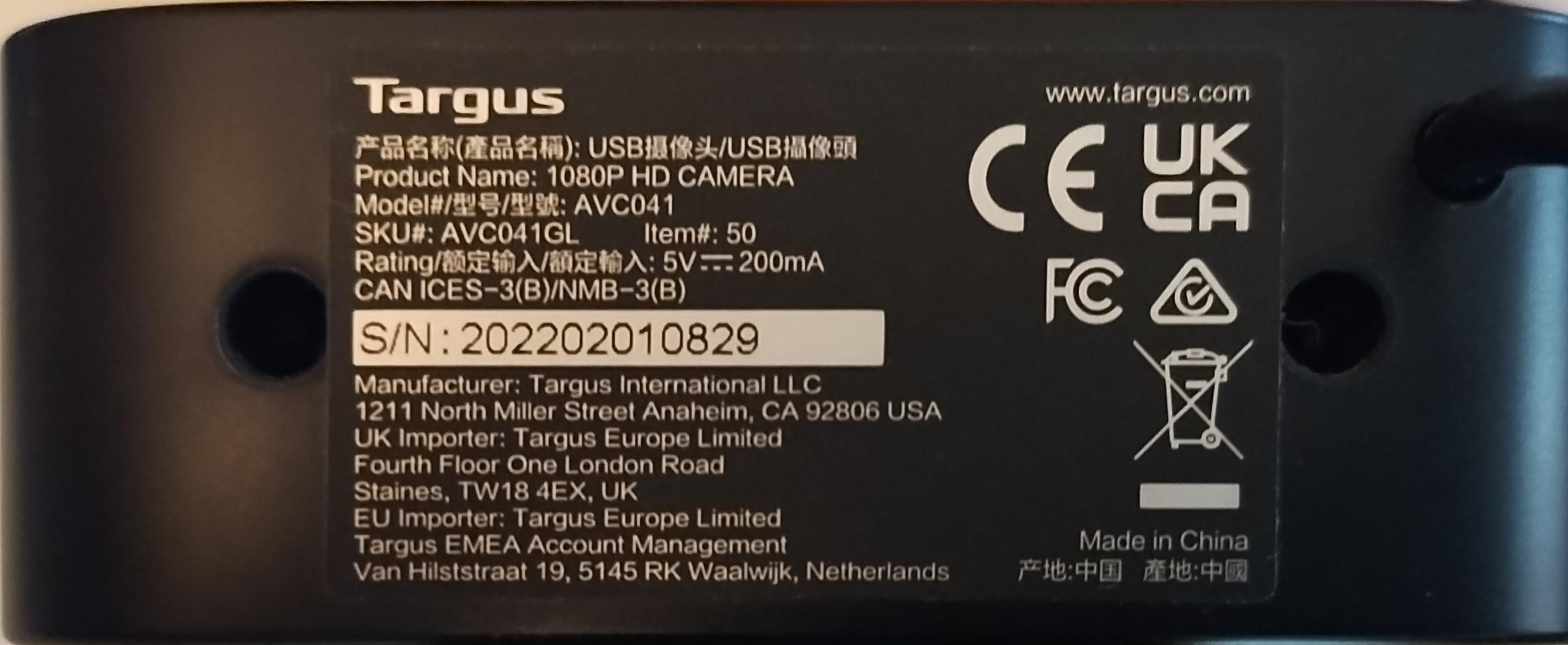
This is what I replaced it with:
I have to admit that I have become rather enamored with this brand after picking up a new wireless mouse after my mouse failed. I have since picked up a new keyboard, earbuds and now this camera. BTW, I paid nowhere near that much for this camera. In fact, the metadata for that link doesn't even match what you will see if you click on the link.
tl;dr
I'll probably hang on to that camera as a back-up as it works in Windows 11 which is what I have to use for work. I just dabble in Linux to learn and see what I can use it for. I work in Windows all day, so it's nice to try something else. I say that I work in Windows, but that's not to say that we don't have Linux based resources. A lot of code I write or at least architect is written on Windows, but we have one consultant who is Ubuntu, and a lot of our stuff runs on Linux based cloud resources in .NET. With SaaS becoming so powerful, Linux for me is almost like a Chromebook where I'm mostly in browser-based apps or PWAs, but with .NET being cross platform (oh, and open source BTW,) I rather enjoy coding in Linux w/ VSCode.
 %
%