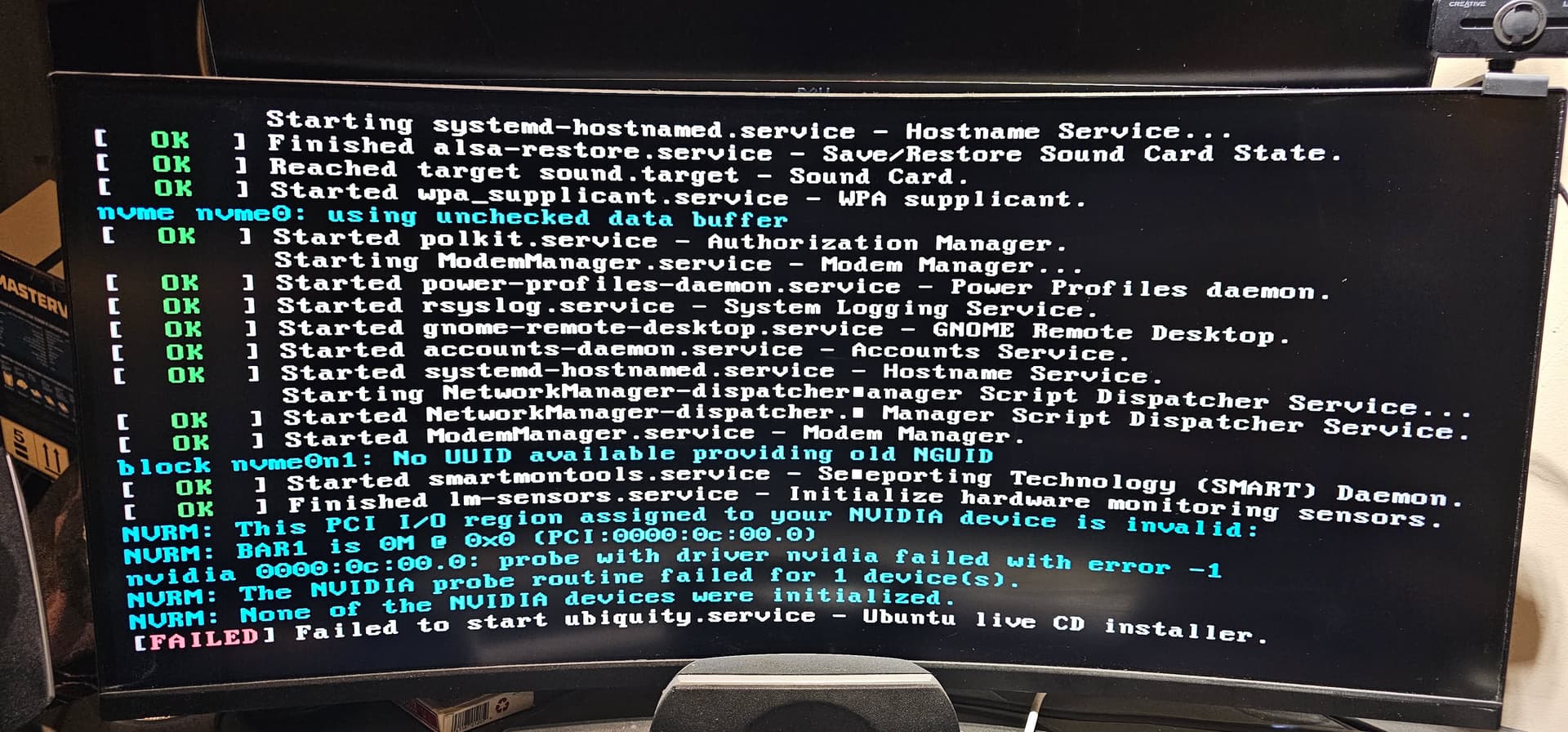
First time user, cannot install Zorin OS 18. Almost all install selections after booting the display turns off, GPU fans go full throttle and hangs.
This happens to any option (Install or try normal, safe mode, modern nVidia, etc).
I tried UEFI and regular.
There was only one option that got me far enough for this error:
Starting systemd-hostnamed.service - Hostname Service...
[  OK  ] Finished alsa-restore.service - Save/Restore Sound Card State.
[  OK  ] Reached target sound.target - Sound Card.
[  OK  ] Started wpa_supplicant.service - WPA supplicant.
nvme nvme0: using unchecked data buffer
[  OK  ] Started polkit.service - Authorization Manager.
Starting ModemManager.service - Modem Manager...
[  OK  ] Started power-profiles-daemon.service - Power Profiles daemon.
[  OK  ] Started rsyslog.service - System Logging Service.
[  OK  ] Started gnome-remote-desktop.service - GNOME Remote Desktop.
[  OK  ] Started accounts-daemon.service - Accounts Service.
[  OK  ] Started systemd-hostnamed.service - Hostname Service.
Starting NetworkManager-dispatcher.service - Network Manager Script Dispatcher Service...
[  OK  ] Started NetworkManager-dispatcher.service - Network Manager Script Dispatcher Service.
[  OK  ] Started ModemManager.service - Modem Manager.
block nvme0n1: No UUID available providing old NGUID
[  OK  ] Started smartmontools.service - Self Monitoring Technology (SMART) Daemon.
[  OK  ] Finished lm-sensors.service - Initialize hardware monitoring sensors.
NVRM: This PCI I/O region assigned to your NVIDIA device is invalid:
NVRM: BAR1 is 0M @ 0x0 (PCI:0000:0c:00.0)
nvidia 0000:0c:00.0: probe with driver nvidia failed with error -1
NVRM: The NVIDIA probe routine failed for 1 device(s).
NVRM: None of the NVIDIA devices were initialized.
[FAILED] Failed to start ubiquity.service - Ubuntu live CD installer.
Have you tried installing without choosing the option to add proprietary (i.e. Nvidia) drivers. Simple installation may work better. You can add Nvidia drivers after.
I'm having the same issue, but I haven't made it to the an error screen.
AMD Ryzen 9 5900, ASUS Dark Hero VIII, 64GB Ram, NVidia RTX 5060 TI, 1 TB SSD M.2, Windows 11
I tried BalenaEtcher, and Ventoy
I was able to get it to work on my work PC with the same installation media.
Work PC is a HP Victus i5 (12gen?) 32GB RAM, NVidia RTX 3050
" Yes, Linux has drivers for the RTX 5090, but with important caveats.
NVIDIA's official stance is that Blackwell-based GPUs (like the RTX 5090) require the open-source kernel driver and are not supported by the proprietary (closed-source) driver . The proprietary driver will fail to load, resulting in a "No devices were found" error in nvidia-smi .
Working solutions include:
Using the nvidia-open driver : Install the open-source driver package (e.g., nvidia-driver-580-open or nvidia-open ) via your distribution's package manager or NVIDIA's official repository. This is the only reliable method for full functionality.
Avoiding the proprietary driver : Selecting the proprietary driver during installation will cause the system to fail to boot or recognize the GPU.
Distribution support : Ubuntu 24.04 and Debian 13 can be configured to use the open driver successfully. Pop!_OS is also reported to work out-of-the-box.
Key requirements :
A kernel version of 6.13 or higher is recommended.
The nvidia-open driver must be used, not the standard nvidia-driver package.
The "Resize BAR" option in the BIOS may need to be enabled for proper booting.
While performance and stability are improving, the RTX 5090 on Linux currently relies on the open-source driver stack for compatibility.