I've got some expired Surface Pro 5's I'm trying to repurpose from Windows 10 to Zorin OS. I have successfully gotten the smart card reader to work for login and it works for Brave too. However, Firefox from the Software store is another story entirely.
The conventional Linux wisdom that I can glean from the internet seems to all indicate you should add the device through Firefox's preferences, connecting it to the opensc-pcs11.so driver (may not have remembered that file name perfectly). However, when I navigate to /usr/lib/x86_/opensc-pcs11.so and attempt to make that the path for the device in Firefox 146, I invariably get the error message "cannot add module".
Much searching on this issue seems to imply that maybe Firefox uses a pcsc-proxy-kit, but there are zero writeups on how to make that work with anything. At any rate, at this point, given that Brave works and login works, it seems to be an issue with Zorin interacting specifically with Firefox. All latest updates to both app and OS have been applied. I am on the linux-surface kernel and I've done
sudo apt install pcscd sssd libpam-sss
to get the smart card reader active and usable for logins, but that that's the end of my modifications. This is my 3rd burn to the ground and rebuild trying to get the recipe correct and at the moment Firefox is probably the biggest issue, since I'd like to have that available for students as well as Brave.
Hi, Don't know if it has changed but if memory serves me correctly, Firefox was only available as a flatpak which means it is 'sandboxed' from the system - that could be the issue. Remove the installed Firefox and for a more secure browser I would opt for Firefox ESR as it is the only version that can be locked down if being put on a network.
Download the tarball from the official site:
(Choose your preferred language).
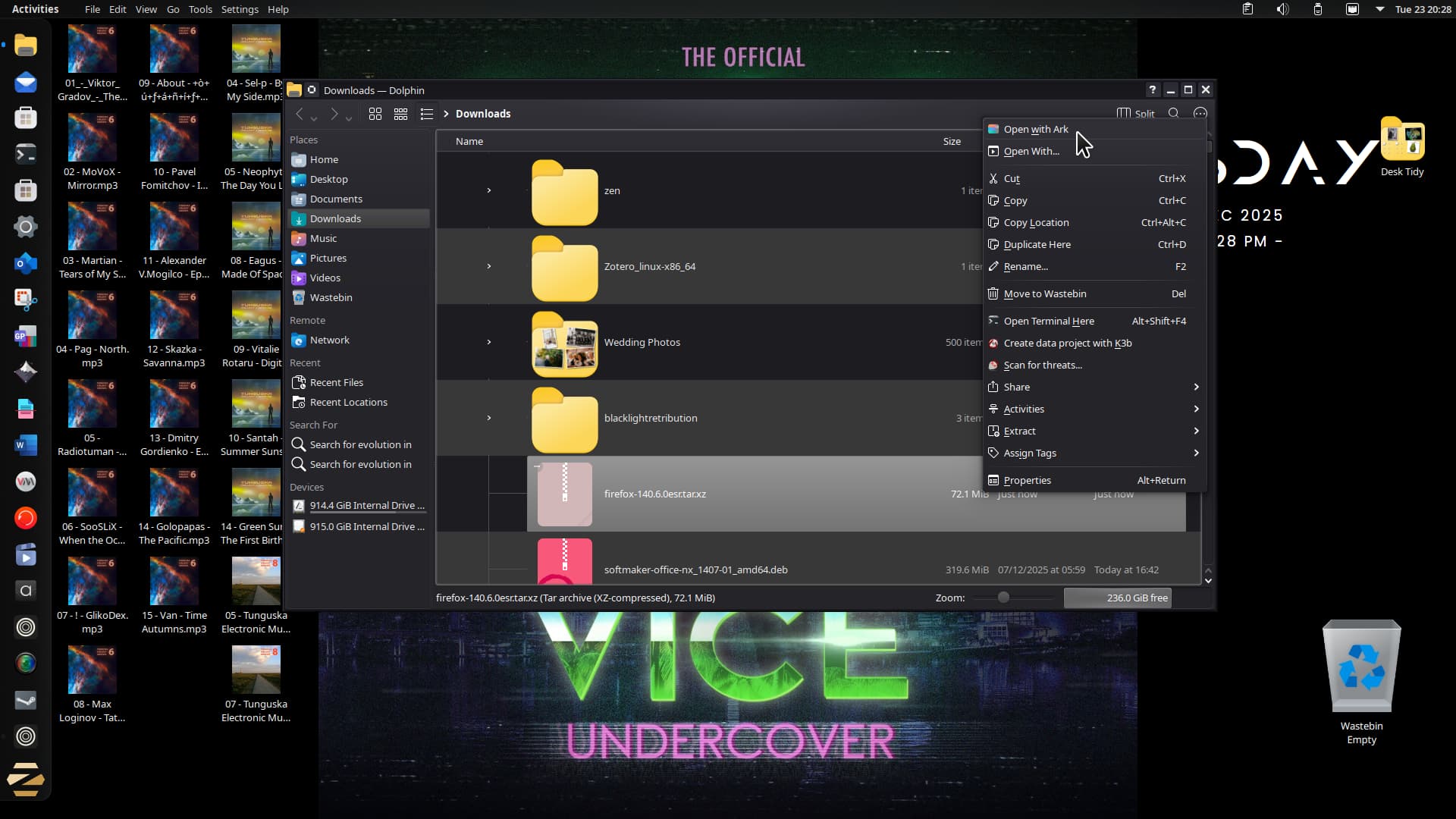
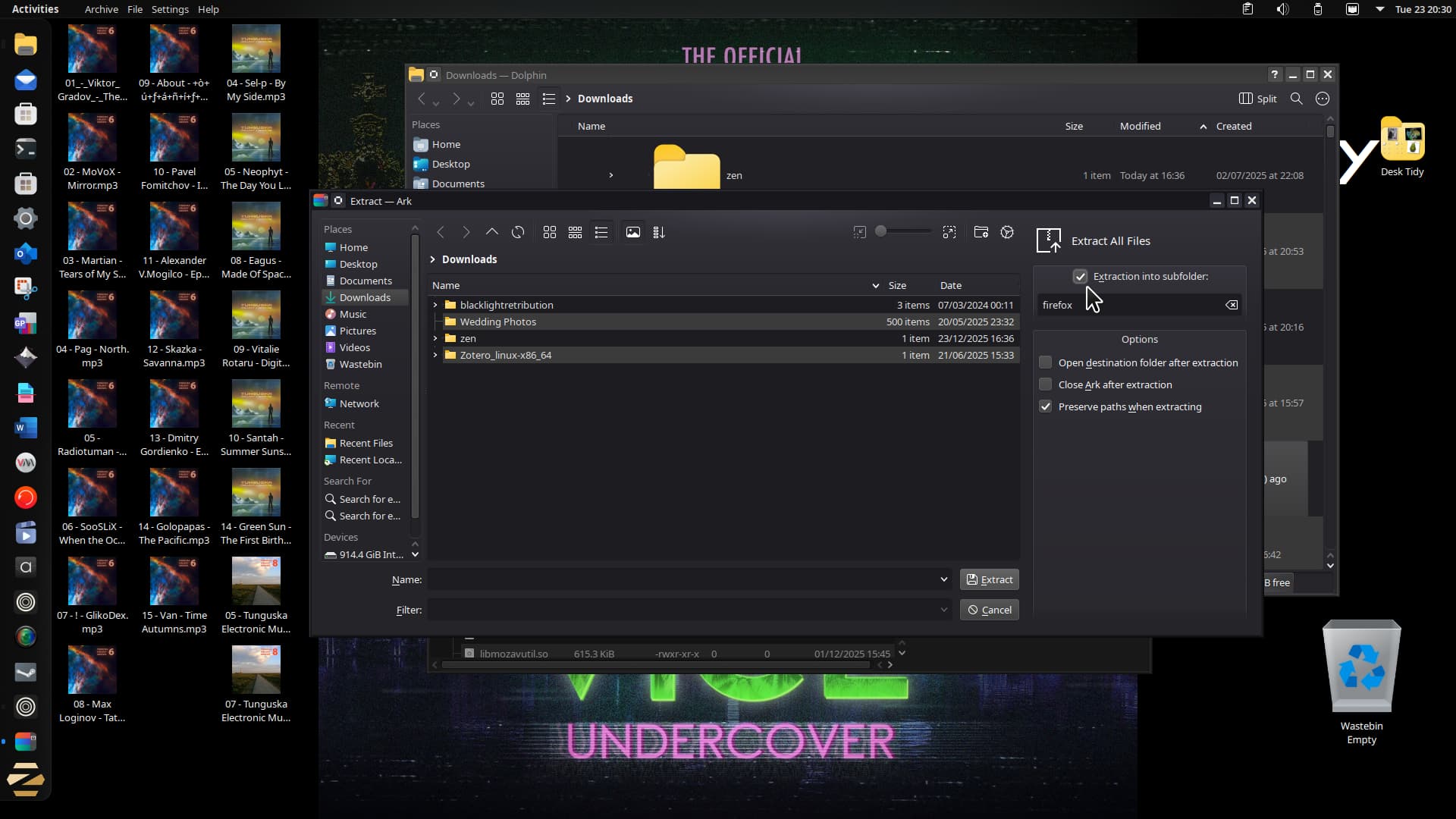
Go to the downloaded tarball and extract with Zorin's archive application (screenshot is from Q4OS):
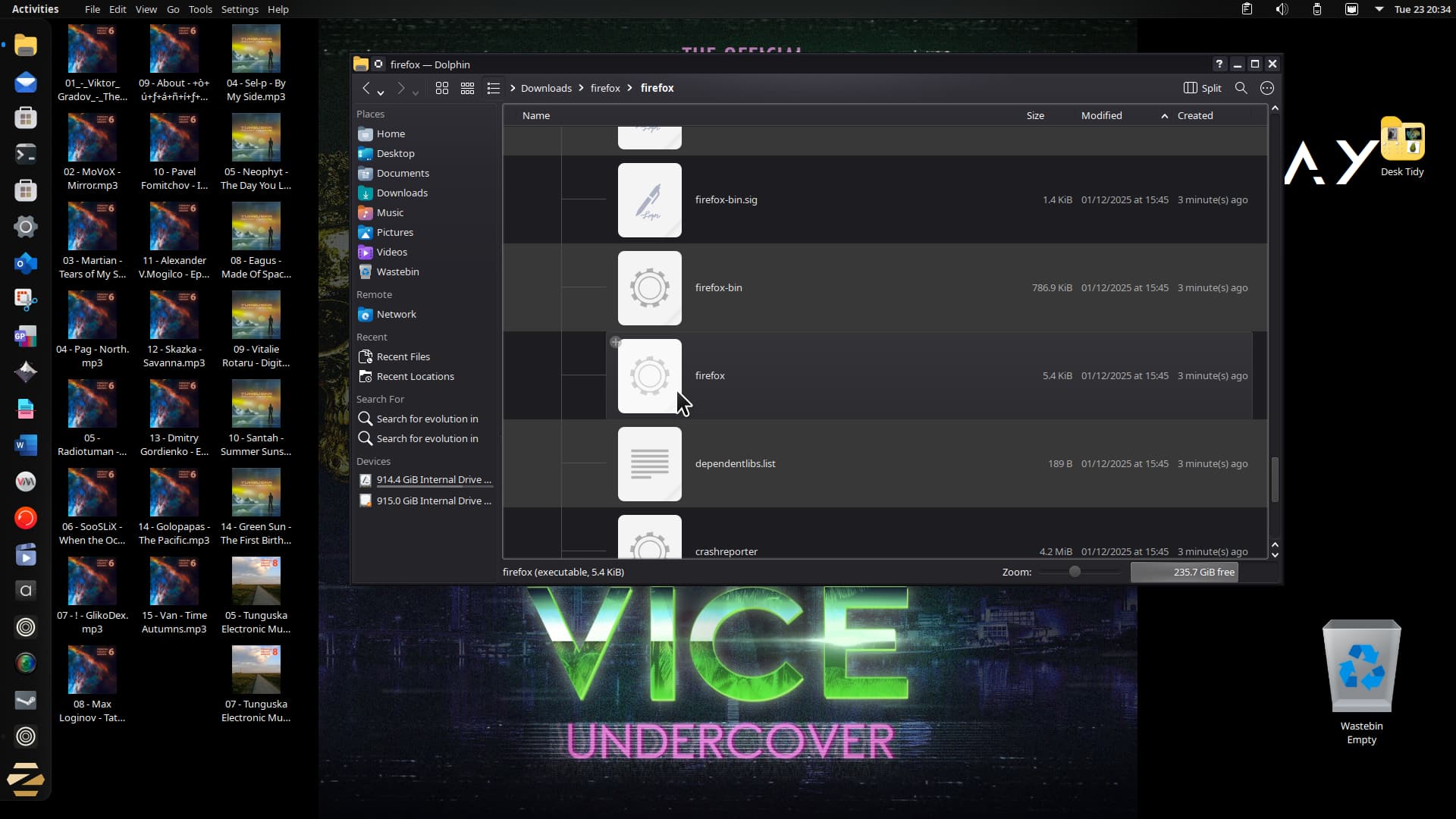
Once all the files have been extracted into the subfolder named firefox. Open it and you will see a second firefox folder. Open this second one and scroll down until you see the firefox cog icon:
Now hopefully you can right-click and pin to taskbar, but you won't have a Menu item.
Launch Main Menu, go to the sub heading of 'Internet' and add a new launcher in the section. Name it Firefox ESR. In the command box point to the location of the firefox cog icon in the folder already stated. Now to add the logo icon. Click the blank square for where the icon should be for the new launcher you are creating and navigate to /home/Downloads/firefox/firefox/browser/chrome/icons and choose the 'default64.png' for the clearest looking icon. You are now good to go - this is also the method I use for installing Tor Browser and zen browser, the latter a fork of Firefox.
Enjoy!
I agree with Forpli. If you installed FF from Software Store as Flatpak or Snap, that method creates a self-contained app, which may not interact well with system components. Try the .deb version of FF.
This is the winning solution. Thanks to everyone for your help in understanding this. I have never dealt with flatpak vs .deb and didn't understand the issue at all.
I think somehow the Store app initially did it as a flatpak when I did the install before XMas? It took me a bit to understand how to uninstall the flatpak version actually (because it no longer showed up as installed via the Store app and I know I just installed it through the Store initially), but sudo flatpak --delete-data org.mozilla.firefox did the trick.
Reinstalling from the Store with the .deb package (now available) did in fact immediately link me up to the CAC reader and all is well.
Again, thanks to everyone for your replies and sorry it took so long to get back to this--have been on vacation over the holidays.