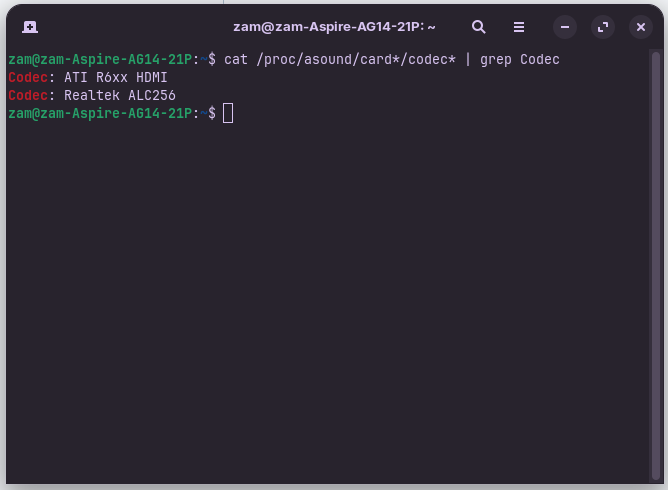
Yes, and then you go to the kernel website they have linked, and try to find the best match you can for your system. From a brief look, there's a few choices, but again, it'll be a bit of cat and mouse. Then you just replace the final line in that file with whichever one you want to test next. Then reboot.
Unfortunately that's the best I can think of in this situation honestly. I doubt a kernel upgrade would change anything, as I'm running VERY similar hardware, just packaged by a different vendor.
I mean there's only 3 on there with ALC256, should I just copy and paste them or do I need to change them like with the asus one? There's also a samsung one...
Anything under the ALC22x/23x/25x/269...etc category may work, as that encompasses your model. Which is why the laptop-dmic option MAY work, or another one may.
Any time you want to try one, I would just replace the
model=
With whatever you're trying to try next. So you would try
options snd-hda-intel model=laptop-dmic
If you were wanting to try the laptop-dmic option.
I tried that last one and nothing again. Gonna try the "acer-aspire-e1
" one. So for that I'd put "options snd-hda-intel model=acer-aspire-e1"?
correct, that's what you would put
If nothing helps you could try a method I found in Mint forum which helped for a ACER notebook. They add alsa ucm there. You wouldn't need to install another kernel as you are already on kernel 6.14 in Zorin 18.
https://forums.linuxmint.com/viewtopic.php?t=434505#p2555844
I'm SO confused right now.
First, take your time to finish everything. No rush.
I didn't want to overwhelm you. It all sounds very complicated to me too.
I hadn't heard of this method before and I'm not familar with such things.
I've basically ran everything I could find in that forum in Terminal, and nothing.
I'm completely lost rn... why is something SO SIMPLE SO DIFFICULT? WHY DOESN'T IT JUST WORK?!
Did you take a look in alsamixer? You can launch it from terminal by entering
alsamixer
Is the microphone shown there?
With F6 you can select your soundcard and then look if the microphone shows MM (muted) or 00. If it shows MM select the microphone chanel and press the m key to unmute it.
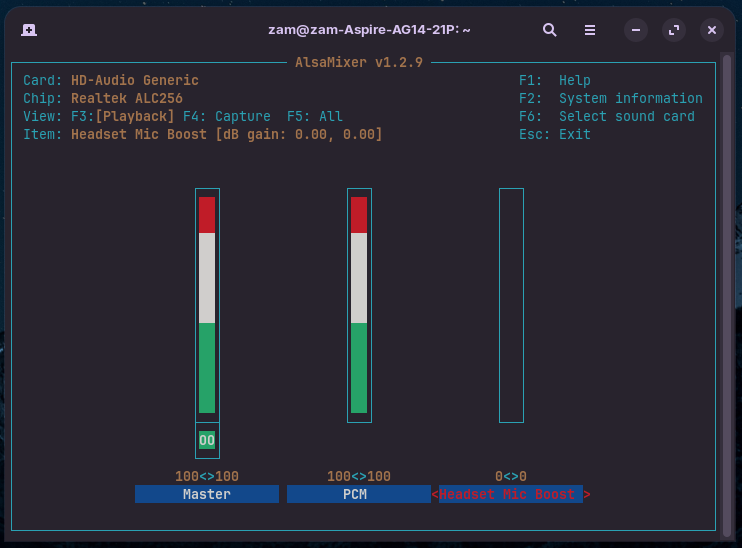
But it's not a headset mic...
What is shown when you press F4?
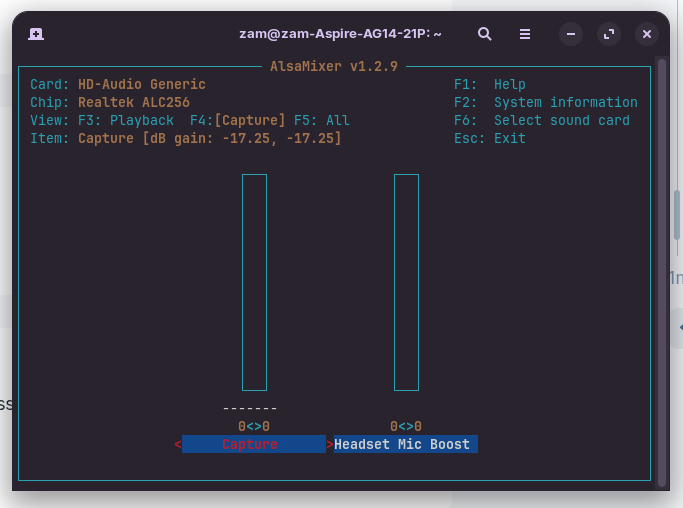
Unfortunately, I'm out of ideas. The microphone is not being recognized.
You could try a later kernel, but I'm not sure if it will help. Use the mainline installer tool or liquorix, not tuxinvader.
If you don't want to try that you could also create a bootstick of a Linux Distribution with a current kernel, e.g. Fedora, and boot from it (don't install the os, only try it), then test if the microphone is working.
I totally understand why people avoid Linux now. SUCH a shame because everything else is working and if the mic would just work, it'd be perfect.
One guy said his issue was solved when he updated to 6.15.7.
Then try it with a later kernel. That's easier than editing the audio files.