In your command, you show an UpperCase letter "I" but in the file name, it is lowercase (Terminals and cmd prompts are Case Ssensitive)
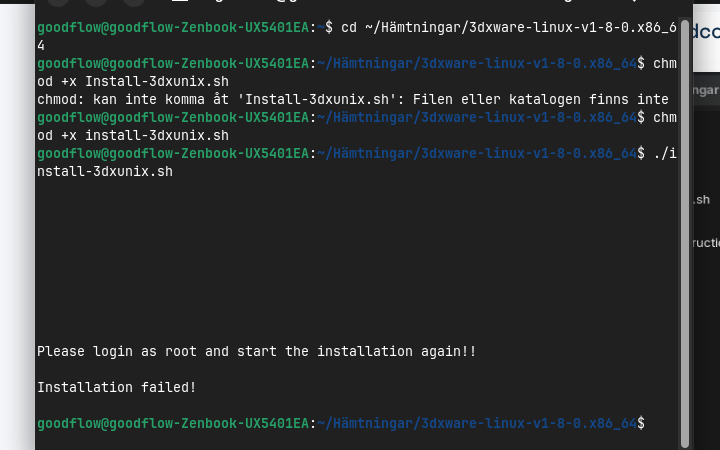
You can elevate to root with sudo at any time you need.
sudo ./install-3dxunix.sh
I am really thankful! I restart the computer but it dit the same, mous work for 5 sec and stops
The installation work and i when i was given 5 choses in the beginning of the instal i shose number 4 that stand for linux
So, you were able to install the driver using the script, but still have the same result? Mouse stops working a few seconds after initializing?
Yes thats right
This may be a system issue but...
Maybe your specific mouse has specific driver needs:
Again i am thankful for youre time and qute angry at this expensive mouse! Still won't go back to windows especially since i boug the pro version of zorin. i saw on there homepage that the linux only support the other products but not the cadmous. makes me mad but what can i do
Can you se if this mous works in zorin?
Corsair M55 Lightweight Gaming Mouse
1 Like
Yes, that does work in Zorin OS without any need to install additional drivers to make it work.
But: i am not sure that the included drivers on Linux (kernel) support full control over its RGB lighting (I use OpenRGB for this). I am not sure about their built in Button Remapping.
Dont need the light and the only extra buttons i wish to work is on the sid of the mous to go back and forward when scroling on intrenet brave web browser!
Those should work as - is.
Remapping would be if you wanted to change how they work.
Thank you and the best to you!
Forgot to ask if i need to revert the changes on the grub file that changed how the usb works?
and how do i uninstall the drivet that did not work?
1 Like
Sorry for asking again!
Do i need to revet the changes on the grub file that changeed how the usb work? Maybe it is better to be in the original text?
Second question is how do i uninstall the driver that did not work for the cadmouse?
./install-3dxunix.sh --uninstall
Or
sudo ./install-3dxunix.sh --uninstall
should do the trick.
You can if you prefer, but I would leave that parameter since it is not particularly harmful and may benefit you.
BUT if you are not using USB devices much and seeing the battery on a notebook computer not last long enough - you can remove the parameter by reverting to
"quiet splash"
and running
sudo update-grub
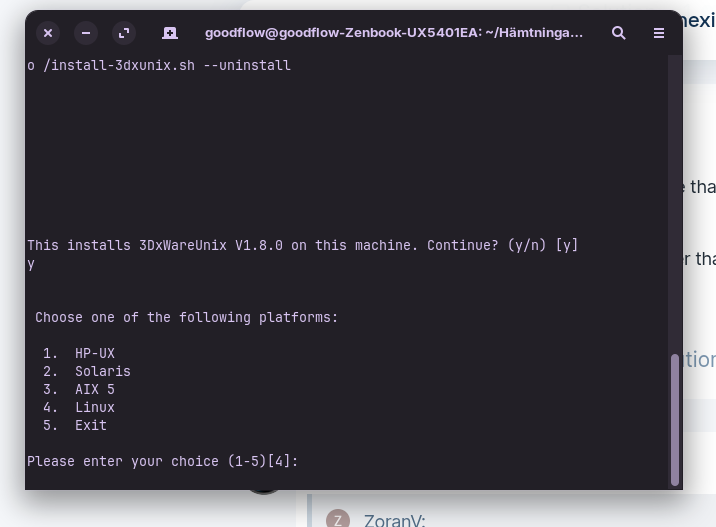
I edited my post above for clarity and a typo...
That said, your screenshot agrees - it is trying to install.
The installer script is just a script - the writer of the script needs to ensure it follows conventional flags - in this case, the uninstall flag.
Let me download that package and examine it to see how to remove the driver - this may take a few minutes.
Well, I have read the installer script and it does not support uninstall which means having to remove the pieces manually. Nice.
In terminal, (These are based on what the script deffines as the install points):
sudo rm -rf /usr/lib/3dxware
sudo rm -rf /etc/3DxWare
sudo rm -rf /usr/share/3DxWare
sudo rm -f /usr/share/applications/3dx*.desktop
Remove the rules:
sudo rm -f /etc/udev/rules.d/99-3dx*.rules
sudo rm -f /lib/udev/rules.d/99-3dx*.rules
Reset the rules:
sudo udevadm control --reload-rules && sudo udevadm trigger
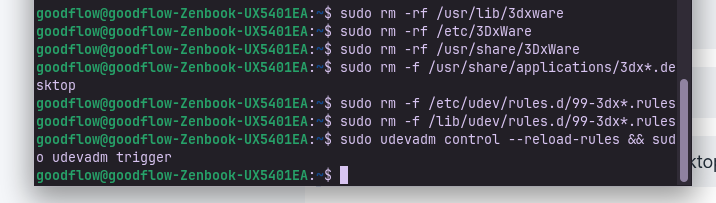
Looks good. This is one of those where success (or no errors) produces no verbose output.
1 Like
This topic was automatically closed 90 days after the last reply. New replies are no longer allowed.