Hi there,
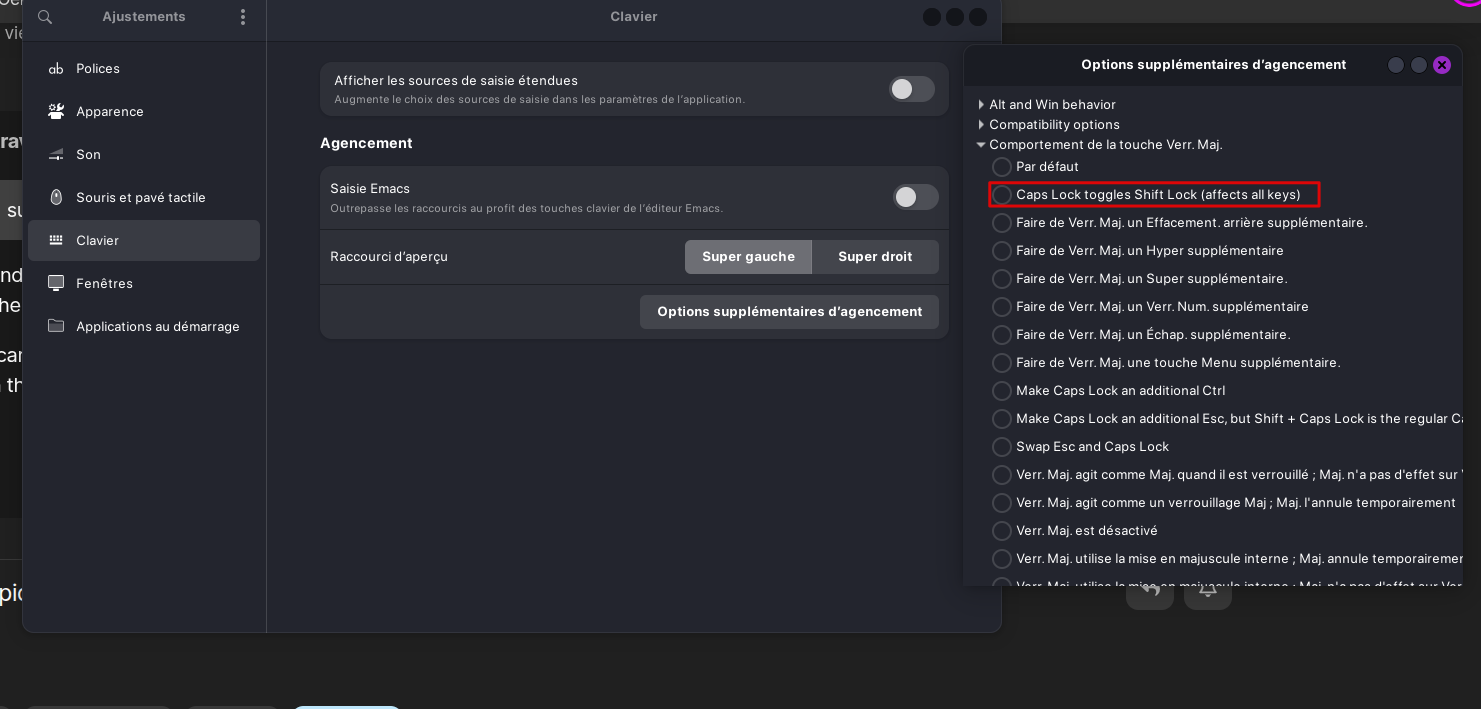
I'm new to Zorin and there's one thing I can't figure out. I'm used to using caps lock for special characters like '&', '=' etc. In Zorin, caps lock doesn't do that. What can I do to change the behaviour of caps lock? So far, I've only found tutorials for ubuntu: keyboard layouts options -> Caps Lock behavior -> then select Caps Lock Toggles ShiftLock
This option doesn't seem to be available in Zorin. Where can I find it?
sudo apt install gnome-tweaks
Under Keyboard/Mouse look for "Additional layouts"
Then Caps Lock Behavior - you should be able to set shift lock, there.
I cannot test this - I do not use Gnome... But if Gnome Tweaks has changed, please show so in this thread and maybe some Gnome users can narrow it down more.
2 Likes
This topic was automatically closed 90 days after the last reply. New replies are no longer allowed.